In 2025, a successful social media presence goes far beyond vanity metrics. To drive real business results, from brand awareness to sales, you need to understand the 'why' behind your performance. This requires deep, actionable insights that only the right analytics tools can provide.
But with hundreds of options available, how do you choose the one that fits your goals, team size, and budget? This guide cuts through the noise. We have evaluated the market's top contenders to bring you a definitive list of the best tools for social media analytics. We move beyond generic feature lists to provide a comprehensive resource for marketing managers, e-commerce owners, and performance media buyers who need to make an informed decision.
This curated roundup offers an honest assessment of each platform's strengths and limitations. You'll find a detailed breakdown of what makes each tool unique, its ideal use case, and critical implementation considerations. Our goal is to help you select a solution that not only tracks metrics but also uncovers the audience intent and competitive intelligence needed to refine your strategy. Each review includes screenshots and direct links, enabling you to quickly compare options and find the perfect fit to start turning raw data into measurable growth. We'll examine everything from enterprise-level suites like Sprinklr to specialized tools like FeedGuardians, ensuring you find a platform that aligns with your specific operational needs.
1. Sprout Social
Sprout Social is an enterprise-grade social media management suite renowned for its powerful, presentation-ready analytics. It's one of the best tools for social media analytics if your organization requires deep, customizable reporting that can be easily shared with stakeholders, making it ideal for agencies and larger marketing teams managing multiple brands or profiles.
The platform consolidates data from all major social networks into a unified dashboard, allowing you to track everything from high-level cross-channel performance down to individual post metrics. What sets Sprout Social apart is the granularity of its reporting combined with a clean, intuitive user interface that simplifies complex data analysis.
Core Features & Use Case
Sprout Social excels at turning raw data into actionable insights. The platform’s Premium Analytics suite allows you to build custom reports from scratch, comparing paid and organic efforts, benchmarking against competitors, and identifying top-performing content with precision. Social listening and review management are available as add-ons, extending its utility beyond standard performance metrics.
- Best For: Multi-brand teams, agencies, and enterprise users who need robust, scalable, and visually compelling reporting.
- Key Feature: The Report Builder offers drag-and-drop functionality to create bespoke reports that align perfectly with specific KPIs.
- Practical Tip: Use the "Tagging" feature to categorize outbound and inbound messages. This allows you to generate highly specific reports, such as measuring the ROI of a particular campaign or tracking customer service response times.
Pricing & Limitations
Sprout Social’s pricing is its primary drawback for smaller businesses. Plans are priced per user, per month, and can become costly, especially when factoring in add-ons like social listening or premium analytics, which are often necessary to unlock its full potential.
- Standard: Starts at $249/user/month
- Professional: Starts at $399/user/month
- Advanced: Starts at $499/user/month
Pros:
- Deep, presentation-ready analytics
- Scales well for multi-profile teams
- Broad native integrations
Cons:
- Pricing is per seat and can get expensive
- Some advanced analytics require higher tiers or add-ons
Website: https://sproutsocial.com
2. Sprout Social
Sprout Social is an enterprise-grade social media management suite renowned for its powerful, presentation-ready analytics. It's one of the best tools for social media analytics if your organization requires deep, customizable reporting that can be easily shared with stakeholders, making it ideal for agencies and larger marketing teams managing multiple brands or profiles.
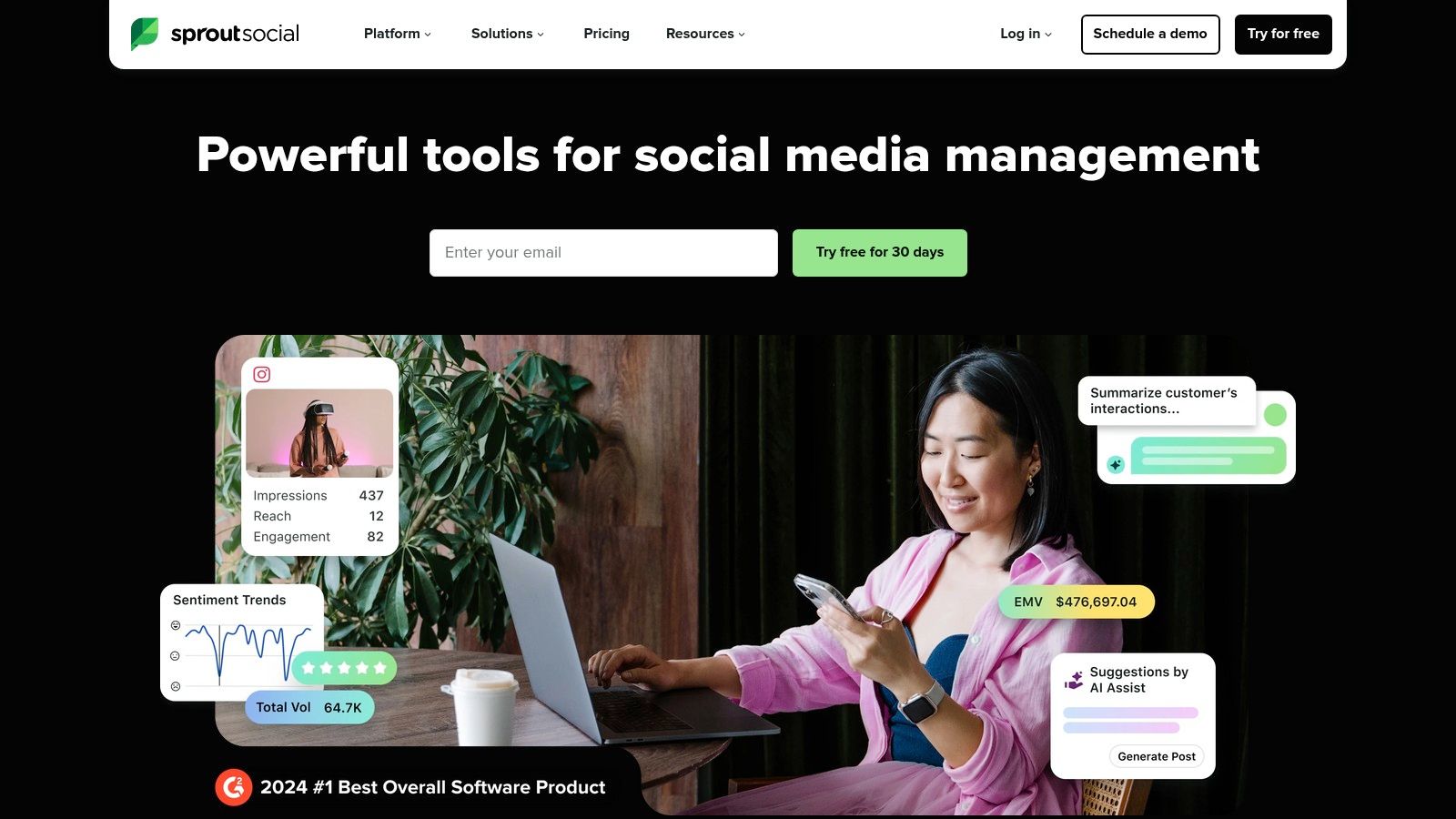
The platform consolidates data from all major social networks into a unified dashboard, allowing you to track everything from high-level cross-channel performance down to individual post metrics. What sets Sprout Social apart is the granularity of its reporting combined with a clean, intuitive user interface that simplifies complex data analysis.
Core Features & Use Case
Sprout Social excels at turning raw data into actionable insights. The platform’s Premium Analytics suite allows you to build custom reports from scratch, comparing paid and organic efforts, benchmarking against competitors, and identifying top-performing content with precision. Social listening and review management are available as add-ons, extending its utility beyond standard performance metrics.
- Best For: Multi-brand teams, agencies, and enterprise users who need robust, scalable, and visually compelling reporting.
- Key Feature: The Report Builder offers drag-and-drop functionality to create bespoke reports that align perfectly with specific KPIs.
- Practical Tip: Use the "Tagging" feature to categorize outbound and inbound messages. This allows you to generate highly specific reports, such as measuring the ROI of a particular campaign or tracking customer service response times.
Pricing & Limitations
Sprout Social’s pricing is its primary drawback for smaller businesses. Plans are priced per user, per month, and can become costly, especially when factoring in add-ons like social listening or premium analytics, which are often necessary to unlock its full potential.
- Standard: Starts at $249/user/month
- Professional: Starts at $399/user/month
- Advanced: Starts at $499/user/month
Pros:
- Deep, presentation-ready analytics
- Scales well for multi-profile teams
- Broad native integrations
Cons:
- Pricing is per seat and can get expensive
- Some advanced analytics require higher tiers or add-ons
Website: https://sproutsocial.com
3. Hootsuite
Hootsuite is one of the most established names in social media management, offering a balanced suite that integrates publishing, engagement, and analytics. It stands out as one of the best tools for social media analytics for small to mid-sized businesses that need an all-in-one solution without the enterprise-level price tag. Its straightforward interface simplifies tracking performance across multiple channels from a single dashboard.
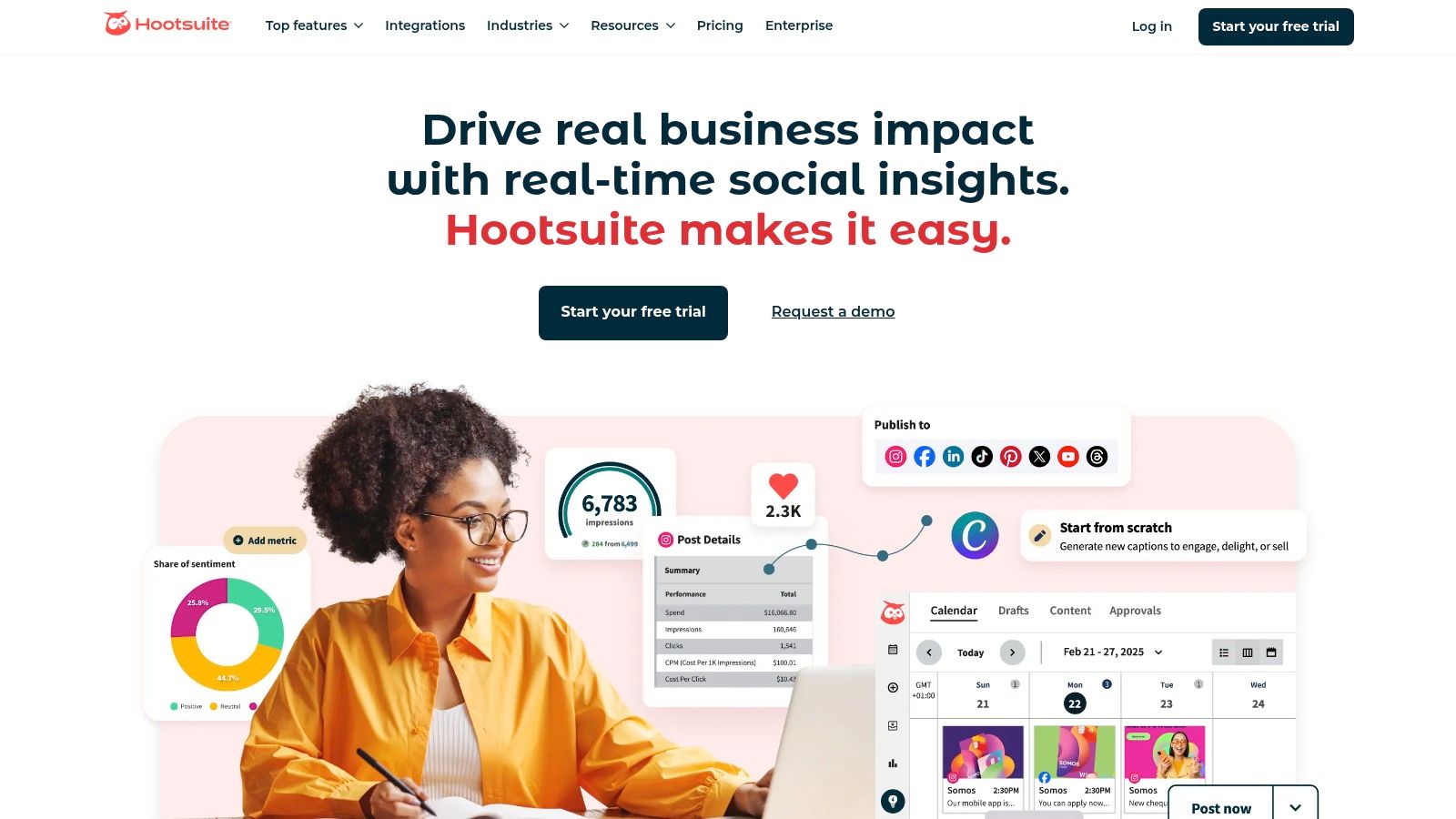
The platform provides a comprehensive overview of key metrics, including reach, engagement rates, and audience growth, alongside competitor benchmarking and sentiment analysis. Hootsuite's strength lies in its blend of publishing and analytics, allowing teams to connect content strategy directly to performance outcomes and refine their approach in real time. For a deeper dive, you can explore other social media management software for small businesses.
Core Features & Use Case
Hootsuite excels at providing clear, accessible analytics that help teams understand what’s working and why. The platform’s Analytics feature offers customizable report templates that track post performance, campaign results, and team productivity. It also includes social listening tools to monitor brand mentions and industry trends, making it a robust central hub for social media marketing activities.
- Best For: SMBs and marketing teams seeking a reliable all-in-one tool for scheduling, engagement, and straightforward performance reporting.
- Key Feature: The unified dashboard provides a clear overview of cross-channel performance, best times to post, and competitor activity.
- Practical Tip: Use the "OwlyWriter AI" to generate post ideas and captions, then track their performance in the analytics tab to quickly identify which AI-assisted content resonates most with your audience.
Pricing & Limitations
While more accessible than enterprise solutions, Hootsuite’s costs can increase for larger teams due to its per-user pricing model. More advanced analytics, such as deep report customization and competitive benchmarking, are often reserved for higher-tier plans, which may be a limitation for businesses on a tight budget.
- Professional: Starts at $99/user/month
- Team: Starts at $249/user/month
- Enterprise: Custom pricing
Pros:
- Mature all-in-one feature set
- Simple onboarding and broad channel coverage
- Frequent discounts and free trials are available
Cons:
- Advanced analytics are locked behind higher tiers
- Per-user pricing can become expensive for growing teams
Website: https://www.hootsuite.com
4. Brandwatch
Brandwatch is an enterprise-level consumer intelligence platform that offers one of the best tools for social media analytics focused on deep listening and audience research. It goes beyond standard performance metrics, providing a comprehensive view of brand perception, competitive landscapes, and market trends by analyzing millions of online conversations in real-time. This makes it ideal for large organizations and research teams that require granular data to inform strategic decisions.
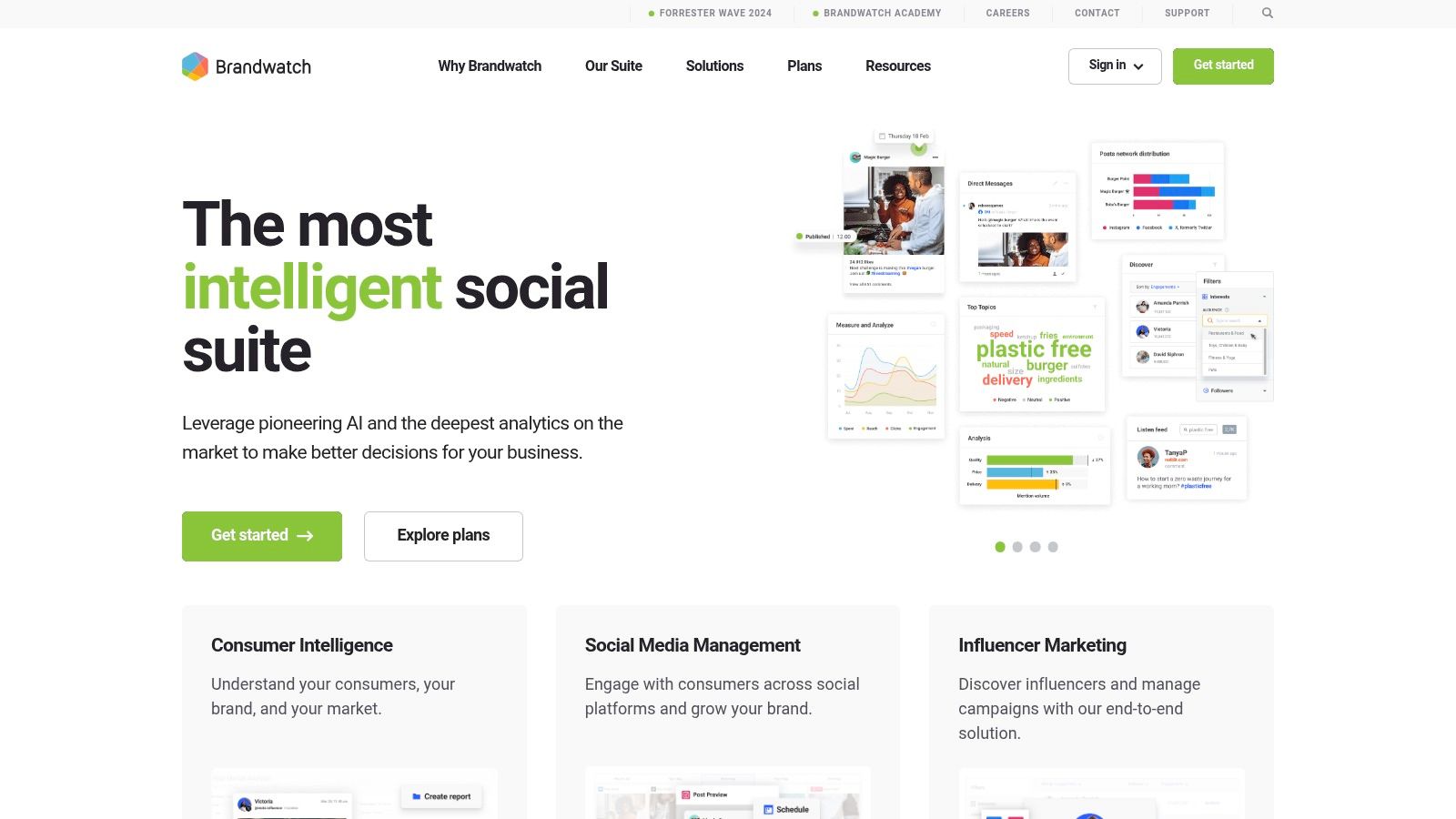
The platform’s strength lies in its powerful data-mining capabilities, which allow users to segment audiences, track sentiment with high accuracy, and identify key conversation drivers. While it offers a suite of tools, its core value is in transforming unstructured social data into clear, actionable business intelligence that can be used far beyond the marketing department.
Core Features & Use Case
Brandwatch excels at enterprise-grade social listening and competitive benchmarking. Its platform is designed to answer complex business questions by tapping into a massive historical and real-time data archive. Its sentiment analysis, a key feature in modern analytics, is particularly robust, making it one of the premier social media sentiment analysis tools available. The platform's Vizia dashboards also allow for a compelling visual display of data across an organization.
- Best For: Enterprise-level companies, market research teams, and agencies needing deep consumer insights and competitive intelligence.
- Key Feature: The ability to create highly specific, complex queries to monitor conversations, track brand health, and perform deep audience analysis.
- Practical Tip: Use Brandwatch's Iris AI to automatically detect emerging trends and spikes in conversation around your brand or industry, allowing you to react quickly to opportunities or crises.
Pricing & Limitations
Brandwatch does not offer public pricing, requiring prospective customers to schedule a demo for a custom quote. This enterprise-focused model means it is likely one of the more expensive options on the market. Its complexity and depth can also be overwhelming for smaller teams that may not need such an extensive feature set.
- Pricing: Custom quotes available upon request after a demo.
Pros:
- Exceptional data coverage and depth for research
- Powerful AI-driven insights and trend analysis
- Strong audience segmentation and sentiment analysis
Cons:
- Pricing is not transparent and is geared toward large enterprises
- The platform can be complex and may have a steep learning curve
Website: https://www.brandwatch.com
5. Sprinklr Social
Sprinklr Social is an enterprise-level customer experience management platform with a powerful social media analytics component. It’s one of the best tools for social media analytics for global corporations that require airtight governance, compliance, and the ability to manage hundreds of social accounts across different regions, languages, and business units.
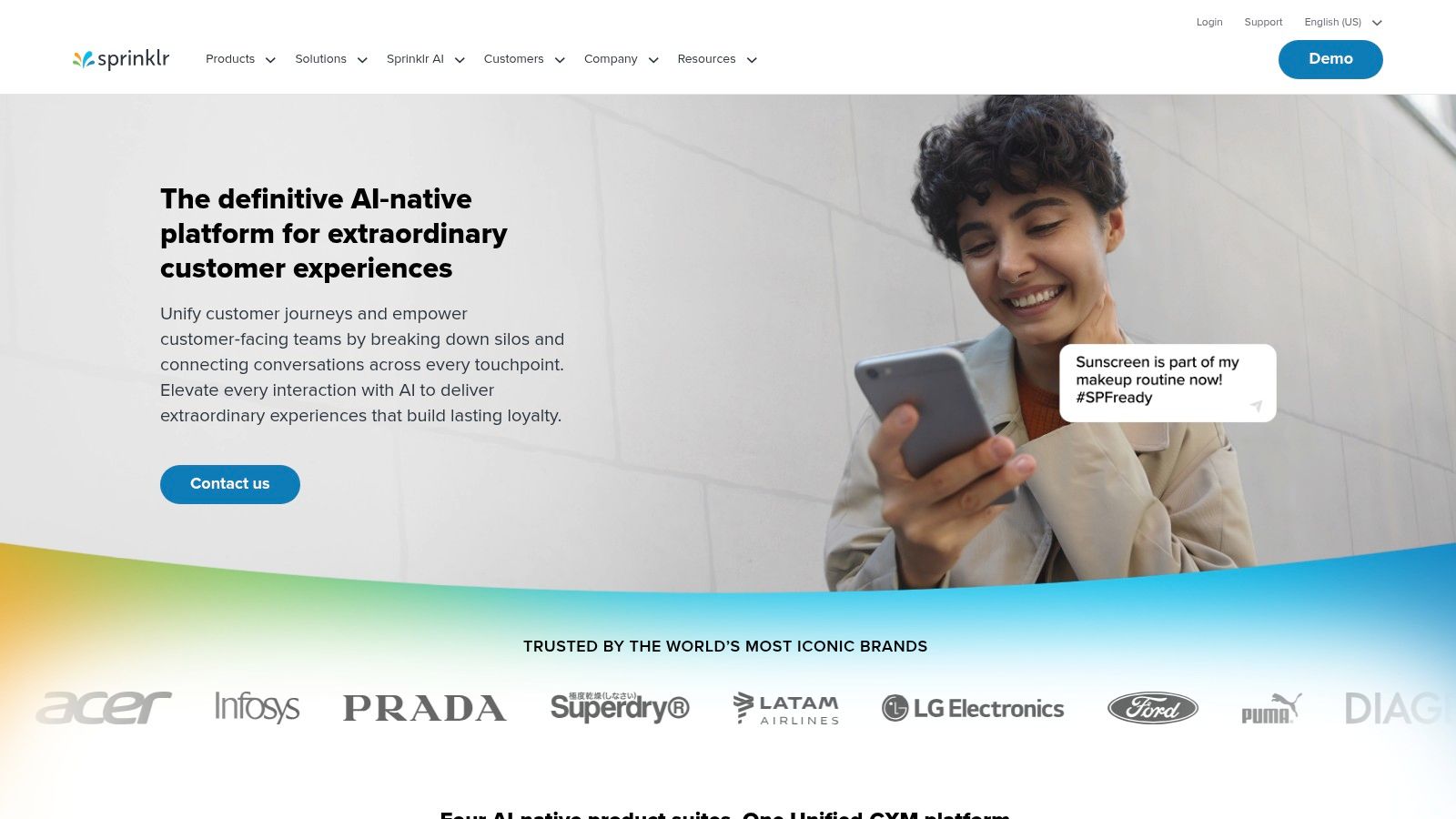
The platform unifies marketing, advertising, research, care, and engagement data into a single, cohesive environment. Sprinklr’s strength lies in its scale and its AI-powered insights, which help large organizations make sense of massive volumes of conversation data and connect social performance directly to broader business objectives.
Core Features & Use Case
Sprinklr excels at providing a unified view of owned, earned, and paid social media metrics. Its advanced social listening capabilities are integrated directly with case management, allowing teams to identify and route customer issues automatically. The platform’s governance tools are unmatched, providing granular permissions and compliance workflows for regulated industries.
- Best For: Large, global enterprises, especially those in regulated industries like finance or pharmaceuticals, that need a scalable, all-in-one solution.
- Key Feature: The platform’s advanced AI can analyze unstructured data (like text in images or comments) to provide deeper sentiment and intent analysis.
- Practical Tip: Leverage Sprinklr's rule-based automation engine to automatically tag and route incoming messages based on keywords or user intent, streamlining your customer care and lead generation workflows.
Pricing & Limitations
Sprinklr does not offer public pricing, as its solutions are custom-built and quoted based on an organization's specific needs. This approach, combined with its comprehensive feature set, makes it a premium-priced solution that is often beyond the scope and budget of small to medium-sized businesses. The platform's complexity can also lead to a steep learning curve.
- Pricing: Available upon request, tailored for enterprise needs.
Pros:
- Designed for very large organizations and complex workflows
- Powerful AI for deep listening and sentiment analysis
- Broad channel and language coverage
Cons:
- Can be overkill and too complex for smaller teams
- Pricing is premium and not transparent
Website: https://www.sprinklr.com
6. Emplifi (formerly Socialbakers)
Emplifi, which acquired the well-regarded analytics platform Socialbakers, offers a unified social marketing and customer experience suite. It stands out as one of the best tools for social media analytics due to its powerful competitive benchmarking and deep content analysis capabilities, making it a favorite among enterprise brands focused on content performance and industry positioning.
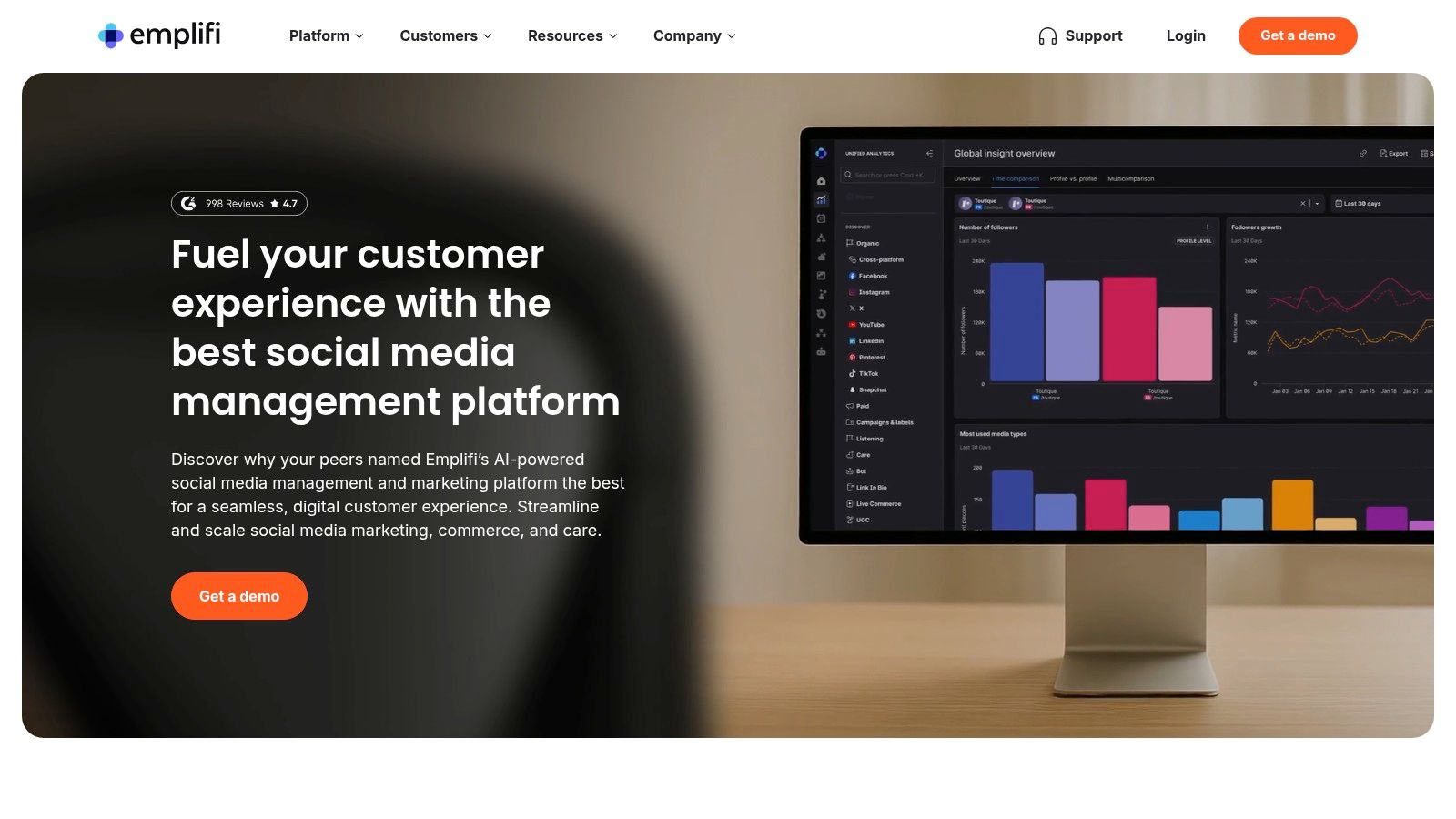
The platform provides a comprehensive view of social performance, merging marketing, customer care, and commerce analytics into one place. Emplifi’s strength lies in its ability to benchmark your brand’s performance against an extensive industry database, providing context that goes beyond your own historical data and helping you set more realistic and ambitious KPIs.
Core Features & Use Case
Emplifi excels at providing deep insights into content strategy and audience engagement across major platforms. Its Audience Analytics and Content Inspiration features help teams understand what resonates with their target demographic and identify trending topics. The platform also includes robust influencer marketing analytics, allowing you to track and measure the impact of creator collaborations effectively.
- Best For: Enterprise brands and large content teams that require in-depth competitive benchmarking and influencer performance tracking.
- Key Feature: The comprehensive benchmarking tool allows you to compare your performance across key metrics against industry averages or specific competitors.
- Practical Tip: Use the content labeling function to categorize posts by campaign, theme, or format. This allows for granular performance reports that can directly inform your future content strategy and budget allocation.
Pricing & Limitations
Emplifi's pricing is not publicly listed and requires a consultation with their sales team, indicating its focus on enterprise-level clients. This sales-led approach can be a barrier for smaller businesses or those who prefer transparent, self-service plans. Furthermore, some of its most powerful analytics and care features may be gated behind higher-tier packages.
- Pricing: Custom quotes available upon request.
Pros:
- Strong competitive and industry benchmarking
- Deep analytics for content and brand teams
- Active product development and feature updates
Cons:
- Pricing is not publicly available; requires a sales demo
- Can be complex for users new to advanced analytics
Website: https://emplifi.io
7. Buffer
Buffer is an accessible and user-friendly social media toolkit celebrated for its simplicity and transparent pricing. It stands out as one of the best tools for social media analytics for creators, small businesses, and lean marketing teams who need straightforward, meaningful data without the complexity and high cost of enterprise-level platforms.
The platform is best known for its clean scheduling interface, but its "Analyze" feature provides clear, actionable insights into post performance, audience demographics, and growth trends. Buffer’s strength lies in making analytics understandable and directly linking them to publishing strategies, helping users see what content resonates and why.
Core Features & Use Case
Buffer’s analytics dashboard provides a clear overview of essential metrics, allowing you to track reach, engagement, and follower growth across all connected channels. You can create custom reports, compare date ranges, and export data with ease. The platform also offers unique features like its AI Assistant for content creation and a simple engagement tool to manage comments.
- Best For: Small businesses, individual creators, and non-profits looking for an affordable, all-in-one publishing and analytics solution.
- Key Feature: The flexible, per-channel pricing model allows users to build a plan that perfectly matches their needs without paying for unused slots.
- Practical Tip: Use the "Answers" feature to get quick recommendations on the best times to post, optimal posting frequency, and content types that are performing best for your specific audience.
Pricing & Limitations
Buffer’s main limitation is that its analytics are not as deep as specialized enterprise tools, lacking advanced social listening or competitor benchmarking. However, its pricing structure is a major advantage, offering a generous free plan and affordable, scalable paid tiers.
- Free: Basic planning & publishing tools for up to 3 channels.
- Essentials: Starts at $6/month per channel (includes analytics & engagement).
- Team: Starts at $12/month per channel (includes collaboration tools & custom reports).
Pros:
- Very transparent and flexible per-channel pricing
- Low barrier to entry with a robust free plan
- Clean, intuitive user interface
Cons:
- Analytics are not as deep as enterprise platforms
- Lacks advanced social listening and competitive analysis features
Website: https://buffer.com
8. Later
Later is a visually-focused social media management platform that started with a strong emphasis on Instagram and has since expanded its capabilities. While known primarily for its intuitive content calendar and scheduling tools, it offers surprisingly capable analytics, making it one of the best tools for social media analytics for creators, solopreneurs, and small businesses who prioritize visual platforms like Instagram and TikTok.
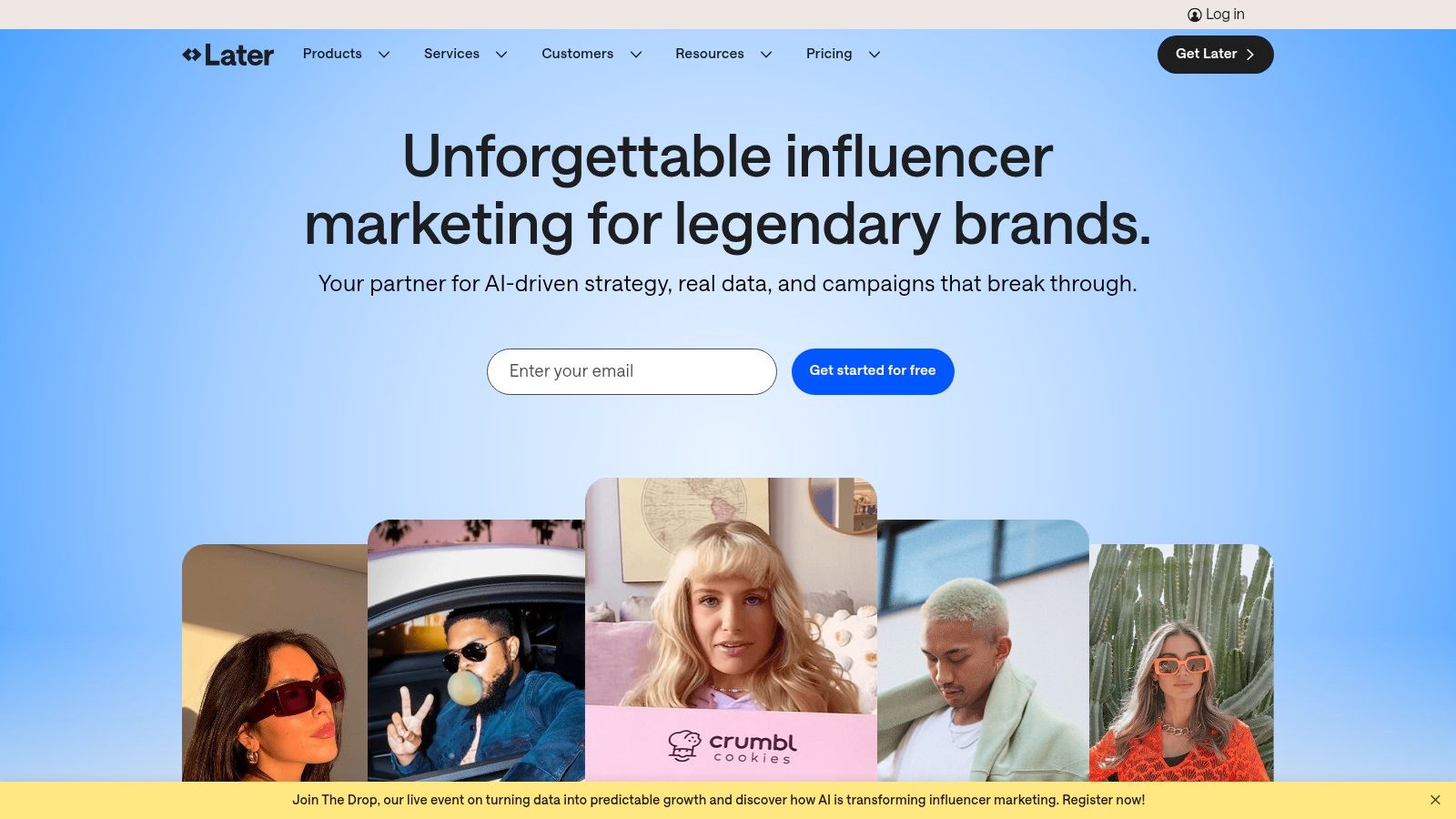
The platform’s strength lies in its user-friendly interface that presents key performance metrics in a clean, digestible format. Instead of overwhelming users with data, Later focuses on the insights that matter most for visual content strategy, such as best times to post, engagement rates, and follower growth, directly within the scheduling workflow.
Core Features & Use Case
Later excels at providing actionable analytics that directly inform content planning. Its analytics dashboard helps you identify which posts resonate most with your audience, track story performance, and understand audience demographics. Higher-tier plans unlock more advanced features, including custom reporting and competitor analysis, allowing growing brands to benchmark their performance without needing a more complex, enterprise-level tool.
- Best For: Visual-first brands, content creators, and small to medium-sized businesses that need straightforward analytics tied to a powerful scheduling tool.
- Key Feature: The "Best Time to Post" feature automatically calculates when your audience is most engaged, helping you maximize reach and interaction.
- Practical Tip: Use the Linkin.bio feature to create a clickable landing page from your Instagram bio. Later's analytics will track clicks and sales from this page, providing clear ROI data for your Instagram efforts.
Pricing & Limitations
Later offers a free plan with basic scheduling, but meaningful analytics require a paid subscription. The main limitation is that its most powerful reporting features, like competitor benchmarking and expanded data history, are reserved for the highest-priced plans. Post and user limits also apply across different tiers.
- Starter: Starts at $25/month
- Growth: Starts at $45/month
- Advanced: Starts at $80/month
Pros:
- Excellent, user-friendly interface for visual content planning
- Actionable analytics integrated directly into the workflow
- Affordable entry-level plans for small teams
Cons:
- Advanced analytics and competitor tracking are gated in expensive tiers
- Primarily focused on visual platforms; less robust for text-heavy networks
- Post and user limits can be restrictive on lower plans
Website: https://later.com
9. Semrush Social (Social Toolkit)
Semrush is an SEO and digital marketing powerhouse, and its Social Toolkit extends that analytical prowess into the social media realm. It is one of the best tools for social media analytics if your team is already invested in the Semrush ecosystem for SEO and PPC. The platform offers a convenient, all-in-one solution for marketers who want to manage social media alongside their wider digital strategy without juggling multiple subscriptions.
The toolkit consolidates core social media management functions, including scheduling, monitoring, and analytics, into a familiar interface. What makes Semrush Social a compelling choice is its built-in competitive intelligence. You can seamlessly track competitor social performance, content strategies, and audience growth directly within the same platform you use for keyword research and backlink analysis.
Core Features & Use Case
Semrush Social excels at providing a holistic view of your digital marketing, linking social performance to broader business goals. The platform’s Social Tracker allows you to benchmark your growth, audience, and engagement against key competitors across major networks. Its analytics reports are straightforward, covering audience demographics, post-performance, and optimal posting times.
- Best For: Marketing teams and individuals already using Semrush for SEO/PPC who want an integrated social media tool.
- Key Feature: The ability to track competitor social media activity and benchmark your performance against theirs within one unified dashboard.
- Practical Tip: Use the Social Tracker to identify your competitors' top-performing content. Analyze the formats and topics that resonate with their audience to inspire your own content calendar and find strategic gaps.
Pricing & Limitations
While a great value-add for existing Semrush users, the Social Toolkit’s depth is lighter than dedicated, enterprise-level platforms. The number of social profiles you can manage and competitors you can track is limited by your overall Semrush subscription tier.
- Pro: Starts at $129.95/month (includes 10 social profiles)
- Guru: Starts at $249.95/month (includes 30 social profiles)
- Business: Starts at $499.95/month (includes 50 social profiles)
Pros:
- Integrates seamlessly with a leading SEO and marketing suite
- Strong competitor analysis and benchmarking features
- Cost-effective for existing Semrush subscribers
Cons:
- Less feature-rich than specialized social media analytics tools
- Social profile and competitor tracking limits are tied to subscription tier
Website: https://www.semrush.com/social-media/
10. Talkwalker
Talkwalker is a high-powered consumer intelligence platform that extends far beyond typical social media analytics, making it a top choice for large enterprises focused on brand health, market research, and crisis management. It excels at monitoring conversations across a vast landscape, including social media, blogs, forums, and news sites in over 187 languages, providing a truly global perspective.
The platform is designed for deep listening and audience understanding. Talkwalker's strength lies in its ability to process massive amounts of unstructured data and surface critical insights about consumer sentiment, trending themes, and competitive positioning. This makes it one of the best tools for social media analytics when raw performance data isn't enough.
Core Features & Use Case
Talkwalker’s Blue Silk™ AI is a key differentiator, helping teams automatically identify significant trends, analyze sentiment with high accuracy, and even predict how conversations might evolve. The platform provides comprehensive owned and earned media analytics, along with robust competitive benchmarking, all within a customizable dashboard environment.
- Best For: Large corporations, PR agencies, and global brands needing enterprise-grade social listening, consumer intelligence, and reputational risk monitoring.
- Key Feature: Its expansive data coverage and multilingual analysis capabilities allow for unparalleled market and brand perception tracking.
- Practical Tip: Use the visual listening feature to track your logo's appearance in images across the web, uncovering brand mentions that don't include text. Learn more by exploring the best social media monitoring tools of 2026.
Pricing & Limitations
Talkwalker does not offer public pricing tiers; instead, it provides custom quotes based on specific needs, making it a premium-priced solution. This model, combined with its complexity, means it is less suitable for small businesses or teams without dedicated research and analytics personnel. Onboarding and training are typically included to help users maximize the platform’s capabilities.
- Listen: Custom quote
- Analyze: Custom quote
- Research: Custom quote
Pros:
- Exceptional data breadth across millions of sources
- Powerful AI for surfacing actionable insights
- Scales easily for large, international teams
Cons:
- Premium pricing available only by custom quote
- Can be overly complex for basic social media reporting needs
Website: https://www.talkwalker.com
11. Meta Business Suite (Insights)
Meta Business Suite is the native, free-to-use analytics and management tool for Facebook and Instagram. It provides the foundational data for any social media analysis, offering direct, first-party metrics on performance. For anyone managing a presence on Meta's platforms, it stands as an essential, cost-free starting point and a vital tool for verifying data from third-party sources.
The platform consolidates all your Facebook Page and Instagram profile data into a single, unified interface. While it lacks the cross-channel view of paid tools, its strength lies in providing granular, platform-specific insights, from post reach and engagement to detailed video metrics and audience demographics, directly from the source.
Core Features & Use Case
Meta Business Suite is built for day-to-day management and fundamental performance tracking. Its Insights section offers clear visualizations for reach, engagement, and audience growth over time. The ability to export post-level and page-level data into CSV or XLS files is a key feature, allowing for deeper, custom analysis in spreadsheets or business intelligence tools.
- Best For: Small businesses, freelancers, and marketers who need reliable, free analytics specifically for Facebook and Instagram.
- Key Feature: Direct access to first-party data with easy CSV/XLS exports for offline analysis and custom reporting.
- Practical Tip: Regularly export your post data to a spreadsheet. This allows you to build a historical performance log and identify long-term content trends that aren't easily visible within the platform’s limited date ranges.
Pricing & Limitations
The primary advantage of Meta Business Suite is that it is completely free. However, its main limitation is its scope; it only covers Facebook and Instagram. Additionally, metrics and their definitions can change without much notice, sometimes creating discrepancies when comparing data with other analytics platforms.
- Free: All features are available at no cost.
Pros:
- Completely free to use
- Provides official first-party data directly from Meta
- Easy data exports for custom reporting
Cons:
- Limited to Facebook and Instagram only
- Metrics and definitions can change, causing potential data inconsistencies
Website: https://business.facebook.com
12. G2 – Social Media Analytics Software Category
While not a tool itself, G2’s Social Media Analytics category is an indispensable resource for comparing and vetting potential solutions. It's a comprehensive software marketplace where you can see how the best tools for social media analytics stack up against each other based on thousands of verified user reviews, making it a crucial first step in the procurement process for any marketing team.
The platform aggregates user satisfaction scores, feature data, and pricing information into easy-to-read grids and reports. G2 excels at providing a transparent, crowd-sourced view of the market, allowing you to filter options by company size, user rating, and specific features to quickly narrow down a shortlist of vendors that fit your needs.
Core Features & Use Case
G2 is the go-to platform for unbiased research and vendor discovery. Its strength lies in the G2 Grid Reports, which visually map out market leaders, contenders, and niche players based on user satisfaction and market presence. You can compare up to four products side-by-side, evaluating everything from ease of use to the quality of customer support based on real-world feedback.
- Best For: Marketing managers and decision-makers in the research phase of selecting a new analytics tool.
- Key Feature: The ability to filter and sort vendors by specific criteria, such as "Social Measurement" or "Sentiment Analysis," backed by verified reviews.
- Practical Tip: Look beyond the overall rating. Read the detailed reviews from users in similar industries or company sizes to understand how a tool performs in a context relevant to your own.
Pricing & Limitations
G2 is free for users researching software. Its primary limitation is that it’s an aggregator, not the source of truth. Pricing information can sometimes lag behind official vendor updates, and sponsored placements can give certain tools more visibility. Always cross-reference your findings on the vendor's official website.
- Access: Free for browsing and research
Pros:
- Broad vendor coverage and recent user sentiment
- Helpful for shortlisting by budget, team size, or feature set
- Verified reviews provide authentic user insights
Cons:
- Sponsored placements can influence visibility
- Pricing shown may lag vendor site updates
Website: https://www.g2.com/categories/social-analytics
Top 12 Social Media Analytics Tools — Feature Comparison
| Product | Core features | UX / Quality (★) | Value / Price (💰) | Target audience (👥) | Unique selling points (✨) |
|---|---|---|---|---|---|
| FeedGuardians 🏆 | Auto-hide spam/harmful comments; intent & sentiment detection; real-time replies; customizable rules | ★★★★☆ | 💰 Sales-led (contact) | 👥 E‑commerce owners, social & performance teams | 🏆 ✨ Purchase-intent detection + real-time replies; brand-safe automation |
| Sprout Social | Cross-channel analytics, reporting, listening, AI assists | ★★★★☆ | 💰 Per-seat, premium tiers | 👥 Multi-brand & agency teams | ✨ Presentation-ready reports; broad native integrations |
| Hootsuite | Scheduling, unified inbox, listening, campaign analytics | ★★★★ | 💰 Per-user; frequent discounts/trials | 👥 SMBs & mid-market teams | ✨ Mature ecosystem; simple onboarding |
| Brandwatch | Enterprise listening, sentiment analysis, benchmarking | ★★★★★ | 💰 Custom quote (demo) | 👥 Research/insights & enterprise teams | ✨ Very deep data coverage & audience insights |
| Sprinklr Social | Owned/earned/paid analytics, governance, AI routing | ★★★★★ | 💰 Premium, quote-based | 👥 Global enterprises with compliance needs | ✨ Scale + governance and multilingual coverage |
| Emplifi (Socialbakers) | Unified marketing/care/commerce, influencer tracking | ★★★★ | 💰 Sales‑led (tiered) | 👥 Brands & content teams | ✨ Influencer performance + active product development |
| Buffer | Scheduling, basic+advanced analytics, team collaboration | ★★★★ | 💰 Transparent & affordable; free plan | 👥 Creators, SMBs, lean teams | ✨ Clear pricing, easy to adopt |
| Later | Visual planner, creator-focused scheduling, analytics tiers | ★★★★ | 💰 Tiered plans; post/user limits | 👥 Creators & small visual-first teams | ✨ Visual-first planner & creator UX |
| Semrush Social (Toolkit) | Scheduling, competitor tracking, reporting, AI | ★★★★ | 💰 Add-on; good if you use Semrush | 👥 SEO/marketing teams already on Semrush | ✨ Integrated SEO + social insights |
| Talkwalker | Enterprise listening, benchmarking, Blue Silk AI insights | ★★★★★ | 💰 Custom quote (enterprise) | 👥 Large brands, crisis & regional teams | ✨ Exceptional multilingual & platform coverage |
| Meta Business Suite (Insights) | Native FB/IG insights, exports, publishing & inbox | ★★★★ | 💰 Free (first-party data) | 👥 Brands active on Meta platforms | ✨ Direct, free first-party metrics & exports |
| G2 – Social Analytics Category | Vendor grids, verified reviews, side-by-side comparisons | ★★★★ | 💰 Free to browse; vendor-linked | 👥 Buyers shortlisting vendors | ✨ Verified user reviews & comparison filters |
Turning Social Analytics into Your Competitive Advantage
Choosing the right platform is the first step, but the real transformation happens when you integrate social data into your daily workflow and strategic decisions. We've journeyed through a comprehensive landscape of the best tools for social media analytics, from enterprise-grade consumer intelligence platforms like Brandwatch and Talkwalker to all-in-one management suites like Sprout Social and Hootsuite. We've seen how specialized tools like Later excel in visual planning, while robust marketing toolkits like Semrush offer a holistic view beyond just social metrics.
The core lesson is clear: data without action is just noise. The most powerful platforms don't just generate reports; they empower you to make smarter, faster decisions. They reveal precisely what content resonates, which audience segments are most engaged, and where your next strategic opportunities for growth are hiding. The goal is to evolve from reactive posting to a proactive, data-driven strategy that consistently delivers measurable results.
Synthesizing Your Options: How to Choose Your Tool
Navigating this list can feel overwhelming, so let's distill the decision-making process into actionable steps. Your ideal tool isn't necessarily the one with the most features; it's the one that most effectively solves your specific business challenges.
- For Large Enterprises & Deep Consumer Insights: If your primary need is understanding broad market trends, brand health, and competitive intelligence on a massive scale, your focus should be on platforms like Brandwatch, Sprinklr Social, and Talkwalker. These are investments in deep listening and consumer intelligence, not just post-performance.
- For Mid-to-Large Businesses Needing an All-in-One Hub: Teams that require a centralized platform for publishing, engagement, reporting, and collaboration will find the most value in Sprout Social, Hootsuite, and Emplifi. Their strength lies in streamlining complex workflows across multiple teams and social profiles.
- For Small Businesses & Solopreneurs: If efficiency, ease of use, and budget are your main concerns, look no further than Buffer and Later. These tools offer fantastic value, simplifying the scheduling and analytics process so you can focus on creating great content and growing your business.
- For E-commerce & Performance-Focused Teams: When every comment and interaction is a potential sale, a specialized tool is essential. This is where FeedGuardians shines, moving beyond vanity metrics to analyze comment intent and identify high-value conversion opportunities directly within your engagement feed.
From Selection to Implementation: Your Next Steps
Once you've identified a few top contenders, the real evaluation begins. Don't rely solely on feature lists. The best way to find your perfect match is through hands-on experience.
- Start with a Free Trial: Nearly every tool on this list offers a free trial or a limited free plan. Use this opportunity to connect your primary social media accounts. This is a non-negotiable step.
- Test Your Core Use Case: If your main goal is competitor analysis, run a competitor report. If it's campaign tracking, build a custom dashboard for your current campaign. Assess how intuitively the tool helps you achieve your number one objective.
- Evaluate the User Experience (UX): Is the interface clean and easy to navigate? Can you find the data you need without digging through endless menus? A clunky UX can kill adoption, no matter how powerful the features are.
- Assess Reporting Capabilities: Export a sample report. Is it easy to customize? Does it present the data in a way that is clear and actionable for stakeholders who may not be social media experts?
The ultimate purpose of adopting one of the best tools for social media analytics is to gain a competitive edge. It's about turning a confusing stream of likes, shares, and comments into a clear roadmap for growth. Whether you're an enterprise brand using data to inform product development or an e-commerce store turning comments into customers, the right tool will illuminate the path forward, ensuring your social media efforts contribute directly to your bottom line.
Ready to move beyond surface-level metrics and uncover the revenue hidden in your comments? While traditional analytics tools show you what happened, FeedGuardians tells you what to do next by analyzing customer intent. See how our platform can help you prioritize high-value engagement and boost conversions by visiting FeedGuardians to learn more.
Ready to Protect Your Brand?
FeedGuardians uses smart AI to hide harmful comments automatically, 24/7.
Start Free 7-Day Trial →