
Quick Summary
| Key Insight | What You Need to Know |
|---|---|
| Why Instagram Story Comments Are a Bigger Deal Than You Think | The entire vibe of Instagram interaction has shifted. Sure, public comments on grid posts still have their place, but the genuine, off-the-cuff conver... |
| Your Guide to Replying and Reacting to Instagram Stories | Think of replying to an Instagram Story as sliding into someone's DMs, but with a direct line to what you're seeing in that exact moment. It’s a sup... |
| Setting Up and Managing Story Replies for Your Brand | Deciding who gets to comment on your Instagram Stories is more than just a setting—it’s a core part of your community management strategy. By defa... |
| Best Practices for Responding to Story Comments | Turning on Story replies is just the first step. The real magic happens in how you respond. When someone slides into your DMs from a Story, they're st... |
| Got Questions About Instagram Story Comments? We've Got Answers. | Even with the best strategy, you're bound to run into a few head-scratchers when it comes to Instagram Story comments. Let's clear up some of the most... |
When you comment on an Instagram Story, you're doing more than just firing off a quick emoji. You're opening a direct line of communication that lands right in someone's DMs. This simple action pulls the conversation away from the public feed and into a private, one-on-one chat, which is an incredibly powerful way to build real connections.
Why Instagram Story Comments Are a Bigger Deal Than You Think
The entire vibe of Instagram interaction has shifted. Sure, public comments on grid posts still have their place, but the genuine, off-the-cuff conversations are happening in Story replies. When you comment on a Story, you aren't just leaving a note for everyone to see—you're kicking off a private chat. This is a game-changer for regular users and businesses alike.
For brands, every single Story reply is a golden opportunity. It might be a customer service question, a rave review, or some priceless feedback on a new product, all delivered straight to your inbox. These interactions are unfiltered and immediate, offering insights you just don't get from polished public comments. Nailing your reply strategy is a core part of any modern online reputation management guide for 2025 because it shows customers you're listening and you care.
A Powerful Communication Channel You Can’t Ignore
Let's be real: Stories aren't a novelty anymore; they're a primary hub for engagement. We're talking over 500 million daily active users on a global scale. The numbers don't lie—a staggering 86.6% of Instagram users post Stories, turning it into a non-stop environment for interaction.
This guide is designed to break down everything you need to know, whether you're the one watching or the one posting.
- For Viewers: I'll walk you through the simple steps for replying to Stories with text, emojis, photos, and even those fun avatar reactions.
- For Brands & Creators: We'll get into the strategy—how to turn replies on or off, handle a flood of messages, and set up templates to respond quickly and effectively.
By the time you're done here, you’ll see that mastering Story comments is about so much more than just sending messages. It's about using a powerful, direct channel to build relationships, gather honest feedback, and cultivate a community that actually wants to talk to you.
Your Guide to Replying and Reacting to Instagram Stories
Think of replying to an Instagram Story as sliding into someone's DMs, but with a direct line to what you're seeing in that exact moment. It’s a super simple way to turn a public post into a private chat. You can send a quick text, an emoji, or even a picture to share your thoughts. Knowing all the different ways to reply makes it easier to connect, whether you're hyping up a friend or giving feedback to a brand you love.
The most common way to chime in is with a quick text. At the bottom of almost every Story, you'll see a "Send Message" bar. Just tap it, type your message, and hit send.
For instance, say your favorite local coffee shop posts a Story of their new seasonal latte. You could reply, "OMG, I'm coming to try this tomorrow!" Your message will pop up in their direct messages, along with a little thumbnail of the Story you’re talking about, so they know exactly what caught your eye.
More Than Just a Message: Quick Reactions and GIFs
Sometimes a full-on message is too much. You just want to give a quick thumbs-up or show some love. That's where Instagram's other reaction options come in handy.
The fastest way to react is with Quick Reactions. Instead of typing, just swipe up on the Story you're watching. You’ll see a row of eight popular emojis pop up—things like the laughing face 😂, heart eyes 😍, and fire emoji 🔥. Tapping one sends it off instantly, and the creator will see it fly across their screen.
You can also get more creative. See that little sticker icon in the reply bar? Tap it to pull up a whole library of GIFs and stickers. Replying to a friend's vacation Story with a "Take me with you!" GIF is a fun way to join the conversation without having to type a thing.
My Go-To Tip: Don't see the emoji you want in the quick selection? Just press and hold the "Send Message" bar. This will pull up your full emoji keyboard, so you can send a taco 🌮, a unicorn 🦄, or whatever else fits the vibe.
Making It Personal With Photos and Avatars
Want to take your reply to the next level? Send a visual response. In the reply bar, to the left of where you type, there's a camera icon. Tapping it opens your camera, letting you snap a photo or record a quick video. This is perfect for sharing a real-time reaction.
Instagram Avatars have also made their way into Story replies. Next to the camera icon, you’ll find the avatar sticker option. You can pick from your avatar’s preset reactions or even create a custom selfie sticker on the fly. Let's say a friend posts about finally finishing a huge project; you could reply with a selfie of your avatar giving a round of applause. It’s way more personal and fun than just a plain old emoji.
Setting Up and Managing Story Replies for Your Brand
Deciding who gets to comment on your Instagram Stories is more than just a setting—it’s a core part of your community management strategy. By default, the door is wide open for anyone to reply, but fine-tuning these permissions gives you direct control over the kinds of conversations you want to have. This isn't just about filtering out noise; it’s about intentionally shaping your brand’s engagement.
Getting to these controls is simple. Just head to your profile, tap the hamburger menu icon (three lines) in the corner, and navigate to Settings and privacy. From there, find Messages and story replies, and then tap Story reply controls. You'll see three options, each designed for a different kind of brand interaction.
This whole process boils down to two main ways a viewer can engage with you, either with a quick message or a more visual photo reply.
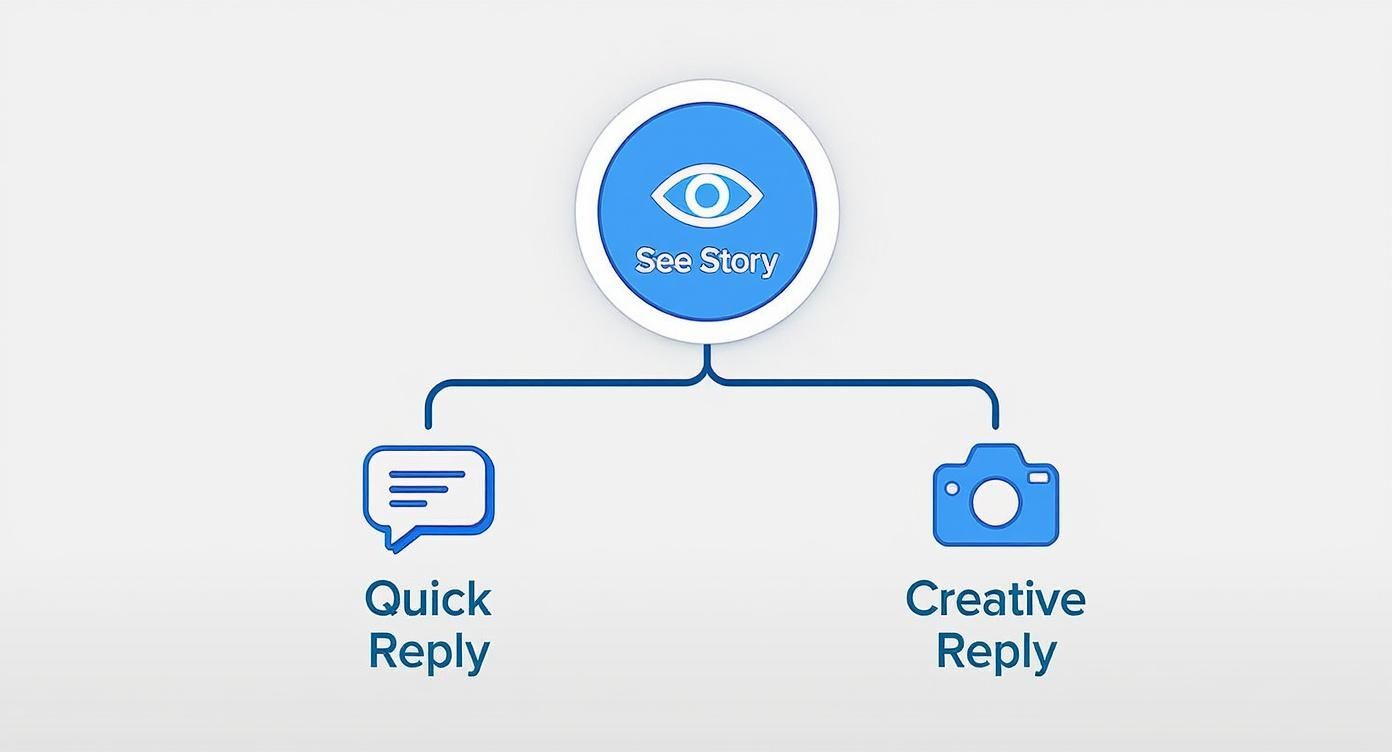
As you can see, both paths lead directly to your DMs, which means your team needs to be ready to manage two distinct types of incoming messages.
Choosing Your Reply Setting
The setting you pick directly influences not just the volume of DMs you get, but also the type of feedback you'll receive. Each option has its own strategic advantage.
Allow replies from everyone: This is your go-to for maximum reach. Think big campaigns, public Q&As, or a major product launch where you want to gather as much feedback as possible. The trade-off? You're opening the floodgates to everything, including potential spam, so your team needs to be prepared.
Allow replies from people you follow: This option is perfect for creating a more curated, tight-knit community feel. It's a great choice for gathering targeted feedback from a known audience, sharing exclusive content, or engaging with brand ambassadors and partners.
Don't allow replies: Sometimes, you just need to get a message out without starting a conversation. Turning off replies is a powerful tool for crisis communications, formal announcements, or any time your team doesn't have the bandwidth to handle a surge of DMs.
To make this choice clearer, let's break down the strategic pros and cons of each setting.
Instagram Story Reply Settings Comparison
| Setting Option | Who Can Reply | Best Use Case | Potential Drawback |
|---|---|---|---|
| Everyone | Any Instagram user | Large-scale campaigns, Q&As, gathering broad public feedback. | High volume of messages, including potential spam or irrelevant replies. |
| People You Follow | Only accounts your brand follows | Fostering a tight community, targeted feedback, exclusive content for partners. | Limits engagement from the wider audience and potential new customers. |
| Don't Allow Replies | No one | Crisis communications, one-way announcements, when resources are limited. | Can feel distant and may prevent valuable customer feedback. |
Ultimately, the right setting depends entirely on the goal of that specific Story. You can, and should, change it as your strategy dictates.
Organizing Incoming Story Comments
No matter which setting you choose, every reply lands in your direct message inbox. They’ll pop up just like a regular DM, but with a handy thumbnail of the Story they’re about, giving your team instant context.
To keep things from getting chaotic, Instagram’s inbox filters are your first line of defense. Sorting messages into the Primary and General tabs is a smart first step. A good workflow is to move high-priority customer questions or important conversations to Primary, while leaving the General tab for more casual interactions.
Don't forget that getting replies depends on keeping people watching. 2025 data showed that the viewer exit rate is a staggering 23.8% on the very first Story slide. That number drops the further they go. If your first slide isn't compelling, a huge chunk of your audience won't even make it to the content they could comment on.
For brands swamped with DMs, manually sorting is only a temporary fix. When you're ready to handle replies at scale without losing that personal touch, it's time to look at more robust tools. You can dive deeper into this topic with our guide on Instagram DM automation for 2025, which breaks down how to streamline the entire process.
Best Practices for Responding to Story Comments
Turning on Story replies is just the first step. The real magic happens in how you respond. When someone slides into your DMs from a Story, they're starting a one-on-one conversation. These private messages are gold—often more valuable than a public comment—so treating each one with care is crucial.
You might have noticed that public engagement feels like it's dropping across the board. There's a reason for that. While the median public engagement rate on Instagram dipped to around 0.61% by early 2024, it doesn't mean people are less interested. It means the conversation has moved from the public square into private DMs. Story replies are a huge part of that shift. You can dig into more Instagram statistics and what they mean for brands here.
Crafting the Perfect Response
Your replies should feel like a natural extension of your brand voice—prompt, personal, and always on-brand. A canned, copy-paste answer feels cold and can kill the conversation instantly. A thoughtful, specific reply, on the other hand, shows you’re actually paying attention.
Let's walk through a few common scenarios you’ll run into.
Someone sends you a compliment: It’s easy to just say "Thanks!" and move on, but you can do better. Acknowledge something specific they said. If they reply to your Story about a new product with "Love this new design! 😍," try something like, "So glad you love it! We were really excited about the color palette on this one." It shows you read their message and you're just as excited as they are.
A customer has a question: Treat these DMs with the same urgency you would a support ticket. Someone asks, "Do you ship to Canada?" Give them a straight answer and make their life easier. A perfect response is, "Yes, we do! You can find all of our shipping details right here: [link]." Simple, direct, helpful.
You get a negative comment: A negative DM isn't a crisis; it's an opportunity. It's a chance to turn a bad experience into a good one, all behind the scenes. Start by acknowledging their frustration and apologizing. Then, offer a path to a solution. You could say, "I'm so sorry to hear you had this experience. Could you please email our support team at [email] so we can look into this for you right away?"
Responding to every single Story reply can feel like a lot, I get it. But honestly, it's one of the highest-ROI things you can do in community management. Each personalized chat reinforces that there are real, caring humans behind the logo, building trust one DM at a time.
Quick-Start Response Templates
Having a few go-to templates is a lifesaver for staying quick and consistent, especially if you have a team. The trick is to treat them as a starting point, not a script. Always leave room to add a personal touch.
Here’s how you can structure them:
| Scenario | Base Template | Example with a Personal Touch |
|---|---|---|
| Positive Feedback | "We're so happy you think so! Thanks for the love." | "We're so happy you think so, Sarah! That photo was taken right in our neighborhood. Thanks for the love." |
| Product Question | "Great question! You can find more info on our website here:" | "Great question! That's our new merino wool sweater. You can find all the color options on our website here:" |
| User-Generated Content | "This is amazing! Do we have your permission to share this on our Story?" | "This photo is amazing, Alex! The lighting is perfect. Do we have your permission to share this on our Story and tag you?" |
Using a framework like this ensures your brand voice stays consistent while still making every follower feel seen. This is how commenting on Instagram Stories goes from a simple feature to a powerful tool for building real relationships.
Advanced Tools for Automating Story Reply Management
When you're swimming in dozens—or even hundreds—of Story replies every day, trying to keep up manually just isn’t going to cut it. This is the point where you need to shift from simple management to smart automation. By combining Instagram's own features with some powerful third-party tools, you can handle the volume without letting engagement slip through the cracks.
The real goal here isn't to replace human interaction. It's about freeing up your team to focus on the conversations that actually build community. Let automation handle the repetitive questions, and your community managers can spend their time on the nuanced, high-value interactions that matter most. It’s a strategy that scales with your brand's growth.
Tapping into Instagram's Built-In Automation
Before you start looking at paid software, it's smart to get the most out of the tools Instagram already gives you with a professional account. These features are built specifically to help you manage the common messages that flood your DMs after a popular Story.
Two of the most useful native tools are:
- Saved Replies: These are a lifesaver for all the frequently asked questions you get about things like shipping, store hours, or return policies. You can craft the perfect response once, assign a simple keyword like "shipping," and then pop the full message into a DM in seconds.
- Frequently Asked questions (FAQs): This feature lets you set up four automated questions that appear when someone messages you for the first time. If they tap a question, your pre-written answer is sent instantly. It solves their problem on the spot, with zero effort from your team.
Pro Tip: Use your Story replies to guide your FAQ setup. If you just posted a Story about a new product and everyone is asking the same thing, create an FAQ that says, "When will this be back in stock?" It’s a great way to get ahead of the curve.
The Power of Third-Party Automation Tools
Instagram's native features are a fantastic starting point, but third-party platforms take things to a whole new level. These tools plug directly into your Instagram DMs, offering sophisticated automation that just isn't possible with the native app alone. This is where you can build out some really specific and effective workflows.
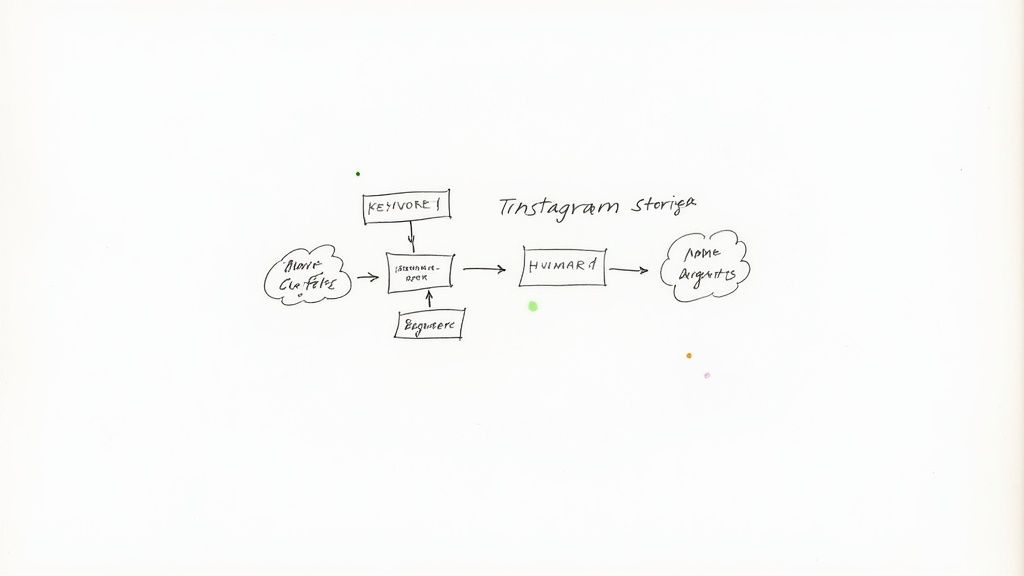
Let's walk through a common scenario. Say you run a Story prompting viewers to reply with the word "discount." A dedicated automation tool can monitor your DMs for that exact keyword. The moment someone sends it, the system can instantly fire back a unique coupon code and a direct link to the product. This kind of setup works 24/7, capturing leads and driving sales long after your team has logged off for the day.
But these platforms do more than just send messages. They can also act as a first line of defense, filtering and organizing your inbox for you. More advanced Instagram moderation tools can even analyze a message for sentiment, automatically hiding spam or flagging an angry customer's message for urgent follow-up from your support team. To see what's out there, you can explore a full guide on Instagram moderation tools and find the right solution for your brand.
By blending Instagram's own tools with the muscle of specialized software, you can build an incredibly efficient system for managing comments on your Stories, no matter how big your audience gets.
Got Questions About Instagram Story Comments? We've Got Answers.
Even with the best strategy, you're bound to run into a few head-scratchers when it comes to Instagram Story comments. Let's clear up some of the most common questions that pop up for both everyday users and brands.
Think of this as your quick-reference guide for those moments when you just need a straight answer.
Can Other People See My Comments on a Story?
This is easily the most-asked question, and thankfully, the answer is a simple no. When you reply to someone's Story, that comment goes straight into their private DMs. It's a one-on-one conversation, not a public forum.
Only the person who posted the Story will see what you sent. This is exactly what makes Story replies so great for building genuine, personal connections.
Why Can’t I Comment on Some Instagram Stories?
Ever swiped up on a Story and found the "Send Message" bar is just... gone? It's not a bug. The creator of that Story has simply turned off replies. Instagram gives every account total control over who can message them from their Stories.
They can set their permissions to allow replies from:
- Everyone: This is the default setting.
- People You Follow: A smart way to filter out noise and only hear from accounts you know.
- No One: This completely disables the reply feature.
So, if you can't comment, it just means the account holder has restricted replies, and you're not in the group they've allowed.
How Can a Business Track the Success of Story Replies?
This is a great question, because Instagram doesn't give you a neat little "Story Reply Rate" metric in its analytics. But you can absolutely measure your success here; you just have to get a little creative.
For starters, keep an eye on the sheer volume of replies you get on each Story. A flood of comments is a massive signal that your content is hitting the mark and sparking conversation. It’s a powerful qualitative measure of how engaged your audience really is.
Want to connect those conversations to actual business results? The trick is to track what happens after the reply. When you share links in your DMs, use UTM parameters. This lets you see exactly how many clicks, sign-ups, or sales came directly from those Story conversations, tying your engagement efforts to real-world ROI.
This approach helps you understand not just who is talking to you, but what actions those chats are actually driving. You're effectively turning a simple comment into a trackable part of your sales funnel.
Tired of sifting through hundreds of Story replies by hand? FeedGuardians can help. Our AI hides spam, flags important customer questions, and sends instant responses, letting you focus on what matters most: building your community. Find out how it works at https://feedguardians.com.
Tired of manually moderating comments?
FeedGuardians automates spam filtering, responds to customers, and protects your brand — setup in 3 minutes.