
Quick Summary
| Key Insight | What You Need to Know |
|---|---|
| Write five Group rules | Write five Group rules maximum, each one sentence and tied to a consequence. |
| Set a 60-minute first-response | Set a 60-minute first-response target for buyer questions during business hours. |
| Auto-hide borderline comments rather | Auto-hide borderline comments rather than auto-deleting them to preserve evidence. |
| Build dashboards in four layers | activity, health, engagement, and outcome. |
| Set internal baselines in | Set internal baselines in your first 30 days instead of using fixed industry benchmarks. |
| Setting Community Goals and | Setting Community Goals and Success Metrics That Matter |
Last Updated: October 28, 2026
Quick Summary
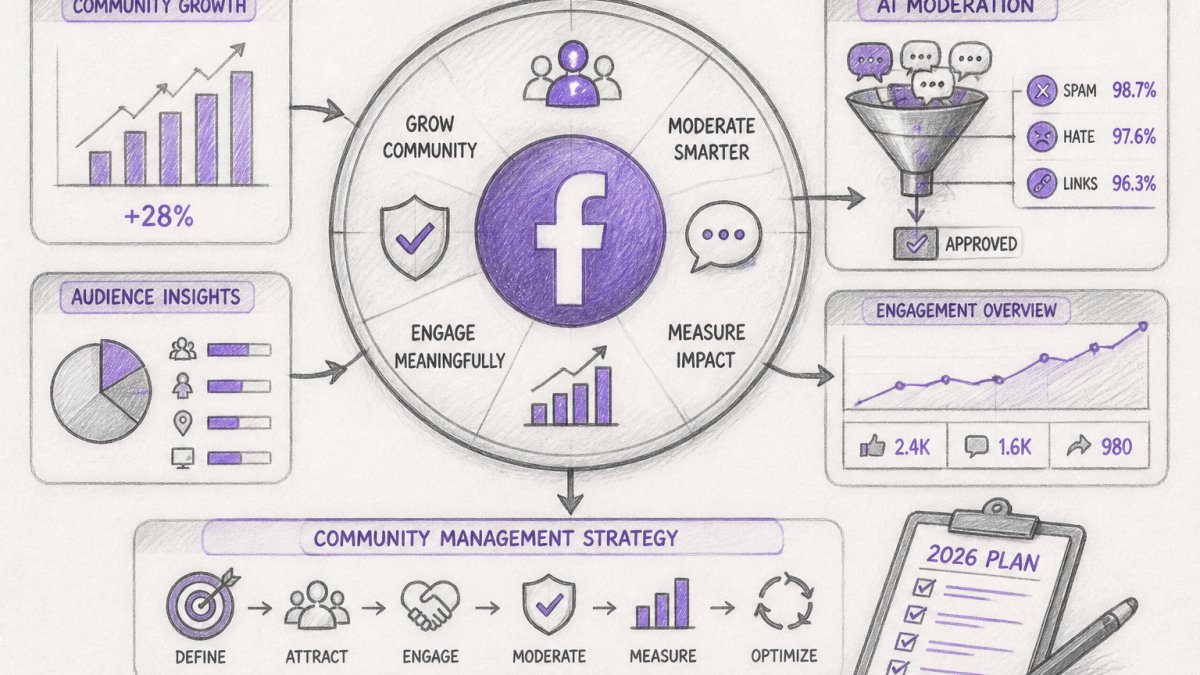
Facebook community management is the practice of building, moderating, and measuring a brand's presence in Facebook Groups, Pages, and comment threads so conversations turn into customer relationships. Effective strategies start with mapping business goals to three metrics maximum, then pairing clear Group rules with tiered moderation and response-time standards.
- Write five Group rules maximum, each one sentence and tied to a consequence.
- Set a 60-minute first-response target for buyer questions during business hours.
- Auto-hide borderline comments rather than auto-deleting them to preserve evidence.
- Build dashboards in four layers: activity, health, engagement, and outcome.
- Set internal baselines in your first 30 days instead of using fixed industry benchmarks.
Table of Contents
- Setting Community Goals and Success Metrics That Matter
- Facebook Group Management Best Practices for Growing Brands
- Facebook Group Engagement Examples You Can Copy
- Moderation Workflows, Response Times, and Customer Service Playbooks
- Facebook Comment Response Templates That Sound Human
- Facebook Community Management Tools and AI With Human Oversight
- Measuring Community Performance: Analytics and Dashboards
- Start Moderating Smarter With FeedGuardians
- Frequently Asked Questions
Setting Community Goals and Success Metrics That Matter
Facebook community management is the practice of building, moderating, and measuring a brand's presence in Facebook Groups, Pages, and comment threads so that conversations turn into customer relationships.
Mapping Business Goals to Community Outcomes
Start with the business result, then work backward. A brand chasing repeat purchases needs retention metrics: active members, repeat commenters, and reply-to-purchase paths. A brand chasing lead generation needs conversation starts and qualified inquiries. A brand defending ad performance needs response time and sentiment.
| Business Goal | Community Metric | Where to Track It |
|---|---|---|
| Retention | Active members, repeat commenters | Group insights, comment dashboard |
| Lead generation | Conversation starts, inquiries | Comment tags, CRM exports |
| Brand protection | Response time, sentiment, spam rate | Moderation logs, sentiment dashboard |
| Reach | Engagement rate, shares | Page and Group insights |
Pick three metrics maximum. Teams that track everything track nothing.
Facebook Group Management Best Practices for Growing Brands
Facebook Group management best practices come down to three things: a clear purpose, rules members actually read, and an onboarding sequence that gets people talking in week one. Get those right and the Group grows itself.
Setup, Rules, and Member Onboarding
Write five rules maximum, each one sentence, each tied to a consequence. Then automate the rest:
- Set membership questions that qualify members and surface their interests.
- Pin a welcome post explaining the Group's purpose and where to ask questions.
- Tag new members in a weekly intro thread.
- Assign a moderator for each weekday.
- Review the rules quarterly against real incidents.
For guidance on drafting and enforcing rules at scale, see managing community guidelines with automated moderation. Watch out: vague rules like "be respectful" give moderators nothing to enforce, and members notice the inconsistency fast.
Facebook Group Engagement Examples You Can Copy
Four formats worth rotating:
- This-or-that polls on product variants, which surface buying preferences you can feed into content planning.
- Member spotlights that tag a customer and ask a follow-up question.
- Behind-the-scenes posts showing how a product is packed or a service is delivered.
- Weekly wins threads where members post one result, creating user-generated content you can reuse.
Moderation Workflows, Response Times, and Customer Service Playbooks
A moderation workflow can route comments through stages such as automatic scanning, action, human review, and escalation. Written standards can help define each stage.
Response-Time Standards by Comment Type
Set service-level targets by comment type rather than one blanket rule.
| Comment Type | First Response Target | Owner | Escalation Trigger |
|---|---|---|---|
| Buyer question | 60 minutes during business hours | Community moderator | No answer in 2 hours |
| Complaint or refund request | 30 minutes acknowledgment, resolution within 1 business day | Support lead | Public thread with 3+ replies or a legal threat |
| Praise | 24 hours | Community moderator | None |
| Spam, scam, hate speech | Never reaches the feed; auto-hide within seconds | Automated filter | Repeated evasion by the same account |
| Competitor mention or poaching | 4 hours | Marketing lead | Coordinated posting across multiple threads |
Publish these targets internally and review them monthly.
A Three-Tier Escalation Path
Escalation fails when everyone assumes someone else owns the thread. Define three tiers in writing:
- Tier 1, Moderator. Handles routine replies, hides spam, and tags anything sensitive. Authority: standard templates, no refunds, no public statements.
- Tier 2, Support or community lead. Handles complaints, refunds, and repeat offenders. Authority: approve compensation within a set limit, request a private message, decide whether to hide or delete.
- Tier 3, Legal, PR, or executive. Handles threats, safety issues, regulatory complaints, and anything likely to be screenshotted. Authority: public statements and account-level actions.
Write the trigger for each tier into the workflow. "Feels serious" is not a trigger; "mentions a lawyer, a regulator, or a news outlet" is.
Spam and Abuse Handling
Spam on Facebook arrives in recognizable patterns: link drops in comments, fake giveaway accounts, repeated copy-paste replies, and competitor links posted across multiple threads. Handle it in layers:
- Use Facebook's built-in comment moderation and keyword filters for the obvious cases.
- Add automated detection for scam language, competitor domains, and repeated posting by the same account.
- Route borderline cases to a human queue rather than auto-deleting, so you keep a record and avoid false positives.
- Ban repeat offenders at the account level and log the reason.
The Customer-Service Playbook for Comments
A customer-service playbook for comments can include acknowledging the issue, moving specifics to a private channel, resolving it, and returning to the public thread to close the loop. A sequence:
- Acknowledge in public using the customer's name and their own words.
- Move to Messenger or email for order numbers and personal details, never ask for those in a public thread.
- Resolve with a clear next step and a timeframe.
- Return to the public thread and post a one-line close-out ("Resolved, thanks for flagging, [name]").
- Log the case so patterns surface in your weekly review.
If you're deciding how dedicated moderation tooling fits against broader community software, our breakdown of automated moderation versus community management software covers the trade-offs.
Moderator Staffing and Coverage
Coverage is a consideration for brands managing comments. Assign responsibility for moderation and escalation, and review the rules and response-time table against real incidents.
Facebook Comment Response Templates That Sound Human
Templates for Complaints, Praise, and Buyer Questions
- Complaint: "That's not the experience we want you to have, [name]. Send us a message with your order number and we'll sort it out today."
- Praise: "Thanks [name], we'll pass this to the team. Which one did you get?"
- Buyer question: "Good question. [Direct answer in one sentence]. Full details are on the product page, and we're here if anything's unclear."
- Competitor mention: "We can't speak for them, but here's what we do differently: [one specific point]."
If you want replies that carry your brand voice rather than generic copy, Replies That Sound Like You shows how AI learns your tone and terminology. And if you're weighing whether automated replies are worth it, there's a solid case in why automated comment responses boost brand engagement.
Facebook Community Management Tools and AI With Human Oversight
AI-assisted moderation can include a human escalation path for comments that need a person.
FeedGuardians sits in that role for brands across Facebook, Instagram, TikTok, and YouTube. It detects and hides spam, scams, hate speech, and competitor links, and sends 24/7 replies in your brand voice, with a human escalation option when a comment needs a person. World Discovery and Golden Tree are among the brands using it to protect ad spend while keeping response times short.
Decide in advance who can override the AI, what gets auto-hidden versus flagged, and how often you audit decisions. Set those rules before you turn automation on.
Measuring Community Performance: Analytics and Dashboards
Community analytics can involve tracking comment volume, sentiment, response time, engagement rate, and spam rate. For a ready-made view of these signals, see Ihre Kommentare, Dekodiert. The framework below connects community health to business outcomes so each metric has an owner and a decision attached to it.
A Four-Layer Measurement Framework
Build the dashboard in layers, from activity to outcome:
| Layer | Metrics | What It Tells You | Review Cadence |
|---|---|---|---|
| Activity | Comment volume, post volume, new members | Whether the community is alive | Weekly |
| Health | Sentiment trend, median response time, spam rate, active members | Whether the community is healthy or degrading | Weekly |
| Engagement | Meaningful interactions, repeat commenters, shares | Whether members are forming habits | Monthly |
| Outcome | Retention, conversion from community touchpoints, qualified inquiries, cost per resolved case | Whether the community pays for itself | Monthly and quarterly |
Pick three metrics maximum per layer. Teams that track everything track nothing.
Connecting Community Health to Business Outcomes
A workable approach:
- Tag community touchpoints in your CRM. When a member converts, record whether they came through a Group, a Page comment, or a Messenger thread.
- Compare retention of community members to non-members. A common pattern is that active commenters retain at a higher rate than passive followers; the size of the gap is what justifies the moderation budget.
- Track cost per resolved case. Divide moderation and tooling spend by the number of complaints resolved in the community. This is the number finance will ask for.
- Measure response time against conversion. Plot median response time against conversion from comment threads; the relationship is usually visible within a quarter.
Benchmarks and What 'Good' Looks Like
Avoid fixed industry benchmarks, they vary too much by size and category. Instead, set internal baselines in your first 30 days and track direction of travel.
- Median first-response time under 60 minutes during business hours.
- Spam rate under 2% of total comments reaching the feed.
- Sentiment trend stable or improving quarter over quarter.
- Active members (commented in the last 30 days) growing faster than total membership.
Dashboard Hygiene
Track these weekly: comment volume by post, sentiment trend, median response time, active members, and spam rate. Review monthly for retention and conversion from community touchpoints.
Start Moderating Smarter With FeedGuardians
FeedGuardians provides moderation and replies across Facebook, Instagram, TikTok, and YouTube, learning your tone and guidelines. It detects and hides spam and hate speech, with a human escalation option. Get started with FeedGuardians.
Frequently Asked Questions
What does Facebook community management involve in 2026?
It can include setting community goals, publishing content, moderating comments, and responding to buyer questions. On Facebook, that can also include running a content calendar, applying community guidelines, tracking analytics, and using tools to moderate comments.
How do you build an engaged Facebook community from scratch?
Start by considering member interests, then define a clear brand identity and a set of content pillars. You can post consistently, use conversation prompts, and reply to comments. Track active members and retention, and adjust your content calendar based on your goals.
How often should a brand post in its Facebook community?
Posting frequency depends on your team's capacity and goals. Consider whether your team can respond to comments and buyer inquiries at the pace you choose.
How should businesses respond to negative comments on Facebook?
Acknowledge the issue and consider moving specifics to a private message. FeedGuardians can detect and hide hate speech, scams, and competitor links, and offers a human escalation option.
What Facebook community management tools can save time?
Look for tools that combine real-time comment moderation with AI-powered replies in your brand voice and a human escalation option. FeedGuardians detects and hides spam, scams, hate speech, and competitor links with 98.7% accuracy and provides 24/7 replies. FeedGuardians offers a free plan.
How can AI help with Facebook comment moderation and replies?
FeedGuardians detects and hides spam, scams, hate speech, and competitor links, and provides 24/7 AI-powered replies in your brand voice. A human escalation option is available when a comment needs a person.

Tired of manually moderating comments?
FeedGuardians automates spam filtering, responds to customers, and protects your brand — setup in 3 minutes.
Frequently Asked Questions
What does Facebook community management involve in 2026?
It can include setting community goals, publishing content, moderating comments, and responding to buyer questions. On Facebook, that can also include running a content calendar, applying community guidelines, tracking analytics, and using tools to moderate comments.
How do you build an engaged Facebook community from scratch?
Start by considering member interests, then define a clear brand identity and a set of content pillars. You can post consistently, use conversation prompts, and reply to comments. Track active members and retention, and adjust your content calendar based on your goals.
How often should a brand post in its Facebook community?
Posting frequency depends on your team's capacity and goals. Consider whether your team can respond to comments and buyer inquiries at the pace you choose.
How should businesses respond to negative comments on Facebook?
Acknowledge the issue and consider moving specifics to a private message. FeedGuardians can detect and hide hate speech, scams, and competitor links, and offers a human escalation option.
What Facebook community management tools can save time?
Look for tools that combine real-time comment moderation with AI-powered replies in your brand voice and a human escalation option. FeedGuardians detects and hides spam, scams, hate speech, and competitor links with 98.7% accuracy and provides 24/7 replies. FeedGuardians offers a free plan.
How can AI help with Facebook comment moderation and replies?
FeedGuardians detects and hides spam, scams, hate speech, and competitor links, and provides 24/7 AI-powered replies in your brand voice. A human escalation option is available when a comment needs a person.