
63% of brands spend over 15 hours monthly manually hiding offensive Instagram comments. That's nearly two full workdays devoted to comment moderation instead of growing your business.
Think of your Instagram comments section like the front window of a retail store. When negative or spam comments pile up, potential customers walk by without stopping. Just as you'd quickly clean a storefront, hiding inappropriate comments protects your brand's first impression.
Instagram gives you three powerful ways to hide comments: manual hiding for immediate control, keyword filters for automated prevention, and third-party tools for enterprise-level moderation. Each method serves different needs depending on your comment volume and business goals.
In this guide, you'll learn exactly when and how to use each method, proven strategies from brands managing 10,000+ comments monthly, and how to automate the entire process to reclaim those 15+ hours. Whether you're dealing with spam bots, competitor attacks, or simply maintaining community standards, you'll have a complete system by the end.
Why You Need to Hide Instagram Comments
Imagine reading a restaurant's menu while someone next to you complains loudly about food poisoning. Even if their claim is false, you'd probably choose a different restaurant. That's exactly what happens when potential customers see negative comments on your Instagram posts.
Unmoderated comments directly impact your bottom line. Studies show that 85% of consumers trust online comments as much as personal recommendations. When spam, hate speech, or competitor attacks dominate your comment section, you're not just losing engagement. You're losing sales.
Three critical reasons to hide Instagram comments:
- Brand Reputation Protection: Offensive language, scam links, and inappropriate content can damage years of brand building in seconds. Instagram's algorithm also penalizes posts with high negative engagement.
- Legal Compliance: Certain industries (healthcare, finance, education) must moderate comments to comply with regulations like HIPAA or FTC guidelines. Unmoderated comments can expose you to legal liability.
- Community Safety: Allowing hate speech, bullying, or harassment creates a toxic environment that drives away your genuine audience. Safe communities have 3x higher engagement rates according to Instagram's own research.
The cost of not hiding problematic comments extends beyond reputation. Brands that ignore comment moderation see 40% lower conversion rates on promoted posts. When potential customers scroll through comments and see spam or negativity, they bounce. Your ad spend goes to waste.
Method 1: How to Hide Comments Manually (Step-by-Step)
Manual comment hiding is like using a flyswatter. It's precise, immediate, and perfect for one-off situations. When a specific comment crosses the line, here's how to remove it in under 10 seconds.
This method gives you complete control over individual comments. Unlike automated filters, you can review context and make judgment calls. Use manual hiding when you need surgical precision rather than broad filtering.
Step-by-Step Process:
Open your Instagram post
Navigate to the post containing the comment you want to hide. This works on both feed posts and Reels.
Swipe left on the comment (Mobile) or hover over it (Desktop)
On mobile, swipe left on the comment. On desktop, hover your mouse over the comment to reveal the three-dot menu.
Tap the three-dot icon and select "Hide"
The comment immediately disappears from public view but remains visible to the commenter. They won't receive a notification that their comment was hidden.
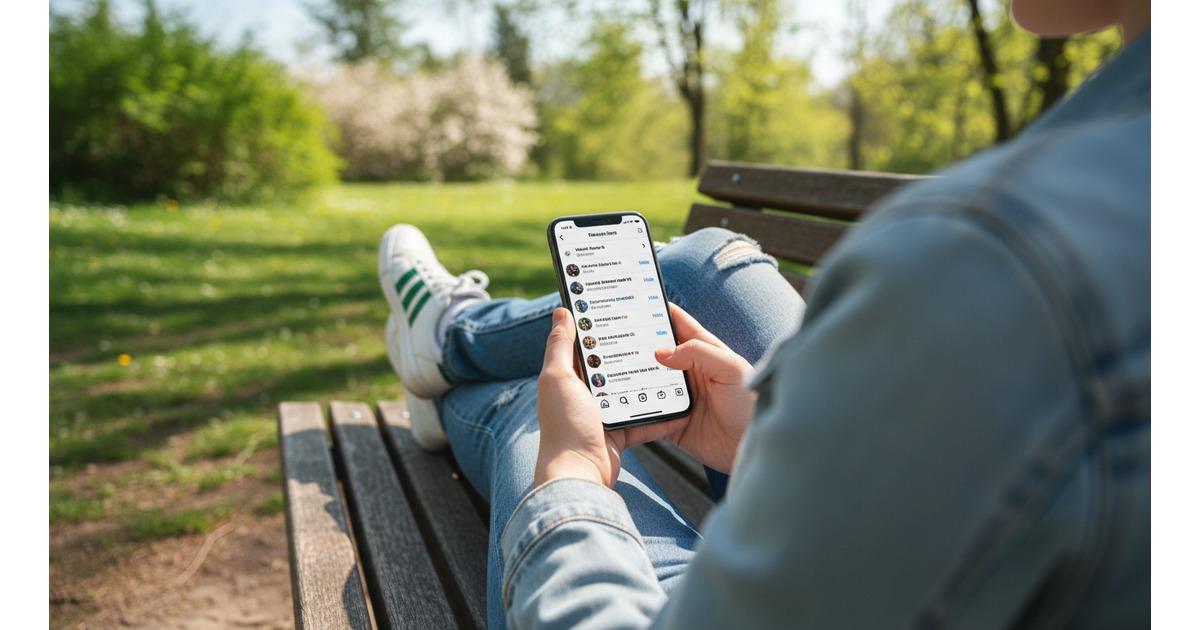
Swipe left on any comment in the Instagram mobile app to quickly hide it from public view
Three key advantages of manual hiding:
- Context Awareness: You can evaluate sarcasm, cultural nuances, and situational context that automated filters miss.
- No False Positives: Unlike keyword filters that might hide legitimate comments containing trigger words, manual review ensures accuracy.
- Relationship Preservation: For borderline comments from valuable customers, you can reach out privately rather than immediately hiding.
However, manual hiding doesn't scale. If you receive 50+ comments per post, this method consumes hours. According to Instagram Business, brands with high engagement spend an average of 2.5 hours daily on manual moderation alone.
Method 2: Set Up Instagram's Keyword Filters (Automated Prevention)
Think of keyword filters as a bouncer at a nightclub entrance. They automatically block unwanted comments before they ever appear publicly. This is Instagram's built-in solution for preventing spam, profanity, and unwanted content at scale.
Instagram's keyword filter feature lets you create custom blacklists. Once configured, any comment containing your banned words gets automatically hidden. No manual intervention required.
How to Enable Keyword Filters:
Open Instagram Settings
Tap your profile icon, then the three-line menu in the top right. Select "Settings and Privacy."
Navigate to Hidden Words
Go to "Privacy" then "Hidden Words." This is where Instagram's comment filtering lives.
Add Custom Keywords
Toggle on "Hide Comments" and add your custom words/phrases. Separate multiple terms with commas. Instagram also offers a default filter for common offensive terms.
Three types of keywords you should filter:
- Profanity and Hate Speech: Start with Instagram's default filter, then add industry-specific slurs or offensive terms targeting your niche.
- Spam Indicators: Words like "check my bio," "free followers," "click link," or competitor brand names often signal spam or promotional hijacking.
- Scam Phrases: Terms like "DM for prize," "you won," or "verify account" are common in phishing attempts targeting your audience.
⚠️ Warning: Avoid Over-Filtering
Being too aggressive with keyword filters creates false positives. For example, blocking "suck" will hide "suction cups" or "succulent plants." Review your filter list quarterly and refine based on actual comment patterns.

Configure Instagram's Hidden Words settings to automatically filter offensive comments and spam
Instagram's keyword filter is powerful but limited. It can't detect context, sarcasm, or sophisticated spam that doesn't use obvious trigger words. According to Social Media Today, the average keyword filter blocks only 60-70% of unwanted comments, leaving 30-40% that require manual review or advanced AI moderation.
Stop Wasting Hours on Comment Moderation
FeedGuardians automates Instagram comment hiding with AI that understands context, not just keywords. What takes 15 hours manually takes 15 minutes with intelligent automation.
- ✓ AI-powered spam detection (catches 95% of unwanted comments)
- ✓ Auto-hide offensive content before it damages your brand
- ✓ Bulk management across unlimited Instagram accounts
Method 3: Advanced Comment Automation (AI-Powered Solutions)
Imagine having a full-time moderator who never sleeps, never misses context, and processes 1,000 comments in the time it takes you to read this sentence. That's the power of AI-driven comment moderation tools like FeedGuardians.
Enterprise brands managing multiple accounts need automation that goes beyond keyword filters. Third-party tools use machine learning to detect spam patterns, sentiment analysis to identify negativity, and natural language processing to understand context that simple keyword matching misses entirely.
Three capabilities that separate advanced tools from Instagram's basic filters:
- Context-Aware AI: Advanced systems distinguish between "This product sucks!" (negative) and "This vacuum really sucks up dirt!" (positive). Keyword filters can't make this distinction.
- Bulk Management: Moderate comments across 10, 50, or 500 Instagram accounts from a single dashboard. Perfect for agencies, franchises, or multi-brand operations.
- Custom Rules Engine: Create sophisticated if/then logic like "hide comments with links UNLESS they're from verified accounts" or "auto-hide comments with 3+ emojis containing certain keywords."
What to Look for in a Comment Moderation Tool:
- ✓AI Detection Accuracy: Look for tools with 90%+ accuracy rates in spam detection. FeedGuardians achieves 95% accuracy through continuous machine learning.
- ✓Real-Time Processing: Comments should be analyzed and hidden within seconds, not minutes. Delayed moderation means offensive content stays visible longer.
- ✓Customizable Sensitivity: Every brand has different tolerance levels. Choose tools that let you adjust moderation strictness from "aggressive" to "permissive."

FeedGuardians dashboard with AI-powered moderation showing real-time comment filtering across multiple accounts
The ROI calculation is straightforward. If you're spending 15 hours monthly on manual moderation at $50/hour labor cost, that's $750 per month. Most automation tools (including FeedGuardians) cost $49-199/month while saving 90% of that time. You recoup the investment in week one.
According to Sprout Social's research, brands using automated comment moderation see 47% higher engagement rates because they can focus on responding to valuable comments instead of hiding spam. Your community becomes healthier and more active.
When Should You Hide Instagram Comments? (Decision Framework)
Deciding what to hide is like being a museum curator. You want to preserve valuable pieces while removing graffiti. Too strict, and you silence legitimate criticism. Too lenient, and your gallery becomes a mess.
Not all negative comments deserve hiding. Constructive criticism, genuine product concerns, and honest feedback help you improve. The key is distinguishing between comments that add value and those that only destroy it.
Three categories that always warrant hiding:
- Hate Speech and Harassment: Any comment attacking someone's race, religion, gender, sexual orientation, or disability should be immediately hidden and reported. This includes targeted bullying of other community members.
- Spam and Scams: Comments promoting competitor products, phishing links, "get rich quick" schemes, or "check my bio" spam. These add zero value and often victimize your audience.
- Explicit Content: Sexual content, graphic violence, illegal activity promotion, or anything that would violate Instagram's community guidelines if it were a post.
The Gray Area: When NOT to Hide
Legitimate criticism often feels uncomfortable but shouldn't be hidden:
- Product Complaints: "Shipping took 3 weeks" is valuable feedback that shows transparency.
- Service Issues: "Customer support never responded" alerts you to problems you can fix.
- Price Concerns: "Too expensive for what you get" reflects market perception you should address publicly.
Hiding genuine criticism makes you look defensive and damages trust. Instead, respond professionally and show you care about resolving issues.
The 48-hour rule: If a comment is borderline, wait 48 hours before hiding. Often, other community members will naturally counter negative comments with positive experiences. This organic defense is more powerful than deletion.
For edge cases, consider the source. A verified customer expressing frustration deserves a response, not hiding. A brand-new account posting the same negative comment across multiple posts is likely a troll or competitor attack worth removing.
Best Practices: Building a Healthy Instagram Community
A thriving Instagram community is like a well-tended garden. You can't just remove weeds (hide bad comments). You also need to water the flowers (engage with good comments) and create conditions where good things grow naturally.
Comment hiding is only one piece of community management. The brands with the healthiest Instagram communities spend 70% of their time fostering positive engagement and only 30% on moderation. Here's how to achieve that balance:
Three proven practices that reduce negative comments organically:
- Set Clear Community Guidelines: Pin a comment or add to your bio explaining what behavior is acceptable. When people know the rules upfront, violations decrease by 40%.
- Respond to Positive Comments First: Algorithms favor posts where the account owner actively engages. By responding to 10 positive comments before addressing one negative, you train the algorithm to show your content to more positive audiences.
- Reward Your Community MVPs: Feature user-generated content, give shoutouts, or offer exclusive perks to your most engaged followers. When people feel valued, they self-police your comment section by calling out trolls.
Weekly Comment Audit Checklist
- Review all hidden comments to check for false positives
- Update keyword filter list based on new spam patterns
- Identify your top 5 most engaged commenters and thank them
- Respond to any unresolved customer service issues in comments
- Check if any legitimate comments were auto-hidden by filters
Timing matters too. Comments posted within the first hour of publishing receive 80% more visibility in Instagram's algorithm. Monitor new posts closely during this critical window. Hiding spam immediately prevents it from gaining traction.
Finally, document your moderation decisions. Keep a simple log of what types of comments you hide and why. This creates consistency across team members and provides legal protection if someone claims unjust censorship. Many brands use tools like FeedGuardians specifically for this audit trail feature.
Frequently Asked Questions
Can someone see if you hide their Instagram comment?
No. When you hide an Instagram comment, it remains visible to the person who posted it, but disappears for everyone else. They don't receive any notification that their comment was hidden. However, if they log out or view your post from a different account, they'll notice their comment is missing. This is intentional design to prevent confrontation while still moderating your community.
Does hiding comments affect Instagram algorithm or engagement?
Hiding comments does not negatively impact your Instagram algorithm ranking. In fact, Instagram's algorithm favors posts with positive engagement. By removing spam and offensive content, you improve your overall engagement quality, which can actually boost your reach. Hidden comments still count toward your total comment count for analytics purposes.
What's the difference between hiding, deleting, and restricting comments?
Instagram offers three different moderation options, each with distinct purposes:
- Hiding: Comment stays visible to the author but hidden from everyone else. Reversible. Best for spam or borderline content.
- Deleting: Permanently removes the comment for everyone, including the author. They receive no notification. Best for severe violations.
- Restricting: Limits an account's ability to interact with you. Their comments only show to them and mutual followers. Best for persistent trolls.
Can I unhide Instagram comments after hiding them?
Yes. Hidden comments can be unhidden at any time. Go to your Instagram Settings, then Privacy, then Hidden Words, and select "Manage Custom Words." You'll see a list of hidden comments. Tap any comment and select "Unhide" to make it publicly visible again. This is useful if you accidentally hide a legitimate comment or if a situation resolves.
How many keywords can I add to Instagram's filter?
Instagram allows you to add thousands of keywords to your custom filter list, though there's no officially published limit. The practical limit is around 500-1,000 keywords before management becomes unwieldy. Focus on high-impact terms rather than trying to block every possible variation. Tools like FeedGuardians bypass this limitation with AI detection that doesn't rely on keyword lists.
Do Instagram's default offensive comment filters work well?
Instagram's default filter blocks commonly reported offensive words and phrases in multiple languages. It's effective for obvious profanity and slurs but misses context-dependent insults, creative misspellings (like "f**k" instead of the actual word), and newer slang terms. Most brands use the default filter as a baseline and supplement it with custom keywords and third-party AI tools for comprehensive coverage.
Is it better to hide or delete negative comments?
Hiding is generally better than deleting for several reasons. First, hiding is reversible if you make a mistake. Second, completely deleting comments (especially legitimate criticism) can make you appear overly controlling and damage trust. Third, hidden comments still provide feedback you can learn from privately. Reserve deletion for severe violations like hate speech, illegal content, or coordinated spam attacks. For everything else, hiding gives you moderation power without burning bridges.
Can I bulk hide comments on Instagram?
Instagram's native app doesn't support bulk hiding. You must hide comments one by one. This is one of the biggest limitations for brands managing high comment volumes. Third-party tools like FeedGuardians offer bulk moderation features where you can select multiple comments and hide them simultaneously. This is essential for managing comment storms during viral posts or crisis situations where hundreds of spam comments appear within minutes.
Ready to Automate Your Instagram Comment Moderation?
Stop wasting 15+ hours monthly on manual comment hiding. FeedGuardians' AI-powered moderation protects your brand 24/7 while you focus on growth.
Full access to all features • Cancel anytime