
Quick Summary
| Key Insight | What You Need to Know |
|---|---|
| Boosts Algorithmic Reach | The more people reply, the more Instagram sees your content as valuable. This can seriously increase how often you show up in your followers' Story feeds. |
| Fosters Community | A quick, personal response makes someone feel seen. That’s how you build a loyal group of people who genuinely care about your brand. |
| Gathers Valuable Insights | These replies are a goldmine of unfiltered feedback. You get customer questions, new content ideas, and honest opinions straight from the source. |
| Drives Conversions | A fast answer to a question about a product can be the final push someone needs to buy. That simple DM just became a revenue-generating machine. |
Instagram Story comments aren't just another notification to clear. They're direct messages from your most engaged followers, and they're a massive signal to Instagram's algorithm. For any brand, each reply is a golden opportunity to build a real community, get honest feedback, and even nudge a follower toward a sale. It's a non-negotiable part of a smart social media plan.
Why Instagram Story Comments Are Your Hidden Growth Engine
Every single comment on your Instagram Story is like a private conversation happening at scale. Unlike the comments on your grid posts, these replies slide right into your DMs. This creates an immediate, one-on-one connection that you just can't get anywhere else. That personal touch is what turns casual followers into loyal fans.
This direct line to your audience isn't just about warm fuzzies; it directly impacts how many people see your stuff. The Instagram algorithm is always looking for content that gets people talking. When someone takes the time to reply to your Story, it tells the platform your content is hitting the mark, which can lead to your future Stories getting a nice little boost.
The Real Impact of Story Replies
Let's be blunt: ignoring these DMs is like leaving money on the table. Every unanswered question or unacknowledged flame emoji is a missed chance to make a customer feel valued. A proactive plan for managing instagram story comments can turn passive viewers into die-hard members of your brand's community.
Here’s a quick rundown of why you need to be all over these replies:
- Boosts Algorithmic Reach: The more people reply, the more Instagram sees your content as valuable. This can seriously increase how often you show up in your followers' Story feeds.
- Fosters Community: A quick, personal response makes someone feel seen. That’s how you build a loyal group of people who genuinely care about your brand.
- Gathers Valuable Insights: These replies are a goldmine of unfiltered feedback. You get customer questions, new content ideas, and honest opinions straight from the source.
- Drives Conversions: A fast answer to a question about a product can be the final push someone needs to buy. That simple DM just became a revenue-generating machine.
To really turn Story comments into a growth engine, you need to be smart about your workflow. For example, learning how to schedule Instagram Stories can free you up to spend more time actually talking to your audience instead of just posting.
For a social media manager, the Story inbox is a goldmine. It's where you find your superfans, identify customer pain points, and get real-time feedback on your campaigns. It’s the most authentic focus group you could ask for.
Ultimately, keeping your Story DMs in order protects your brand's reputation and transforms a simple feature into a powerful tool for organic growth. If you want to zoom out a bit, you can dive into the best practices for social media engagement in our detailed guide. Nailing your Story replies is a perfect place to start.
Finding and Organizing Your Story Comments
If you’ve ever felt like your Instagram DMs are a chaotic party where everyone is shouting at once, you’re not alone. Every single Story reply lands right in your Direct Messages, turning your inbox into a jumbled mess of sales questions, customer service issues, emoji reactions, and everything in between. The first step to taming this beast is simply knowing where to look and how to sift through the noise.
This is where your native Instagram inbox becomes your best friend. Instead of endlessly scrolling, you can use the built-in filters to create order. This simple trick transforms a cluttered feed into a manageable to-do list, making sure you can spot and handle the instagram story comments that actually matter. It's the foundation of any workflow that prevents important conversations from getting buried.
Navigating Your Inbox Filters
Think of your DM inbox less like a junk drawer and more like a filing cabinet. You just need to know how to label the folders.
Head over to your DMs and tap the filter options at the top. You can instantly sort by unread messages, flagged items, or even filter out messages from people you don’t follow. This is a game-changer for separating high-priority DMs from the general chatter, making your job so much easier.
For any social media manager handling a high volume of messages, using these filters isn't just a tip—it's a daily necessity. And if you want to dig even deeper and find specific comments across your entire account, not just in Stories, our guide on how to search Instagram comments will walk you through it.
Setting Strategic Reply Permissions
Beyond just organizing the comments you receive, you can also control who gets to send them in the first place. Instagram gives you some powerful, granular settings to decide who can reply to your Stories, putting you in the driver's seat.
You'll find these controls in your Story settings. The options are simple but have a huge impact:
- Everyone: This is your go-to for maximizing engagement. Perfect for a new product launch or a big Q&A session where you want to hear from as many people as possible.
- People You Follow: A great middle ground. This lets you keep the conversation open to a more curated group, like partners, influencers, or industry friends.
- Off: Let's be real, sometimes you need to shut it down. Disabling replies is a smart move during a sensitive brand announcement or a crisis where you need to prevent a flood of negative or unmanageable feedback.
Choosing the right reply setting isn't just a technicality; it's a strategic move. Opening the floodgates during a campaign can generate amazing user-generated content, but restricting replies during a tough time can protect your brand from a lot of headaches.
By getting a handle on both the filters in your DMs and the permissions in your settings, you're building a solid foundation. This control is absolutely essential before you even think about scaling up with more advanced tools and automation.
Using AI for Smarter Comment Moderation
Let's be real: trying to manually sort through hundreds—or even thousands—of Instagram Story replies is a losing battle. For any brand that's growing, it’s not just a time-sink; it's impossible. This is where smart automation stops being a "nice-to-have" and becomes absolutely essential. With the right tools, you can turn a messy, overwhelming DM inbox into an organized machine that protects your brand and actually drives sales.
The real strength of AI isn't just about automatically deleting spam. It’s about building intelligent systems that understand what people mean, not just what they say. Imagine setting up a rule that instantly hides any reply filled with profanity or abusive language. Just like that, your brand's reputation is protected, and your team isn't bogged down by negativity. It frees them up to focus on the conversations that truly matter.
Automating Brand Safety and Spotting Sales Opportunities
The magic really starts when you teach your AI to recognize high-value DMs. You can create rules that flag specific keywords, signaling that a user is close to making a purchase.
An e-commerce brand, for example, could set up automations to catch terms like:
- Buying Signals: "price," "how to buy," "discount code," "shipping," "restock"
- Customer Service Needs: "broken," "doesn't work," "help," "track order"
- Community Vibes: "love this," "collab," "partner," ❤️, 🔥
The basic manual process for finding these comments looks something like this: you dive into your inbox, apply filters, and tweak settings to sort through the noise.
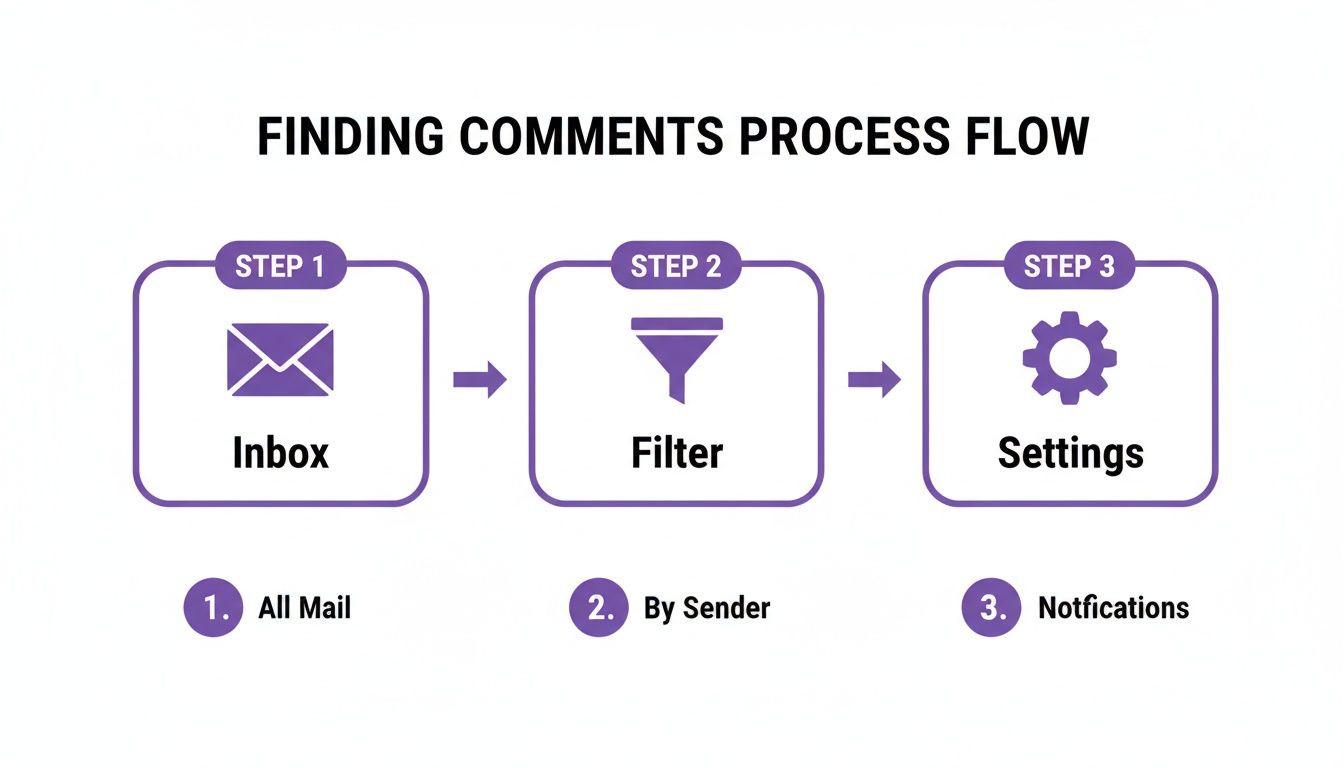
AI-powered tools take these exact steps and put them on autopilot, handling massive volume without breaking a sweat.
Creating Smart Workflows That Actually Convert
Let's look at a real-world example. Say a fashion brand posts a Story showing off a new dress. An AI moderation tool could run the following plays automatically:
- A follower replies, "How much is this?" The AI spots the keyword "how much," immediately flags it as a hot sales lead, and sends it straight to the sales team's queue.
- Someone else replies with a string of offensive emojis. The system recognizes it as spam and hides the comment before anyone on your team even sees it.
- A loyal fan comments, "OMG I love this dress! 😍" The AI picks up on the positive sentiment, tags it for the community manager to see, and maybe even sends a pre-approved auto-reply like, "So glad you love it! We'll DM you a special code soon. 😉"
This kind of organization ensures every important DM gets the right response, fast. It connects the dots between community management and real business results, improving customer happiness and boosting your bottom line. To scale this kind of proactive management, it's worth exploring different approaches to Instagram Direct Message Automation.
By automating the initial sorting and filtering, your team can finally stop cleaning up the inbox and start building relationships with warm leads who are already telling you they're interested.
This is a huge deal when you remember that 67% of Instagram users take action by clicking links or swiping up on Stories. With that many people showing direct interest, a quick and relevant follow-up can be the difference between a lost lead and a new customer.
Manual vs AI-Powered Comment Moderation
The difference between tackling this task by hand versus with an AI assist is night and day. It’s not just about speed; it's about being more strategic and effective across the board.
| Feature | Manual Moderation | AI-Powered Moderation |
|---|---|---|
| Response Time | Slow; depends on team availability | Instant; 24/7 coverage |
| Accuracy & Scale | Prone to human error, struggles with high volume | Highly accurate and can handle thousands of comments at once |
| Lead Detection | Hit-or-miss; relies on manual scanning | Automatically identifies and routes purchase intent keywords |
| Brand Safety | Reactive; hides spam/abuse after it's seen | Proactive; instantly hides harmful content before it spreads |
| Team Focus | Tied up with repetitive, low-value tasks | Freed up for high-value customer engagement and strategy |
Ultimately, integrating AI is just about working smarter, not harder. You can dive deeper into the specific platforms that make this possible in our guide to the top AI comment moderation tools. These systems give you the power to handle a massive volume of instagram story comments while still delivering the kind of personalized experience that builds loyalty and drives real growth.
Turning Replies into Revenue and Relationships
Think of every reply to your Instagram Story as a direct line to a potential customer. A quick, personal response can easily turn a casual viewer into a loyal fan. But in the world of social media, speed is everything. A reply that comes hours later often means a lost sale.
This is where a hybrid approach can be a game-changer. You can set up an automated greeting that immediately acknowledges a user's message, letting them know you've seen it. That simple touch buys your team the time they need to jump in with a more detailed, personal follow-up.
Building Connections with Smart Templates
Having a few solid reply templates ready to go can make a massive difference. These aren't meant to sound robotic. Instead, they’re starting points your team can quickly customize, ensuring you’re fast and consistent without losing that human touch.
Here are a few scenarios where this comes in handy:
- Product Questions: "Great question! This jacket is made from recycled materials. You can see all the color options right here: [link]. Let me know if you need anything else!"
- Positive Feedback: "Thanks so much for the love! We're so happy you're a fan. It means the world to our team. ❤️"
- Guiding to a Link: "So glad you're interested! The full article is linked in our bio, or you can swipe up on this Story to read it directly."
These small interactions are more than just good customer service. They send powerful signals to the Instagram algorithm that people are genuinely engaging with your content. To dive deeper into setting this up, check out our Instagram comment automation guide.
Why Every Reply Boosts Your Reach
The link between engagement and visibility is real. Instagram's own team has confirmed that direct interactions—like replies to Stories—heavily influence how your content gets ranked and shown to others. When someone takes the time to reply, it signals to the algorithm that your Story sparked a conversation.
This is huge when you think about how people watch Stories. Recent data shows that Instagram Stories have an impressive 70% average completion rate, meaning most people watch right to the end. You have a captive audience, and those replies are what can push your Story to reach even more people. You can find more of these insights in the 2026 performance benchmarks on dashsocial.com.
A fast, helpful reply is the most underrated growth hack on Instagram. It builds trust, directly influences the algorithm, and turns a simple instagram story comment into a potential sale. It's the perfect fusion of customer service and organic marketing.
At the end of the day, managing your Story replies isn't just a community management chore—it’s a core part of a smart growth strategy. By responding quickly and helpfully, you’re not only making your followers happy but also actively improving your content's performance.
Managing Negative Feedback and Brand Crises
Let’s be real: not every comment on your Instagram Stories will be positive. You're going to get negative feedback, and how you deal with it says everything about your brand. A solid plan is your best friend here, turning what could be a PR nightmare into a chance to show you're transparent and trustworthy.
The first move is always to triage the feedback. Lumping all negative comments into one bucket is a huge mistake; a one-size-fits-all reply can pour fuel on the fire. You need a simple way to categorize messages so your team can respond fast and, more importantly, respond right. This simple step keeps panic at bay and ensures your brand voice stays consistent under pressure.
A Framework for Sorting Feedback
Think of your DMs like an emergency room. Every message needs a quick diagnosis before you can treat it. A great way to start is by sorting comments into a few main categories.
- Constructive Criticism: This is gold, even when it stings. Someone might point out a product flaw or a confusing checkout process. It’s a genuine opportunity to learn and get better.
- Legitimate Customer Complaints: This is when a customer has a real issue—their order is late, an item arrived broken, or they had a bad service experience. These need immediate empathy and a clear solution.
- Trolling or Spam: These are comments from people who just want to cause trouble. They’re often abusive, totally off-topic, or designed to get a reaction. They add zero value and need to be handled quickly to keep your community safe.
For constructive feedback, a public "Thanks for pointing that out, we're looking into it!" shows you're listening. When it's a legitimate complaint, the smart play is to take the conversation private. A quick reply like, "We're so sorry to hear this. Please DM us your order number so we can make this right," moves the problem out of the public eye and into a space where you can actually solve it.
When it comes to trolls and bad-faith actors, the best defense is a good offense. Set up automated moderation rules to instantly hide comments with profanity, slurs, or spammy links. This keeps your DMs clean and stops negativity from derailing your team.
Creating a Crisis Communication Plan
When a real crisis hits—maybe a product recall or a public slip-up—your Story comments can turn into a war zone. This is exactly when that crisis communication plan you made ahead of time becomes a lifesaver. Your standard moderation rules will probably need a temporary update.
You might want to tighten your keyword filters to hide comments spreading misinformation or using certain sensitive words related to the crisis. It’s also wise to have pre-written template responses ready. These should acknowledge the situation, point people to an official statement, and show that you're on top of it.
This proactive approach helps you steer the conversation, stop rumors in their tracks, and keep a lid on the chaos. It’s all about protecting your brand while still allowing for genuine, controlled conversation when the pressure is on.
How to Measure Your Comment Management Success
So, you’ve set up some slick workflows for your Instagram Story comments. Great. But how do you know if any of it is actually working? You can't just go by feel.
This is where the real work begins: tracking your success with actual data. Moving from guesswork to solid metrics is how you connect your community management efforts directly to real business goals. Without clear KPIs, you’re just flying blind.
Modern social media tools have dashboards that can turn that chaotic stream of DMs into clean, visual insights. This data doesn't just show you how your audience feels; it proves how effective your automated rules and templates really are.
Key Performance Indicators to Track
To get a clear picture, you don't need to track a million different things. Just focus on a few core metrics that tell the most important story about your engagement and efficiency.
Think of these KPIs as your north star for comment management:
- Average Response Time: How fast are you getting back to people? A lower number here almost always leads to happier customers and more sales opportunities caught in the moment.
- Response Rate: What percentage of Story replies are you actually responding to? You should be aiming for 100%. It’s a clear signal to your audience that you're listening.
- Sentiment Analysis: Is the overall vibe in your DMs positive, negative, or just neutral? Tracking sentiment over time is a great way to check your brand's pulse and see how campaigns are landing. If you're new to this, checking out the best social media sentiment analysis tools is a good place to start.
- Leads Generated: How many DMs came in with keywords like "price," "buy," or "how to order"? This metric draws a direct line from a simple Story reply to potential revenue.
Connecting Community Metrics to Business Goals
For any marketer, this kind of data is gold. It’s the proof you need to show that managing DMs isn't just a customer service task—it's a growth engine. When you see your average response time drop, you can start looking for a related spike in clicks to your website from your Stories.
By tracking these metrics, you can draw a straight line from a faster, more positive comment management strategy to a stronger return on ad spend (ROAS). It proves that investing in community pays real dividends.
The numbers don't lie. A massive one-third of the most viewed Instagram Stories come from businesses, tapping into a pool of 500 million daily users. While your in-feed videos might get more public comments, the private, one-on-one nature of Story replies is a huge opportunity to build real relationships and gather unfiltered feedback. You can find more fascinating stats on Instagram Stories engagement on 99firms.com.
Ultimately, measuring your success turns comment management from a chore into a strategic advantage. It gives you the hard data you need to tweak your approach, prove your value, and keep building a brand that people don't just follow, but actually feel connected to.
Ready to stop drowning in DMs and start driving revenue? FeedGuardians uses AI to automatically moderate comments, detect sales leads, and keep your community safe 24/7. See how it works at https://feedguardians.com.
Tired of manually moderating comments?
FeedGuardians automates spam filtering, responds to customers, and protects your brand — setup in 3 minutes.