
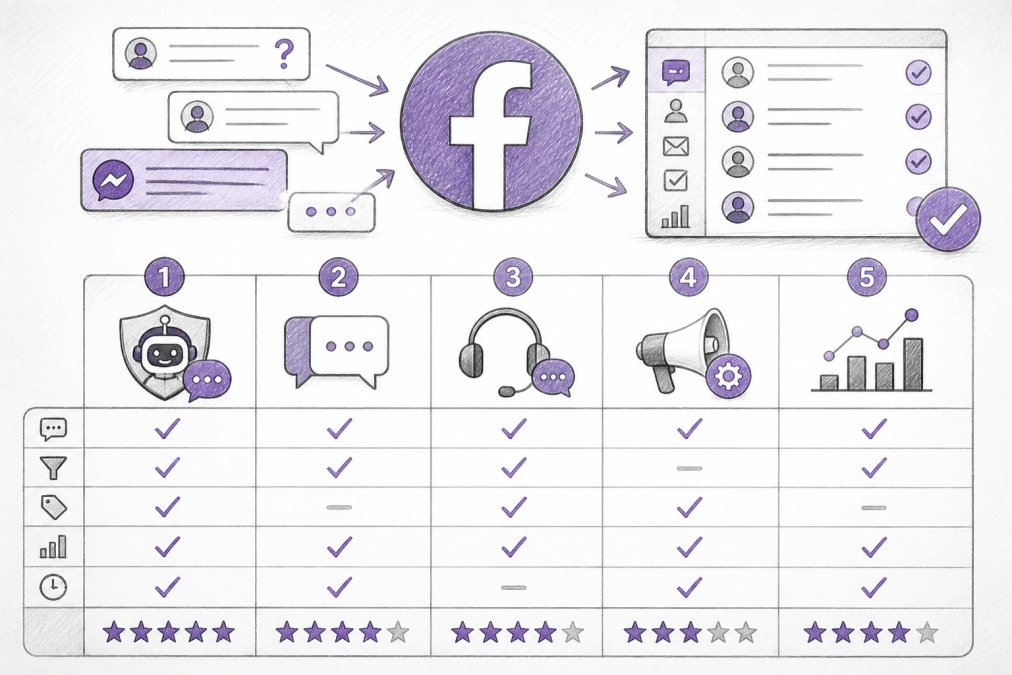
Quick Summary
| Key Insight | What You Need to Know |
|---|---|
| Why Managing Customer Inquiries | Why Managing Customer Inquiries on Facebook Matters |
| Feature Comparison | Top Tools at a Glance |
| 1. FeedGuardians | AI-Powered Moderation and Brand Voice Replies |
| 2. ManyChat | Automation for High-Volume Inquiries |
| 3. Sprout Social | Unified Inbox and Team Collaboration |
| 4. Freshdesk | Omnichannel Support with Ticketing |
Table of Contents
- Why Managing Customer Inquiries on Facebook Matters
- Feature Comparison: Top Tools at a Glance
- 1. FeedGuardians: AI-Powered Moderation and Brand Voice Replies
- 2. ManyChat: Automation for High-Volume Inquiries
- 3. Sprout Social: Unified Inbox and Team Collaboration
- 4. Freshdesk: Omnichannel Support with Ticketing
- 5. Zendesk: Enterprise-Grade Customer Service Platform
- Facebook Customer Service Best Practices for Faster Response
Last Updated: August 14, 2026
Why Managing Customer Inquiries on Facebook Matters
Facebook remains one of the highest-traffic customer service channels for brands. Every unanswered comment is a lost opportunity, customers expect responses within hours, and delays directly impact conversion rates and brand trust. A single social media manager can handle 20-30 inquiries per day manually, but at 100+ daily messages, manual responses become impossible. The right platform transforms customer service from a bottleneck into a competitive advantage.
FeedGuardians has found that teams using automated moderation and AI-powered replies see measurable improvements in response time, customer satisfaction, and ad performance. Brands that respond within the first hour see 3x higher engagement on subsequent posts. Those using intelligent automation report reclaiming hours per week previously spent on comment moderation.
This guide covers five effective tools for Facebook customer inquiry management, from AI-powered moderation solutions to comprehensive omnichannel helpdesks. Whether you're a solo creator overwhelmed by comments or an agency managing dozens of client accounts, you'll find a solution that fits your workflow and budget.
Feature Comparison: Top Tools at a Glance
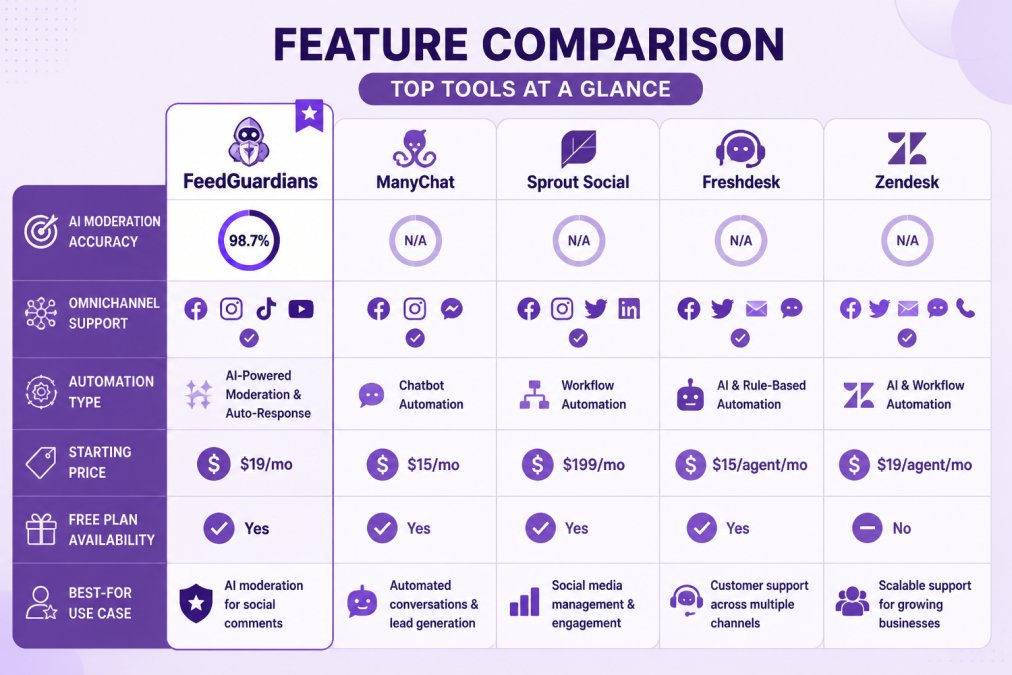
| Tool | AI Moderation | Omnichannel | Automation Type | Free Plan | Best For |
|---|---|---|---|---|---|
| FeedGuardians | 98.7% accuracy | Instagram, Facebook, TikTok, YouTube | AI replies + moderation | Yes | High-volume comment management |
| ManyChat | No | Facebook, Instagram, WhatsApp, SMS | Chatbot flows | Yes (25 contacts) | Messenger automation |
| Sprout Social | No | Facebook, Instagram, Twitter, LinkedIn | Publishing + engagement | No | Team collaboration & analytics |
| Freshdesk | Basic | Email, chat, social, phone | AI chatbot + ticketing | Yes | Omnichannel support integration |
| Zendesk | Basic | Email, chat, social, phone | AI agents + ticketing | No | Enterprise-scale operations |
1. FeedGuardians: AI-Powered Moderation and Brand Voice Replies
FeedGuardians solves the core problem most teams face: spam and harmful comments pile up faster than any human can handle them, while legitimate inquiries get buried. This platform combines real-time moderation with intelligent automation, making it the strongest choice for brands managing high-volume comments.
The AI detects and hides spam, hate speech, scams, and competitor links with 98.7% accuracy, a precision rate that matters when a single mismoderated comment can damage your brand or trigger advertiser sanctions. Beyond filtering, FeedGuardians generates contextual replies in your unique brand voice 24/7, transforming passive comment sections into active conversation channels.
What sets this apart: the AI learns your tone and terminology through your existing content and brand guidelines. A luxury brand's replies sound different from a fitness brand's replies. The system captures that nuance rather than defaulting to generic corporate language.
Complex inquiries, returns, and complaints route to your team automatically rather than getting lost in automated responses. This hybrid approach prevents frustration when customers need a human.
For e-commerce brands, FeedGuardians directly protects ad performance. Meta's algorithm flags accounts with excessive spam or hate speech in comments, which can suppress ad reach. Real-time moderation prevents that penalty before it happens.
Pros:
- 98.7% accuracy in detecting spam, hate speech, and competitor links
- AI replies in your brand voice, not generic templates
- Real-time moderation across Instagram, Facebook, TikTok, and YouTube
- Human escalation for complex inquiries
- Saves hours every day on manual moderation
Cons:
- Pricing details available on the FeedGuardians website; check for your specific volume needs
2. ManyChat: Automation for High-Volume Inquiries
ManyChat automates conversations on Facebook Messenger and Instagram Direct Messages. If your customer inquiries funnel primarily through Messenger, this platform excels at handling volume through conversational flows.
The visual drag-and-drop builder lets non-technical teams create automation sequences without code. Common use cases, FAQ responses, order status updates, lead qualification, become reusable templates. ManyChat connects to Shopify and WooCommerce, pulling order data directly into conversations. A customer asks "Where's my order?" and the bot responds with tracking information automatically.
The limitation: ManyChat doesn't handle public comment moderation. If spam floods your Facebook post comments, you're managing that separately. It's a Messenger-focused solution, not a comprehensive comment management platform. AI features are add-ons, not included in base plans.
Pros:
- Easiest visual builder for non-technical teams
- Strong Shopify and e-commerce integrations
- Free tier available (limited to 25 active contacts)
- Handles high-volume Messenger inquiries efficiently
- Broadcast and audience segmentation included
Cons:
- Free plan limited to 25 contacts
- AI conversation features cost extra
- Doesn't handle public Facebook comment moderation
- Limited to Meta channels
3. Sprout Social: Unified Inbox and Team Collaboration
Sprout Social is the choice if your team needs to manage customer inquiries alongside publishing, scheduling, and analytics across multiple social platforms. The unified Smart Inbox consolidates messages from Facebook, Instagram, Twitter, LinkedIn, and TikTok into a single dashboard, with context about customer interaction history.
Message tagging, assignment workflows, and approval systems make team collaboration seamless, especially for agencies managing multiple client accounts. The analytics track response times, resolution rates, and customer sentiment across your support operations, identifying training needs and process improvements.
However, Sprout Social's moderation capabilities are basic, there's no AI-powered spam detection. For high-volume comment sections with significant spam, this becomes a bottleneck. Also, pricing is per seat, which gets expensive for large teams.
Pros:
- Unified inbox across 5+ social platforms
- Excellent for team collaboration and workflow management
- Advanced analytics on response times and customer sentiment
- Strong for agencies managing multiple client accounts
- Includes publishing and scheduling tools
Cons:
- No AI moderation; spam filtering is manual
- Pricing per seat; expensive for large teams
- No free plan
- Overkill for solo creators or small businesses
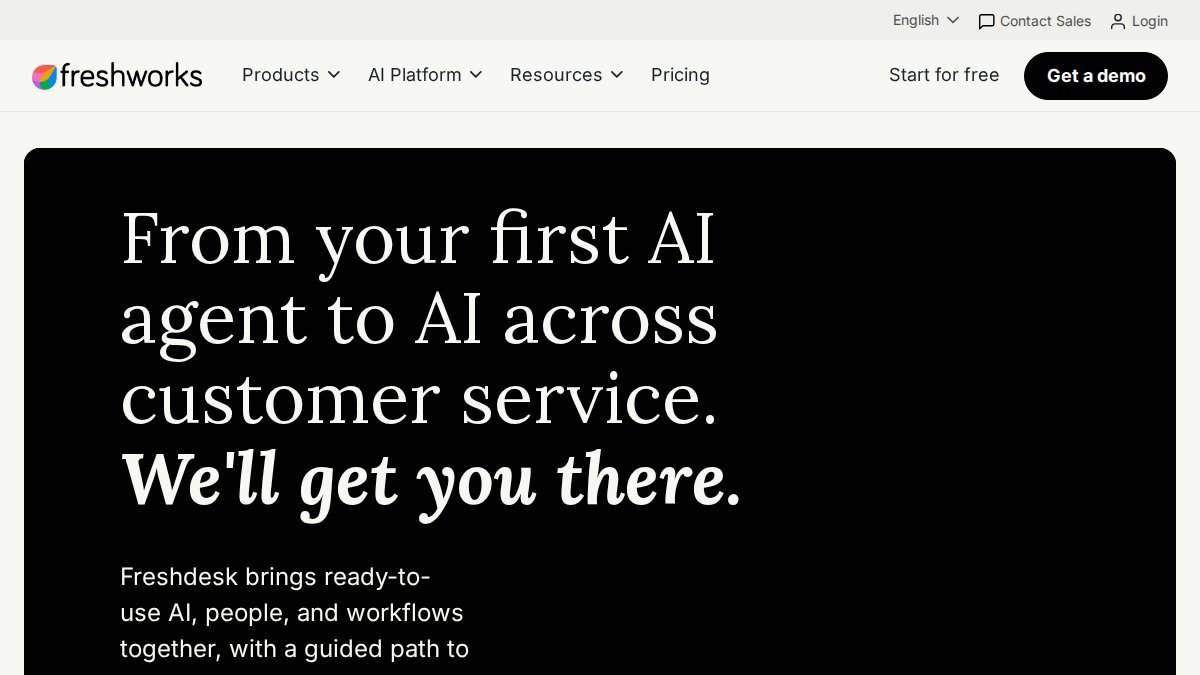
4. Freshdesk: Omnichannel Support with Ticketing
Freshdesk integrates Facebook Messenger into a broader omnichannel support system, converting customer inquiries into tickets that your team manages through a unified interface. Every customer inquiry, from Facebook, email, live chat, or phone, becomes a trackable ticket with assignment, priority routing, and SLA monitoring.
Freshdesk's AI (Freddy AI Agent) handles FAQ automation and basic inquiry classification, routing complex issues to the right agent. The knowledge base integration lets customers self-serve answers before contacting support, reducing ticket volume overall.
The limitation is that Freshdesk treats Facebook Messenger as just another channel. If your primary challenge is high-volume public comment moderation, Freshdesk doesn't solve that. Advanced features like AI Agents often require higher-tier plans.
Pros:
- Omnichannel integration (email, chat, social, phone in one inbox)
- Ticketing system with SLA monitoring and reporting
- AI chatbot for FAQ automation included on most plans
- Scalable for small teams to mid-size operations
- Free tier available
Cons:
- Doesn't handle public comment moderation well
- Advanced AI and omnichannel features require higher tiers
- Per-agent pricing adds up quickly for large teams
- Steeper learning curve than Messenger-only tools
5. Zendesk: Enterprise-Grade Customer Service Platform
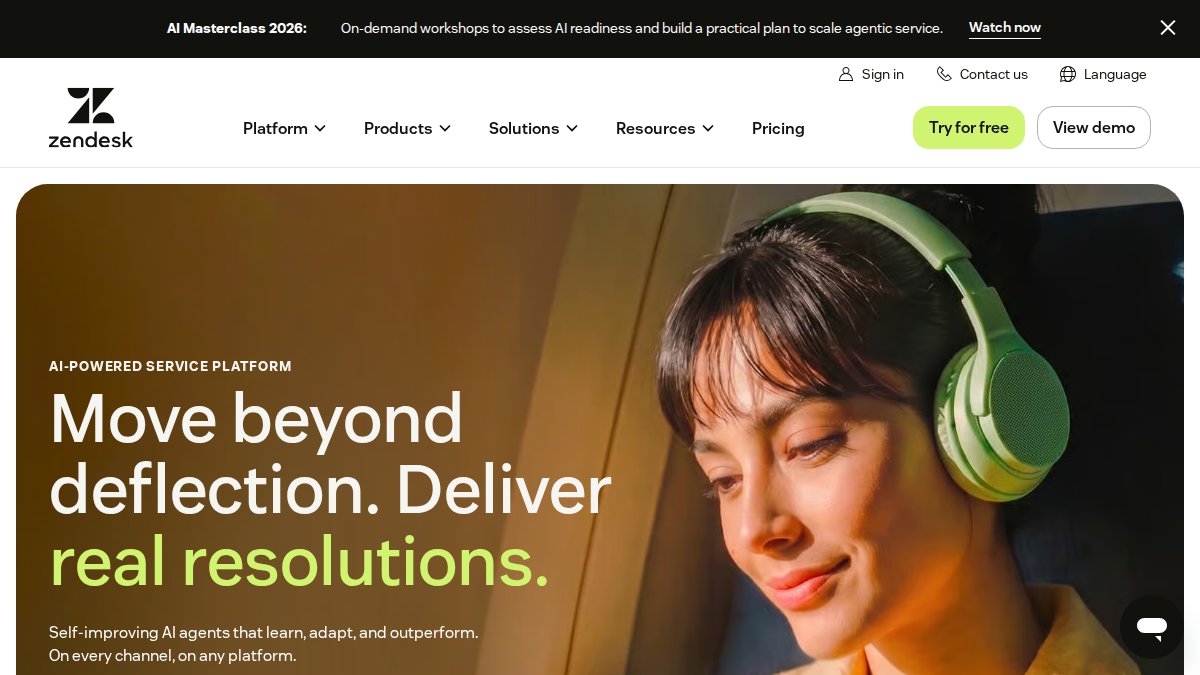
Zendesk is the choice for large enterprises managing inquiries across dozens of channels at scale. It converts Facebook Messenger inquiries into support tickets, then routes them based on sophisticated rules: by customer segment, issue type, agent skill, or workload.
Zendesk's AI is more advanced than Freshdesk's. AI Copilot assists agents by suggesting responses and summarizing customer history. AI Agents can handle entire conversations autonomously, escalating only when needed. For high-volume, repetitive inquiries, this reduces agent workload significantly.
The analytics are enterprise-grade, tracking first response time, resolution time, customer satisfaction scores, and agent productivity. You can identify trends, forecast staffing needs, and measure the impact of process changes.
The cost and complexity are the trade-offs. Zendesk's pricing is per agent, and omnichannel features with advanced AI add significant cost. Implementation requires planning upfront. Also like Freshdesk, Zendesk doesn't specialize in public comment moderation.
Pros:
- Most powerful routing and automation engine
- Advanced AI for agent assistance and autonomous responses
- Omnichannel integration across all major platforms
- Enterprise-grade analytics and reporting
- Scales to handle thousands of daily inquiries
Cons:
- Most expensive option; per-agent pricing for large teams
- Complex setup; requires careful workflow planning
- No free plan
- Overkill for small teams or solo operators
- Doesn't address public comment moderation
Social Media Response Time Benchmarks and What to Aim For
Response time directly impacts customer satisfaction and conversion rates. The faster you reply, the more likely the customer engages further.
E-commerce stores should aim for under 2 hours. Customers asking about shipping, sizing, or product details expect quick answers. Delays directly reduce conversion rates.
Marketing agencies typically work toward 4-hour response times, balancing responsiveness with managing multiple accounts. Clients expect same-business-day acknowledgment.
Content creators can operate on a 6-8 hour window. Your audience is more forgiving of delays, though faster response builds loyalty.
Enterprise brands often target under 1 hour, especially for high-value customers. Response time becomes a competitive differentiator.
Start where you are. If you're currently responding in 24+ hours, aim for 12 hours first. Once that's consistent, push to 6 hours. Automation handles the heavy lifting, AI replies to common questions instantly, while your team focuses on complex inquiries.
Common Mistakes When Choosing a Facebook Inquiry Management Tool
Mistake 1: Choosing based on price alone. The cheapest tool isn't the best value if it doesn't solve your specific problem. Pick based on your biggest pain point first.
Mistake 2: Overcomplicating setup. Enterprise tools like Zendesk require weeks of configuration. If you have 50 daily inquiries and a small team, that complexity creates friction. Start simple.
Mistake 3: Ignoring the human escalation option. Automation handles 80% of inquiries. The remaining 20%, complaints, returns, special requests, need human judgment. Pick a tool with clear escalation paths.
Mistake 4: Forgetting about moderation. Many teams focus on response automation and ignore spam. One bad comment, a scam link, or hate speech can damage your brand faster than slow responses. Moderation should be your first priority if you have high comment volume.
Mistake 5: Not testing with your actual data. Before committing, run a 2-week trial with your real customer inquiries. See how the tool handles your tone, your products, your customer base.
How to Implement Your Chosen Tool Effectively
Once you've selected a platform, implementation determines success.
Step 1: Define your brand voice and response guidelines. Clarify what your replies should sound like. Document 5-10 example replies that represent your brand. Tools like FeedGuardians use these examples to train their AI.
Step 2: Map your common inquiry types. List the 10-15 most frequent questions you receive. What percentage are shipping questions? Product questions? Returns? This breakdown shows where automation delivers the most value.
Step 3: Set response time targets per inquiry type. Not all inquiries need the same speed. Define your SLAs: urgent issues within 1 hour, standard inquiries within 4 hours, feedback within 24 hours.
Step 4: Create escalation rules. Decide which inquiries go to humans automatically. Complaints should escalate. Returns should escalate. Negative sentiment should escalate.
Step 5: Monitor and iterate. After two weeks, review your metrics: response times, automation accuracy, customer satisfaction. Adjust your rules and templates based on real data.
Comparison Table: Quick Reference
| Tool | Best For | Starting Price | Omnichannel | AI Moderation | Free Tier |
|---|---|---|---|---|---|
| FeedGuardians | High-volume comment management | See pricing page | 4 platforms | 98.7% accuracy | Yes |
| ManyChat | Messenger automation | $14/mo | 4 platforms | Add-on | Yes (25 contacts) |
| Sprout Social | Team collaboration & analytics | $199/seat/mo | 5+ platforms | No | No |
| Freshdesk | Omnichannel ticketing | $19/agent/mo | Email, chat, social, phone | Basic | Yes |
| Zendesk | Enterprise operations | $19/agent/mo | All major channels | Advanced | No |
The right tool for managing customer inquiries on Facebook depends on your team size, inquiry volume, and biggest pain point. If you're overwhelmed by spam and need instant moderation, FeedGuardians' AI-powered approach with 98.7% accuracy delivers immediate relief. If you're struggling with response speed on Messenger, ManyChat's automation handles high volume efficiently. If you manage multiple client accounts, Sprout Social's unified inbox justifies the cost. If you need omnichannel consolidation, Freshdesk or Zendesk provide the infrastructure.
Start by running a two-week trial with your top choice. Test with your actual customer inquiries. The best tool is the one that solves your specific problem.
Get started with FeedGuardians and see how AI-powered moderation and brand voice replies can reclaim hours from your team's week while protecting your brand reputation across Facebook, Instagram, TikTok, and YouTube. The free plan lets you experience real-time comment filtering and 24/7 automated responses without commitment.
Frequently Asked Questions
How do I know a tool will actually catch spam and harmful comments on Facebook?
Look for tools that offer detection accuracy metrics and transparency about their testing methods. FeedGuardians, for example, uses AI trained to detect spam, hate speech, scams, and competitor links with documented accuracy. Request case studies or demos with accounts similar to yours to see real performance. Ask vendors whether they provide human escalation options so borderline cases get reviewed by your team, not just the algorithm.
What's the difference between managing customer inquiries on Facebook versus other social platforms?
Facebook Messenger and comments require different handling. Messenger is private, one-to-one conversation; comments are public and visible to your audience. Tools that manage customer inquiries on Facebook should handle both channels, route messages to a unified inbox, and let you respond differently depending on context. Omnichannel platforms like Sprout Social and Freshdesk consolidate both into one workspace, reducing response time and improving consistency across channels.
Can AI really learn my brand voice, or will customers know they're talking to a bot?
Modern AI tools can learn your tone, terminology, and guidelines by analyzing your past messages and brand guidelines you provide. The quality depends on how much training data you give the tool and how specific your instructions are. FeedGuardians, for instance, learns from your communication style to generate replies that feel authentic. Start with a free trial and test responses on a small subset of inquiries before full rollout. Human escalation options ensure complex or sensitive inquiries always reach a real person.
What social media response time benchmarks should my team aim for?
Response time expectations vary by industry and business type. E-commerce brands typically aim to respond within 2 hours to maintain customer trust and reduce cart abandonment. Agencies managing multiple client accounts should target under 4 hours per client. Content creators with high engagement can typically respond within 6-8 hours. Enterprise brands protecting ad performance often need sub-1-hour response times. Use analytics from your tool to track your current baseline, then set incremental targets as you automate routine inquiries.
Do I need to pay for all features upfront, or can I start with just Facebook and add other platforms later?
Most tools offer modular pricing or tiered plans. ManyChat and Chatfuel let you start with Facebook Messenger automation at a lower cost and add Instagram or WhatsApp later. Sprout Social and Zendesk charge per agent or by feature tier, so you can start with basic omnichannel support and upgrade to advanced analytics or AI features as you grow. Check each vendor's pricing page to confirm whether you can add platforms incrementally or if you must purchase bundled plans.
This article was written using GrandRanker
Tired of manually moderating comments?
FeedGuardians automates spam filtering, responds to customers, and protects your brand — setup in 3 minutes.
Frequently Asked Questions
How do I know a tool will actually catch spam and harmful comments on Facebook?
Look for tools that offer detection accuracy metrics and transparency about their testing methods. FeedGuardians, for example, uses AI trained to detect spam, hate speech, scams, and competitor links with documented accuracy. Request case studies or demos with accounts similar to yours to see real performance. Ask vendors whether they provide human escalation options so borderline cases get reviewed by your team, not just the algorithm.
What's the difference between managing customer inquiries on Facebook versus other social platforms?
Facebook Messenger and comments require different handling. Messenger is private, one-to-one conversation; comments are public and visible to your audience. Tools that manage customer inquiries on Facebook should handle both channels, route messages to a unified inbox, and let you respond differently depending on context. Omnichannel platforms like Sprout Social and Freshdesk consolidate both into one workspace, reducing response time and improving consistency across channels.
Can AI really learn my brand voice, or will customers know they're talking to a bot?
Modern AI tools can learn your tone, terminology, and guidelines by analyzing your past messages and brand guidelines you provide. The quality depends on how much training data you give the tool and how specific your instructions are. FeedGuardians, for instance, learns from your communication style to generate replies that feel authentic. Start with a free trial and test responses on a small subset of inquiries before full rollout. Human escalation options ensure complex or sensitive inquiries always reach a real person.
What social media response time benchmarks should my team aim for?
Response time expectations vary by industry and business type. E-commerce brands typically aim to respond within 2 hours to maintain customer trust and reduce cart abandonment. Agencies managing multiple client accounts should target under 4 hours per client. Content creators with high engagement can typically respond within 6-8 hours. Enterprise brands protecting ad performance often need sub-1-hour response times. Use analytics from your tool to track your current baseline, then set incremental targets as you automate routine inquiries.
Do I need to pay for all features upfront, or can I start with just Facebook and add other platforms later?
Most tools offer modular pricing or tiered plans. ManyChat and Chatfuel let you start with Facebook Messenger automation at a lower cost and add Instagram or WhatsApp later. Sprout Social and Zendesk charge per agent or by feature tier, so you can start with basic omnichannel support and upgrade to advanced analytics or AI features as you grow. Check each vendor's pricing page to confirm whether you can add platforms incrementally or if you must purchase bundled plans.