
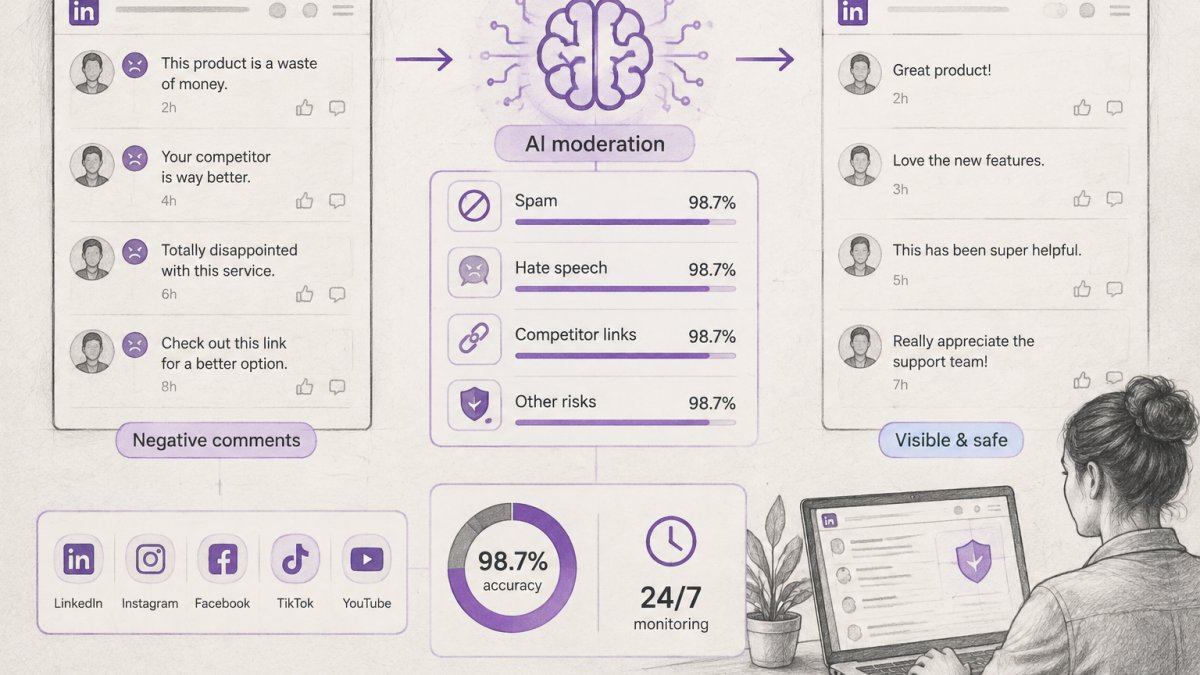
Quick Summary
| Key Insight | What You Need to Know |
|---|---|
| Triage each comment by intent before typing | genuine criticism, disagreement, or trolling each need a different move. |
| Never argue in a | Never argue in a thread or match snark with snark; emotional replies read as weakness to a B2B audience. |
| Hide or delete only | Hide or delete only rule-breaking or private-information comments; removing fair criticism invites a bigger backlash. |
| Split ownership by comment | Split ownership by comment type across marketing, sales, customer success, legal, and leadership, each with a backup. |
| Acknowledge Severity 1 issues | Acknowledge Severity 1 issues publicly within one hour during business hours and resolve privately within one business day. |
| Why a Negative LinkedIn | Why a Negative LinkedIn Comment Is a B2B Reputation Event |
Last Updated: November 12, 2026
Quick Summary
Respond to negative LinkedIn comments by triaging each one first, then acknowledging the concern calmly in public with facts and a next step. Hide or delete only comments that break platform rules or expose private information, and keep genuine criticism visible. Assign a named owner and response-time targets so replies stay fast and consistent.
- Triage each comment by intent before typing: genuine criticism, disagreement, or trolling each need a different move.
- Never argue in a thread or match snark with snark; emotional replies read as weakness to a B2B audience.
- Hide or delete only rule-breaking or private-information comments; removing fair criticism invites a bigger backlash.
- Split ownership by comment type across marketing, sales, customer success, legal, and leadership, each with a backup.
- Acknowledge Severity 1 issues publicly within one hour during business hours and resolve privately within one business day.
Table of Contents
- Why a Negative LinkedIn Comment Is a B2B Reputation Event
- Step 1: Triage the Comment Before You Type
- Step 2: Acknowledge the Concern and Respond Calmly in Public
- Negative LinkedIn Comment Response Templates for B2B Teams
- Responding to Negative Comments on LinkedIn for B2B Brands: Examples in Practice
- When to Hide or Delete Negative Comments on LinkedIn
- LinkedIn Comment Moderation for Businesses: Ownership, Escalation, and Response Times
- Build Your Response Playbook Before the Next Comment Lands
- Frequently Asked Questions
Why a Negative LinkedIn Comment Is a B2B Reputation Event
Negative LinkedIn comments are public trust signals, not private complaints.
The stakes are higher here than on consumer platforms. LinkedIn users are decision-makers, recruiters, and industry peers.
LinkedIn's professional community policies set the baseline for what counts as acceptable conduct on the platform.
For teams weighing the reputational stakes, comment moderation trends show how quickly public threads shape buyer perception.
Step 1: Triage the Comment Before You Type
Triage means sorting the comment by intent before you write a single word. The first sixty seconds decide whether this becomes a public response, a private message, or a moderation action. Most bad replies happen because someone skipped this step.
Start with a simple pause. Read the comment twice. Check the commenter's profile, their history, and whether the claim is factual.
Then ask three questions:
- Is this a real customer or prospect?
- Is the claim accurate, partly accurate, or false?
- Is the tone seeking resolution or seeking attention?
Genuine Criticism, Disagreement, or Trolling
Genuine criticism names a real problem and wants it fixed. Disagreement challenges your position but engages with your argument. Trolling aims to provoke, not resolve.
Genuine criticism gets a public acknowledgment and a path to resolution. Disagreement gets a respectful public reply that credits the other view.
A common mistake is treating disagreement as an attack. In B2B, disagreement often comes from smart people who will respect a well-argued reply.
Step 2: Acknowledge the Concern and Respond Calmly in Public
Calm is the strategy. Public acknowledgment signals to every silent reader that your brand listens and stays composed. That audience matters more than the original commenter.
Follow this sequence:
- Name the concern. "You're right that our onboarding took longer than expected."
- Thank them for raising it. Keep it short and sincere.
- Provide context without excuses. State facts, not defenses.
- Correct misinformation plainly. "For clarity, the plan includes X, not Y."
- Offer a next step. A private message, a call, or a direct contact.
Never argue in a thread. Never match snark with snark. Emotional responses read as weakness to a B2B audience.
Watch out: replying in anger within minutes of reading a demeaning message is the single most common way brands turn a small complaint into a public backlash.
Negative LinkedIn Comment Response Templates for B2B Teams
These templates are starting points. Adapt the wording to your brand voice, and keep the structure intact.
Template 1: Genuine service complaint
"Thank you for flagging this, [Name].
Template 2: Factual misinformation
"Appreciate the comment, [Name].
Template 3: Professional disagreement
"Fair point, [Name].
Template 4: Snarky or provocative comment
"Thanks for the feedback.
Template 5: Competitor link or spam No reply. Hide or report it. Do not feed the thread.
If your team wants replies that sound like your brand rather than a script, AI that learns your brand voice shows how tone and terminology carry over.
Responding to Negative Comments on LinkedIn for B2B Brands: Examples in Practice
Here's how the templates play out in real B2B scenarios.
Scenario C: A competitor drops a link in your comments. Hide it. Don't reply.
Scenario D: A peer challenges your data. Credit the challenge, restate your source, and invite a private discussion.
What most guides miss is that these scenarios repeat. Build a playbook once, and your team stops improvising under pressure.
When to Hide or Delete Negative Comments on LinkedIn
Hide or delete only when the comment breaks platform rules or exposes private information. Genuine criticism stays up, even when it stings. Removing fair criticism invites a bigger backlash than the comment itself.
A Decision Framework: Reply, Hide, Delete, Report, or Go Private
Turn the judgment call into a repeatable test. For each comment, ask in order:
- Does it break platform rules or the law? If yes, report it and document the action.
- Does it expose private or confidential information? If yes, hide it, then reply privately to the person involved.
- Is it a real concern from a customer or prospect? If yes, reply publicly with acknowledgment and a path to resolution.
- Is it disagreement or criticism of your position? If yes, reply publicly and respectfully; do not hide.
- Is it spam, a competitor link, or off-topic noise? If yes, hide it and do not reply.
- Is it abuse, hate speech, or harassment? If yes, delete, report, and block the account.
Write the answers into a short moderation log: date, comment summary, action taken, owner, and outcome. The log protects the team if a removal is questioned and reveals patterns worth fixing upstream.
Transparent Criteria Readers Can Infer
Readers notice missing comments, so the criteria should be defensible in public. Keep genuine criticism visible, hide only rule-breaking or off-topic content, and never delete a comment simply because it is unflattering. When you do hide or delete, a brief private note to the commenter explaining why reduces the chance of a screenshot-and-complaint cycle.
Documentation and Review
Review the log monthly alongside response-time and escalation data. A cluster of hidden comments about the same topic is a signal to fix the underlying issue, not to hide faster. Hiding is reversible; deleting is not, and the log is what lets you tell the difference after the fact. For teams deciding between the two, this comparison of automated comment hiding vs manual moderation lays out the tradeoffs.
LinkedIn Comment Moderation for Businesses: Ownership, Escalation, and Response Times
Someone must own the comment thread. Without a named owner, negative LinkedIn comments sit unanswered for hours while the team debates who should reply. Assign a first responder, a backup, and an escalation path.
A workable structure for most B2B teams:
- First responder: monitors and triages within business hours.
- Backup: covers overflow and time off.
- Escalation owner: handles legal, privacy, or leadership-level issues.
Who Responds: A B2B Ownership Matrix
A single social media manager cannot answer a pricing objection, a security question, and a contract dispute alone. Split ownership by comment type so the right expert replies without a meeting:
- Marketing/social: brand voice, general disagreement, competitor claims, and top-of-funnel questions.
- Sales: pricing objections, scope questions, and prospect comparisons.
- Customer success: implementation issues, support complaints, and current-customer escalations.
- Legal/compliance: confidentiality, contract terms, regulated claims, and anything touching litigation.
Name a primary and a backup for each role. A common pattern is a marketing-owned first responder who routes to the specialist and stays on the thread so the public reply still sounds like one brand.
Escalation Thresholds
Set clear triggers so the first responder does not have to guess. Escalate immediately when a comment:
- Names a customer, contract term, or personal data.
- Alleges a legal, safety, or regulatory violation.
- Comes from a verified customer with an open support ticket.
- Is gaining engagement fast (multiple replies or shares within the first hour).
- Appears on an executive's post rather than a company page.
Below those triggers, the first responder can reply using the approved templates. Above them, the specialist drafts and the first responder posts, so accountability stays clear.
Response-Time Standards by Severity
Speed matters, but so does accuracy. A practical tiering most B2B teams can adopt:
- Severity 1 (legal, safety, data, executive post): acknowledge publicly within one hour during business hours, route to the specialist immediately, and resolve privately within one business day.
- Severity 2 (customer complaint, pricing objection): first public reply within two to four business hours; private follow-up within one business day.
- Severity 3 (disagreement, general criticism): reply within one business day.
- Severity 4 (spam, competitor link, trolling): moderate within the same business day; no public reply required.
Publish these targets internally and track them. A first reply that lands in four hours with correct facts beats a two-minute reply that has to be corrected.
Legal, Privacy, and Confidentiality Safeguards
Never share client names, contract terms, pricing details, or personal data in a public reply. When a thread touches legal or privacy issues, escalate immediately and move the conversation to a private channel before saying anything substantive. Avoid making unsupported claims about results, security, or compliance in a public thread; state only what your approved messaging supports. A compliance framework for moderation helps B2B teams align their escalation process with current rules.
Measure What Matters
Track response time by severity, resolution rate, escalation rate, sentiment change on the thread, and recurring issue themes. Review the numbers monthly with the ownership matrix in hand; a rising escalation rate usually means the first responder needs clearer templates or more authority, not more meetings.
Set response-time targets by severity so the first responder knows how fast to move.
| Severity | Examples | Public reply target | Private follow-up |
|---|---|---|---|
| Severity 1 | Legal, safety, data, executive post | Within one hour during business hours | Resolve within one business day |
| Severity 2 | Customer complaint, pricing objection | Within two to four business hours | Within one business day |
| Severity 3 | Disagreement, general criticism | Within one business day | Not specified |
| Severity 4 | Spam, competitor link, trolling | No public reply required | Moderate within the same business day |
Build Your Response Playbook Before the Next Comment Lands
The best time to write your response plan is before you need it. A playbook turns panic into process.
Include these pieces:
- The triage questions from Step 1
- Your five response templates, adapted to your voice
- The hide, delete, and report rules
- Named owners and response-time targets
- A short log for tracking recurring complaints
Review the log monthly. Recurring criticism is free market research, and fixing the root cause beats answering the same complaint ten times.
Tools can help at scale. If you're comparing options, this breakdown of automatic comment reply tools covers what to look for.
Negative comments will land on your LinkedIn page.
Frequently Asked Questions
How fast should a B2B brand reply to a negative LinkedIn comment?
Aim to acknowledge within one business day, and within a few hours for comments on paid or promoted posts where reach and lead generation are at stake. Set the target in your social media policy so whoever is on comment duty knows the clock. Fast acknowledgment keeps the thread from filling with speculation and shows prospects reading along that the brand is present. Complex issues can get an initial public acknowledgment followed by a private message with a promised timeline for the full answer.
Should a company hide or delete a negative comment on LinkedIn?
Hide or delete only when the comment breaks your published rules: spam, scams, hate speech, competitor links, or personal attacks on staff. Genuine criticism and disagreement should stay visible and get a professional response, because removing fair complaints often triggers backlash and screenshots that spread further than the original comment. If a comment contains confidential account details, hide it and continue the conversation in a private message instead of leaving sensitive information in a public thread.
What should a LinkedIn comment moderation policy include for a B2B team?
Cover who owns each platform, response-time targets, approved brand voice and templates, the rules for hiding, deleting, blocking, and reporting, and the escalation path to legal or leadership for privacy, confidentiality, or safety issues. Add a review cadence so recurring complaints feed back into product and marketing. A written policy keeps responses consistent across team members and agencies, and it gives whoever is responding the authority to act without waiting for approval on every comment.
How do you respond to a false or misleading LinkedIn comment about your company?
Correct the record once, calmly, with verifiable facts and a link to a source such as a policy page or case study. Avoid repeating the false claim in detail, since that amplifies it. If the commenter keeps pushing after your correction, offer to continue in a private message and then disengage from the public thread. For claims that touch contracts, security, or legal exposure, route the response through leadership or counsel before posting anything public.

Tired of manually moderating comments?
FeedGuardians automates spam filtering, responds to customers, and protects your brand — setup in 3 minutes.
Frequently Asked Questions
How fast should a B2B brand reply to a negative LinkedIn comment?
Aim to acknowledge within one business day, and within a few hours for comments on paid or promoted posts where reach and lead generation are at stake. Set the target in your social media policy so whoever is on comment duty knows the clock. Fast acknowledgment keeps the thread from filling with speculation and shows prospects reading along that the brand is present. Complex issues can get an initial public acknowledgment followed by a private message with a promised timeline for the full answer.
Should a company hide or delete a negative comment on LinkedIn?
Hide or delete only when the comment breaks your published rules: spam, scams, hate speech, competitor links, or personal attacks on staff. Genuine criticism and disagreement should stay visible and get a professional response, because removing fair complaints often triggers backlash and screenshots that spread further than the original comment. If a comment contains confidential account details, hide it and continue the conversation in a private message instead of leaving sensitive information in a public thread.
What should a LinkedIn comment moderation policy include for a B2B team?
Cover who owns each platform, response-time targets, approved brand voice and templates, the rules for hiding, deleting, blocking, and reporting, and the escalation path to legal or leadership for privacy, confidentiality, or safety issues. Add a review cadence so recurring complaints feed back into product and marketing. A written policy keeps responses consistent across team members and agencies, and it gives whoever is responding the authority to act without waiting for approval on every comment.
How do you respond to a false or misleading LinkedIn comment about your company?
Correct the record once, calmly, with verifiable facts and a link to a source such as a policy page or case study. Avoid repeating the false claim in detail, since that amplifies it. If the commenter keeps pushing after your correction, offer to continue in a private message and then disengage from the public thread. For claims that touch contracts, security, or legal exposure, route the response through leadership or counsel before posting anything public.