
Quick Summary
| Key Insight | What You Need to Know |
|---|---|
| Social Media Management Software vs Manual Spreadsheets | Which Wins? What This Comparison Covers |
| What This Comparison Covers | What This Comparison Covers |
| Head-to-Head Comparison | Software vs Spreadsheets Feature Comparison Table |
| Feature Comparison Table | Feature Comparison Table |
| The Case for Social | The Case for Social Media Management Software Automation, Analytics, and Scalability Real-Time Engagement and Moderation |
| Automation, Analytics, and Scalability | Automation, Analytics, and Scalability |
Table of Contents
- Social Media Management Software vs Manual Spreadsheets: Which Wins?
- Head-to-Head Comparison: Software vs Spreadsheets
- The Case for Social Media Management Software
- Why Teams Still Use Spreadsheets
- The Hidden Costs of Manual Spreadsheet Tracking
- Best Social Media Management Tools for Small Business
- Social Media Scheduling Best Practices
- The Hybrid Approach: Combining Tools and Templates
Last Updated: July 7, 2026
Social Media Management Software vs Manual Spreadsheets: Which Wins?
Teams managing social media face a fundamental choice: invest in dedicated software or stick with spreadsheets. What works for three people rarely works for thirty. At FeedGuardians, we've analyzed how brands across Instagram, Facebook, TikTok, and YouTube manage posting schedules and performance, and the data reveals when each approach makes sense.
Most teams make this decision reactively, starting with free spreadsheets until they're drowning in version control chaos, missing posting windows, and losing track of engagement. This article breaks down the real trade-offs and shows you exactly when to upgrade.
Head-to-Head Comparison: Software vs Spreadsheets
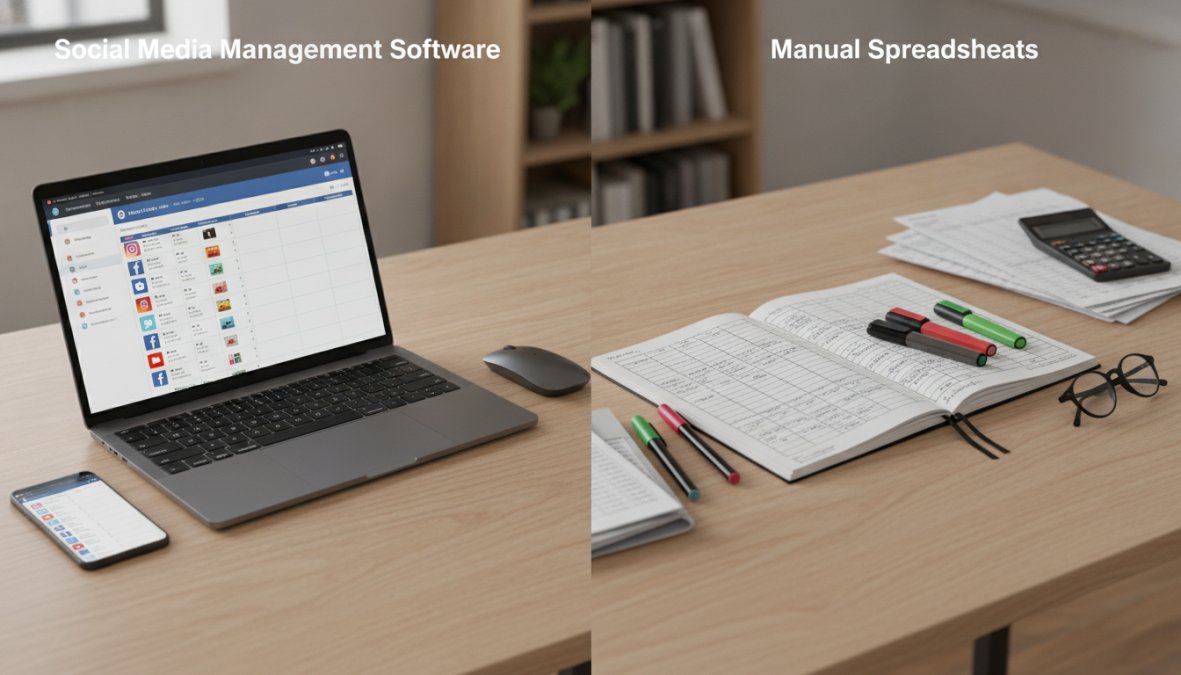
The core difference is automation and scale. Social media management software handles scheduling, analytics, and engagement in real time. Spreadsheets require manual updates at every step.
| Feature | Management Software | Manual Spreadsheets | Winner |
|---|---|---|---|
| Content Scheduling | Auto-posts at optimal times | Manual publishing required | Software |
| Multi-Platform Publishing | One-click cross-posting | Copy-paste to each platform | Software |
| Analytics & Reporting | Real-time dashboards | Manual data entry | Software |
| Engagement Tracking | Auto-monitors comments/DMs | Check each platform daily | Software |
| Team Collaboration | Built-in approval workflows | Email version control | Software |
| Initial Setup Time | 2-4 hours | 30 minutes | Spreadsheets |
| Monthly Cost | $20-$200+ per user | Free | Spreadsheets |
| Learning Curve | Moderate (1-2 weeks) | Minimal | Spreadsheets |
| Scalability | Handles 50+ accounts easily | Becomes unwieldy at 5+ accounts | Software |
If you're managing fewer than five accounts with occasional posting, spreadsheets work fine. If you're publishing daily across multiple platforms or managing client accounts, software pays for itself in time savings within the first month.
The Case for Social Media Management Software
Automation, analytics, and scalability eliminate the manual work that scales worst. Content scheduling is the clearest example: write posts once, set optimal times, and the software publishes across all platforms automatically. A spreadsheet requires manual posting to each platform separately, multiplying opportunities for mistakes and missed windows.
Automation, Analytics, and Scalability
Tools like Hootsuite and Buffer provide real-time engagement metrics, reach data, and audience growth in a single dashboard. Spreadsheets require manually copying numbers from each platform's analytics, meaning your data is always hours or days behind.
Scalability is where spreadsheets truly break. One person managing five accounts can handle a spreadsheet. Add a second team member and version control problems emerge. By ten accounts across multiple team members, spreadsheets become a liability costing more time than any software subscription.
Real-Time Engagement and Moderation
Social media management software centralizes comments, mentions, and direct messages from all platforms into a single inbox. You respond without switching between apps.
FeedGuardians adds AI-powered comment moderation that automatically detects and hides spam, hate speech, and competitor links with 98.7% accuracy. While your team responds to legitimate comments, FeedGuardians filters noise 24/7, protecting brand reputation and keeping conversations clean. The tool learns your brand voice and delivers intelligent replies automatically.
Manual spreadsheet tracking can't handle real-time moderation. By the time you respond to problematic comments, hundreds have already seen them. With software-based moderation, harmful content is hidden before gaining visibility.
Why Teams Still Use Spreadsheets
Spreadsheets persist because they solve a real problem: simplicity and zero cost. Understanding when they still win requires honesty about your actual workflow.
Low Cost and Simplicity
There's no learning curve with a spreadsheet. Create columns for date, platform, post content, and status. Done. No onboarding, no training, no integration headaches. This matters for solo creators and very small teams.
The cost difference is significant. Spreadsheets are free. Management software starts at $6-$20 per channel per month. For a freelancer managing one Instagram account, that's a real expense. Spreadsheets also provide complete control, your data lives in a format you own, independent of third-party platform changes.
The Hidden Costs of Manual Spreadsheet Tracking
Spreadsheets appear free but extract a heavy cost in time, accuracy, and missed opportunities.
Time Investment and Human Error
A single person managing a content calendar for three platforms spends approximately 2-3 hours per week on administrative tasks: updating the spreadsheet, manually posting, copying analytics, and tracking engagement. That's 8-12 hours per month on work that software automates completely.
At $50 per hour fully-loaded cost, that's $400-$600 per month in labor. A management tool costs $18-$50 per month. The math is straightforward: spreadsheets are expensive, they just hide the cost in your team's time.
Human error compounds the problem. Each manual step, writing posts, scheduling dates, entering platforms, copying analytics, is an opportunity for mistakes. According to research from McKinsey's digital transformation study, manual processes introduce errors at a 3-5% rate per task. In a 50-post monthly calendar, that's 1-3 posts with scheduling errors or lost engagement data. Software tools reduce that error rate to near zero.
Scalability Limitations
Spreadsheets scale poorly. Add a second team member and version control problems emerge immediately. Shared Google Sheets create simultaneous editing conflicts, no approval workflows, no audit trail, and no task assignment. A designer can't assign a post to the copywriter. A manager can't approve posts before publishing.
Managing multiple client accounts becomes unmaintainable. You'd need separate sheets for each client, platform, and month. Finding a specific post or metric becomes difficult.
Software tools handle this natively. You create separate projects for each client with role-based access. Posts go through approval workflows. Analytics roll up automatically. As you grow from 3 to 30 accounts, the software stays equally easy to use.
Best Social Media Management Tools for Small Business
Budget-Friendly Options
Buffer starts at $6 per channel per month, combining affordability with genuine functionality. It handles scheduling across Instagram, TikTok, LinkedIn, and Threads. The free tier includes one channel with basic scheduling. Setup takes under an hour.
Later offers visual planning focused on Instagram aesthetics at $18.75 per month (billed annually). It includes a drag-and-drop calendar with grid preview and basic analytics. For brands where Instagram feed aesthetics matter, this justifies the cost.
Hootsuite ($99 per month) offers comprehensive features: unified inbox for comments and DMs, AI-powered content creation, social listening, and advanced reporting. For agencies managing multiple client accounts, team collaboration features save significant time.
Sprout Social ($199 per seat per month) targets enterprise teams where social media is a customer service channel. It includes sentiment analysis, AI-assisted customer care, and deep-dive analytics.
FeedGuardians provides specialized AI-powered comment moderation and engagement solutions. Its 98.7% accuracy in detecting spam, hate speech, and competitor links means your team spends less time managing harmful content and more time building community. The platform delivers 24/7 automated replies in your brand voice.
When to Upgrade from Spreadsheets
Upgrade when: you're publishing more than 10 posts per week, you're missing posting windows, your team has grown beyond one person, you're managing multiple client accounts, or you need real-time analytics for decisions. Most teams hit the first trigger before others. Once you're publishing daily, spreadsheets stop being efficient.
Social Media Scheduling Best Practices
Optimal Posting Times and Consistency
Post timing matters significantly. Instagram engagement peaks around 11 AM and 7 PM. LinkedIn engagement is highest at 8 AM on weekdays. TikTok's algorithm prioritizes consistency and watch time over timing.
Test different times for two weeks, track engagement rates, and identify your audience's peak windows. Software automates this; spreadsheets require manual posting at the right time, which is impractical.
Consistency beats perfection. A post every Tuesday at 9 AM outperforms sporadic posting. Your audience learns when to expect you. Software removes friction, schedule posts weeks in advance and they publish automatically.
Content Calendar Templates and Planning
A content calendar should include: publishing date, platform, post type, content description, hashtags, call-to-action, assigned team member, approval status, and performance metrics.
The real value is forcing planning decisions in advance. You identify content gaps and ensure variety. According to HubSpot's content marketing research, teams using content calendars see 23% higher engagement rates than teams posting reactively.
The Hybrid Approach: Combining Tools and Templates
The best teams use both strategically: spreadsheets for strategic planning, software for execution and analytics.
Use spreadsheets to brainstorm post ideas, map seasonal campaigns, coordinate across teams, and plan quarterly themes. Once approved, move execution to software. Copy posts into your management tool, set optimal times, and let software handle scheduling and engagement. This captures spreadsheets' flexibility for planning and software's automation for execution.
A concrete example: a marketing team uses a Google Sheet to plan quarterly content themes and identify key dates. Once approved, they copy the plan into Buffer or Hootsuite for scheduling and analytics. They check analytics weekly and update their planning sheet with performance insights.
For engagement management, teams using FeedGuardians alongside their scheduling tool get the best results. Schedule content with your chosen tool, then let FeedGuardians handle comment moderation and responses 24/7. This separation of concerns creates a cleaner workflow than trying to do everything in one platform.
The choice between social media management software and spreadsheets isn't about the tool, it's about your growth stage. Spreadsheets work when you're small. Software becomes essential as you scale. Teams that win recognize this inflection point and upgrade before spreadsheets become a bottleneck.
If you're managing multiple accounts, publishing daily, or coordinating across team members, management software has already paid for itself. If you're still using spreadsheets at that scale, you're paying the cost in hidden time and missed opportunities. Start with a free trial of Buffer or Later to see how much time you recover. For engagement and moderation, FeedGuardians handles the comment management layer that most scheduling tools miss, protecting your brand reputation while your team focuses on strategy. Visit FeedGuardians to see how AI-powered moderation and 24/7 replies in your brand voice can transform your social media engagement.
Frequently Asked Questions
Why should I use social media management software instead of spreadsheets?
Social media management software automates scheduling, analytics reporting, and engagement monitoring across multiple platforms simultaneously. Unlike manual spreadsheets, software provides real-time performance metrics, cross-platform publishing, team collaboration features, and workflow automation that scales with your business. It eliminates manual data entry errors and saves hours daily on repetitive tasks like posting and tracking KPIs.
What are the disadvantages of using spreadsheets for social media scheduling?
Manual spreadsheet tracking lacks automation, making it prone to human error and time-consuming updates. Spreadsheets cannot schedule posts automatically, monitor engagement in real-time, or provide data visualization of analytics. They don't integrate with social platforms via API, require constant manual posting, and become unmanageable as you scale to multiple accounts. Spreadsheets also lack collaboration features and cannot track performance metrics efficiently.
Is social media management software worth the cost for small businesses?
Yes, if your team spends more than 5-10 hours weekly on manual social media tasks. Software ROI depends on your current time investment and growth goals. Many platforms offer free tiers or affordable entry-level plans starting at minimal monthly costs. Consider the hidden cost of manual spreadsheet management, employee hours spent on scheduling, analytics, and reporting, which often exceeds software subscription fees, especially as you scale content across multiple platforms.
How do I know when to switch from spreadsheets to a social media tool?
Switch when managing multiple social accounts becomes time-intensive, you need real-time engagement monitoring, or your team requires collaboration features. Key indicators include: posting to 3+ platforms, creating 10+ posts weekly, needing daily analytics reviews, or scaling your social media team. If you're using bulk uploading, content calendars, or tracking multiple KPIs, a dedicated tool will save time and improve accuracy compared to manual spreadsheet management.
What features do social media management platforms offer that spreadsheets don't?
Platforms provide automated scheduling, real-time analytics dashboards, social listening for brand mentions, engagement monitoring, API integrations with native tools like Meta Business Suite, and AI-powered reporting. Advanced features include sentiment analysis, competitor tracking, team approval workflows, and automated replies. Many tools also offer comment moderation, spam detection, and the ability to respond to customer inquiries 24/7, capabilities impossible to replicate in spreadsheets.
This article was written using GrandRanker
Tired of manually moderating comments?
FeedGuardians automates spam filtering, responds to customers, and protects your brand — setup in 3 minutes.
Frequently Asked Questions
Why should I use social media management software instead of spreadsheets?
Social media management software automates scheduling, analytics reporting, and engagement monitoring across multiple platforms simultaneously. Unlike manual spreadsheets, software provides real-time performance metrics, cross-platform publishing, team collaboration features, and workflow automation that scales with your business. It eliminates manual data entry errors and saves hours daily on repetitive tasks like posting and tracking KPIs.
What are the disadvantages of using spreadsheets for social media scheduling?
Manual spreadsheet tracking lacks automation, making it prone to human error and time-consuming updates. Spreadsheets cannot schedule posts automatically, monitor engagement in real-time, or provide data visualization of analytics. They don't integrate with social platforms via API, require constant manual posting, and become unmanageable as you scale to multiple accounts. Spreadsheets also lack collaboration features and cannot track performance metrics efficiently.
Is social media management software worth the cost for small businesses?
Yes, if your team spends more than 5-10 hours weekly on manual social media tasks. Software ROI depends on your current time investment and growth goals. Many platforms offer free tiers or affordable entry-level plans starting at minimal monthly costs. Consider the hidden cost of manual spreadsheet management—employee hours spent on scheduling, analytics, and reporting—which often exceeds software subscription fees, especially as you scale content across multiple platforms.
How do I know when to switch from spreadsheets to a social media tool?
Switch when managing multiple social accounts becomes time-intensive, you need real-time engagement monitoring, or your team requires collaboration features. Key indicators include: posting to 3+ platforms, creating 10+ posts weekly, needing daily analytics reviews, or scaling your social media team. If you're using bulk uploading, content calendars, or tracking multiple KPIs, a dedicated tool will save time and improve accuracy compared to manual spreadsheet management.
What features do social media management platforms offer that spreadsheets don't?
Platforms provide automated scheduling, real-time analytics dashboards, social listening for brand mentions, engagement monitoring, API integrations with native tools like Meta Business Suite, and AI-powered reporting. Advanced features include sentiment analysis, competitor tracking, team approval workflows, and automated replies. Many tools also offer comment moderation, spam detection, and the ability to respond to customer inquiries 24/7—capabilities impossible to replicate in spreadsheets.