
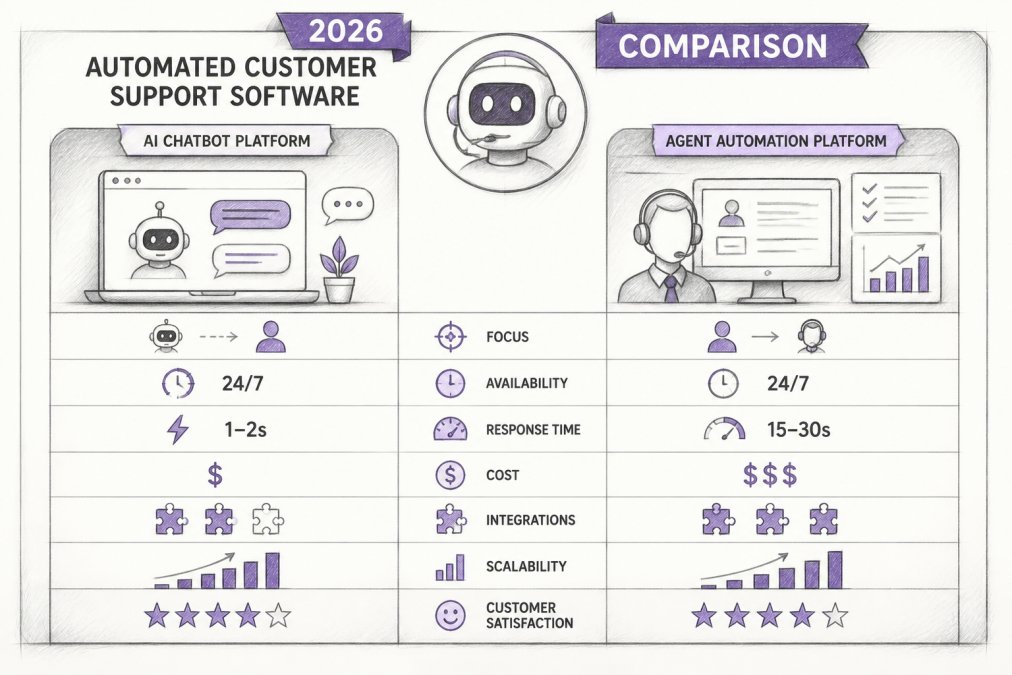
Quick Summary
| Key Insight | What You Need to Know |
|---|---|
| What Is Automated Customer | What Is Automated Customer Support Software? |
| AI and Machine Learning | AI and Machine Learning in Automation |
| Ticket Routing and Escalation | The Critical Design Choice |
| Self-Service Portals and Knowledge Bases | The Deflection Engine |
| Key Features to Look | Key Features to Look for in Automation Tools |
| FeedGuardians | AI-Powered Social Media Comment Moderation |
Table of Contents
- What Is Automated Customer Support Software?
- How Automated Customer Support Software Works
- Key Features to Look for in Automation Tools
- Top Automated Customer Support Software Solutions
- Social Media Comment Moderation Software and Its Role
- Customer Support Automation Best Practices for Implementation
- How Automation Reduces Support Costs and Improves Efficiency
- Conclusion
- Frequently Asked Questions
Last Updated: September 4, 2026
Automated customer support software reduces first response time and operational costs, but most buying guides ignore why implementations fail. This guide breaks down top solutions, what each does well, and the implementation risks vendors omit. You will leave with a clear shortlist and a workflow for deploying automation without alienating customers or agents.
What Is Automated Customer Support Software?
Automated customer support software uses AI, machine learning, and rule-based logic to handle routine inquiries, route tickets, and power self-service resources. The goal is to absorb high-volume, low-complexity requests that consume agent hours, not replace your team. Modern platforms combine chatbots, automated ticketing, and knowledge base management to resolve issues instantly or escalate them with full context.
The distinction between tools matters more than the category label. A social media manager moderating comments needs different automation than an enterprise help desk handling 10,000 tickets daily.
How Automated Customer Support Software Works
Automation platforms process requests through intake, classification, resolution or routing, and follow-up. Natural language processing determines intent, sentiment, and urgency, then the system pulls an answer from a knowledge base, triggers a workflow, or assigns the ticket to an agent. Success depends on how the system handles uncertainty and balances speed with accuracy.
AI and Machine Learning in Automation
Machine learning improves resolution rates by analyzing historical ticket data. The key limitation: ML works best on high-volume, repetitive patterns. If your team handles 10,000 password resets monthly, an ML model learns with high accuracy. If you handle 50 unique questions monthly, the model lacks sufficient data. In low-volume scenarios, rule-based automation (if-then logic) often outperforms ML. Understand your ticket distribution before choosing a platform that emphasizes AI.
Ticket Routing and Escalation: The Critical Design Choice
The critical design choice is the human-in-the-loop (HITL) checkpoint: defining which scenarios trigger automatic resolution versus mandatory agent review. A system that auto-resolves every ticket will have high deflection but may frustrate customers when the answer misses their actual problem. A system that escalates every ambiguous ticket will have low deflection but high cost. Automate with confidence only when three conditions are met:
- High historical accuracy: Your knowledge base or rules have resolved this type of ticket 95%+ of the time in the past.
- Low financial or reputational risk: A wrong answer does not cost money or damage trust (e.g., a password reset is low-risk; a refund decision is high-risk).
- Clear escalation path: If the automated answer does not satisfy the customer, they can reach an agent in under two minutes.
Many implementations fail because they automate decisions that should stay with humans. Automating refund approvals, complaint responses, or account changes without agent review creates liability. Automating responses to negative sentiment without escalation turns a complaint into a customer loss. Define your escalation rules explicitly before configuring software.
Self-Service Portals and Knowledge Bases: The Deflection Engine
A self-service portal deflects tickets before they reach an agent. The challenge is keeping the knowledge base current: if your product changes monthly but your knowledge base updates quarterly, customers find outdated answers. Track which articles are viewed most, which are viewed but don't resolve issues, and which questions appear in tickets but have no matching article. A focused knowledge base with 50 highly accurate, frequently updated articles will deflect more tickets than a sprawling library of 500 rarely refreshed articles.
Key Features to Look for in Automation Tools
Five capabilities separate enterprise-grade automation from basic chatbots: omnichannel support, AI-powered responses, workflow orchestration, real-time analytics, and API integration. Integration complexity with legacy systems is the most common failure point. Before shortlisting vendors, map your current tech stack and confirm native integrations exist for each system.
Top Automated Customer Support Software Solutions
The market splits into social engagement platforms and traditional help desks. FeedGuardians leads social moderation, while Zendesk, Freshdesk, Zoho Desk, and Intercom dominate structured ticketing. Your choice depends on where your customers reach you.
| Platform | Starting Price | AI Automation | Omnichannel Support | Best For |
|---|---|---|---|---|
| FeedGuardians | Free tier available | AI comment moderation and replies | Instagram, Facebook, TikTok, YouTube | Social media comment volume |
| Zendesk | $19/agent/month | AI bots and routing | Email, chat, voice, social | Enterprise-scale help desks |
| Freshdesk | $15/agent/month | Freddy AI assistant | Email, phone, social | SMBs needing ease of use |
| Zoho Desk | $7/agent/month | Zia AI assistant | Email, chat, phone | Zoho ecosystem users |
| Intercom | $29/seat/month | Fin AI bot | Chat, email, in-app | SaaS conversational support |
FeedGuardians: AI-Powered Social Media Comment Moderation
FeedGuardians automatically detects and hides spam, scams, hate speech, and competitor links with 98.7% accuracy across Instagram, Facebook, TikTok, and YouTube (peer-reviewed research). It delivers 24/7 AI-powered replies in your brand voice. The human escalation option flags ambiguous content for agent review rather than risking wrong auto-replies, protecting brand reputation while eliminating manual moderation hours.
Zendesk: Enterprise-Scale Omnichannel Support
Zendesk uses AI to automate ticket routing, responses, and self-service workflows across email, chat, voice, and social media. Workflow rules are granular and reporting tracks agent performance across channels. The drawback is cost: advanced AI features and additional seats scale pricing quickly, making Zendesk expensive for small teams.
Freshdesk: User-Friendly AI Ticketing
Freshdesk leverages Freddy AI for automated ticket summarization and suggested responses. Its self-service portal builder simplifies knowledge base management. The strength is accessibility and a strong free tier for startups, though advanced reporting lives behind higher-tier plans. AI receptionist solutions.
Zoho Desk: Budget-Friendly Automation
Zoho Desk integrates deeply with the Zoho ecosystem. Zia handles automated responses and sentiment analysis. At $7/agent/month, it is the most affordable full-featured option, though the interface feels cluttered and ecosystem lock-in may limit appeal for non-Zoho users.
Intercom: Conversational AI at Scale
Intercom's Fin AI bot resolves questions instantly through chat, with proactive messaging engaging customers before they reach out. SaaS companies get the most value from its conversational AI and real-time customer data integration. Pricing scales rapidly based on usage, which catches growing teams off guard.
Social Media Comment Moderation Software and Its Role
Social media comment moderation software filters and manages public interactions on Instagram, Facebook, TikTok, and YouTube. Automated moderation uses natural language processing to classify comments as safe, spam, harmful, or competitor promotion, then applies your guidelines automatically. The best tools learn your terminology and brand voice so automated replies don't sound generic.
Customer Support Automation Best Practices for Implementation
Implementation failure is common when teams configure broad rules without considering customer experience or agent trust. The difference between success and failure comes down to three decisions made before any software is configured.
Avoid Automation Fatigue Through Phased Rollout
Automation fatigue occurs when teams automate too much, too fast. Start narrow: automate only highest-volume, lowest-complexity inquiries first, password resets, order status checks, or FAQ questions. Measure resolution rate and customer satisfaction for two to four weeks before expanding. If resolution drops below 85% or sentiment turns negative, pause and adjust (the CDC). Involve agents in testing automation rules before they go live; their feedback is invaluable for tuning accuracy.
Define Clear Automation Workflows with Explicit Fallback Paths
Every automated workflow needs a trigger, action, and fallback. The most common mistake is defining triggers and actions without fallbacks. A workflow that auto-approves refunds without conditions will auto-reject legitimate disputes. Instead, define conditions: "if customer mentions refund AND order is within 30 days AND no prior disputes, auto-approve; otherwise, escalate." Document every workflow in a decision tree before configuring software and share it with your support team to identify edge cases.
Maintain Human-in-the-Loop Oversight for High-Risk Decisions
Human-in-the-loop (HITL) design keeps a human in the approval chain for decisions that carry reputation or financial risk. Configure your system to flag, not decide unilaterally. A comment that could be sarcasm, a ticket from a churning customer, or a request touching your product roadmap should go to a human first. Review flagged items daily and log decisions. Over time, patterns emerge: certain keywords always need review, certain customer segments have higher escalation rates. Use these patterns to retrain your AI or adjust rules.
Monitor Performance and Adjust Rules Continuously
Track four metrics weekly: deflection rate, resolution rate, customer satisfaction, and agent sentiment. If deflection is high but resolution drops, your automation handles volume but doesn't solve problems. If resolution is high but satisfaction is low, adjust tone or add context to automated replies. Check in with your team monthly about what the automation gets wrong and what rules frustrate them.
How Automation Reduces Support Costs and Improves Efficiency
Automation reduces support costs by deflecting routine inquiries away from paid agents. Every ticket resolved by a self-service portal or AI bot is a ticket that does not consume agent hours. The efficiency gain compounds: agents spend their time on complex, high-value issues while automation handles the volume.
Agent productivity improves through automated ticketing and suggested responses. Instead of typing repetitive answers, agents review and send AI-generated replies. Workflow orchestration ensures tickets reach the right person immediately, eliminating manual triage. Real-time analytics gives managers visibility into bottlenecks before they become service failures.
The financial case strengthens with scale. A team handling 1,000 tickets monthly with 30% automation saves hundreds of agent hours. Gartner's customer service automation research confirms that AI-driven deflection is a primary cost lever for support organizations. The key is measuring deflection rate from the start and tying it to your cost per ticket.
Conclusion
Automated customer support software is an operational shift, not a single purchase. Choose the platform that matches where your customers reach you, define workflows with human escalation built in, and measure deflection alongside resolution. For brands managing high comment volumes on Instagram, Facebook, TikTok, or YouTube, FeedGuardians combines real-time moderation with AI replies in your brand voice, detects harmful content with 98.7% accuracy, and offers human escalation for ambiguous cases.
Frequently Asked Questions
How does automated customer support software improve response times?
Automated customer support software uses AI and chatbots to handle routine inquiries instantly without waiting for agent availability. Machine learning systems route complex tickets to the right agent automatically, reducing handoff delays. Real-time analytics track first response time and escalate urgent issues immediately. Brands using automation can experience faster resolution on common questions, allowing agents to focus on high-value interactions that require human judgment.
What are the main benefits of social media comment moderation software?
Social media comment moderation software automatically detects and hides spam, hate speech, competitor links, and scams in real time. It protects brand reputation by preventing harmful content from appearing in your feed, saves hours of manual moderation daily, and enables 24/7 automated responses in your brand voice. This keeps your audience engaged while your team focuses on strategic tasks. Tools like FeedGuardians combine moderation with AI-powered replies, turning comments into conversations and conversions.
What should I look for when choosing automated customer support software?
Prioritize AI capabilities for handling routine inquiries, omnichannel support across email, chat, phone, and social media, and native integrations with your existing tools like CRM and knowledge base systems. Evaluate the quality of self-service options, workflow automation flexibility, and real-time analytics for tracking performance. Consider whether the tool supports human-in-the-loop escalation for complex issues, and verify it can learn your brand voice and terminology without requiring constant manual tweaking.
How can customer support automation best practices prevent implementation failure?
Start by mapping your actual support workflows before automating, don't force automation onto broken processes. Define clear rules for what the system should handle versus what requires human intervention. Set up monitoring dashboards to track automation accuracy, response quality, and customer satisfaction metrics weekly. Test extensively with a small subset of tickets before full rollout. Maintain human oversight for edge cases and sensitive issues. Train your team on the new system and gather feedback regularly to adjust automation rules based on real performance data.
Is automated customer support software suitable for small businesses?
Yes. Many solutions offer free tiers or low-cost plans designed for small teams. Zoho Desk starts at $7 per agent per month, and Freshdesk offers a strong free tier. For small businesses with high comment volume on social media, FeedGuardians provides AI-powered moderation and replies. Start with basic automation for FAQs and ticket routing, then expand as your volume grows. The ROI comes from saving hours of manual work daily, allowing your team to focus on customer relationships and growth.
Get started with FeedGuardians and put your social media engagement on autopilot while protecting your brand reputation.
This article was written using GrandRanker
Tired of manually moderating comments?
FeedGuardians automates spam filtering, responds to customers, and protects your brand — setup in 3 minutes.
Frequently Asked Questions
How does automated customer support software improve response times?
Automated customer support software uses AI and chatbots to handle routine inquiries instantly without waiting for agent availability. Machine learning systems route complex tickets to the right agent automatically, reducing handoff delays. Real-time analytics track first response time and escalate urgent issues immediately. Brands using automation can experience faster resolution on common questions, allowing agents to focus on high-value interactions that require human judgment.
What are the main benefits of social media comment moderation software?
Social media comment moderation software automatically detects and hides spam, hate speech, competitor links, and scams in real time. It protects brand reputation by preventing harmful content from appearing in your feed, saves hours of manual moderation daily, and enables 24/7 automated responses in your brand voice. This keeps your audience engaged while your team focuses on strategic tasks. Tools like FeedGuardians combine moderation with AI-powered replies, turning comments into conversations and conversions.
What should I look for when choosing automated customer support software?
Prioritize AI capabilities for handling routine inquiries, omnichannel support across email, chat, phone, and social media, and native integrations with your existing tools like CRM and knowledge base systems. Evaluate the quality of self-service options, workflow automation flexibility, and real-time analytics for tracking performance. Consider whether the tool supports human-in-the-loop escalation for complex issues, and verify it can learn your brand voice and terminology without requiring constant manual tweaking.
How can customer support automation best practices prevent implementation failure?
Start by mapping your actual support workflows before automating—don't force automation onto broken processes. Define clear rules for what the system should handle versus what requires human intervention. Set up monitoring dashboards to track automation accuracy, response quality, and customer satisfaction metrics weekly. Test extensively with a small subset of tickets before full rollout. Maintain human oversight for edge cases and sensitive issues. Train your team on the new system and gather feedback regularly to adjust automation rules based on real performance data.
Is automated customer support software suitable for small businesses?
Yes. Many solutions offer free tiers or low-cost plans designed for small teams. Zoho Desk starts at $7 per agent per month, and Freshdesk offers a strong free tier. For small businesses with high comment volume on social media, FeedGuardians provides AI-powered moderation and replies. Start with basic automation for FAQs and ticket routing, then expand as your volume grows. The ROI comes from saving hours of manual work daily, allowing your team to focus on customer relationships and growth.