
Quick Summary
| Key Insight | What You Need to Know |
|---|---|
| Competitor Names | Stop your comment section from turning into free advertising for your rivals. |
| Discount-Chasers | Filter out comments like "free shipping," "discount code," or "any sales?" so you can focus on conversations about your product's value, not just its price. |
| Common Troll Phrases | Add politically charged or divisive terms that have nothing to do with your brand but are often used to stir up trouble. |
Let's be real for a second: the never-ending stream of Instagram comments can feel less like a golden opportunity and more like a daily grind. But for any brand that's serious about growth, figuring out how to handle every single comment on Instagram is more than just community management—it's a direct line to protecting your reputation, connecting with customers, and actually driving sales.
Why Your Instagram Comments Are a Missed Opportunity
For most social media managers, the comment section is a messy battlefield. It’s a mix of spam bots, genuine customer service fires that need putting out, and—most importantly—sales questions that get completely buried.
Think about this all-too-common scenario. You launch an exciting new product, the post starts getting great traction, but then the comments start rolling in. Unanswered questions about shipping times, negative feedback from an old order, and a tidal wave of spam. Potential buyers see the chaos and immediately lose confidence. Meanwhile, the genuine leads asking "where can I buy this?" are lost in the noise. This isn't just a hypothetical; it's a daily reality that costs brands money and chips away at their credibility.
This is why we need to stop thinking about comment management as a reactive chore. It's a proactive, high-impact business strategy. Every single comment is a direct touchpoint with your audience, giving you a chance to either build a loyal fan or create a frustrated customer.
The Scale of the Comment Challenge
The sheer volume of noise is staggering. In a 2024 analysis of over 118.4 million comments from 734,500+ posts, a huge chunk was just spam, harmful content, or totally irrelevant messages. All this junk clutters the very space you’re trying to use to connect with customers and drive sales. This data makes it crystal clear just how crucial a solid comment management plan is for anyone trying to maintain a clean, conversion-focused feed.
When you shift your mindset, the comment section stops being a source of stress and transforms into one of your most powerful tools for winning and keeping customers. It's where you can directly influence buying decisions and build a real community.
Ultimately, getting a handle on your comments is a cornerstone of your success on the platform. It's a huge piece of the puzzle when you're learning how to increase engagement on Instagram. For even more strategies, you can also read our guide on https://feedguardians.com/blog/how-to-improve-social-media-engagement.
Build Your First Line of Defense with Smart Moderation
Before your team can even think about replying to comments, you have to cut through the noise. Spam, trolls, negativity—it's a constant battle. Your first and most powerful weapon is right inside the Instagram app: its native moderation tools.
These tools are surprisingly robust. We're not just talking about a generic profanity filter. The real magic is in the custom "Hidden Words" list. This feature lets you build a personalized shield, automatically hiding comments that contain specific words, phrases, and even emojis that you define. It shifts your strategy from constantly playing defense to proactively controlling the conversation.
Creating a Powerful Hidden Words List
Think of your Hidden Words list as a bouncer for your brand's comment section. You're teaching Instagram what's not welcome, so your team doesn't have to deal with it manually. The goal is to free them up to focus on what really matters: engaging with actual customers and fans.
Start with the low-hanging fruit—the obvious spam. Phrases like "DM for collab," "send me this post," or "check my bio" are classic signs of bots and scam accounts. Hiding these instantly tidies up your posts.
This screenshot from Instagram's Help Center shows you exactly where to manage this custom word list for both comments and messages.
This little menu is your command center. Every term you add here trains your filter to automatically hide unwanted comments, creating a much better experience for your real audience.
Once you’ve covered the basics, it's time to get more strategic. What kind of comments derail productive conversations for your brand specifically?
- Competitor Names: Stop your comment section from turning into free advertising for your rivals.
- Discount-Chasers: Filter out comments like "free shipping," "discount code," or "any sales?" so you can focus on conversations about your product's value, not just its price.
- Common Troll Phrases: Add politically charged or divisive terms that have nothing to do with your brand but are often used to stir up trouble.
A well-curated hidden words list isn't about censorship; it's about community protection. When you eliminate the spam and negativity, you create a space where genuine users feel more comfortable and willing to engage.
Don't forget to get creative with misspellings. Spammers are clever and will use variations like "c0llab" or "d!scount" to sneak past basic filters. Adding these to your list makes your moderation much tougher to beat.
To really master this, check out our complete guide to Instagram moderation tools. Taking this proactive step ensures that the comments your team spends time on are the ones that can actually build your business.
Automate Replies Without Losing Your Brand Voice
Once you've got your basic filters in place, the real magic begins with smart automation. This is how you start to scale your engagement without hiring a massive team. Think of it as a system that handles the simple, repetitive questions so your social media managers can jump into the conversations that truly need a human touch.
Let’s be clear: this isn’t about replacing your team with bots. It’s about empowering them.
The easiest win here is tackling your FAQs. We all get them—the constant stream of "How much?" or "Do you ship to my country?" Answering these one by one is a huge time sink. An automated reply can give an interested customer an instant answer, striking while the iron is hot and dramatically cutting down your team's response time.
The big fear, of course, is sounding like a robot. Nobody wants to feel like they're talking to a machine. The secret to good automation is baking your brand’s personality right into the workflow.
Keeping Your Automated Responses Authentic
To pull this off, you can't just have one canned response for every common question. That's a dead giveaway. The trick is to build a library of response variations for each type of inquiry.
When a price question comes in, your system shouldn't just spit out the same sentence every time. Instead, it should randomly pull from a list of pre-written, on-brand replies. It’s a simple change, but it makes your engagement feel dynamic and far more human.
Here’s how you can mix it up:
- Switch up your greetings. Instead of just "Hi," try "Hey there!", "Great question!", or "Thanks for asking!"
- Play with the tone. Have some replies that are super energetic and others that are a bit more straightforward. You can match them to the vibe of the post.
- Vary your calls to action. Don't just send everyone to the link in your bio. Try different phrases like, "You can see all the details on our site!" or "Head to our latest Story for a closer look!"
This process of filtering out the noise to focus on what matters is the bedrock of good automation.
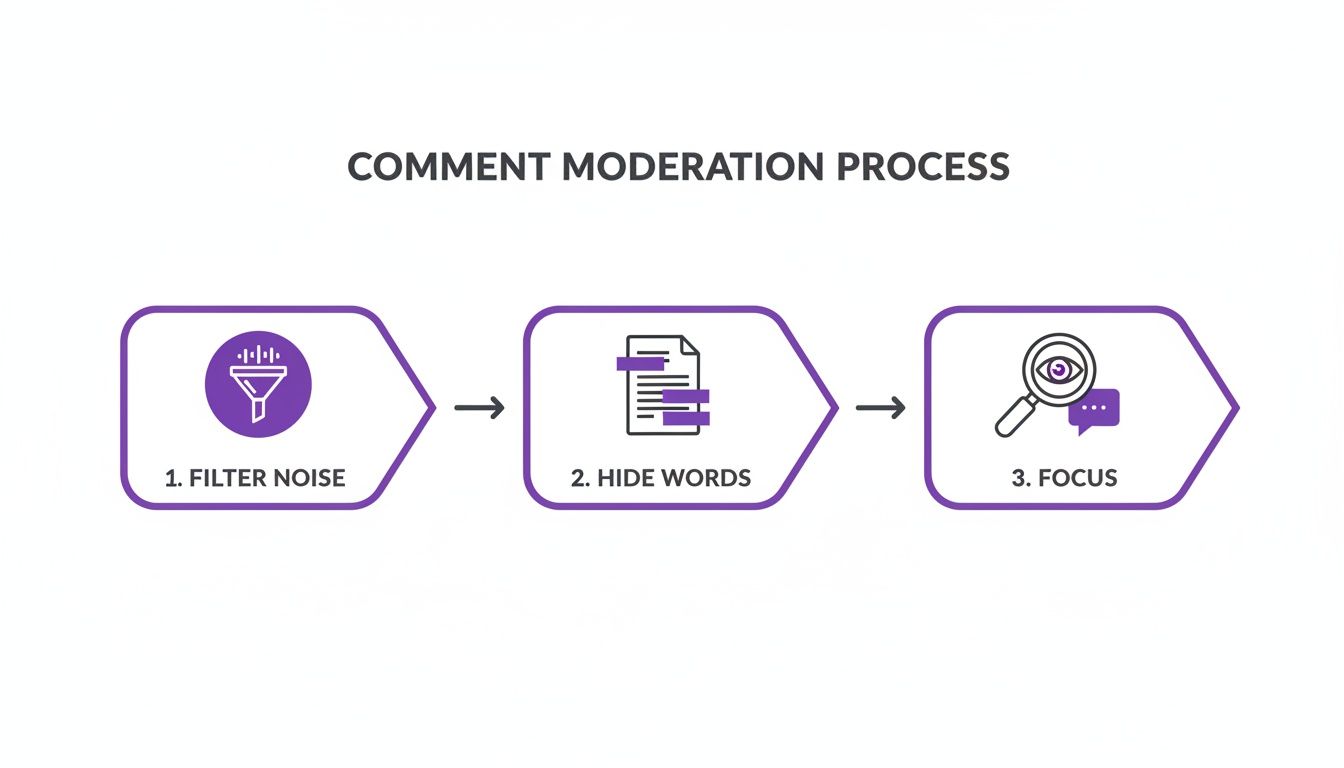
When you clean up your inbox first, your automation tools can focus on the comments where they can actually add value.
Creating Smart Escalation Paths
As good as automation is, it’s not a silver bullet. You have to know when to pass the baton to a real person. This is where you need to build smart escalation paths.
You can set up rules that act as tripwires. For example, any comment on Instagram containing words like “broken,” “issue,” or “unhappy” shouldn't get an automated reply. It should be instantly flagged and sent straight to your support team’s queue.
This ensures sensitive problems get the empathy and detailed attention that only a human can provide.
Building a smart escalation system is your safety net. It lets you automate the routine stuff with confidence, knowing that any complex or negative comment will get a human’s eyes on it immediately. It’s the best way to protect your brand’s reputation.
This hybrid model gives you the best of both worlds: the raw efficiency of automation paired with the irreplaceable value of human connection. To really dig into this strategy, check out our complete guide on customer service automation strategies.
By setting up automated first responders and clear triggers for human intervention, you can handle a massive volume of comments without ever sacrificing the quality of your customer care.
Uncover Hidden Sales Opportunities in Your Comments
Think of your comment section less as a forum for emojis and more as a real-time focus group packed with sales leads. The secret is learning how to listen. By applying sentiment and intent analysis, you can cut through the chatter and pinpoint high-value conversations that signal a customer is just one step away from buying.
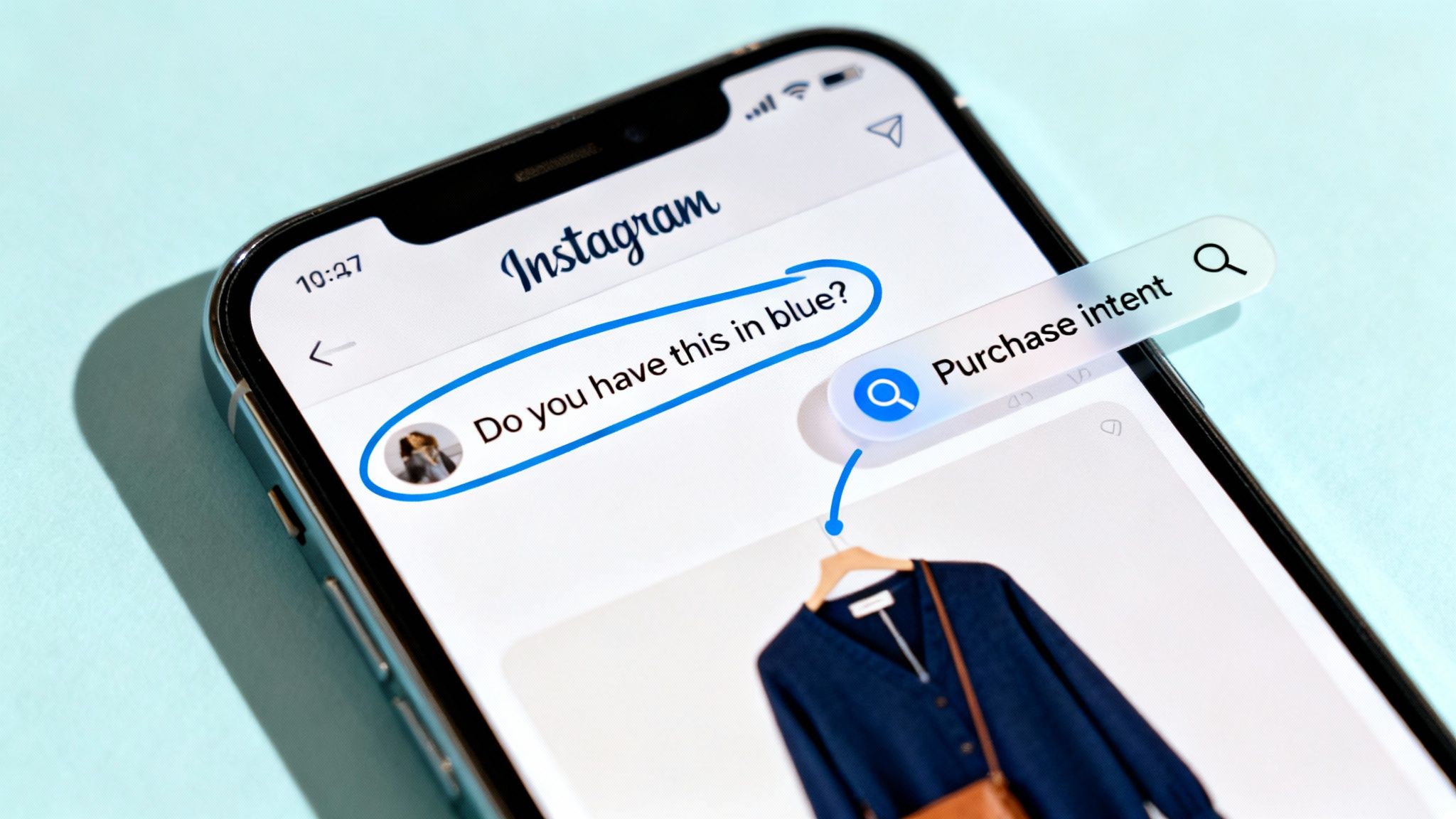
This shift in perspective turns comment management from a simple cost center into a powerful revenue channel. You stop just reacting to feedback and start proactively engaging potential customers the moment their interest peaks.
Decoding Purchase Intent
You'd be surprised how direct purchase intent can be. Users often drop specific, product-related questions right when they're on the fence about making a purchase. These comments are pure gold—they come from a customer who is actively looking for a reason to say "yes."
The first step is simply recognizing these signals. Keep an eye out for comments like:
- "OMG, I need this for my trip next month!" (This signals urgency and a clear use case.)
- "Do you have this in blue?" (This shows a specific preference and a clear readiness to buy.)
- "How does the sizing run on this one?" (This is a classic pre-purchase question that needs a quick answer.)
Every single comment on Instagram like these is an open invitation to guide a sale. A fast, helpful response is often the final nudge someone needs to click "add to cart." If you're looking for more ways to dig through your comments, you can learn how to search Instagram comments effectively.
Differentiating Sentiment from Sarcasm
Beyond just spotting buying signals, you have to understand the feeling behind a comment. Modern AI tools are getting incredibly good at sentiment analysis, which means they can tell the difference between genuine frustration and lighthearted sarcasm. This is a game-changer for your team, allowing them to nail the tone every single time and avoid misunderstandings that could tarnish your brand's reputation.
For instance, a comment like "Great, another product I can't afford" could be sarcastic praise or genuine frustration. An AI can analyze the user's past interactions and the comment's context to help a human moderator decide whether to jump in with a playful reply or an empathetic offer.
By accurately gauging sentiment, you can de-escalate potential issues before they blow up and turn positive comments into powerful social proof. It completely changes how you manage your online community.
This level of insight is more important than ever. While overall engagement rates have dipped slightly, comments and shares are still critical for discovery in the Instagram algorithm. A detailed study of 31 million posts found that Reels, in particular, drive massive interaction, making every quality comment an invaluable asset for your visibility. You can see the full breakdown of how Instagram's algorithm prioritizes comments in the study.
To help your team spot these opportunities, here’s a quick breakdown of common comment types and how to handle them.
Comment Intent Analysis Examples
| Comment Example | Detected Intent | Potential Impact | Recommended Action |
|---|---|---|---|
| "Does this come in other colors?" | Purchase Intent | High | Immediately answer the question and provide a direct link to the product page. |
| "I've been waiting for this to restock!" | Positive Sentiment | Medium | Thank the user for their loyalty and let them know the item is available. |
| "Mine arrived broken. So disappointed." | Negative Sentiment / Churn Risk | High | Apologize publicly and immediately move the conversation to DMs to resolve the issue. |
| "Great, just what my wallet needed. 🙄" | Sarcasm / Positive Sentiment | Low | Engage with a lighthearted, brand-appropriate response or a simple emoji. |
By analyzing comments this way, your team can prioritize their responses and focus their energy where it matters most.
When you start treating your comment section as a source of business intelligence, you unlock a consistent stream of leads that your competitors are probably overlooking. This is how you connect community management directly to your bottom line.
Measure What Matters in Comment Management
So, you've put a brilliant comment management strategy in place. But how do you actually know if it's working? To prove its value, you have to look beyond surface-level numbers like total comment volume. The real story is in the key performance indicators (KPIs) that connect your team's work to tangible business results.
Tracking the right data is what elevates community management from a "nice-to-have" cost center into a strategic engine for brand safety, customer happiness, and even sales. The objective here is to show stakeholders precisely how a well-tended comment section contributes directly to the bottom line.
Key Metrics to Track for ROI
To paint a clear picture of your performance, your reporting needs to revolve around metrics that show efficiency, improved customer experience, and new revenue opportunities. These are the numbers that truly tell the story of your community's health.
I recommend starting with these essential KPIs:
- Average Response Time: How long does it take your team to reply to a comment on Instagram? Speed matters, and a faster response time almost always correlates with higher customer satisfaction.
- Sentiment Score Trends: Is the overall mood in your comments getting more positive over time? This is a direct reflection of your moderation and engagement efforts paying off. For a deeper dive, our guide on social media sentiment analysis tools can really help here.
- Sales Inquiries Captured: How many comments showing clear buying signals (like "Where can I buy this?" or "Do you have this in blue?") are you identifying and acting on? This metric creates a straight line from comments to lead generation.
- Spam Filtration Rate: What percentage of spam, bot, or harmful comments are your rules automatically catching and hiding? A high rate here is proof that your automation is saving the team a massive amount of manual work.
A simple monthly report focused on these four metrics gives you a powerful snapshot of your success. It changes the entire conversation from "how many comments did we get?" to "how much value did we create from those comments?"
Building a Simple Performance Report
Your report doesn't need to be some 20-page epic. The goal is to present the data in a clean, straightforward way that screams "return on investment" (ROI). A simple dashboard or even a table showing progress month-over-month can be incredibly effective.
Of course, to truly grasp the impact of what you're doing, it helps to understand how to measure social media engagement in a broader sense. This context helps you tie the specific actions you're taking in the comments to your overall social media performance. When you focus on these tangible outcomes, you can confidently show anyone that strategic comment management is a critical part of your brand’s growth.
Ready-to-Go Responses for Your Most Common Comments
When you're managing a busy Instagram account, having a few solid response templates in your back pocket can be a lifesaver. It’s not about sounding like a robot; it’s about being prepared, efficient, and consistent.
Think of these less as scripts and more as starting points. They help your team act fast and stay on-brand, whether they're dealing with a superfan or a frustrated customer. A good template frees you up to add the personal touches that really matter.
Handling Positive Feedback
Someone just left a glowing comment. Awesome! Don't just drop a generic "thanks." This is your chance to turn a happy customer into a vocal advocate. The key is to acknowledge them personally and match their positive energy.
- Try this: "We're so happy you love it, [Username]! Thanks for being such an amazing part of our community. Your support means the world to us! ✨"
- Why it works: Using their username makes it feel personal. Phrases like "our community" make them feel like an insider, strengthening that bond.
Answering Product Questions
When someone asks a question about a product, they're already interested. Your job is to give them a clear, helpful answer that makes it easy for them to take the next step—without sounding like a pushy salesperson.
- Try this: "Great question! This is made from [material], and you can see all the specs and other colors right on our site. The link in our bio will take you there!"
- Why it works: It’s direct, helpful, and gives a simple call to action that doesn't feel aggressive. You're guiding, not selling.
Pro Tip: Never handle sensitive customer service issues in the public comments. Your go-to move should be to take the conversation private. A simple, "We're so sorry to hear this. Please check your DMs—we've sent a message to help resolve this for you," shows everyone you’re on top of it while protecting the customer's privacy.
Got Questions About Managing Instagram Comments? We've Got Answers.
Even the most buttoned-up strategy has a few loose ends. It's totally normal for unique, tricky situations to arise when you're in the trenches of comment moderation. Here are some straight-up answers to the questions we hear most often from social media managers.
What’s the Best Way to Handle Comments on Instagram Ads?
Think of your ad comments as a high-stakes version of your organic comments. These aren't just random followers; they're potential customers with their credit cards practically out, and they often drop critical buying questions right on your ads.
You absolutely need to monitor these comments with the same diligence as your organic posts, if not more. Apply the same moderation rules, the same sentiment analysis, and the same quick response times. A fast, helpful reply to an ad comment can be the final nudge that turns a hesitant user into a paying customer, directly boosting your campaign's ROI. Leaving those questions unanswered is just like walking away from a sale.
Can I Stop Someone From Commenting Without Blocking Them?
Yes, and you should get familiar with Instagram's "Restrict" feature. It’s a much more subtle and often more effective tool than bringing down the block hammer.
When you restrict an account, their new comments are only visible to them. You'll get a quiet notification and can then choose to view the comment, approve it for everyone to see, or just delete it and move on. The best part? The user has no idea they've been restricted. This is a fantastic way to de-escalate things with those persistent trolls or overly negative accounts without poking the bear.
Pro Tip: Think of "Restrict" as your community management secret weapon. It lets you quietly sideline disruptive users and maintain control over the conversation without creating a public showdown.
Is It Better to Hide or Delete a Negative Comment?
Nine times out of ten, hiding is the way to go.
When you hide a comment on Instagram, it's still visible to the person who wrote it (and their friends), but it disappears for everyone else. This is key because the original commenter usually doesn't realize their post has been hidden, so they don't get angry and double down with more negativity.
Deleting, on the other hand, is a very final, very obvious action. The user knows their comment was removed, which can feel like a direct confrontation and often provokes them into posting again. Hiding gives you a cleaner, more positive comment section for your audience without antagonizing the individual behind the negative post.
Ready to stop missing sales opportunities and start protecting your brand from spam? FeedGuardians uses AI to automate your comment management, so you can focus on growing your business. Discover how FeedGuardians can transform your Instagram engagement.
Tired of manually moderating comments?
FeedGuardians automates spam filtering, responds to customers, and protects your brand — setup in 3 minutes.