
Quick Summary
| Key Insight | What You Need to Know |
|---|---|
| Head to your profile | Head to your profile and tap the three-line menu icon. |
| Go to Settings and | Go to Settings and privacy. |
| Scroll down to the | Scroll down to the "How others can interact with you" section and tap Hidden Words. |
| From there, you can | From there, you can review Hidden comment requests to see everything the filter has caught. |
Have you ever noticed a key comment on one of your brand’s posts just… vanish? It’s a common, and often frustrating, experience. The mystery of deleted Instagram comments usually boils down to one of three things: the user changed their mind, someone on your team hid it, or Instagram's own system zapped it for breaking the rules.
Figuring out which one happened is the first step toward getting a handle on your community engagement.
Why Instagram Comments Vanish and What It Means
When a comment disappears, it leaves a void. Was that a potential customer pulling back a sales question, or just another spam bot cleaned up by the platform? Knowing the likely causes helps you figure out what’s going on, protect your brand’s reputation, and make sure you’re not missing out on important conversations.
The User Deleted It
This is the most common and straightforward reason. Someone might delete their own comment for a million reasons—maybe they made a typo and decided a clean slate was easier than an edit, or perhaps they posted a complaint in the heat of the moment and later thought better of it.
From a business perspective, this could mean a customer found the answer to their own question or a lead decided to reach out through another channel. You can't control this, of course, but knowing it's a possibility keeps you from jumping to conclusions about technical glitches or moderation mistakes.
Key Takeaway: A user deleting their own comment is often just a bit of self-moderation. It’s a good reminder that not every disappearing comment is a fire you need to put out; sometimes, the community polices itself.
Your Team Hid or Removed It
When you have a team managing your social media, human error is always a factor. A well-meaning social media manager could easily hide a legitimate comment by accident while trying to navigate a particularly busy thread. It happens, especially when multiple people share account access and communication isn’t perfectly aligned.
Of course, the removal could also be intentional and based on your brand’s moderation policy. For example, a team member might rightly remove a comment that includes profanity or a link to a competitor. If you're looking to tighten up your team’s process, it's worth reviewing the best practices for how to hide comments on Instagram to keep everyone on the same page.
Instagram's Algorithm Stepped In
Instagram's AI is always working in the background, automatically flagging and removing content that violates its Community Guidelines. It’s a massive system built to fight spam, hate speech, and harassment. Those generic "Great feed!" comments from bot accounts or posts with shady-looking links are its primary targets.
But these automated filters aren't foolproof. Every so often, a perfectly valid comment gets caught in the net because it contains a word or phrase that inadvertently triggers the algorithm. This is a huge reason why having your own independent record of all comments is so valuable—it gives you the full story that Instagram’s public-facing view might be hiding.
How to Find Hidden or Filtered Instagram Comments
Before you assume a comment is gone for good, it's worth checking Instagram's own hiding spots. Often, a comment that seems to have vanished wasn't actually deleted by the user. Instead, it might be caught in one of Instagram's aggressive filters designed to protect you from spam or offensive content.
These built-in tools won't bring back a comment that's been permanently erased, but they're your best first step for finding out if a missing interaction is just out of sight.
First Stop: Your Hidden Words Filter
Think of your "Hidden Words" section as Instagram’s quarantine folder. This is where the platform automatically sends comments it flags as potentially offensive, spammy, or otherwise against its community guidelines. It does this quietly, without ever sending you a notification.
You might be surprised what you find in there. To check it out:
- Head to your profile and tap the three-line menu icon.
- Go to Settings and privacy.
- Scroll down to the "How others can interact with you" section and tap Hidden Words.
- From there, you can review Hidden comment requests to see everything the filter has caught.
Once you’re in, you can choose to approve a comment (making it public), delete it for good, or leave it hidden. I’ve seen perfectly legitimate comments get swept up by this filter, so making a habit of checking this folder is smart.
You have a good amount of control over how this feature works, as you can see in the settings.
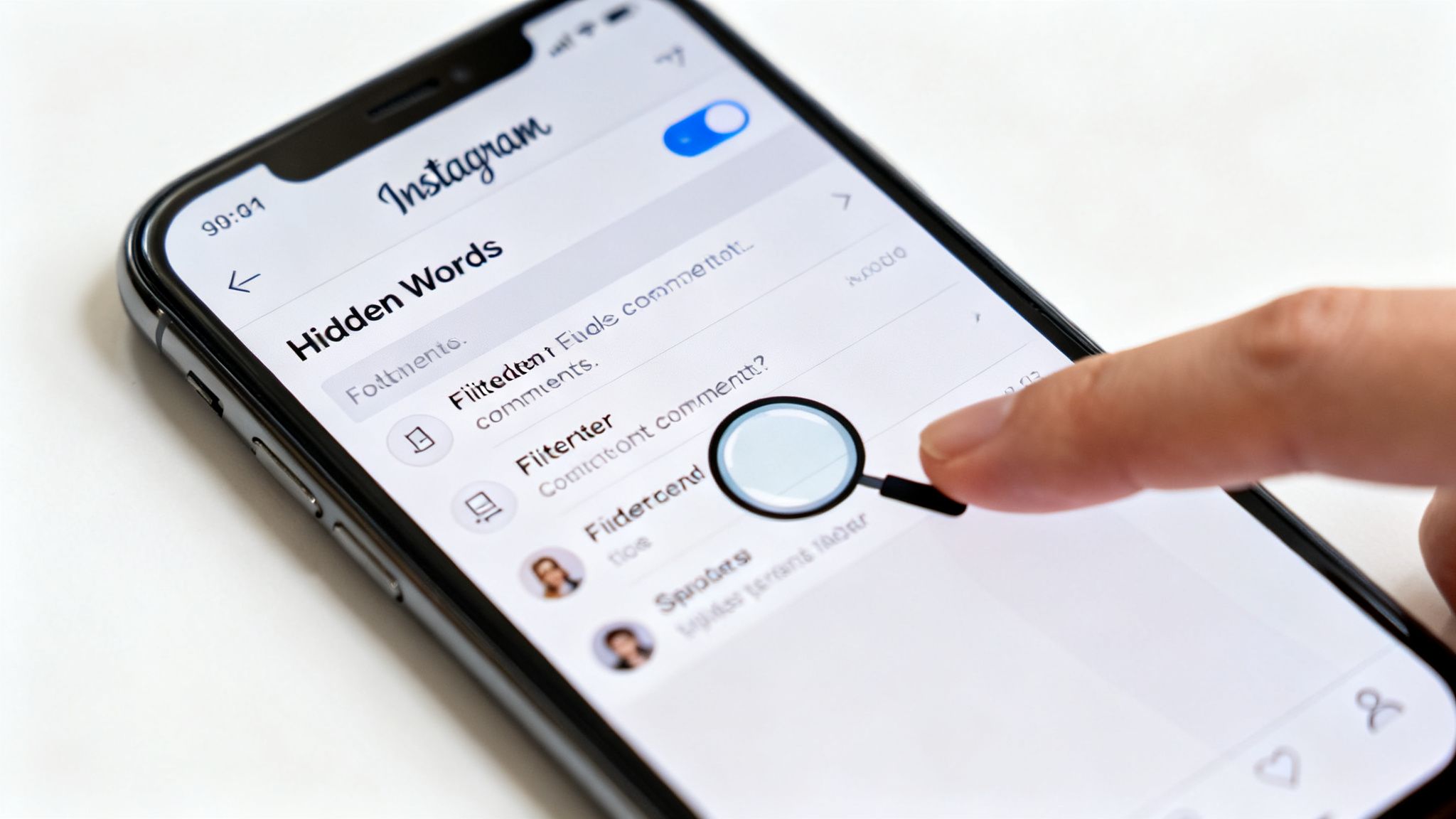
This screen lets you fine-tune the filter's sensitivity and add custom words, giving you more power over what gets automatically hidden.
Next, Check Your Activity Log
Another place to look is your activity log. While it’s not a direct tool for finding others’ deleted comments, it can provide some helpful clues by showing a history of your own interactions on the platform.
Here's how to get there:
- From your profile, tap the menu icon.
- Select Your activity.
- Tap on Interactions and then choose Comments.
This log is basically a list of every comment you've ever left. It's not designed to show comments others have posted on your content, but if you replied to a comment that's now missing, you might see your own reply here, jogging your memory or confirming that a thread once existed. It's a long shot for recovery, but still worth a quick look.
For a more detailed guide on navigating this section, check out our post on how to search Instagram comments.
Important Note: The "Your activity" log is all about your actions. It won't show you a comment from another user that was removed before you ever saw it or interacted with it.
The Last Resort: Request Your Instagram Data
If you need a more comprehensive record, your final native option is to request a full download of your Instagram data. This is essentially an archive of your entire account history, and it includes a file containing comments you've posted and received over the years.
Be warned: this isn't a quick fix. It can take up to 14 days for Instagram to compile your data and send you the download link. However, the files you receive might contain a record of comments that are no longer live on your posts, giving you a more complete historical picture.
Each of these native tools serves a different purpose, with its own set of strengths and weaknesses when it comes to locating missing comments.
Comment Retrieval Method Comparison
| Method | What It Shows | Best For | Limitation |
|---|---|---|---|
| Hidden Words Filter | Comments flagged by Instagram's filters as potentially offensive or spam. | Quickly finding and approving legitimate comments that were automatically hidden. | Only shows what the algorithm catches; doesn't show manually deleted comments. |
| Your Activity Log | A history of your own comments and interactions. | Finding your past replies to jog your memory about a specific comment thread. | Won't show comments from other users that were deleted from your posts. |
| Instagram Data Download | A historical archive of account data, including a log of past comments. | Getting the most comprehensive official record of comments over a long period. | Can take up to 14 days to receive; data is not real-time and may be incomplete. |
While these methods are a good starting point, their limitations—especially the delays and lack of real-time visibility—make it clear why having a dedicated, proactive solution is essential for anyone serious about managing their community.
Building a Proactive Comment Management System
Trying to track down deleted Instagram comments after they’ve vanished is almost always a lost cause. The best strategy isn't about recovery; it’s about prevention. When you build a proactive system, you’re creating a permanent, independent record of every interaction, making sure nothing ever truly gets lost in the first place.
This approach flips the script from reacting to problems to actually controlling the narrative. For any brand that's serious about its online presence, relying only on Instagram's built-in tools just doesn't cut it. The platform is designed for public engagement, not for detailed, private record-keeping.
The Power of an Independent Archive
The cornerstone of any proactive strategy is a third-party management tool. Platforms like FeedGuardians plug directly into your account and capture every single comment the instant it's posted. This creates a secure, searchable archive that lives completely outside of Instagram's ecosystem.
Let's break down what that really means in practice:
- A user deletes their own comment? It disappears from your public post, but it's still safe and sound in your dashboard.
- Instagram's algorithm hides a comment? You still see it, can analyze it, and decide if it warrants a response.
- A team member accidentally removes something important? You have a full log for accountability and can use it as a training moment.
Having this permanent record is a game-changer. It becomes your definitive source of truth for customer service audits, allowing you to review entire conversation histories with total confidence. To get a handle on the sheer volume of these interactions, many businesses find that implementing a dedicated customer feedback management platform is essential.
This archive essentially becomes your brand's institutional memory. It captures every question, complaint, and compliment, providing a rich dataset for improving customer service and product development over time.
Turning Data into Action
A proactive system does more than just save comments—it helps you actually understand them. Modern tools can analyze comments for sentiment and intent, turning a chaotic flood of notifications into clear, actionable business intelligence.
For example, a system can automatically flag a comment like "Where can I buy this?" as a high-priority sales lead. Your sales team can then jump on it immediately, long before the comment gets buried or the user deletes it in frustration. Suddenly, your comment section transforms from a simple engagement space into a reliable revenue stream.
The same logic applies to customer service. Negative comments get flagged for immediate review, letting your support team resolve issues before they blow up publicly. For a deeper dive into managing your community effectively, it's worth exploring the different Instagram moderation tools that can help automate this.
Ultimately, this proactive approach ensures that even deleted Instagram comments contribute to your brand’s growth instead of just becoming missed opportunities.
The Real Business Cost of Unmanaged Comments
Let's be blunt: a messy comment section does more than just look sloppy. It's a direct threat to your brand's bottom line. The risks that come with unmanaged comments aren't just theoretical; they create real, costly problems that go far beyond a simple eyesore. When spam, toxic arguments, and unanswered questions pile up, they quietly eat away at your reputation and revenue.
Picture this scenario. A potential customer is scrolling through your latest product post. They're genuinely interested, but then they see a wall of generic "Great feed!" spam and a few nasty arguments between users. What does that signal? That no one is minding the store. Your brand instantly seems careless and untrustworthy right at the critical moment a purchase decision is being made.
The Hidden Price of Missed Opportunities
The most immediate financial hit comes from missed purchase inquiries. Comments like "How much is this?" or "Do you ship to Canada?" are pure gold for any business. But these high-intent questions are frequently buried in noise or, even worse, hidden by Instagram’s own overzealous spam filters.
When a legitimate sales question gets flagged and hidden without you ever seeing it, that’s not just a missed engagement metric—it’s a lost sale. The customer feels ignored and simply moves on to a competitor who's paying attention. This exact situation plays out thousands of times a day, representing a massive, often invisible, drain on revenue for countless brands.
Think about it this way: a single deleted Instagram comment from an interested buyer can represent the entire customer lifetime value you just lost. Multiply that by the number of comments hidden daily, and you start to see a serious financial leak.
The scale of this challenge is huge. True, proactive comment management means logging every single interaction, analyzing its intent, and shielding your brand from harmful content.
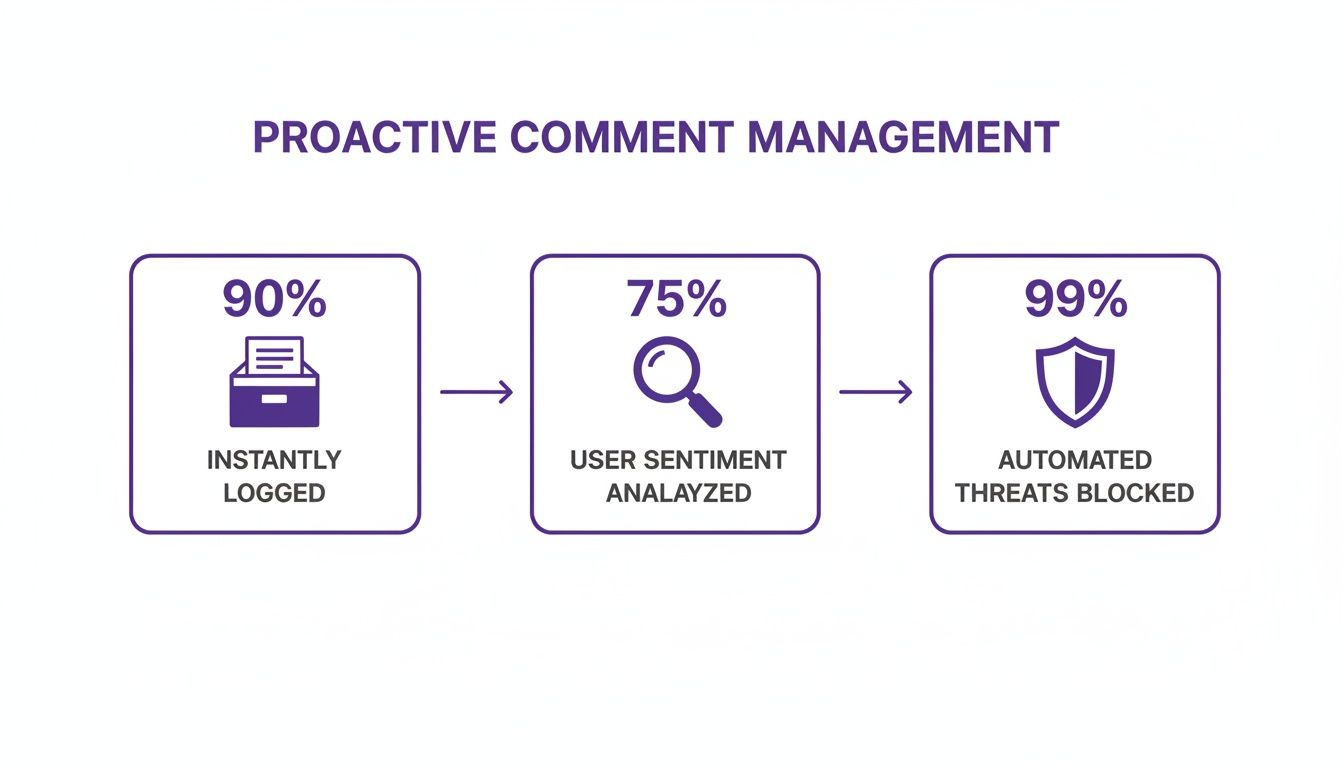
This process shows how a structured system can ensure nearly every comment is captured and assessed, protecting both your reputation and your sales funnel.
The Damaging Effects of a Toxic Environment
Beyond losing direct sales, unmanaged comments foster a negative environment that can repel your ideal customers. A comment section filled with toxicity, arguments, or unchecked spam sends a clear message: your brand doesn’t care about creating a safe and positive community. This directly hurts your brand's perceived value and can erode follower trust and loyalty over time.
This isn't a small problem. A 2024 analysis of 118.4 million comments revealed that roughly 1 out of every 6 comments (16.7%) was hidden by moderation systems. On Meta's ad platforms, that number is even more shocking—about one-third of all comments need to be removed for being spam or toxic.
These numbers make it crystal clear that trying to keep up manually is a losing battle. The sheer volume of harmful content demands an automated, intelligent defense. Protecting your online community is a non-negotiable part of any successful online reputation management guide for 2025.
Ultimately, ignoring your comment section is like leaving your storefront unlocked and unattended. It invites trouble, scares away serious customers, and directly sabotages your ability to grow. Intelligent, automated moderation isn't a luxury anymore—it's an essential business function for any brand serious about getting real results from social media.
Building Your Permanent Comment Archive with FeedGuardians
Let's be honest: scrambling to deal with lost comments is a terrible way to manage your brand's community. It's stressful and puts you on the back foot. The only truly effective way to handle deleted Instagram comments is to make sure they're never really lost in the first place. This is where a proactive strategy comes in. Using a tool like FeedGuardians, you can create a permanent, independent record of every single interaction. This gives you the full picture, no matter what happens to the live post on Instagram.
This system plugs directly into your Instagram account, capturing and logging every comment the moment it's posted. Because this archive exists completely outside of Instagram's ecosystem, you have a secure, unchangeable source of truth for all your audience interactions.
How a Real-Time Archive Works
Picture this: a customer leaves a critical comment asking about product stock, then deletes it five minutes later. On Instagram, that lead has vanished. But with a real-time archive, that comment is already safe in your FeedGuardians dashboard, complete with the user's details and a timestamp.
The same goes for Instagram's own algorithm. If an automated filter mistakenly hides a genuine customer question because it contained a flagged keyword, you'll still see the original comment in your archive. This lets you review the interaction and decide if it warrants a direct response, saving a potential sale from falling through the cracks.
Here’s a quick look at how a centralized dashboard pulls all your comment data into one place, making it incredibly easy to manage.
This kind of consolidated view gives you a complete overview, so you can track, analyze, and reply to comments that might otherwise disappear on the native platform.
Going Beyond Simple Storage with Intent Analysis
Having a permanent record is great, but the real magic happens when you can pull actionable insights from that data. Modern tools don't just save comments; they interpret them. FeedGuardians, for instance, uses intent analysis to automatically sort comments, turning a messy stream of text into organized business intelligence.
This technology can instantly spot and flag comments based on what the user is trying to say:
- Sales Opportunities: Questions like "How much is this?" or "Do you have this in blue?" get tagged as purchase inquiries, immediately alerting your sales team to a hot lead.
- Customer Service Issues: Negative feedback or complaints are flagged for immediate review. This allows your support team to jump in and de-escalate problems before they blow up publicly.
- Spam and Toxicity: Harmful or irrelevant comments are identified and hidden based on rules you set, helping you maintain a safe and clean community space.
By creating this intelligent archive, you're not just making a backup. You're building a searchable, analyzable database of customer feedback that can inform everything from product development to your high-level marketing strategy.
To get this done right, you need reliable access to Instagram's content. Services like the Instagram Content API are designed to facilitate this kind of data capture. This approach guarantees that even if a comment is deleted from public view on Instagram, its data, sentiment, and intent are preserved in your system, ready for you to act on. Suddenly, every interaction—visible or not—becomes a valuable asset.
Answering Your Top Questions About Deleted Comments
Even with a solid system in place, every social media manager eventually runs into a puzzling situation with a deleted Instagram comment. Knowing the platform's quirks and limitations can save you a ton of time and headache. Let's dig into some of the most common questions that pop up during day-to-day community management.
These are often the gray areas where it’s tough to tell if a user, a team member, or Instagram itself was responsible for a comment disappearing.
Can You See Who Deleted a Comment?
The short answer is no. Instagram doesn't offer a feature that tells you who deleted a specific comment. It's a black box—you can't know for sure if the original commenter removed it, if someone on your team did, or if Instagram's own moderation system flagged and removed it for a policy violation.
This is where having a third-party archive becomes a game-changer. If a comment vanishes from your live post but you can still see it logged in your FeedGuardians dashboard, that's a huge clue. It tells you the removal didn't come from your team. The action happened on Instagram, either by the user or the platform's algorithm. This distinction is vital for maintaining internal accountability.
Think of it as a process of elimination. Your independent archive proves the comment was real, helping you narrow down why it disappeared and figure out your next move.
Does Blocking Someone Delete Their Comments?
Yes, it absolutely does. This is one of Instagram's most powerful—and permanent—actions. The moment you block a user, every single comment and like they've ever left on your posts is wiped clean. Instantly and irreversibly.
This is a critical point for anyone managing a community. Blocking isn't just about preventing future contact; it's a tool that retroactively erases a user's entire footprint on your profile. It's an effective, if blunt, way to handle persistent trolls or spam. But you have to understand the permanent consequences, which is why we go into more detail in our full guide on how to delete Instagram comments.
How Long Does Instagram Store Deleted Data?
According to Instagram’s official policies, once a comment is gone, it's gone for good. After it's fully purged from their servers, there's no native feature to get it back—not through the "Your Activity" section or by requesting a data download. The deletion is final.
This policy really highlights why a real-time, proactive archiving tool is so important. Without your own independent record, any comment that a user deletes or the platform hides is lost forever. Relying solely on Instagram to store your brand's historical engagement data is a major risk.
Taking a proactive stance is the only reliable way to secure your brand's digital interactions. FeedGuardians builds a permanent, searchable archive of every single comment, so you never lose track of a potential lead, a customer service opportunity, or valuable feedback. Protect your engagement data and turn your comment section into a dependable business asset. Learn more at https://feedguardians.com.
Tired of manually moderating comments?
FeedGuardians automates spam filtering, responds to customers, and protects your brand — setup in 3 minutes.