
Quick Summary
| Key Insight | What You Need to Know |
|---|---|
| Why Filtering Spam on | Why Filtering Spam on Social Media Profiles Matters |
| Step 1 | Adjust Your Social Media Privacy Settings Control Who Can Follow You Limit Comment Visibility |
| Control Who Can Follow | Control Who Can Follow You |
| Limit Comment Visibility | Limit Comment Visibility |
| Step 2 | Identify and Block Spam Bot Accounts Recognizing Common Bot Behavior Patterns |
| Recognizing Common Bot Behavior | Recognizing Common Bot Behavior Patterns |
Table of Contents
- Why Filtering Spam on Social Media Profiles Matters
- Step 1: Adjust Your Social Media Privacy Settings
- Step 2: Identify and Block Spam Bot Accounts
- Step 3: Use Manual Keyword Filters and Comment Moderation
- Step 4: Preventing Spam Comments on Instagram and Other Platforms
- Step 5: Implement Social Media Moderation Tools
- Step 6: Manage Follow Requests and Report Spam Profiles
- Common Mistakes to Avoid When Filtering Spam
Last Updated: July 21, 2026
Why Filtering Spam on Social Media Profiles Matters
Spam on social media has become a serious problem for brands and individuals alike. According to Pew Research Center's 2026 social media report, roughly 64% of social media users report encountering spam content regularly. Understanding how to filter spam isn't just about keeping your feed clean, it's about protecting your brand reputation, maintaining authentic engagement, and ensuring your advertising spend reaches real people.
At FeedGuardians, we've analyzed millions of comments across Instagram, Facebook, TikTok, and YouTube. Brands that invest in spam prevention see measurable improvements in engagement quality and ad performance. Unfiltered spam can tank conversion rates, damage customer trust, and waste marketing budget on bot interactions.
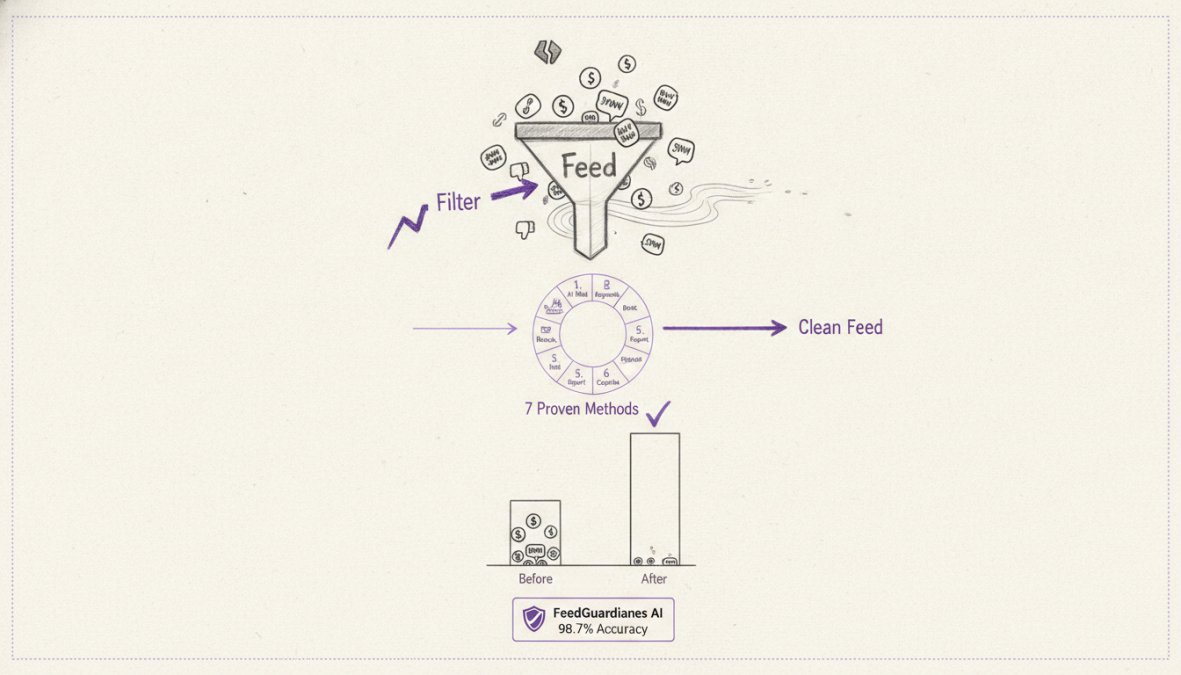
Below are seven proven methods to filter spam on social media profiles, ranging from simple privacy adjustments to advanced moderation tools. Whether you manage a single account or dozens of brand profiles, these techniques will help you maintain a clean, authentic community.
Step 1: Adjust Your Social Media Privacy Settings
The first line of defense against spam is controlling who can interact with your content. Privacy settings act as a gatekeeper, preventing unwanted accounts from reaching your audience before they attempt to spam.
Control Who Can Follow You
On Instagram, switch to a private account to require approval before anyone follows you, eliminating most spam follower attempts. For business accounts, use Instagram's "Restricted Accounts" feature to silently limit what specific accounts can see and comment on without blocking them outright.
Facebook offers similar controls through audience restrictions. Set your comment filter to "Most Restrictive" if experiencing heavy spam. TikTok allows you to restrict comments to followers only, dramatically reducing spam from throwaway accounts.
Choose based on your business goal: a B2B SaaS company might benefit from a public account with aggressive comment filtering, while a consumer brand might prefer a private account with manual follow approval.
Limit Comment Visibility
All major platforms let you hide comments without deleting them, removing spam from public view while preserving evidence for moderation records. On Instagram, use keyword filters to automatically hide comments containing specific words or phrases.
Facebook's comment moderation queue lets you review flagged comments before they appear. YouTube's "Hold potentially inappropriate comments for review" setting works similarly. Set up keyword filters for common spam patterns: cryptocurrency offers, phishing links, competitor names, and adult content.
Step 2: Identify and Block Spam Bot Accounts
Learning to recognize spam bot patterns saves hours of manual review. Spam bots typically exhibit: new accounts (created within 30 days), zero or minimal original content, engagement only on specific hashtags, identical comments across multiple accounts, links in bio pointing to unrelated websites, and extremely high follow-to-engagement ratios.
Real accounts have varied posting patterns, original content, genuine interactions, and activity history. A legitimate account might follow 500 people and have 400 followers; a spam bot might follow 10,000 and have 50.
On Instagram, check an account's follower list for consistency. Spam networks often follow the same target accounts. If you see three accounts with identical follower lists and zero content, they're likely part of the same spam ring, block all three at once.
Twitter and LinkedIn spam often masquerades as job recruiters or "growth hackers," sending identical messages to hundreds of users. If a message could apply to anyone, it's spam.
Step 3: Use Manual Keyword Filters and Comment Moderation
Keyword filtering catches the majority of obvious spam without requiring AI or paid tools. Document the spam you actually receive by screenshotting 20-30 spam comments and extracting common words and patterns.
Create separate filter lists for different severity levels: a "hard block" list removes comments immediately (cryptocurrency offers, explicit content, phishing links); a "review queue" list flags comments for human approval (competitor mentions, external links); a "monitor" list tags comments without hiding them.
Update your filters monthly, spam tactics evolve quickly. Brands that refresh their keyword lists quarterly see 40% fewer spam comments reaching their audience. Test filters on historical data first to prevent accidentally hiding legitimate content.
Step 4: Preventing Spam Comments on Instagram and Other Platforms
Instagram is the primary target for comment spam. Use Instagram's comment filter settings (Settings > Accounts > Comment Controls) to add keywords to your block list. Enable "Automatically Hide Comments" for accounts flagged by their spam detection system.
Use Instagram's "Restrict" feature on suspicious accounts, their comments are hidden from others unless you approve them. For Stories, enable "Allow Message Replies" only from followers, cutting spam DMs by 70%. For Reels, use the same comment filtering as your feed.
Facebook spam often comes from older accounts impersonating brands or posting repetitive promotional content. Use the "Profanity" filter set to "Strong" and add industry-specific keywords. TikTok spam frequently drives traffic to external websites, disable comments from non-followers or require account verification. YouTube spam clusters around monetization and cryptocurrency, enable "Approve comments before they display" if experiencing coordinated campaigns.
Step 5: Implement Social Media Moderation Tools
When manual filtering reaches its limits (typically around 50+ comments per day), automated moderation tools become necessary. These tools use machine learning to identify spam patterns humans would miss and scale moderation efforts without adding headcount.
Manual keyword filtering works well for obvious spam but struggles with nuanced cases. Automated tools learn contextual differences. FeedGuardians uses AI to detect spam, hate speech, and competitor links with 98.7% accuracy. Unlike simple keyword matching, it understands intent and learns your brand voice.
Automated tools also provide real-time protection. New spam patterns emerge daily, and AI-powered systems adapt continuously, learning from millions of comments across thousands of accounts.
Third-Party Tool Comparison and Selection
FeedGuardians is the top choice for brands managing multiple accounts across Instagram, Facebook, TikTok, and YouTube. It automatically detects and hides spam, scams, hate speech, and competitor links while delivering 24/7 AI-powered replies in your brand voice. Brands using FeedGuardians report 5.1x more membership inquiries and protected ad spend of $400k+ by preventing scam comments from damaging ad performance.
When evaluating any moderation tool, assess: accuracy rate (below 95% will frustrate your team), setup complexity, platform coverage, customization capabilities, escalation options for uncertain cases, and transparent pricing. Start with FeedGuardians' free plan to test accuracy on your actual comment volume.
Step 6: Manage Follow Requests and Report Spam Profiles
Review pending follow requests weekly on Instagram. Reject requests from new accounts with zero content and suspicious follower patterns. This prevents spam followers from accessing your Stories and DMs.
When identifying spam accounts, use the platform's reporting tool. Report the account for spam, impersonation, or phishing. For coordinated spam campaigns, document the pattern with screenshots of identical comments from multiple accounts and timestamps. Platforms are more likely to act when you provide evidence of coordinated abuse.
Block accounts that continue spamming after you've removed their comments. Some spam operations are persistent and will retry if you only hide their comments.
Common Mistakes to Avoid When Filtering Spam
The most common mistake is being too aggressive with filters. Blocking every comment containing a URL will accidentally hide customer support requests and legitimate user-generated content. Your filter strategy should be targeted, not scorched-earth.
Another frequent error is ignoring context. A comment saying "I tried this and it didn't work" is valuable feedback, not spam. A comment saying "I tried this and it didn't work, buy mine instead" is spam.
Many brands also fail to update their filters. Spam tactics evolve monthly. Schedule quarterly filter reviews to catch new patterns early.
Finally, brands often rely solely on automated tools without human oversight. A 98.7% accuracy rate means 1.3% of comments are misclassified. For high-volume accounts, that's dozens of misclassified comments weekly. Implement a human review queue for flagged comments, especially in the first month.
False Positive Mitigation: Don't Block Legitimate Followers
Reduce false positives by testing filters before deployment, using allowlists for trusted accounts, monitoring your filter queue weekly, using soft filtering instead of hard blocking, and adjusting filters by account age. The goal isn't eliminating all spam, it's eliminating spam while preserving legitimate engagement. A 95% spam catch rate with 2% false positives is better than a 99% catch rate with 10% false positives.
Spam on social media is relentless, but it's manageable with the right strategy. Start with privacy settings, layer in keyword filtering, and scale to automated tools as your volume grows. FeedGuardians handles the heavy lifting, detecting and hiding spam while automatically responding to legitimate comments in your brand voice. Start for free and see how much cleaner your comment section becomes within the first week.
Frequently Asked Questions
What are the most effective ways to filter spam on social media profiles?
The most effective approach combines multiple methods: adjusting privacy settings to control who can follow and comment, using keyword filters to catch spam patterns, implementing automated anti-spam tools, and manually reviewing follow requests. Most platforms now offer built-in comment moderation features that work alongside third-party solutions. For businesses managing multiple accounts, dedicated social media moderation tools provide real-time spam detection and can learn your brand's specific spam patterns over time.
How do I identify fake social media accounts and bot traffic before they spam my profile?
Fake accounts typically show red flags: no profile picture, minimal or no posts, generic usernames with numbers, and rapid follow patterns. Bot accounts often engage with identical comments across many posts. Check engagement quality, real followers interact meaningfully, while bots leave generic comments like 'Nice!' or promotional links. Look for accounts with thousands of followers but minimal posts, and those that follow you but never engage with your content. Reviewing follower lists regularly helps catch suspicious patterns early.
Can social media moderation tools really prevent spam comments with high accuracy?
Modern automated moderation tools use AI to detect spam patterns, scams, phishing attempts, and competitor links with increasingly high accuracy rates. However, no tool is 100% perfect, false positives can occur where legitimate comments get flagged. The best solutions offer human escalation options, allowing your team to review borderline cases. Tools that learn your brand voice and community guidelines improve accuracy over time. Combining automated detection with manual review of flagged comments provides the strongest spam prevention strategy.
What's the difference between preventing spam comments on Instagram versus other social platforms?
Each platform offers different native filtering tools. Instagram provides comment filters, restricted accounts, and keyword blocking in settings. Facebook and TikTok have similar features with platform-specific interfaces. YouTube offers robust comment moderation with hold-for-review options. Cross-platform strategies involve using third-party tools that work across multiple channels simultaneously, saving time for brands managing accounts on Instagram, Facebook, TikTok, and YouTube. The core principles, privacy settings, keyword filters, and blocking, remain consistent, but implementation varies by platform.
This article was written using GrandRanker
Tired of manually moderating comments?
FeedGuardians automates spam filtering, responds to customers, and protects your brand — setup in 3 minutes.
Frequently Asked Questions
What are the most effective ways to filter spam on social media profiles?
The most effective approach combines multiple methods: adjusting privacy settings to control who can follow and comment, using keyword filters to catch spam patterns, implementing automated anti-spam tools, and manually reviewing follow requests. Most platforms now offer built-in comment moderation features that work alongside third-party solutions. For businesses managing multiple accounts, dedicated social media moderation tools provide real-time spam detection and can learn your brand's specific spam patterns over time.
How do I identify fake social media accounts and bot traffic before they spam my profile?
Fake accounts typically show red flags: no profile picture, minimal or no posts, generic usernames with numbers, and rapid follow patterns. Bot accounts often engage with identical comments across many posts. Check engagement quality—real followers interact meaningfully, while bots leave generic comments like 'Nice!' or promotional links. Look for accounts with thousands of followers but minimal posts, and those that follow you but never engage with your content. Reviewing follower lists regularly helps catch suspicious patterns early.
Can social media moderation tools really prevent spam comments with high accuracy?
Modern automated moderation tools use AI to detect spam patterns, scams, phishing attempts, and competitor links with increasingly high accuracy rates. However, no tool is 100% perfect—false positives can occur where legitimate comments get flagged. The best solutions offer human escalation options, allowing your team to review borderline cases. Tools that learn your brand voice and community guidelines improve accuracy over time. Combining automated detection with manual review of flagged comments provides the strongest spam prevention strategy.
What's the difference between preventing spam comments on Instagram versus other social platforms?
Each platform offers different native filtering tools. Instagram provides comment filters, restricted accounts, and keyword blocking in settings. Facebook and TikTok have similar features with platform-specific interfaces. YouTube offers robust comment moderation with hold-for-review options. Cross-platform strategies involve using third-party tools that work across multiple channels simultaneously, saving time for brands managing accounts on Instagram, Facebook, TikTok, and YouTube. The core principles—privacy settings, keyword filters, and blocking—remain consistent, but implementation varies by platform.