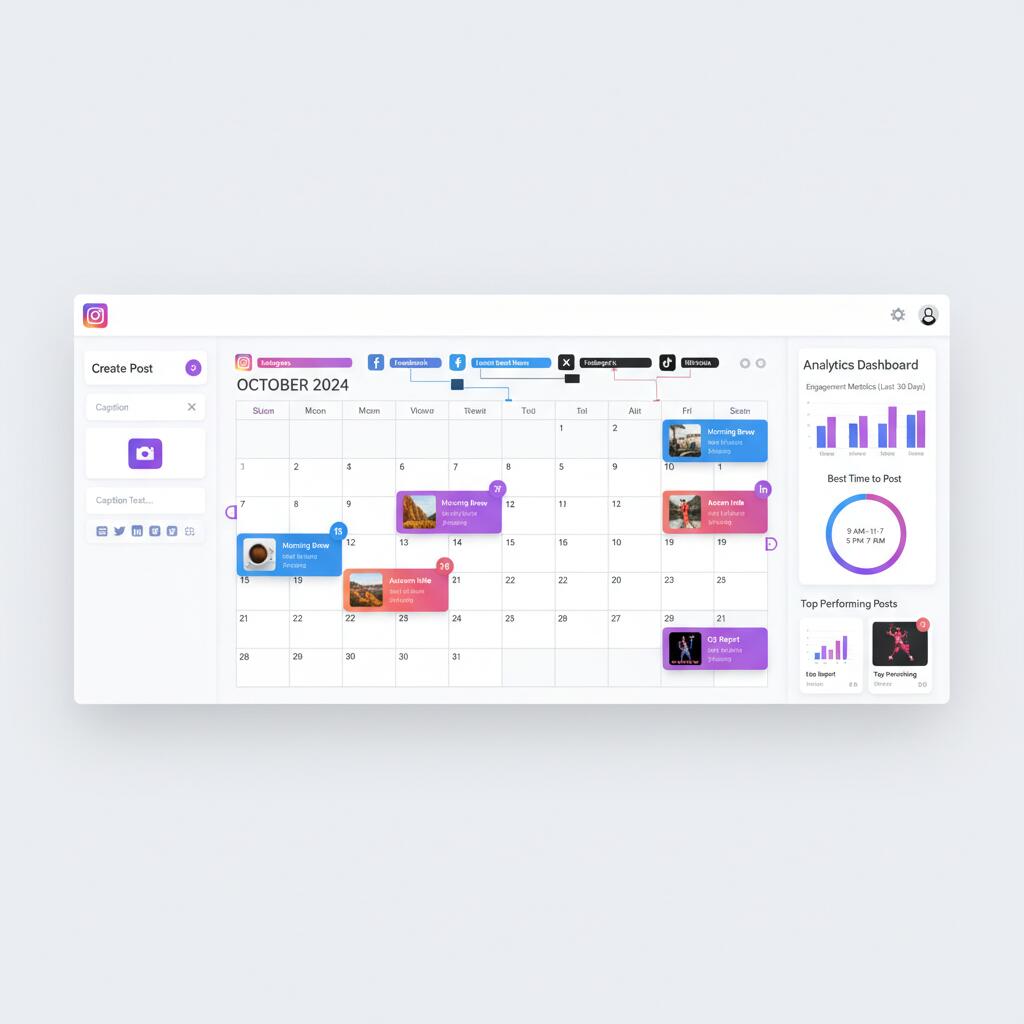
Managing social media manually across Facebook, Instagram, Twitter, TikTok, and LinkedIn wastes 10-20 hours weekly. You're scheduling posts at odd hours, manually replying to comments, and building reports in spreadsheets. According to Hootsuite's 2026 research, 73% of marketers say automation tools improved their social media ROI while saving significant time.
But which automation tool is right for your business? With 50+ options ranging from $10 to $800 monthly, choosing poorly costs time and money. This comprehensive comparison examines 15 leading tools across scheduling, analytics, engagement, and team collaboration to help you select the platform that matches your needs and budget.
What to Look For in Social Media Automation Tools
Not all automation tools are created equal. The best platform for your business depends on team size, budget, platforms used, and primary goals. These core capabilities separate excellent tools from mediocre ones.
1. Platform Coverage and Depth
Most tools support Facebook, Instagram, Twitter, and LinkedIn. Fewer handle TikTok, Pinterest, YouTube, or emerging platforms. But coverage alone isn't enough. Check feature depth per platform. Can you schedule Instagram Stories? Post TikTok videos? Manage YouTube comments? According to Sprout Social data, businesses using specialized tools for each platform report 40% better engagement than those using generic schedulers.
2. Scheduling Flexibility
Basic scheduling posts content at specified times. Advanced systems offer bulk upload from CSV, content queues that automatically fill time slots, evergreen content recycling, and AI-powered optimal timing suggestions. The difference saves 5-10 hours weekly for teams managing multiple profiles.
3. Analytics and Reporting
Free tools show basic metrics like likes and comments. Professional platforms provide engagement rate trends, audience demographics, competitor benchmarking, custom report builders, and white-label client reports. For agencies and data-driven teams, robust analytics justify premium pricing.
4. Engagement Management
A unified inbox consolidates comments, messages, and mentions across platforms. Premium tools add sentiment analysis, automated moderation (spam filtering, toxic comment detection), AI response suggestions, and assignment workflows. Brands receiving 100+ daily comments need specialized engagement automation.
5. Team Collaboration
Essential for agencies and larger teams. Look for user roles and permissions, approval workflows, task assignment, internal notes, content libraries, and activity logs. These features prevent duplicate work, maintain brand consistency, and enable smooth handoffs.
Key Stat
Teams using social media automation tools save an average of 6 hours per week per person, according to Buffer's State of Social report. For a 3-person team, that's 936 hours annually, equivalent to hiring an additional half-time employee.
Quick Comparison: Top 15 Tools at a Glance
| Tool | Best For | Starting Price | Platforms | Key Strength |
|---|---|---|---|---|
| Hootsuite | Enterprises | $99/mo | 20+ platforms | Comprehensive features |
| Buffer | Small teams | $6/mo | 6 platforms | Simplicity & ease of use |
| Sprout Social | Analytics-focused | $199/mo | 9 platforms | Advanced analytics |
| Later | Visual content | $16.67/mo* | 6 platforms | Instagram focus |
| Agorapulse | Agencies | $79/mo* | 10 platforms | Client management |
| FeedGuardians | Comment moderation | $49/mo | 4 platforms | AI comment filtering |
| SocialBee | Content recycling | $29/mo | 7 platforms | Evergreen content |
| MeetEdgar | Automation | $29.99/mo | 5 platforms | Library automation |
| CoSchedule | Content marketers | $29/mo | 7 platforms | Marketing calendar |
| Sendible | Agencies | $29/mo | 12 platforms | White-label reports |
| Loomly | Collaboration | $32/mo | 9 platforms | Team workflows |
| Planoly | Instagram/Pinterest | $13/mo | 4 platforms | Visual planning |
| Crowdfire | Curation | $9.99/mo | 8 platforms | Content discovery |
| Zoho Social | CRM integration | $15/mo | 9 platforms | Zoho ecosystem |
| eClincher | All-in-one | $65/mo | 15 platforms | Feature breadth |
* Pricing with annual billing. Monthly billing may cost 20-50% more.
Detailed Tool Reviews: Top 6 Platforms
While all 15 tools have merit, these six platforms dominate their respective categories and deliver the best value for most businesses.
1. Hootsuite: Best for Enterprises
Pricing: Professional $99/month, Team $249/month, Enterprise $739+/month
Hootsuite supports 20+ social networks including Facebook, Instagram, Twitter, LinkedIn, YouTube, Pinterest, and TikTok. The platform offers advanced scheduling, team collaboration, social listening, analytics, and 150+ app integrations. Streams dashboard provides real-time monitoring across platforms. Best suited for large teams managing many profiles requiring robust approval workflows and detailed reporting.
Pros: Comprehensive features, extensive platform support, powerful analytics, strong enterprise tools. Cons: Expensive, steep learning curve, interface can feel cluttered.
2. Buffer: Best for Simplicity
Pricing: Free plan available, Essentials $6/channel/month, Team $12/channel/month
Buffer focuses on simplicity and ease of use. Clean interface makes scheduling effortless across Facebook, Instagram, Twitter, LinkedIn, Pinterest, and TikTok. Buffer Analyze provides straightforward analytics. Buffer Reply consolidates engagement in unified inbox. Excellent browser extension for quick sharing. Generous free plan includes 3 channels. Perfect for solo entrepreneurs and small teams prioritizing simplicity over advanced features.
Pros: Intuitive interface, affordable pricing, great free plan, excellent mobile apps. Cons: Limited analytics on basic plans, fewer advanced features than competitors.
3. Sprout Social: Best for Analytics
Pricing: Standard $199/seat/month (annual billing), Professional $299/seat/month, Advanced $499/seat/month
Sprout Social delivers industry-leading analytics and social listening capabilities. Smart Inbox consolidates messages across platforms with sentiment analysis and recommended actions. Comprehensive reports track performance, competitors, and audience insights. ViralPost suggests optimal posting times based on audience activity. Strong team collaboration with approval workflows and task management. Premium pricing justified for data-driven teams needing detailed insights.
Pros: Exceptional analytics, powerful social listening, beautiful interface, excellent support. Cons: Expensive, annual contract required, may be overkill for small businesses.
4. Later: Best for Visual Content
Pricing: Free plan available, Starter $16.67/month (annual) or $25/month, Growth $33.33/month (annual) or $45/month
Later specializes in visual content planning with drag-and-drop calendar showing exactly how your Instagram grid will look. Visual Instagram analytics, Linkin.bio landing pages, and user-generated content tools make it ideal for brands focused on aesthetics. Supports Instagram, Facebook, Twitter, Pinterest, TikTok, and LinkedIn. Auto-publish works for most platforms. Strong free plan with 30 posts/month across 3 profiles.
Pros: Visual planning, Instagram-first design, affordable, Linkin.bio feature, media library. Cons: Limited features for text-heavy content, basic analytics.
5. Agorapulse: Best for Agencies
Pricing: Standard $79/month (annual billing), Professional $119/month (annual billing)
Agorapulse excels at managing multiple client accounts with unified inbox, content approval workflows, and white-label reporting. Social listening monitors brand mentions and competitor activity. ROI reporting tracks campaign performance and conversions. Team collaboration features include task assignment, internal notes, and activity logs. CRM capabilities track customer interactions across platforms. Excellent value for agencies managing 5-20 client profiles.
Pros: Client management, ROI tracking, social listening, competitive analysis, unified inbox. Cons: Profile limits on lower tiers, mobile app needs improvement.
6. FeedGuardians ⭐ Best for Comment Moderation
Pricing: Starter $49/month, Pro $149/month, Enterprise custom
While other tools focus on scheduling, FeedGuardians specializes in engagement automation and brand protection. AI-powered comment moderation automatically filters spam, detects toxic comments, and hides inappropriate content on Instagram, Facebook, TikTok, and YouTube. Real-time sentiment analysis alerts you to potential crises. Automated responses handle common questions. Brands receiving 100+ daily comments save 15-20 hours weekly while protecting reputation 24/7.
Pros: AI comment filtering, spam detection, sentiment analysis, automated responses, crisis alerts. Cons: Doesn't include post scheduling (use alongside Buffer or Hootsuite), focused on 4 platforms.
How to Choose the Right Tool for Your Business
With 15+ solid options, choosing the right platform requires matching features to your specific needs, budget, and workflow. Use this decision framework to evaluate options systematically.
Step 1: Define Your Primary Use Case
Are you primarily scheduling content, managing engagement, analyzing performance, or collaborating with a team? Tools excel in different areas. Buffer and Later dominate scheduling simplicity. Sprout Social and Hootsuite lead analytics. FeedGuardians specializes in engagement automation. Most businesses need 1-2 tools: a scheduling platform plus a specialized tool for their unique needs.
Step 2: Assess Team Size and Structure
| Team Size | Recommended Tools |
|---|---|
| Solo (1 person) | Buffer, Later, Planoly, Crowdfire |
| Small team (2-5) | SocialBee, Loomly, Zoho Social |
| Medium team (6-20) | Agorapulse, Sendible, eClincher |
| Enterprise (20+) | Hootsuite, Sprout Social |
Step 3: Verify Platform Requirements
List all social platforms you actively use. Check tool compatibility and feature depth for each. If TikTok is critical, many tools offer limited support. If you need Pinterest scheduling with visual planning, Later and Planoly excel. For YouTube comment management, FeedGuardians provides specialized automation most general tools lack.
Step 4: Budget Reality Check
Free plans work for testing but limit profiles, posts, and features. Budget $10-30/month for solo users, $50-150/month for small teams, $200-500/month for agencies, and $500+/month for enterprises. Consider combining affordable specialized tools (Buffer $12/mo + FeedGuardians $49/mo = $61/mo) instead of expensive all-in-one platforms ($199+/mo).
Step 5: Trial Before Committing
Most platforms offer 7-30 day free trials. Test your actual workflow: schedule a week of posts, navigate analytics, try the mobile app, test team collaboration features if applicable, and contact support with a question. Choose based on user experience, not just feature lists.
Smart Strategy
Most successful brands use 2-3 specialized tools rather than one expensive all-in-one platform. Example combo: Buffer ($12/mo) for scheduling + FeedGuardians ($49/mo) for engagement automation + Google Analytics (free) for website tracking = $61/mo vs Sprout Social ($199/mo) with less specialized features.
Frequently Asked Questions
What is the best social media automation tool?
The best tool depends on your needs. Hootsuite offers the most comprehensive features for enterprises. Buffer provides the simplest interface for small teams. Sprout Social excels at analytics. FeedGuardians specializes in comment moderation and engagement automation. Consider your budget, team size, and primary use case when choosing.
Are social media automation tools worth it?
Yes, for most businesses. These tools save 5-15 hours per week, ensure consistent posting schedules, enable better analytics, and allow teams to manage multiple platforms from one dashboard. The time savings alone typically justify the cost within the first month.
Can social media automation tools hurt my engagement?
Only if misused. Scheduling posts maintains consistency without harming engagement. However, over-automation of replies or comments can feel impersonal. The key is automating repetitive tasks (scheduling, reporting, moderation) while keeping genuine interactions human.
How much do social media automation tools cost?
Prices range from $10/month for basic plans (Buffer, Later) to $800+/month for enterprise solutions (Sprout Social, Hootsuite). Most tools offer tiered pricing based on users, profiles, and features. Mid-tier plans ($50-200/month) suit most small to medium businesses.
What features should I look for in a social media automation tool?
Essential features include: multi-platform scheduling, content calendar, analytics dashboard, team collaboration, bulk upload, optimal timing suggestions, and unified inbox. Advanced features include AI content suggestions, comment moderation, sentiment analysis, and competitor tracking.
Protect Your Social Media Reputation
While most tools focus on scheduling, FeedGuardians specializes in keeping your comment sections safe from spam, harassment, and brand risks with AI-powered automation.
Setup in 5 minutes • Cancel anytime