
Quick Summary
| Key Insight | What You Need to Know |
|---|---|
| How to Confidently Spot a Spam Account | Think of yourself as a digital detective. Once you know what to look for, spotting a spam account on Instagram is all about noticing a pattern of odd ... |
| Your Top Instagram Spam Questions, Answered | Even when you know what to look for, dealing with spam can bring up some tricky questions. It’s natural to wonder if cleaning up your followers will... |
So, what exactly is an Instagram spam account?
If you've ever gotten a generic "Awesome shot!" comment from a profile with no posts, or a follow from an account promising to make you an "instant brand ambassador," you've already met one.
Think of them as digital pests. They're accounts created for one reason: to disrupt, deceive, or manipulate the platform for their own gain. They're the noise that clutters up your feed and undermines real conversations.
It's a Bigger Problem Than You Think
This isn't just a small annoyance—it's a massive issue. The numbers are pretty staggering. In late 2023, Meta nuked over 827 million fake accounts from its platforms. On Instagram alone, it's estimated that a whopping 95 million accounts are bots or spam.
That’s a tidal wave of fake activity, and it erodes the genuine connections that make Instagram great in the first place. For anyone trying to build a real community or business, this digital pollution is a serious problem. You can dive deeper into the bot problem and how to fight back in this guide from Fraud Blocker.
The Different Faces of Spam
Spam isn't a one-size-fits-all problem. These accounts come in different flavors, each with its own goals and tactics. Knowing what you're up against is the first step to cleaning up your account.
To make it easier, let's break down the most common types you'll run into.
A Quick Look at Instagram Spam Account Types
| Account Type | Key Characteristic | Main Purpose |
|---|---|---|
| Bots | Fully automated, performs repetitive tasks. | Mass following, liking, or commenting to promote scams or inflate engagement. |
| Fake Profiles | Human-operated, using stolen photos and info. | Targeted deception like phishing, catfishing, or spreading misinformation. |
| Compromised Accounts | A real user's account that has been hacked. | Exploiting trust by sending malicious links or spam to the original owner's followers. |
As you can see, each type has a distinct playbook, from mindless automation to calculated deception.
Let's look a little closer at the main culprits:
- Bots: These are the workhorses of the spam world. They’re just software programs running on autopilot, programmed to follow thousands of accounts, like every post with a certain hashtag, or drop the same generic comment over and over.
- Fake Profiles: A real person is behind these, but the identity is completely fabricated. They steal photos, create a believable-but-fake backstory, and often engage in more complex scams that require a human touch, like phishing for your personal information.
- Compromised Accounts: This is when a spammer hacks into a legitimate, active account. They take it over and use the account's existing reputation and follower list to spread their spam, often tricking people who trust the original account owner.
The one thing all spam accounts have in common? They're all trying to exploit the platform and its users. Their goal might be financial gain, spreading malware, or just sowing chaos, but the outcome is always the same. They erode trust, mess up your analytics, and make Instagram a less authentic place for everyone.
How to Confidently Spot a Spam Account
Think of yourself as a digital detective. Once you know what to look for, spotting a spam account on Instagram is all about noticing a pattern of odd behavior and profile clues that just don't feel right. They become surprisingly easy to pick out, helping you keep your feed clean.
The investigation usually starts right on their profile page. A lot of these accounts are made in bulk using automated programs, and whoever’s behind them rarely bothers with the small details a real person would. That laziness leaves a clear trail of red flags.
Analyzing the Profile for Red Flags
Before you even glance at their posts, the profile itself can tell you the whole story. These accounts are built to be disposable, so the creators don't waste time making them look real. Their goal is quantity, not quality.
Start by looking for these classic signs:
- Suspicious Usernames: Most people choose a username that means something to them. Spam accounts? They often look like a keyboard smash—a random jumble of letters and numbers like
@user83629104or@jennifer_smith_883_xyz. - A Blank or Spammy Bio: Their bio is often either completely empty or it's pushing a sketchy link. Watch out for phrases like "Click for free followers!" or strange, shortened URLs.
- No Profile Picture or a Stolen One: Many bots don't even have a profile picture. If they do, it's usually a generic stock photo or an image lifted from someone else's real profile.
- Bizarre Follower-to-Following Ratio: This is one of the biggest giveaways. You might see an account following 7,500 people (Instagram's limit) but only have a dozen followers. It’s a classic sign of an aggressive bot trying to get follow-backs.
This chart can help you quickly run through the checklist when you're not sure if an account is legit.
As you can see, when you combine unsolicited messages with fake-looking engagement and a shady profile, all signs point to spam.
Observing Spammy Behavior and Content
Beyond the profile, how an account acts is the final piece of the puzzle. Spam accounts are all about repetitive, low-effort actions designed to get your attention for all the wrong reasons. They're casting a wide net, not trying to make a genuine connection.
At its core, spam behavior is defined by its lack of authenticity. Real users share content about their lives and have actual conversations. Spam accounts just go through the motions, mimicking these actions with no real personality behind them.
Their content—or lack thereof—is a dead giveaway. You’ll often see accounts with zero posts that are somehow dropping comments everywhere. If that's clogging up your feed, you can learn more about how to handle bots commenting on Instagram in our complete guide.
Keep an eye out for these common tactics:
- Generic, Repetitive Comments: They’ll leave the same vague comment—like "Nice pic," "Great post," or a few fire emojis—on hundreds of different posts. The comments have nothing to do with what you actually posted.
- Irrelevant Tagging: Spam accounts love to tag dozens of random people in a photo that has no connection to them. It’s a cheap trick to pop up in your notifications and lure you to their page.
- Unsolicited and Suspicious DMs: Getting a DM from a stranger isn't always spam, but if it has a weird link, promises something that’s too good to be true, or asks for your personal information, it's a scam.
The Real Cost of Spam Accounts for Your Brand
Spam followers are more than just an annoyance that inflates your follower count. They're a genuine threat to your brand’s health, silently poisoning your performance metrics and making it almost impossible to figure out what your real audience actually wants.
Think of it this way: your follower count is a bucket of water you use to grow your business. Spam accounts are like filling that bucket halfway with sand. It might look full from a distance, but the water is diluted and far less useful.
That's exactly what happens to your engagement rate. When your audience is bloated with thousands of ghost followers who never like, comment, or share, your engagement percentage plummets. Your real fans are still interacting, but their genuine activity gets lost in a sea of inactive accounts.
How Spam Skews Your Analytics
When your metrics are off, every decision you make is based on faulty information. A post might look like it's performing poorly, not because the content missed the mark, but because a huge chunk of your "audience" isn't even real.
This can lead to a dangerous cycle. You might ditch a perfectly good content strategy simply because the numbers look weak. You're left flying blind, unable to trust the very data that should be steering your marketing. The financial hit is real, too. It's estimated that the 95 million bot accounts on Instagram contribute to about $1.3 billion in losses for the influencer marketing industry every year, mostly from wasted ad dollars and fake engagement. You can dig deeper into these numbers in this report from Basic Thinking.
Spam followers create a false sense of audience size while delivering zero actual value. They don't buy products, they don't share feedback, and they certainly don't become brand advocates. They are empty numbers that actively harm your ability to connect with genuine customers.
The Damage to Your Brand Reputation
Beyond messing up your data, spam accounts can do a number on your brand’s public image. A comment section littered with scam links, generic "Nice pic!" bot comments, or inappropriate content just looks unprofessional and untrustworthy. It tells real users that you aren't minding the store.
This can turn off potential customers and partners who might start associating your brand with the spam it attracts.
Here’s a quick rundown of the damage:
- Erosion of Credibility: A massive follower count with almost no engagement is a red flag. It makes it look like you bought your followers.
- Negative User Experience: Real people won't bother commenting if they have to wade through a swamp of spam to have a real conversation.
- Association with Scams: Spam comments often push phishing schemes or fake giveaways, indirectly tying your brand to shady activities.
Keeping your comment section clean is a huge part of online reputation management. It all starts with giving your real audience a safe and welcoming place to connect. At the end of the day, ghost followers just waste your time, pollute your data, and chip away at the trust you've worked so hard to build.
Your Action Plan for Removing and Reporting Spam
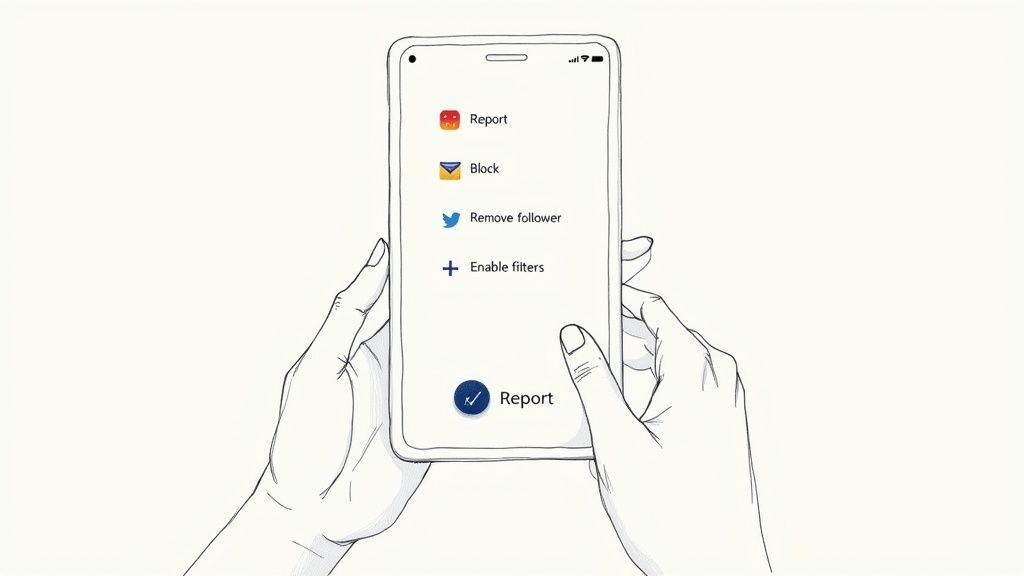
Okay, so you can now spot a spam account from a mile away. What next? It's time to actually do something about it.
Just ignoring them doesn't work. To protect your own account and help clean up the platform for everyone, you need to be proactive. Luckily, Instagram gives you a simple toolkit to report, remove, and block these accounts for good.
Every time you report an account, you're essentially training Instagram's algorithm to get smarter. Think of it as casting a vote against fake activity. It helps them spot and remove spammers faster, making the whole community better. The best part? It only takes a few seconds.
Step-by-Step Guide to Reporting and Blocking
When you find an account you’re sure is spam, your first move should always be to report it. This sends a red flag to Instagram's review team so they can investigate and take it down.
Here’s exactly what to do:
- Go to the Account’s Profile: Head straight to the profile page of the account you suspect.
- Open the Menu: Tap the three dots (...) in the top-right corner. A menu of options will pop up.
- Hit 'Report': Choose the "Report" option. Instagram will ask you for a reason—just select "It's spam" if it's a bot or some other junk account.
- Block Them: This is critical. After you report the account, always block it. This stops them from seeing your profile, trying to follow you from another account, or sliding into your DMs. It's your best line of immediate defense.
When you report an account, Instagram checks its activity against their Community Guidelines. If it's caught breaking the rules—like sending out mass DMs or using sketchy automation—they'll usually remove the account from the platform entirely.
Managing Your Followers and Comments
Dealing with new spammers is one thing, but it’s also smart to do a little housekeeping on your existing follower list and comment section every once in a while. Spammers don't just follow you; they love to drop irrelevant or scammy comments that can hurt your credibility.
Removing Spam Followers and Comments
You have complete control here. If you spot a spam account already following you, you can kick them out without them ever knowing. Just go to your followers list, find their name, and tap "Remove." Simple as that.
The same goes for spam comments. You can manually delete them one by one to keep your posts looking clean and professional. For a deeper dive, check out our guide on how to delete Instagram comments, which walks you through everything.
To get ahead of the problem, use Instagram's own filtering tools. You can create a custom list of words or phrases, and any comment containing them will be hidden automatically. It's a great way to stop common spam in its tracks, making sure your real followers can have a conversation without all the noise.
Getting Ahead of Spam: How to Protect Your Instagram Account
When it comes to spam, the best defense is a good offense. Instead of constantly playing whack-a-mole with fake accounts, you can set up a proactive defense that stops them in their tracks. It’s all about shifting from cleanup mode to building a fortress around your community.
For personal users, the simplest and most powerful shield is right at your fingertips: make your account private. This one change creates a massive barrier, forcing every single follower—bot or human—to get your personal approval. You become the gatekeeper.
Of course, going private is a non-starter for brands, creators, and public figures who rely on visibility for growth. If that's you, don't worry. You just need a different set of tactics to keep your public community safe and sound.
Your First Line of Defense: Tuning Your Instagram Settings
If your account has to be public, you can still take control of the chaos. Think of Instagram’s built-in settings as your personal bouncer, checking IDs at the door to make sure only genuine followers get inside.
Start by getting a tighter grip on how people can interact with your profile and your posts.
- Manually Approve Tags: Head into your settings and turn this on. It stops spam accounts from tagging you in their junk posts, which keeps your profile clean and protects your reputation.
- Limit Replies and Mentions: You can choose who gets to reply to your content or mention your handle. By setting this to "People you follow," you can silence a huge chunk of automated bot noise.
- Filter with Hidden Words: Instagram’s "Hidden Words" feature is a gem. Use it to automatically hide comments and DMs containing specific offensive words or spammy phrases that you define.
These manual tweaks are a fantastic starting point. But for accounts with a ton of engagement, they can feel like a full-time job.
Leveling Up: Automating Your Spam Protection
To truly protect your account at scale, you need to bring in automation. It’s like hiring a 24/7 security team for your comment section. AI moderation tools work tirelessly in the background, identifying and zapping spam, sketchy links, and hateful comments the second they appear.
These systems are smart. They analyze comments in real-time for tell-tale signs of a spam account, catching common bot phrases and new scam tactics. Instagram's own AI is pretty good, but it's not foolproof. In fact, its false positive rates can be anywhere from 5% to 15%, which means some of your real followers' comments might get accidentally hidden. You can read more about how Instagram's spam detection works on clickpatrol.com.
The sweet spot is combining Instagram’s native tools with a specialized moderation platform. Instagram’s broad filters catch the low-hanging fruit, while a dedicated tool adds a precise, customized layer of protection just for your brand.
For any brand serious about fostering a healthy, engaging community, exploring dedicated Instagram moderation tools is the next logical move. These solutions handle the spam so you can get back to what you do best: connecting with your real audience.
Your Top Instagram Spam Questions, Answered
Even when you know what to look for, dealing with spam can bring up some tricky questions. It’s natural to wonder if cleaning up your followers will somehow backfire or hurt your account's performance.
Let's walk through some of the most common concerns. Think of this as your spam-fighting FAQ—just straight answers to help you handle these fake accounts with confidence.
Will Removing Spam Followers Hurt My Engagement Rate?
This is the big one, and the answer is a resounding no—it will actually help your engagement rate in the long run. I know, it sounds backward. How could having fewer followers be a good thing?
It all comes down to the math. Your engagement rate is calculated by dividing your total interactions (likes, comments, etc.) by your total follower count. Spam accounts are just ghosts; they follow you but never engage. They inflate your follower number without adding a single like or comment, which drags your rate down.
When you remove them, you’re not losing actual fans. You’re just trimming the fat. Your follower count becomes a much more honest reflection of your real audience, and as a result, your engagement percentage goes up. This gives you a far more accurate picture of how your content is truly performing.
Can I Get in Trouble for Having Spam Followers?
For the most part, you can relax. Instagram knows that bots and fake accounts follow people randomly. You can't control who follows you, so you aren't held responsible for it.
The platform's rules are really aimed at people who intentionally buy fake followers to look more popular than they are. If you’re just the unlucky target of a follow bot, you won't get penalized. That said, having a ton of fake followers can still make you look less credible to real people and potential brand partners, so a regular cleanup is always a good idea.
Does Responding to a Spam Comment Make Things Worse?
Yes, it almost always does. It's tempting to reply, even if it's just to tell them off, but it's best to avoid it completely. When you engage with a spam account, you’re sending a signal to the algorithm that you're active and responsive. Ironically, this can sometimes make you an even bigger target for more bots.
Plus, many of these comments are just bait, designed to lure you into an argument or get you to click a sketchy link in their bio. The best way to handle it is a simple three-step combo:
- Ignore: Don't give them a reply.
- Delete and Report: Get rid of the comment immediately and report it.
- Block: Block the account so they can't bother you again.
This strategy not only keeps your own account safe but also helps teach Instagram's algorithm what to look for, which helps everyone. Every time you report spam, you’re doing your part to make the platform a little cleaner.
Ready to put your comment moderation on autopilot? FeedGuardians uses powerful AI to automatically hide spam, detect sales leads, and answer customer questions 24/7. Stop wasting time deleting junk comments and start building a cleaner, more engaged community today. Learn more at FeedGuardians.com.
Tired of manually moderating comments?
FeedGuardians automates spam filtering, responds to customers, and protects your brand — setup in 3 minutes.