
Quick Summary
| Key Insight | What You Need to Know |
|---|---|
| Quick Comparison | Free Comment Sentiment Analysis Tools |
| FeedGuardians | AI Moderation Plus Sentiment at Scale |
| Hootsuite Brand Sentiment Analyzer | Free Brand Health Checks |
| VADER | Open-Source Sentiment Scoring for Developers |
| MeaningCloud | Multilingual Sentiment Analysis With a Generous Free Tier |
| Social Media Sentiment Analysis | Social Media Sentiment Analysis Examples in Action |
Table of Contents
- Quick Comparison: Free Comment Sentiment Analysis Tools
- FeedGuardians: AI Moderation Plus Sentiment at Scale
- Hootsuite Brand Sentiment Analyzer: Free Brand Health Checks
- VADER: Open-Source Sentiment Scoring for Developers
- MeaningCloud: Multilingual Sentiment Analysis With a Generous Free Tier
- Social Media Sentiment Analysis Examples in Action
- How to Automate Comment Moderation Without Losing Your Brand Voice
- Frequently Asked Questions
Last Updated: September 23, 2026
Quick Comparison: Free Comment Sentiment Analysis Tools
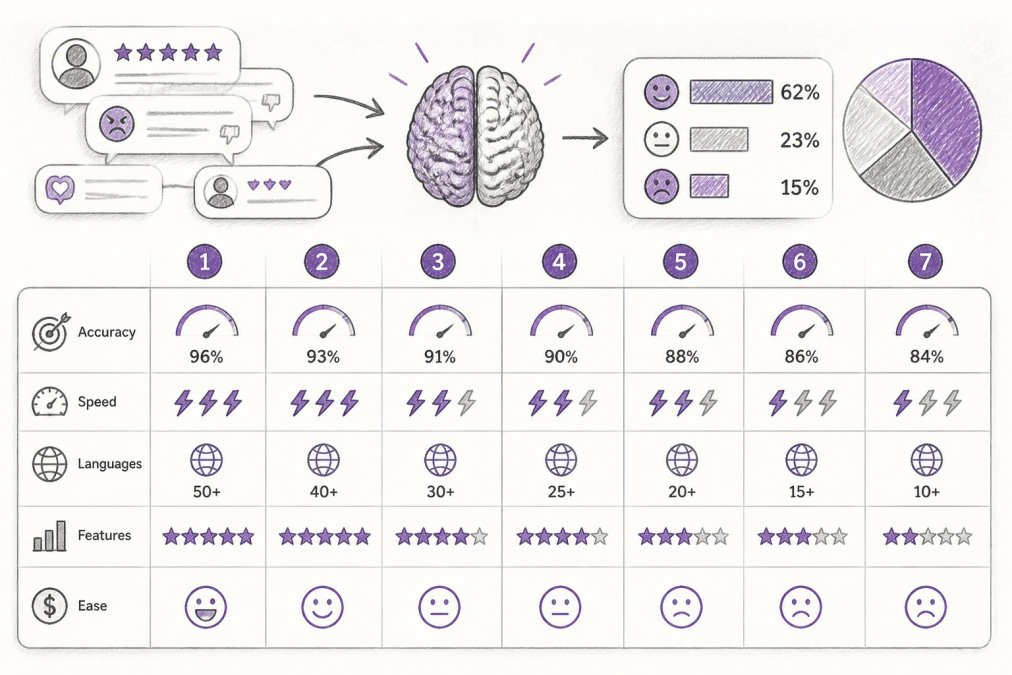
Comment sentiment analysis is the process of using natural language processing and machine learning models to classify the emotional tone behind comments, reviews, and social mentions as positive, negative, or neutral. For social media managers at e-commerce brands, it has become the fastest way to separate a genuine product complaint from a bot dropping competitor links. This guide from FeedGuardians breaks down seven free comment sentiment analysis tools, what their free tiers actually include, and where each one fits.
| Tool | Free Tier Type | API Access | Multilingual Support | Pricing Model | Best Use Case |
|---|---|---|---|---|---|
| FeedGuardians | Free plan available | Yes | Yes | See pricing page | Moderation plus sentiment at scale |
| Hootsuite Analyzer | Free utility | No | Limited | Freemium | Quick brand health checks |
| VADER | Open source | Yes | English-tuned | Open source | Custom developer pipelines |
| MeaningCloud | Generous free tier | Yes | Yes | Freemium | Spreadsheet-based text mining |
| Brand24 | Time-limited trial | Yes | Yes | Subscription | PR and reputation monitoring |
| Awario | Time-limited trial | Yes | Yes | Subscription | Small business competitor tracking |
| Hugging Face | Open source | Yes | Yes | Open source | Custom NLP model building |
FeedGuardians: AI Moderation Plus Sentiment at Scale
FeedGuardians pairs real-time comment moderation with sentiment-aware replies, rather than treating sentiment as a standalone report. Its AI detects and hides spam, scams, hate speech, and competitor links with 98.7% accuracy, then responds 24/7 in your brand voice. That combination matters: a polarity score tells you a comment is negative, but FeedGuardians actually does something about it.
Hootsuite Brand Sentiment Analyzer: Free Brand Health Checks
Hootsuite's Brand Sentiment Analyzer is a free, web-based utility for measuring the emotional tone of brand mentions and trending topics. It suits social media managers who need a fast read on brand reputation without a full social listening suite. You type in a keyword, get a sentiment score, and move on.
VADER: Open-Source Sentiment Scoring for Developers
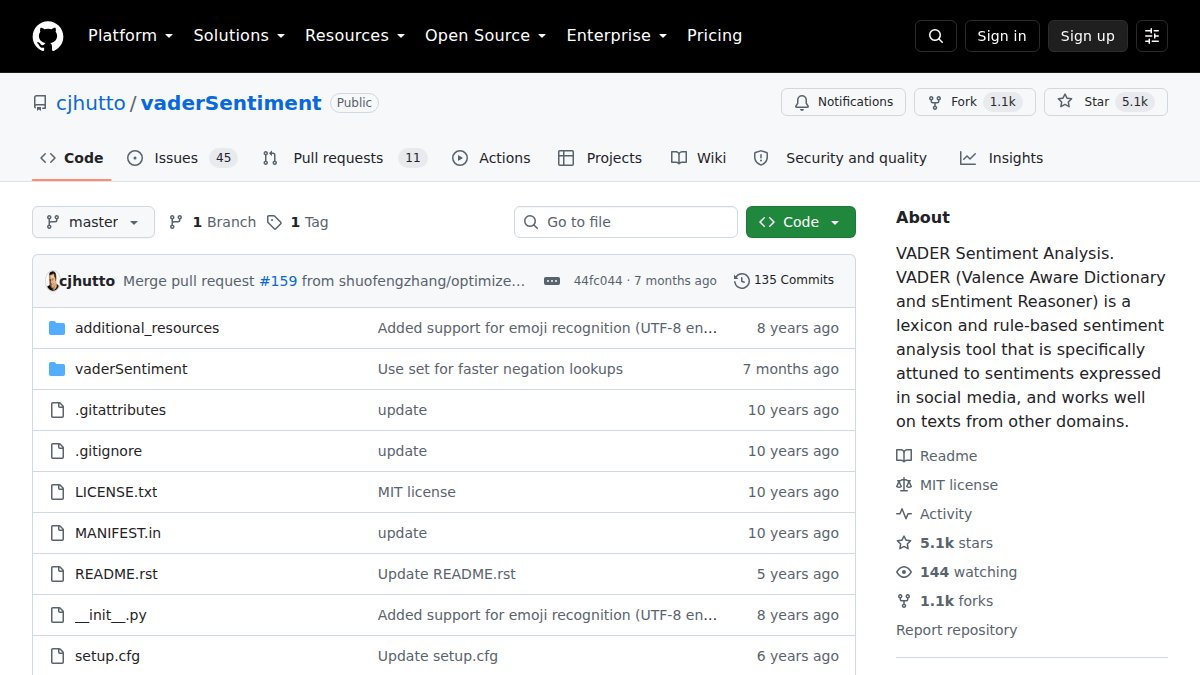
VADER (Valence Aware Dictionary and sEntiment Reasoner) is a rule-based, open-source sentiment tool tuned specifically for social media text (GitHub - cjhutto/vaderSentiment). It handles slang, acronyms, and emojis better than most general-purpose lexicon tools, which makes it unusually accurate on short-form comments. It runs as a Python library, so it slots directly into a custom pipeline.
MeaningCloud: Multilingual Sentiment Analysis With a Generous Free Tier
MeaningCloud is a text analytics platform that delivers sentiment analysis through APIs and spreadsheet plugins. Its free tier is one of the more usable options for low-volume users, and the Excel and Google Sheets integration means you can run sentiment scoring on a column of exported comments without writing code. Multilingual support and aspect-based extraction let you isolate sentiment toward specific product features rather than the whole comment.
Social Media Sentiment Analysis Examples in Action
Social media sentiment analysis examples tend to fall into three buckets, and knowing which one you're solving for shapes your tool choice. The examples below also show where free tiers break, which is the part most roundups skip.
- Spam and scam detection: A comment section fills with "check my link for free samples" replies. A polarity score reads these as neutral-to-positive because the wording is cheerful, so sentiment alone won't catch them. You need moderation rules layered on top. On free tiers, this is usually the first feature to disappear, most free plans cap daily classifications (commonly 500 to 1,000 requests per day) and don't include any auto-hide or block action. If your comment volume spikes during a product drop, you'll hit the cap before lunch.
- Product feedback triage: Buyers leave mixed reviews where the overall polarity reads neutral, but aspect-based analysis surfaces that shipping speed, not the product itself, is the complaint. Aspect-level extraction is the feature that separates usable free tools from demos. MeaningCloud's free tier supports aspect extraction; VADER does not, it returns a single compound score per comment, so a review that says "love the fit, arrived three weeks late" scores as mildly positive and buries the real problem.
- Brand reputation monitoring: A viral post draws thousands of comments. Real-time analysis tracks whether sentiment is trending negative so your team can respond before it spreads. Here the free-tier constraint is history and refresh rate. Most free web utilities (Hootsuite's Brand Sentiment Analyzer included) return a snapshot of current mentions with no historical trend line, so you can't tell whether today's score is worse than last week's. Time-limited trials like Brand24 and Awario give you trend charts, but only for 14 days before the paywall.
- Competitor mention tracking: A less obvious use case, but one free tiers handle surprisingly well. You can run the same keyword through a free tool twice, once for your brand, once for a competitor, and compare polarity scores side by side. The catch is that free tiers rarely let you save both queries, so you're re-running them manually each week.
- Daily request or character cap. If you're moderating an e-commerce comment section, estimate peak-day volume first and compare it to the cap.
- Whether actions are included. Scoring without auto-hide, auto-reply, or escalation routing means a human still has to touch every flagged comment.
- Whether history is retained. A snapshot is fine for a weekly check-in; it's useless for proving whether a campaign improved sentiment.
How to Automate Comment Moderation Without Losing Your Brand Voice
Automating comment moderation without losing your brand voice comes down to three steps: define what gets hidden, train the tool on your tone, and set escalation rules for anything ambiguous. Get those right and the automation handles volume while your team handles judgment calls. The step most guides skip is the one that matters most when you're using a free tool: deciding what customer data you're willing to hand over.
- Write down your moderation rules. List what gets auto-hidden (spam, hate speech, competitor links) versus what gets flagged for review. Without this, the AI guesses. Be specific about edge cases, sarcasm, criticism of a competitor that isn't spam, and complaints that mention a legal threat all need their own rule.
- Audit where your comment data goes before you connect anything. Free web-based tools typically process your text on their servers, and their terms of service determine whether that text can be used to train their models or shared with third parties. Before pasting customer comments into any free utility, read the data-handling section of the terms. Look for three things: whether data is retained after processing, whether it's used for model training, and whether you can request deletion. Open-source options like VADER and Hugging Face models run locally, so nothing leaves your infrastructure, that's the strongest privacy position available at zero cost, and it's the main reason developer teams choose them over free web tools.
- Feed the tool your voice. Upload past replies, terminology, and guidelines so AI-powered comment response tools learn your tone rather than producing generic corporate filler. A useful test: give the tool five of your best historical replies and see whether its output would pass as one of them.
- Set a human escalation path. Route sensitive comments, refund requests, and legal-adjacent complaints to a person. This is also your privacy backstop, anything containing personal information (order numbers, addresses, payment references) should never be auto-replied to, because the reply itself may expose data publicly.
- Test on a small segment first. Run the tool on one platform for a week before rolling it out everywhere. Track two numbers: how many comments it hid, and how many of those a human would have left up. That ratio tells you whether the rules are tuned correctly.
- Review weekly. Check what got hidden and what got replied to. Adjust the rules as your audience shifts. If you're on a free tier with a daily cap, this review is also when you'll notice whether you're consistently hitting the ceiling and need to move up.
Skipping the escalation path is the most common mistake. An AI that auto-replies to a refund complaint with a cheerful canned response creates a worse outcome than no reply at all, and if that reply quotes the customer's order details back at them, you've turned a support issue into a data exposure.
Frequently Asked Questions
What is the best free sentiment analysis tool for social media comments?
The best free tool depends on your needs. For developers, VADER and Hugging Face offer open-source models with no cost. For marketers who want a dashboard, Hootsuite's sentiment analyzer is free but limited. MeaningCloud provides a generous free tier for low-volume API use. If you need moderation plus sentiment on high-volume comment streams across Instagram, Facebook, TikTok, and YouTube, FeedGuardians offers a free plan that combines real-time comment sentiment analysis with AI-powered replies.
Can AI accurately analyze the sentiment of social media comments?
AI accuracy depends on the model and the text. Rule-based tools like VADER handle slang and emojis well for short comments. Machine learning models from Hugging Face or MeaningCloud can reach high accuracy on clear sentiment but may misread sarcasm or mixed opinions. FeedGuardians reports 98.7% accuracy in detecting spam, hate speech, and competitor links in comments, which shows how specialized training improves results for brand moderation use cases.
Are there free tools to analyze Instagram and Facebook comment sentiment?
Yes. Hootsuite's Brand Sentiment Analyzer is free and works with social platforms for topic-based sentiment. MeaningCloud's free tier supports API calls you can point at comment exports. For direct Instagram and Facebook comment moderation with sentiment, FeedGuardians offers a free plan that connects to both platforms and adds AI-powered comment response tools. Most fully free tools limit volume or historical data, so check the free tier limits before committing.
What are the limitations of free comment sentiment analysis tools?
Free tiers usually cap API calls, historical data, or platform connections. Some tools only offer a time-limited trial rather than a permanent free plan. Privacy and data security also vary: open-source tools keep data on your servers, while cloud tools store comments on theirs. Multilingual support is often weaker on free plans. For high-volume comment streams, free tiers may not scale, so plan to upgrade or use a tool like FeedGuardians that includes moderation and sentiment in one place.
How does sentiment analysis help in brand reputation management?
Sentiment analysis turns unstructured comment data into a polarity score you can track over time. When negative sentiment spikes, you can respond fast, hide harmful comments, or adjust messaging. It also feeds predictive analytics and voice of the customer reports. For brands on social media, combining sentiment scoring with automated moderation keeps the comment section clean and protects ad performance, since negative comments can drag down engagement and conversion.
Tired of manually moderating comments?
FeedGuardians automates spam filtering, responds to customers, and protects your brand — setup in 3 minutes.
Frequently Asked Questions
What is the best free sentiment analysis tool for social media comments?
The best free tool depends on your needs. For developers, VADER and Hugging Face offer open-source models with no cost. For marketers who want a dashboard, Hootsuite's sentiment analyzer is free but limited. MeaningCloud provides a generous free tier for low-volume API use. If you need moderation plus sentiment on high-volume comment streams across Instagram, Facebook, TikTok, and YouTube, FeedGuardians offers a free plan that combines real-time comment sentiment analysis with AI-powered replies.
Can AI accurately analyze the sentiment of social media comments?
AI accuracy depends on the model and the text. Rule-based tools like VADER handle slang and emojis well for short comments. Machine learning models from Hugging Face or MeaningCloud can reach high accuracy on clear sentiment but may misread sarcasm or mixed opinions. FeedGuardians reports 98.7% accuracy in detecting spam, hate speech, and competitor links in comments, which shows how specialized training improves results for brand moderation use cases.
Are there free tools to analyze Instagram and Facebook comment sentiment?
Yes. Hootsuite's Brand Sentiment Analyzer is free and works with social platforms for topic-based sentiment. MeaningCloud's free tier supports API calls you can point at comment exports. For direct Instagram and Facebook comment moderation with sentiment, FeedGuardians offers a free plan that connects to both platforms and adds AI-powered comment response tools. Most fully free tools limit volume or historical data, so check the free tier limits before committing.
What are the limitations of free comment sentiment analysis tools?
Free tiers usually cap API calls, historical data, or platform connections. Some tools only offer a time-limited trial rather than a permanent free plan. Privacy and data security also vary: open-source tools keep data on your servers, while cloud tools store comments on theirs. Multilingual support is often weaker on free plans. For high-volume comment streams, free tiers may not scale, so plan to upgrade or use a tool like FeedGuardians that includes moderation and sentiment in one place.
How does sentiment analysis help in brand reputation management?
Sentiment analysis turns unstructured comment data into a polarity score you can track over time. When negative sentiment spikes, you can respond fast, hide harmful comments, or adjust messaging. It also feeds predictive analytics and voice of the customer reports. For brands on social media, combining sentiment scoring with automated moderation keeps the comment section clean and protects ad performance, since negative comments can drag down engagement and conversion.