
Quick Summary
| Key Insight | What You Need to Know |
|---|---|
| Spikerz's core function is | Spikerz's core function is comment moderation, while Yuma AI's moderation is secondary to its support replies. |
| Test each tool with | Test each tool with 200 to 300 of your own real comments, including sarcasm and multilingual posts. |
| Confirm platform coverage per | Confirm platform coverage per platform, including Instagram, Facebook, TikTok and YouTube, before committing. |
| Ask where human escalations | Ask where human escalations land and whether the comment context travels with the handoff. |
| Compare cost at your | Compare cost at your actual monthly comment volume and factor in setup time, not just the lowest plan price. |
| Yuma AI vs Spikerz | Yuma AI vs Spikerz at a Glance |
Quick Summary
Yuma AI and Spikerz are both AI tools for managing social media comments, but they are built around different priorities. Yuma AI leans toward e-commerce support and reply automation, while Spikerz concentrates on comment moderation and engagement. The right pick depends on whether spam control or buyer-question replies is your main problem. Yuma AI vs Spikerz comparisons should be tested on your own comments before buying.
- Spikerz's core function is comment moderation, while Yuma AI's moderation is secondary to its support replies.
- Test each tool with 200 to 300 of your own real comments, including sarcasm and multilingual posts.
- Confirm platform coverage per platform, including Instagram, Facebook, TikTok and YouTube, before committing.
- Ask where human escalations land and whether the comment context travels with the handoff.
- Compare cost at your actual monthly comment volume and factor in setup time, not just the lowest plan price.
Table of Contents
- Yuma AI vs Spikerz at a Glance
- Feature Comparison Overview: Core Capabilities Side by Side
- AI Social Media Moderation Tools: Where Yuma AI and Spikerz Differ
- Social Media Comment Management Tools: Integrations, Scalability and Setup
- Social Media Account Protection Tools: Security, Compliance and Liability
- Pricing Structure and Long-Term ROI for Each Platform
- Choosing Between Yuma AI and Spikerz for Your Team
- Frequently Asked Questions
Yuma AI vs Spikerz: Feature Comparison for 2026
Last Updated: November 3, 2026
Yuma AI vs Spikerz at a Glance
Yuma AI and Spikerz are both AI-driven tools for managing social media comments, but they are built around different priorities. Yuma AI is positioned as an AI support agent with a strong e-commerce focus, while Spikerz concentrates on automated comment moderation and engagement. FeedGuardians, which we build, sits in the same category, so we have a direct stake in how you evaluate these options.
The short version: if your main problem is hiding spam, scams, and competitor links across multiple platforms, you need to look closely at moderation depth and accuracy. If your main problem is replying to buyer questions at volume, you need to look at reply quality, brand-voice control, and how the tool handles escalations to a person.
Much of what separates these tools comes down to details that marketing pages rarely spell out, such as which platforms are fully supported and how escalation works.
Feature Comparison Overview: Core Capabilities Side by Side
The core question for any comment tool is what it does automatically and what it leaves to your team. Both Yuma AI and Spikerz automate responses, but the scope of automation and the controls you get over it differ. Capabilities in this market change quickly, so verify current feature pages before you buy.
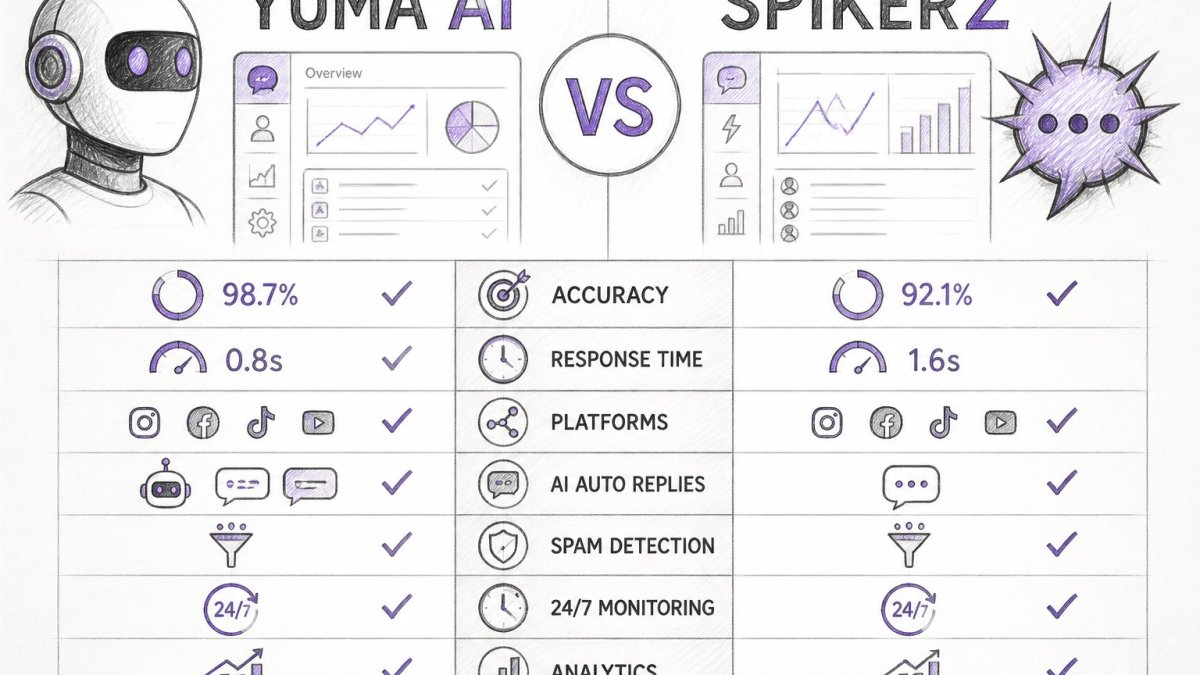
| Criterion | Yuma AI | Spikerz | What to check |
|---|---|---|---|
| Primary focus | AI support agent with e-commerce orientation | Comment moderation and engagement | Match to your main problem |
| Automated replies | Yes, with brand-voice controls | Yes, engagement-oriented | Review reply tone on your own posts |
| Comment hiding and moderation | Moderation is secondary to support replies | Core function | Test with your own spam samples |
| Platform coverage | Confirm per platform | Confirm per platform | Instagram, Facebook, TikTok, YouTube |
| Human escalation | Confirm workflow | Confirm workflow | How handoffs reach your team |
| Rule-based filters | Confirm availability | Confirm availability | Predictable behavior for known spam patterns |
| Free plan | Confirm on vendor site | Confirm on vendor site | Trial length and limits |
Several cells are marked "confirm" because feature availability for these tools changes, and current verification is needed before relying on it.
How automated replies actually work. Most tools in this category combine a classifier that decides whether a comment needs a response with a generator that drafts one. The differences that matter are the guardrails: whether replies are held for approval, whether the tool can cite your product catalog or help-center articles, and how it handles a comment that mixes a question with a complaint.
How moderation is triggered. Moderation can run on keywords, on a trained classifier, or on a hybrid of both. Keyword rules give you predictable behavior for known problems such as a recurring scam phrase, while classifiers catch variants you did not anticipate. The practical test is whether you can layer the two: a rule that always hides a known scam link, plus a classifier that catches paraphrases.
How escalation reaches a person. Escalation is where support-oriented and moderation-oriented tools diverge most. A support tool typically routes a conversation into a help-desk queue; a moderation tool typically notifies an admin. Ask where the handoff lands (email, Slack, or a help desk), whether the original comment context travels with it, and what the response-time expectation is.
Technical implementation complexity. This is the part many comparisons skip. Ask each vendor whether it offers a public API, what rate limits apply, and whether webhooks are available for comment events. A tool with no webhook support forces your team to poll for new comments, which adds latency and maintenance overhead.
For a broader view of the category, our overview of best comment moderation tools in 2026 lists the main options side by side.
AI Social Media Moderation Tools: Where Yuma AI and Spikerz Differ
Moderation is where the two products are most likely to diverge in practice. Spam, scam replies, hate speech, and competitor links each need different handling, and a tool that catches one category well may miss another.
When you evaluate moderation, run a test rather than trusting a headline accuracy figure. Pull 200 to 300 real comments from your own posts, including the awkward ones: sarcasm, emoji-only replies, and multilingual comments. Label them yourself, then compare what each tool hides against your labels. Note both false positives (legitimate comments hidden) and false negatives (spam left visible). False positives often cost more, because they silence real customers.
FeedGuardians is built for comment moderation. It detects and hides spam, scams, hate speech, and competitor links automatically, and it reports 98.7% accuracy. Validate that figure against your own sample. The Instagram-focused version of this is covered in our page on AI-powered Instagram comment moderation, which shows how automated hiding works on promoted posts and ads.
Also consider whether a tool lets you set keyword and rule-based filters alongside AI judgment. Rules give you predictable behavior for known problems.
Social Media Comment Management Tools: Integrations, Scalability and Setup
Integrations decide whether a comment tool fits into the stack you already run. Check which social platforms it covers fully (not just partially), and which e-commerce, analytics, and help-desk tools it connects to. Coverage gaps are a common source of frustration, especially if you need TikTok or YouTube alongside Instagram.
For scalability, ask how the tool handles multiple brand accounts. Agencies and teams managing many clients need per-client settings and clear separation of data. If you manage a large number of accounts, get the answer in writing before you commit.
Setup time matters for most buyers. A tool that needs weeks of configuration may sit half-used. Ask each vendor how long a typical onboarding takes and what your team must do. FeedGuardians learns your tone, terminology, and guidelines, so you should still plan time for reviewing the first batch of replies.
Social Media Account Protection Tools: Security, Compliance and Liability
This is the section most comparisons skip, and it is where risk sits. Giving any AI tool access to your social accounts means accepting that it can post, reply, and delete. Before you connect either product, ask four questions:
- What permissions does the tool request, and can you limit them? Request the minimum access needed.
- What happens when the AI makes a mistake? Ask whether you can review or undo replies and deletions, and how quickly.
- Where does human escalation fit? Look for a clear path for sensitive complaints, legal threats, and anything that needs a person's judgment.
- How is data handled? Find each vendor's data retention and privacy terms, and check them against the rules that apply to your business.
On liability, read each vendor's terms of service carefully rather than relying on a summary. Terms often define responsibility for automated actions in ways that are easy to miss. For a regulated business, involve your legal or compliance team before you connect any account.
FeedGuardians includes a human escalation option for routing sensitive comments to your team.
Pricing Structure and Long-Term ROI for Each Platform
Pricing models in this category vary more than the headline numbers suggest, and the model matters more than the sticker price. The three common structures are per-account billing, per-volume billing (comments or replies processed), and tiered plans that bundle features. Each produces a different cost curve as you grow, so the right comparison is cost per managed account or cost per thousand comments at your real volume, not the lowest plan price.
Start by estimating your monthly comment volume across all platforms, including paid posts, which often generate more comments than organic ones. Then request a quote from each vendor against that volume and against your account count. Pricing depends on volume, number of accounts, and feature needs; current pricing, the free plan, and trial options are on the FeedGuardians pricing page.
Building a long-term ROI model. Most comparisons stop at the subscription line. First, time saved: estimate the hours your team currently spends per week on moderation and first-response replies, then apply a loaded hourly cost. Second, cost per ticket or per comment handled: divide total tool cost by the number of comments the tool actually resolves without human touch, not by total comments processed. Third, time-to-value: how many days from signup to the first week where the tool is handling volume without heavy review.
Moderation results and reply-automation results can take different amounts of time to show value, so track both over a trial period. Track both over a trial period before deciding, and separate the two lines in your model so a strong moderation result does not mask a weak reply result.
Where cost hides. Three items are easy to miss. Setup and onboarding time is a real cost if it consumes internal engineering or social-team hours. Overage charges on volume-based plans can spike during a campaign or a viral post, so ask whether the vendor caps overage or offers a burst allowance. And integration maintenance, such as keeping a webhook or API connection healthy, is an ongoing cost that per-account pricing does not show.
For return on investment, measure time saved and the effect on ad performance and customer response, not just the subscription cost. A tool that adds review work your team must still do can cost more than it saves.
Choosing Between Yuma AI and Spikerz for Your Team
The right choice depends on your main constraint. Use this as a starting point:
- Choose the tool whose focus matches your biggest problem. Heavy spam and scam load points toward moderation depth. High volume of buyer questions points toward reply automation.
- Test on your own comments. Run a trial with a real sample, and measure accuracy and false positives yourself.
- Confirm platform and integration coverage in writing. Do not assume a platform is supported because it appears on a marketing page.
- Check the security and liability terms before connecting any account.
- Compare cost at your actual volume, and factor in setup time.
If you manage several brands or platforms and want moderation with automated replies in your own brand voice, FeedGuardians is built for that. You can start for free and see how it handles your own comments before you commit.
Frequently Asked Questions
What is the difference between Yuma AI and Spikerz?
Yuma AI and Spikerz are both AI tools in this category, but their focus areas differ. Check each vendor's current feature list to see which scope fits your needs. Check each vendor's current feature list and pricing page before deciding, since both products change over time.
Is Yuma AI or Spikerz better for social media management?
It depends on where your problems are. If your main challenge is spam, hate speech and competitor links appearing under posts on Instagram, Facebook, TikTok or YouTube, a comment-focused tool is the better fit. If most of your inbound messages are customer service questions that need order lookups or returns handled, Many brands with heavy comment volume also evaluate a dedicated moderation product such as FeedGuardians, which detects and hides spam and harmful comments automatically.
Does Yuma AI offer social media comment moderation?
Brands that need automatic hiding of spam or hate speech under social posts should confirm directly with the vendor whether that workflow is supported. Brands that need automatic hiding of spam or hate speech under social posts should confirm directly with the vendor whether that workflow is supported, and compare it against tools built specifically for comment moderation. Verify current capabilities on Yuma AI's website before relying on any specific moderation feature.
How much do Yuma AI and Spikerz cost?
Neither vendor's exact pricing is reproduced here, because published prices change and depend on plan tier, volume and the number of connected accounts or channels. Pricing models can differ across vendors. Visit each vendor's pricing page for current figures, then estimate your monthly cost from your actual comment and ticket volume. FeedGuardians also offers a free plan, and its current pricing is listed on its website.

Tired of manually moderating comments?
FeedGuardians automates spam filtering, responds to customers, and protects your brand — setup in 3 minutes.
Frequently Asked Questions
What is the difference between Yuma AI and Spikerz?
Yuma AI and Spikerz are both AI tools in this category, but their focus areas differ. Check each vendor's current feature list to see which scope fits your needs. Check each vendor's current feature list and pricing page before deciding, since both products change over time.
Is Yuma AI or Spikerz better for social media management?
It depends on where your problems are. If your main challenge is spam, hate speech and competitor links appearing under posts on Instagram, Facebook, TikTok or YouTube, a comment-focused tool is the better fit. If most of your inbound messages are customer service questions that need order lookups or returns handled, Many brands with heavy comment volume also evaluate a dedicated moderation product such as FeedGuardians, which detects and hides spam and harmful comments automatically.
Does Yuma AI offer social media comment moderation?
Brands that need automatic hiding of spam or hate speech under social posts should confirm directly with the vendor whether that workflow is supported. Brands that need automatic hiding of spam or hate speech under social posts should confirm directly with the vendor whether that workflow is supported, and compare it against tools built specifically for comment moderation. Verify current capabilities on Yuma AI's website before relying on any specific moderation feature.
How much do Yuma AI and Spikerz cost?
Neither vendor's exact pricing is reproduced here, because published prices change and depend on plan tier, volume and the number of connected accounts or channels. Pricing models can differ across vendors. Visit each vendor's pricing page for current figures, then estimate your monthly cost from your actual comment and ticket volume. FeedGuardians also offers a free plan, and its current pricing is listed on its website.