
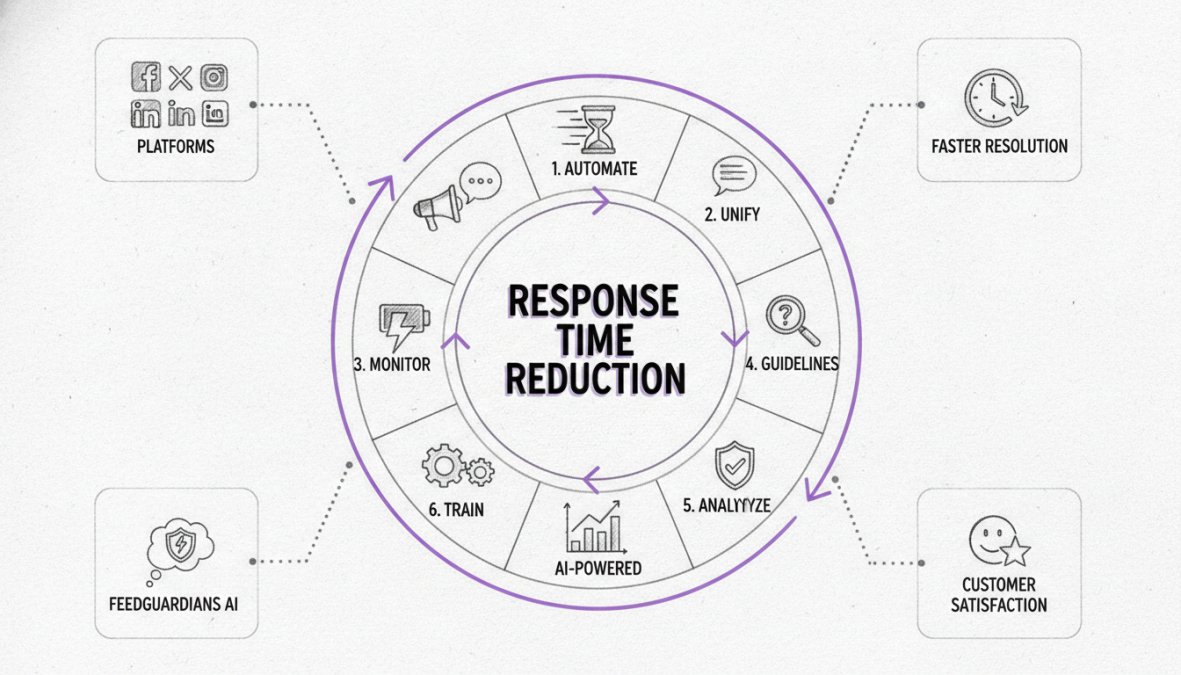
Quick Summary
| Key Insight | What You Need to Know |
|---|---|
| Why Reducing Social Media | Why Reducing Social Media Response Time Matters for Customer Loyalty |
| Setting Benchmarks and Goals | Average Social Media Response Time Standards Industry benchmarks by platform How to set realistic KPIs for your team |
| Industry benchmarks by platform | Industry benchmarks by platform |
| How to set realistic | How to set realistic KPIs for your team |
| Centralize Your Communication | Avoiding App Switching and Platform Prioritization Using a centralized dashboard for omnichannel management Prioritizing platforms by engagement and business impact |
| Using a centralized dashboard | Using a centralized dashboard for omnichannel management |
Table of Contents
- Why Reducing Social Media Response Time Matters for Customer Loyalty
- Setting Benchmarks and Goals: Average Social Media Response Time Standards
- Centralize Your Communication: Avoiding App Switching and Platform Prioritization
- Leverage AI and Chatbots to Reduce Social Media Response Time Automatically
- Social Media Customer Service Templates and Canned Responses
- Social Media Management Tools for Response Time Optimization
- Social Media Response Time Best Practices: Workflow Optimization and Team Burnout Prevention
- Monitor and Measure: Social Listening and Post-Response Analysis
Last Updated: July 13, 2026
Why Reducing Social Media Response Time Matters for Customer Loyalty
Fast social media response time is no longer a competitive advantage, it's a baseline expectation. When customers reach out, they're in a moment of high intent. A prospect asking about your product at 2 PM who doesn't hear back until the next morning has already moved to a competitor. A frustrated customer posting about a bad experience who gets ignored will amplify that complaint to their entire network.
Your social media presence is public. Every unanswered message signals to potential customers that you don't care about their time. Fast responses signal professionalism and respect. Research from HubSpot's 2026 Customer Experience Report found that 90% of customers consider response speed important when choosing whether to do business with a brand.
Setting Benchmarks and Goals: Average Social Media Response Time Standards
Without clear targets, your team will optimize for the wrong metrics or burn out. Understanding what "fast" means requires platform-specific benchmarks.
Industry benchmarks by platform
Response time expectations vary by platform and industry. Ecommerce brands should aim for 2-4 hours during business hours. Tech support requires 30 minutes to 1 hour. B2B companies can sustain 4-8 hour windows, though leading brands respond within 2 hours.
Instagram and Facebook messages typically expect 1-2 hour responses on weekdays. TikTok comments are more forgiving at 24 hours, but high-performing creators respond within hours. YouTube comments expect 4-8 hours, though faster responses boost algorithmic visibility. Twitter (now X) operates in real-time, brands should respond within 30 minutes to stay relevant. LinkedIn allows 24-48 hours for messages.
These benchmarks are moving faster every year. Customers increasingly expect 24/7 availability, even from small teams.
How to set realistic KPIs for your team
Start by measuring your current baseline. Track how long it takes from message arrival to first response across all platforms for one week. You'll likely discover inconsistent response times.
Set realistic targets based on your industry and team size. For ecommerce, 2-hour first response is solid. For tech support, 1 hour. For B2B, 4 hours. Account for your actual working hours, if your team works 9-5, your KPI should reflect that: "First response within 2 hours during business hours, within 24 hours after hours."
The most important KPI is consistency, not speed alone. A team responding within 2 hours 80% of the time is more valuable than one that sometimes responds in 30 minutes and sometimes takes 3 days. Consistency builds customer trust.
Centralize Your Communication: Avoiding App Switching and Platform Prioritization
The biggest hidden cost of managing social media response time is context switching. Your team member switches between Instagram, Facebook, TikTok, and email repeatedly. Each switch costs time and introduces errors.
Using a centralized dashboard for omnichannel management
A centralized dashboard brings all messages, mentions, and comments into a single interface. Your team sees everything in one place without switching between five apps. The efficiency gains are immediate, a team member can process 50 messages in the time it previously took to process 20.
FeedGuardians centralizes all comments and messages across Instagram, Facebook, TikTok, and YouTube into a single dashboard. Your team can respond instantly and set up AI-powered replies that handle routine questions automatically, all without leaving one interface. Real-time notifications alert your team the moment a new message arrives, reducing average response time from 30 minutes to 5 minutes.
Prioritizing platforms by engagement and business impact
Not all platforms deserve equal attention. Measure which platforms generate the most messages and revenue. Most brands discover that 70-80% of social media messages come from just one or two platforms. Instagram and Facebook typically dominate for ecommerce and service businesses.
Allocate your team accordingly. If Instagram generates 80% of your messages, assign your fastest responders there. Assign second-tier responders to Facebook. Let TikTok and YouTube responses take slightly longer, customers on those platforms have different expectations.
Use AI and Chatbots to Reduce Social Media Response Time Automatically
Manual responses will never scale. AI and chatbots handle high-volume, repetitive questions that don't require human judgment.
How AI-driven efficiency works in real-time engagement
AI-powered responses identify customer intent and match it to pre-written replies. A customer asks "What's your return policy?" The AI recognizes this as a policy question and sends your standard return policy instantly. There's no queue, no waiting.
Effective AI generates responses that sound like your brand, not a robot. Generic "Thank you for your message, a representative will respond shortly" replies annoy customers. Personalized responses that match your brand voice feel helpful.
FeedGuardians uses AI trained on your unique brand voice, terminology, and guidelines to generate replies that sound authentically like your business. A team handling 50 messages per day manually might handle 500 per day with AI assistance, because the AI handles the 70% of messages that are straightforward questions, freeing humans for complex issues.
When to use automated responses vs. human escalation
Automated responses work best for policy questions, product information, account access issues, status updates, and frequently asked questions. Human escalation is necessary for complaints, requests for exceptions, complex product questions, sensitive issues, and anything the customer explicitly asks to speak with a human about.
A hybrid system works best: AI handles high-volume routine questions but flags messages with emotional language, unusual requests, or complexity for human review. A customer complaining about a damaged product gets immediately escalated to a human.
Social Media Customer Service Templates and Canned Responses
Building a response library scales consistency. Your best reps have figured out the right way to answer common questions. Capture that knowledge in templates so every team member sounds equally professional.
Building a response library that scales
Track the questions your team receives most frequently. The same 20-30 questions probably account for 80% of your messages. For each common question, write the ideal response. This becomes your baseline that team members can copy-paste or modify slightly.
Build your library in a shared document or directly in your social media management tool. Make it searchable by keyword. When a team member gets a message, they search the library, find the relevant response, customize it if needed, and send it in 30 seconds.
Personalizing canned responses to maintain brand voice
Always add one personalized element. Use the customer's name. Reference something specific from their message. This transforms a generic response into a helpful one.
Train your team that templates are starting points, not final answers. Every response should have at least one personalized element. It can be as simple as using their name and referencing their specific order number.
Social Media Management Tools for Response Time Optimization
The right tools can cut your response time in half. The baseline requirement is a centralized inbox with all messages, comments, and mentions from all platforms in one place.
Key features to look for in response management software
Beyond centralized inbox, look for instant notifications, workflow automation, response templates, AI-powered replies, team collaboration features, analytics and reporting, and integration with your existing tools.
Instant notifications ensure messages don't get lost. Workflow automation handles routing: "If a message contains the word 'refund,' assign it to the finance team." Templates ensure responses are fast and consistent. Together, these features can reduce average response time from 4 hours to 30 minutes without hiring additional staff.
Social Media Response Time Best Practices: Workflow Optimization and Team Burnout Prevention
The fastest response time doesn't matter if your team burns out. Sustainable workflows maintain fast, consistent responses long-term.
Designing sustainable response workflows
Avoid assigning one person to monitor all social media all day. That person becomes a bottleneck and burns out quickly. Instead, rotate responsibility. One person owns social media from 9 AM to 1 PM. Another takes 1 PM to 5 PM. Each person has a focused block of time, not constant interruption.
During their shift, social media is their only job. After 15 minutes, they're in flow and can process 30-40 messages in that 4-hour block without stress. This also prevents burnout, each person gets long stretches where social media isn't their responsibility.
Protecting team mental health through smart task distribution
Social media customer service is emotionally taxing. Distribute the emotional labor. Don't assign one person to handle all complaints. Rotate who handles negative feedback. Pair newer team members with experienced ones for sensitive issues.
Set clear escalation paths. A customer being abusive should be handled by a manager, not a frontline responder. A complaint about a serious issue should be escalated immediately. Provide tools that reduce friction, templates let your team send responses in 5 seconds instead of 5 minutes.
Crisis management response protocols
Have a plan before you need it. Identify what constitutes a crisis. Define who makes decisions. Create template responses for common scenarios.
When a crisis hits, the first response should be acknowledgment, not a full solution: "We're aware of this issue and investigating. We'll update you within 2 hours." Assign one person as the crisis communication lead to ensure consistency across platforms.
Speed matters, but accuracy matters more. A fast, wrong response makes a crisis worse. A thoughtful, accurate response sent within a few hours is better than a quick wrong one.
Monitor and Measure: Social Listening and Post-Response Analysis
You can't improve what you don't measure. Most brands have no idea what their actual response time is or where bottlenecks exist.
Using social listening tools to track mentions and response gaps
Social listening catches mentions of your brand across social platforms, even when you're not tagged directly. A customer might tweet "I hate [Brand] customer service" without tagging you. Social listening tools catch these mentions so you can respond.
Set up alerts for brand mentions, competitor comparisons, and industry keywords. Track metrics: How many mentions did you miss? How long did it take to respond? This data shows where you're strong and where you need improvement.
Analyzing response rate data to improve CSAT and customer satisfaction
Response rate is a vanity metric. What matters is customer satisfaction. Track actual CSAT scores by asking customers: "Was this response helpful?"
Analyze which types of responses generate the highest satisfaction. Look at resolution rates, how many issues get resolved in the first response? Break down metrics by platform to show where to focus improvement efforts.
Close the loop with customers who had bad experiences: "We noticed your recent interaction didn't go well. Here's what we're doing to improve." This signals that you care about quality, not just speed.
Reducing social media response time is fundamentally about respecting your customers' time. Every hour of delay signals their needs don't matter. Every fast, helpful response signals the opposite. The brands winning in 2026 aren't those with the biggest budgets, they're the ones that respond fastest and most helpfully to every customer interaction.
FeedGuardians handles the operational side of this challenge. With AI-powered replies that match your brand voice, real-time centralized inbox management, and instant notifications across Instagram, Facebook, TikTok, and YouTube, you can maintain sub-hour response times without burning out your team. Start for free and see how much time your team can save while your response times drop dramatically.
Frequently Asked Questions
What is a good social media response time benchmark?
A good social media response time varies by platform and industry. Most customer expectations center on responses within 1-4 hours for standard inquiries, with faster response times (under 1 hour) increasingly expected on platforms like Instagram and TikTok. Setting benchmarks based on your industry, audience, and business hours helps you define realistic KPIs. Measuring your average response time against competitors in your space provides practical context for improvement.
How can AI and chatbots help reduce social media response time?
AI-powered chatbots deliver instant replies to common questions, enabling 24/7 engagement without waiting for human team members. These tools can be trained on your brand voice and terminology to provide personalized, automated responses while flagging complex issues for human escalation. This hybrid approach, automation plus human oversight, dramatically cuts first response time while maintaining quality and brand consistency.
Why does social media response time affect customer loyalty and brand reputation?
Customers who receive timely responses feel valued and are more likely to become repeat buyers and brand advocates. Slow response times frustrate customers, damage brand reputation, and can drive them to competitors. Real-time engagement also improves ad performance by turning comments into conversations and conversions. Studies show response time directly correlates with customer satisfaction (CSAT) scores and long-term loyalty.
What social media management tools best reduce response time?
Effective tools include centralized dashboards that aggregate mentions across platforms, instant notification systems, and workflow automation features. Look for solutions offering AI-driven efficiency, automated response capabilities, social listening functionality, and human escalation options. The best tools eliminate app switching, streamline team workflows, and provide analytics to track response rate improvements over time.
This article was written using GrandRanker
Tired of manually moderating comments?
FeedGuardians automates spam filtering, responds to customers, and protects your brand — setup in 3 minutes.
Frequently Asked Questions
What is a good social media response time benchmark?
A good social media response time varies by platform and industry. Most customer expectations center on responses within 1–4 hours for standard inquiries, with faster response times (under 1 hour) increasingly expected on platforms like Instagram and TikTok. Setting benchmarks based on your industry, audience, and business hours helps you define realistic KPIs. Measuring your average response time against competitors in your space provides practical context for improvement.
How can AI and chatbots help reduce social media response time?
AI-powered chatbots deliver instant replies to common questions, enabling 24/7 engagement without waiting for human team members. These tools can be trained on your brand voice and terminology to provide personalized, automated responses while flagging complex issues for human escalation. This hybrid approach—automation plus human oversight—dramatically cuts first response time while maintaining quality and brand consistency.
Why does social media response time affect customer loyalty and brand reputation?
Customers who receive timely responses feel valued and are more likely to become repeat buyers and brand advocates. Slow response times frustrate customers, damage brand reputation, and can drive them to competitors. Real-time engagement also improves ad performance by turning comments into conversations and conversions. Studies show response time directly correlates with customer satisfaction (CSAT) scores and long-term loyalty.
What social media management tools best reduce response time?
Effective tools include centralized dashboards that aggregate mentions across platforms, instant notification systems, and workflow automation features. Look for solutions offering AI-driven efficiency, automated response capabilities, social listening functionality, and human escalation options. The best tools eliminate app switching, streamline team workflows, and provide analytics to track response rate improvements over time.