
Quick Summary
| Key Insight | What You Need to Know |
|---|---|
| Ready to Buy | Someone comments "price?" or "how do I get one?" on a product post. Your automation should instantly slide into their DMs with a direct link to that product page. No waiting. |
| Spreading the Love | A follower leaves a glowing comment. Why not have an automation send them a quick thank you DM with a small discount code? It’s a great way to reward your biggest fans. |
| Laying the Groundwork for Your Instagram Comment Automation | Jumping into a new tool without a plan is a recipe for disaster. It’s like trying to build IKEA furniture without the instructions – you'll get so... |
| Got Questions About Automating Your Instagram Comments? | Jumping into comment automation can feel a little daunting, even with a solid plan. You've probably got a few questions, and that's smart. It's way be... |
When you hear "automatic Instagram comments," you might picture spammy bots. But that's not what we're talking about here. Modern automation is about using smart tools to manage, reply to, or hide comments in real time based on rules you create.
It's a strategic way to scale your engagement, protect your brand from trolls, and jump on sales opportunities the second they appear.
Why Automatic Instagram Comments Are a Game Changer
If your Instagram account is buzzing, you know that managing the comments can feel like a full-time job. You're constantly answering questions, deleting spam, and trying to keep up with your community. It’s a ton of manual work.
This is where a smart approach to automatic comments on Instagram becomes a lifesaver.
Don't think of it as a shortcut. Think of it as a system that lets you have high-quality interactions at scale. It allows your brand to be incredibly responsive, which is exactly what people expect these days. That speed doesn't just make your followers happy; it also signals to the Instagram algorithm that your content is valuable, often boosting its reach.
The True Impact of Instantaneous Responses
The perks go way beyond saving a few hours. Automation completely changes how you connect with your audience, especially during critical times like a product launch or an Instagram Live. The idea of using automated conversations is already a big deal in the world of chatbots for marketing, and it’s just as effective on Instagram.
Here’s a real-world example: A retailer named Libas used automated replies during an Instagram Live sale. When users commented, they instantly got a DM with a product link and a discount code. The result? They secured around 64 orders from just over 100 commenters. That's a direct line from a simple comment to a sale. You can read more about how brands are using these tactics on Spurnow.com.
Automation transforms your comment section from a simple social space into a dynamic engine for lead generation and customer service. It ensures no opportunity is missed, whether it's a sales inquiry at midnight or a service question during a high-volume campaign.
Manual vs. Automated Instagram Comment Management
To really get it, you have to see the operational differences side-by-side. One method is reactive and limited by how many people you have on your team. The other is proactive and can scale to any size. The best strategies often involve learning [https://feedguardians.com/blog/how-to-improve-social-media-engagement] and then blending automation with genuine human interaction.
Here's a quick breakdown:
| Feature | Manual Management | Automated Management |
|---|---|---|
| Response Time | Hours to days; inconsistent | Seconds; 24/7 consistency |
| Spam Control | Reactive; delete as you see | Proactive; auto-hide in real-time |
| Sales Capture | Delayed; potential for lost leads | Instant; captures intent immediately |
| Scalability | Low; struggles with high volume | High; handles thousands of comments |
| Team Focus | Repetitive moderation tasks | High-level strategy & engagement |
As you can see, automation doesn't replace your team. It frees them up from the tedious stuff so they can focus on what really matters: building relationships and growing the brand.
Laying the Groundwork for Your Instagram Comment Automation
Jumping into a new tool without a plan is a recipe for disaster. It’s like trying to build IKEA furniture without the instructions – you'll get something done, but it definitely won't be the sturdy, functional piece you were hoping for. A smart strategy for your automatic comments instagram setup is the difference between a helpful, responsive system and one that just feels robotic and clunky.
First things first, what does "success" actually look like for you? Are you trying to snag more leads from your Instagram Stories? Maybe you're focused on pushing traffic to a brand-new product page. Or perhaps your main goal is simply to keep your brand's reputation clean by automatically zapping spam and negativity. Your goals will be the blueprint for every automation you build.
For an e-commerce brand, the goal might be as simple as getting people to the checkout faster. A content creator, on the other hand, might be all about boosting newsletter sign-ups. Get specific.
Map Out Your Comment Scenarios
With your goals locked in, you can start thinking through the different types of comments you get and how you should respond. Think of it like a "choose your own adventure" for your comment section. What keywords or feelings should trigger specific actions?
Here are a few common scenarios I see all the time:
- Ready to Buy: Someone comments "price?" or "how do I get one?" on a product post. Your automation should instantly slide into their DMs with a direct link to that product page. No waiting.
- Generating Leads: You post about a new e-book and your call to action is "Comment GUIDE to get it." The moment they do, an automation sends a DM with the download link, maybe even asking for their email in exchange.
- Putting Out Fires: A comment pops up with words like "disappointed" or "terrible service." The system should immediately hide that comment from public view and ping a human on your team to handle it personally.
- Spreading the Love: A follower leaves a glowing comment. Why not have an automation send them a quick thank you DM with a small discount code? It’s a great way to reward your biggest fans.
The real magic happens when you can anticipate what your audience needs and build automated paths to meet them right away. Your comment section transforms from a simple feedback area into a powerful, on-demand resource for your followers.
Setting Your Rules of Engagement
The final piece of the puzzle is deciding where automation ends and the human touch begins. You can't—and shouldn't—automate everything. It's so important to set clear rules for when the bot handles it and when a real person needs to jump in. A great way to get a feel for what's possible is to look at a good social media automation tools comparison, as different platforms have very different rule-setting features.
Here’s a simple framework I always recommend:
- Automate the Obvious Stuff: Use automation for the easy, repetitive questions you get all the time. Think shipping info, store hours, or "how do I enter the giveaway?"
- Escalate the Tricky Issues: Anything that hints at a serious customer service problem, a complicated product question, or a genuinely angry user should be flagged for your team immediately.
- Keep Your Brand Voice: Write your automated messages so they actually sound like you. If you use emojis and slang, put them in there. If you're more formal, stick with that. And please, create a few different versions of your replies so you don't sound like a broken record.
When you take the time to build a clear strategy upfront, your automated comment system will feel less like a bot and more like an incredibly efficient team member who’s always on, ready to improve the customer experience and help you hit your goals.
Alright, you've got your strategy mapped out. Now for the fun part: actually building your first automated comment reply flow. This is where the magic happens—you’ll connect your Instagram account to an automation tool and start crafting the rules that bring your new, super-responsive system to life.
The whole point is to create a flow that feels genuinely helpful, not one that just blasts people with robotic, generic messages.
Your first move is always to connect your Instagram Business account to whatever automation platform you've chosen. This is a non-negotiable step. It ensures you’re using Meta's official API, which keeps your account safe, secure, and fully compliant with Instagram's rules. No one wants their account flagged for sketchy, bot-like activity.
Setting Up Your Keyword Triggers
Once you're connected, it's time to define your triggers. Think of these as the "if" in an "if-this-then-that" command. They're the specific words or phrases that will kick off your automation. For an e-commerce store, the sky's the limit here, and your triggers should tie directly back to your goals.
You could set up rules for all sorts of scenarios:
- Driving Sales: Keywords like "DEAL," "SALE," or "DISCOUNT" can trigger a DM that zips a special offer or a link to your sales page right into their inbox.
- Generating Leads: Let's say you post about a new resource. A keyword like "GUIDE" can instantly send the download link to anyone who comments.
- Handling Inquiries: Common questions like "how much" or "price" can automatically trigger a DM with a direct link to the product page. Simple, fast, and effective.
The trick is to keep your keywords simple and memorable. They should feel like a natural response to your post's call to action. And this approach really works. We've seen that on average, Instagram DM automation generates 2-5% full-funnel conversion rates—that means people actually completing an action, like a purchase.
Even better, posts with a clear CTA, like telling people to comment "GUIDE," can see 2-3 times higher trigger rates than posts that don't ask for a specific keyword.
This diagram breaks down how you can align your automation goals with specific outcomes, whether that's generating leads or making sales.
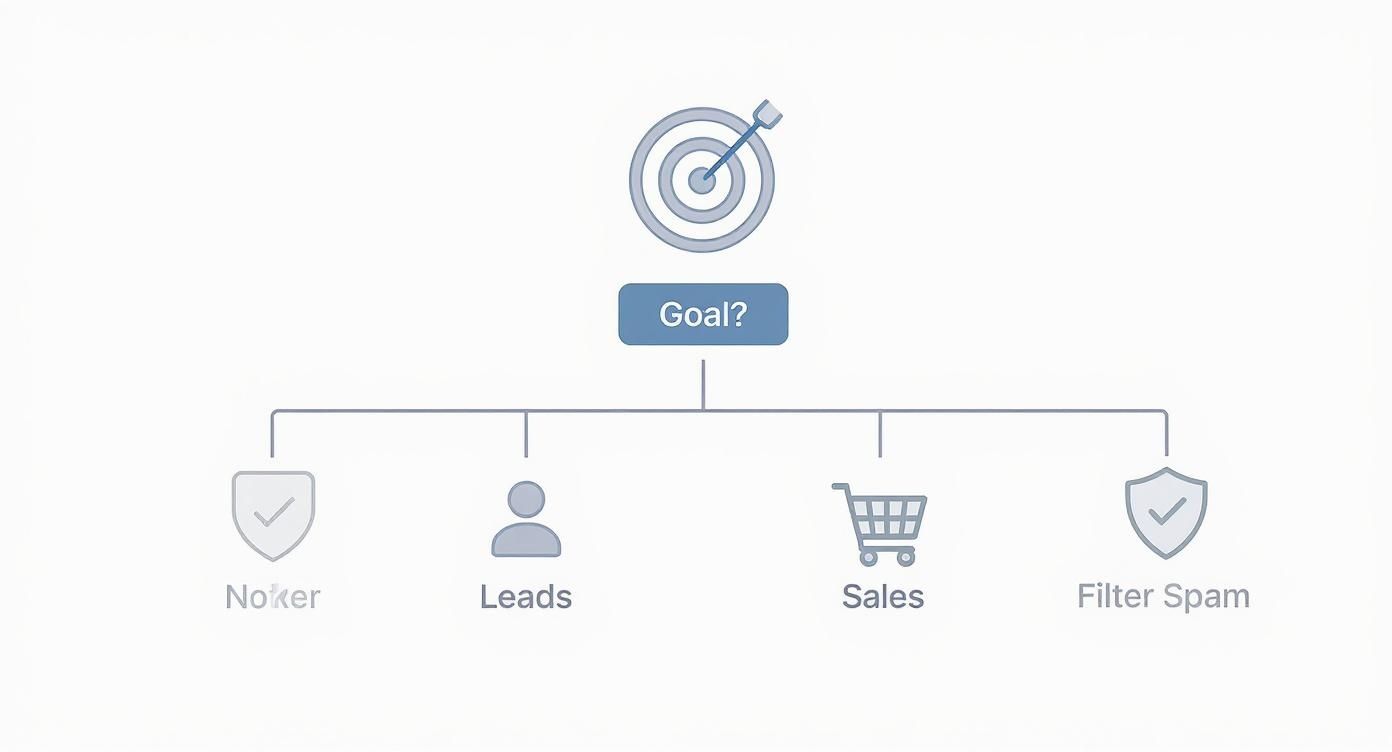
Think of it as a cheat sheet for figuring out which automation paths to build first based on what matters most to your business right now.
Crafting Smart Replies and Moderation Rules
Okay, you've got your triggers set. Now you need to build the "then" part of the flow—the actual reply. This can be a public comment, a private DM, or even a combination of both.
Let’s stick with the "DEAL" example. When someone comments that, you could set up a slick two-part response:
- A Public Reply: Something simple like, "Just sent the code to your DMs! 🤫" This is great because it shows everyone else in the comments that you're on top of things.
- A Private DM: A personalized message that says, "Hey [username]! Here's your exclusive 15% off code: INSTA15. Happy shopping!"
But automation isn't just about replies. It's also a powerful tool for moderation. You can set up rules to automatically hide comments that are harmful to your brand. Simply create a list of negative keywords, spammy phrases, or even competitor names. When a comment pops up containing one of these, the system can instantly hide it from public view, keeping your comment section clean and positive.
If you want to dive deeper into automated engagement strategies, the principles behind automatic Twitter replies for engagement offer some great parallel insights.
The best automation feels invisible. The user gets exactly what they wanted, instantly, and your brand maintains a polished, professional presence without you having to manually monitor every single comment.
By combining smart triggers with thoughtful replies and solid moderation, you'll have an automated flow that does some serious heavy lifting for your brand's engagement and growth.
Smart Tactics for Moderating Comments on Your Instagram Ads
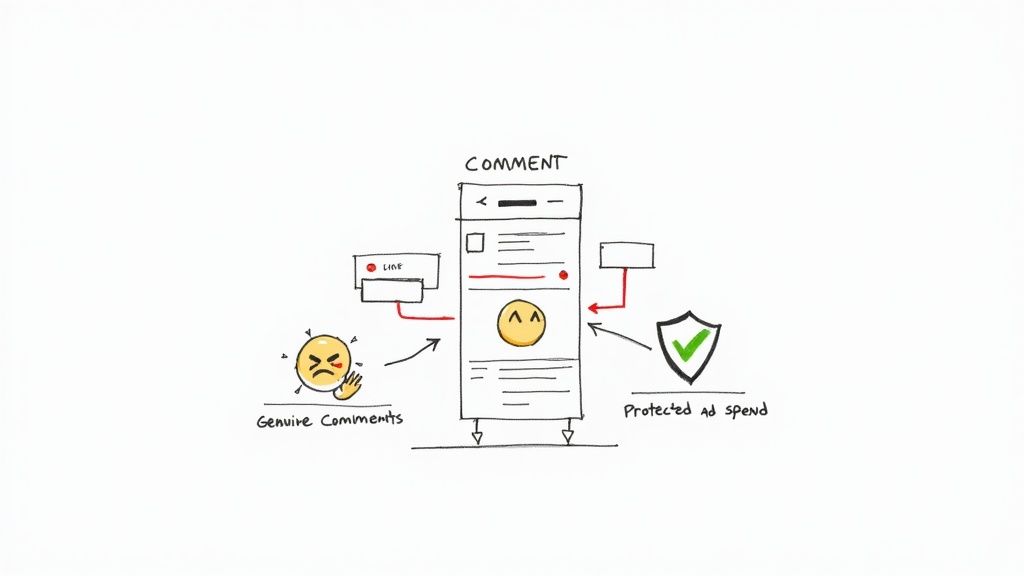
Running paid ads on Instagram is a whole different ballgame for comment moderation. When you’ve got money on the line, every comment section becomes a high-stakes space where your ad spend and brand reputation hang in the balance. It’s a harsh truth, but an unmoderated ad can go south fast, turning into a playground for spam, scams, and all-around negativity.
This is exactly why a smart, proactive automatic comments instagram strategy is no longer a "nice-to-have"—it's essential. Instead of playing whack-a-mole and deleting comments after the damage is done, automation acts like a shield for your ad investment. It ensures your budget goes toward reaching actual customers, not feeding trolls or giving your competitors free advertising.
Building Your Ad Comment Fortress
The real goal here is to create a filter that works around the clock, catching problematic comments the moment they pop up. The foundation of this system is a set of smart, keyword-based rules designed to spot and hide junk content automatically.
You'll want to start by brainstorming lists of words and phrases you simply don't want anywhere near your ads. Your setup should have rules in place to instantly hide comments that include:
- Offensive Language: This is the easy one. Build a solid list of profanity, slurs, and hateful terms.
- Competitor Mentions: Add the names of your direct competitors. Don't let them poach your audience on your dime.
- Spam & Scam Phrases: Think like a spammer. Include common red flags like "DM for a collab," "crypto," or "get rich quick."
- Negative Trigger Words: For words like "scam," "fraud," "terrible," or "don't buy," you might want to flag them for manual review instead of an instant hide. It gives you a chance to assess the context.
As of 2025, advanced AI-powered moderation systems have become the gold standard for managing ad comments. These tools are incredibly fast, automatically hiding spam, hate speech, and competitor promos in real time. It’s this level of automation that keeps your ad campaigns clean and professional.
Protecting your ad spend isn't just about optimizing your targeting; it's about protecting the environment where your target audience engages. A clean comment section encourages genuine interaction and improves overall campaign performance.
An Actionable Checklist for Ad Moderation
For any performance marketing team, setting up an effective filter is a must-do. When it’s configured well, it doesn't just protect your brand image; it also improves your engagement quality, which can even boost your ad relevance scores. If you want to dive deeper into the tools that make this happen, check out our guide to the best AI comment moderation tools.
Here’s a quick-and-dirty checklist to get you started:
- Define Your "Insta-Hide" Rules: Get specific with your keyword lists for spam, profanity, and competitor names. Don't be shy.
- Create a "Review" Funnel: For those gray-area comments (like "too expensive"), flag them for a human to look at. Hiding them might be an overreaction.
- Automate Some Positivity: Don't just focus on the bad stuff. Set up some simple, automated replies for positive keywords to keep the good vibes flowing and boost engagement.
- Keep Your Lists Fresh: Spammers get creative. Regularly check your ad comments for new phrases or keywords you need to add to your filters.
Taking this proactive stance ensures your ad budget is working as hard as possible to bring in real customers, all within a positive and safe space.
Measuring Success and Optimizing Your Automation
Getting your first automation flow live is a fantastic milestone, but the real work starts now. A truly effective automatic comments Instagram strategy isn't something you can just set and forget. Think of it as a living part of your marketing—it needs to be watched, measured, and tweaked to get the best results.
Without keeping an eye on the data, you're essentially flying blind. Are your auto-replies actually leading to sales? Are your auto-hide rules catching the right kind of spam, or are they accidentally hiding legitimate customer questions? The only way to know for sure is to dig into the numbers. This is how you turn a good automation setup into a great one that pays for itself.
What to Watch: The Metrics That Matter
To get a real sense of how your automation is performing, you need to focus on a few key performance indicators (KPIs). These numbers cut through the noise and tell you exactly how your audience is engaging with your automated system.
Here are the core metrics I always keep an eye on:
- Comment-to-DM Rate: This is a simple but crucial one. It tells you what percentage of comments that should have triggered a DM actually did. If this number is low, your keyword triggers might be off.
- DM Open Rate & Click-Through Rate (CTR): So, the DM went out—great. But did anyone open it? And more importantly, did they click the link inside? This is your direct feedback on how compelling your automated messages are. A low CTR is a clear sign your copy or offer needs a rethink.
- Conversion Rate: This is the bottom line. Of all the people who clicked a link in an automated DM, how many actually followed through and made a purchase or signed up? This is how you directly tie your automation efforts to revenue.
- Volume of Hidden Comments: Don't forget the moderation side. Keeping a tally of how many spammy, hateful, or just plain weird comments your system hides each week is a powerful way to show its value. It's time your team gets back to focus on more important things.
Your data tells a story. For example, a high DM open rate but a rock-bottom click-through rate tells you the initial hook works, but the message inside isn't hitting the mark. Let these insights guide your next move.
Now, let's look at these metrics in a more structured way.
Key Metrics for Instagram Automation Performance
This table breaks down the essential metrics you should be tracking to evaluate the effectiveness of your automatic comment strategy.
| Metric | What It Measures | Why It Matters |
|---|---|---|
| Comment-to-DM Rate | The percentage of triggered comments that result in a successful DM. | Confirms your keyword rules are firing correctly and the system is technically sound. |
| DM Open Rate | The percentage of recipients who opened your automated direct message. | Indicates if your initial notification or message preview is attention-grabbing. |
| DM Click-Through Rate (CTR) | The percentage of DM recipients who clicked a link within the message. | Measures how compelling your message copy, offer, and call-to-action are. |
| Conversion Rate | The percentage of users who completed a desired action (e.g., purchase) after clicking the DM link. | Directly connects your automation efforts to tangible business goals like sales or leads. |
| Volume of Hidden Comments | The total number of negative or spam comments automatically hidden. | Quantifies the time saved on manual moderation and demonstrates brand protection value. |
| Sentiment Analysis | The ratio of positive, negative, and neutral comments being processed. | Helps you understand overall community health and whether your content is resonating well. |
By keeping a close watch on these numbers, you can spot trends, identify problems, and make informed decisions instead of just guessing what works.
Never Stop Testing: The Key to Improvement
Once you have a baseline, the fun begins. It's time to start experimenting with A/B testing to see if you can squeeze even better performance out of your flows. You can test two different versions of a DM reply for the same keyword, let them run for a week, and see which one comes out on top.
Try testing a few different variables:
- Your Copy: Does a fun, emoji-filled message get more clicks than a straightforward, professional one?
- Your Call to Action (CTA): Pit "Shop Now" against "Grab Your Discount" and see who wins.
- Your Triggers: Does a simple "LINK" perform better than a more conversational phrase like "I need this"?
Making this a regular habit is what separates the pros from the beginners. To make life easier, it’s worth looking into specialized software. You can learn more about the best tools for social media analytics that help automate a lot of this tracking. By constantly testing and refining, you make sure your automation grows with your audience, keeping it effective and delivering real results.
Got Questions About Automating Your Instagram Comments?
Jumping into comment automation can feel a little daunting, even with a solid plan. You've probably got a few questions, and that's smart. It's way better to get these sorted out upfront to make sure everything runs smoothly, keeps your account safe, and actually sounds like your brand.
Let's tackle some of the most common concerns I hear from brands stepping into automatic comments on Instagram.
Is Instagram Going to Block My Account for This?
This is probably the number one question, and for good reason. The short answer? A hard no, but with a huge caveat: you must use an official Meta Business Partner tool.
These platforms are the real deal. They’re built on Instagram's official API, which means Meta has given them the green light for this exact purpose. They follow all the rules, so your account stays completely safe.
Where you run into trouble is with sketchy, unauthorized third-party apps or bots. The kind that scrape data or ask for your password—those are the ones that violate Instagram's terms and can get you banned. Stick with an approved partner, and you’ll be fine.
How Can I Stop My Automated Replies from Sounding Like a Robot?
This is the art of automation. You want efficiency, but not at the cost of your brand's personality. The last thing you want is for your page to feel like it’s run by a cold, unfeeling machine.
A simple trick is to use personalization tokens. Just adding a user's first name can make a world of difference. It shows you're paying attention.
A fast, genuinely helpful response never feels robotic. The most natural automation is the kind that instantly solves a problem or answers a question for your follower.
I always recommend setting up multiple reply variations. Instead of sending the same canned response every single time, have your tool rotate through a few different versions. And don't forget to inject your brand's voice—use the same tone, language, and even emojis you'd use if you were typing it out yourself.
What's the Difference Between Auto-Replies and Auto-Hiding?
It's easy to mix these two up, but they have completely different jobs. Think of it as offense vs. defense for your comments section.
Auto-Replies are all about engagement. This is when your tool actively sends a public comment or a DM back to someone. A classic example is when someone comments "PRICE," and your system automatically DMs them the product link. It's a conversation starter.
Auto-Hiding is all about brand safety. This is a moderation tool that keeps your comment section clean. If a comment contains profanity, spam, or a negative keyword you've flagged, it gets hidden from everyone else. The person who wrote it can still see it, but your community is protected.
So, one is for building relationships, and the other is for protecting the space where those relationships grow.
Ready to take control of your Instagram comments and turn them into a conversion engine? FeedGuardians uses AI to automatically hide spam, detect purchase intent, and reply to customer questions in real time. Learn more and start your free trial today!
Tired of manually moderating comments?
FeedGuardians automates spam filtering, responds to customers, and protects your brand — setup in 3 minutes.