
Quick Summary
| Key Insight | What You Need to Know |
|---|---|
| Vague and Overly Enthusiastic Praise | Think "Amazing video!" or "Great content, keep it up!" without mentioning anything specific from the video. It’s the bot equivalent of a canned compliment. |
| Irrelevant or Excessive Emojis | A long string of fire or clapping emojis on a serious video is a huge red flag. The sentiment just doesn't match the content. |
| Suspicious Usernames | Keep an eye out for profiles with names like "User736291" or a random mash of letters and numbers. These are often generated in bulk. |
| Empty or Stolen Profiles | Click on their profile. If you find no uploads, no playlists, a generic avatar, and zero comment history, you've likely found a bot. |
You know them when you see them. Those generic, out-of-place messages that pop up moments after you post a video. These are bot comments—automated posts from fake accounts designed to do everything from promoting crypto scams and spreading misinformation to creating a fake sense of popularity.
At their core, they're deceptive, designed to fool both your audience and YouTube's algorithm.
Why Bot Comments Are a Threat to Your Brand
Picture this: you've just launched a video for your exciting new product. You're hoping for genuine feedback, questions, and discussions. Instead, the comment section is immediately overrun with spammy links and nonsensical replies. This isn't just a minor irritation; it's a direct assault on your brand's credibility.
When a potential customer arrives and sees a wall of spam, it sends a clear message: this channel is unmanaged, unprofessional, and maybe even unsafe. That first impression can be enough to scare away legitimate buyers and chip away at the trust you’ve worked so hard to build. It suffocates real conversation before it can even start.
Damaging Your Metrics and Reputation
Beyond the surface-level mess, bot comments wreak havoc on your analytics. They create a smokescreen of fake engagement, making it impossible to tell what your real audience thinks. Your engagement rate might look artificially high, but it’s hollow, leading you to make strategic decisions based on completely flawed data.
This has a real impact on how YouTube sees your channel. The algorithm is built to reward quality interactions and viewer satisfaction. A channel swamped with bot activity signals the exact opposite, which can lead to YouTube recommending your videos less often.
Ignoring bots isn’t a passive choice. It’s an active decision that sabotages your channel's growth and suppresses its reach.
The True Cost of Inaction
Ultimately, leaving bot comments unchecked creates a hazardous environment for your community. These posts often lead to phishing sites, financial scams, or other malicious content, putting your actual customers directly in harm's way. For a deeper dive into these deceptive profiles, our guide on what a spam account is and how it operates has you covered.
Letting your comments section become a free-for-all isn't just a missed opportunity; it's a liability. For any brand that's serious about growth, proactive moderation isn't just a "nice-to-have"—it's a fundamental part of building a healthy, trustworthy, and profitable community on YouTube.
How to Spot Fake YouTube Comments
Learning to spot a bot comment on YouTube is a bit like developing an ear for a poorly tuned instrument. At first, it all sounds like noise, but once you know what to listen for, the off-key notes stand out immediately. It’s the first real step you can take to protect your community.
These automated posts are designed to blend in, but they almost always give themselves away. A real viewer has a history, a unique voice, and an actual opinion. A bot? It’s usually just an empty shell running a script.
Telltale Signs of a Bot Comment
The most common bots are also the laziest, relying on simple formulas that are easy to catch once you know the signs. They just don't have the nuance or specific detail a human viewer would naturally include.
Here are the dead giveaways:
- Vague and Overly Enthusiastic Praise: Think "Amazing video!" or "Great content, keep it up!" without mentioning anything specific from the video. It’s the bot equivalent of a canned compliment.
- Irrelevant or Excessive Emojis: A long string of fire or clapping emojis on a serious video is a huge red flag. The sentiment just doesn't match the content.
- Suspicious Usernames: Keep an eye out for profiles with names like "User736291" or a random mash of letters and numbers. These are often generated in bulk.
- Empty or Stolen Profiles: Click on their profile. If you find no uploads, no playlists, a generic avatar, and zero comment history, you've likely found a bot.
It's a frustratingly common problem. You might spend days perfecting a new product video, only to see the first comments are from accounts posing as "beautiful women" sharing crypto links. On some channels, these spam, porn, and crypto bots can account for a staggering 80-90% of initial comments. This issue isn't isolated to YouTube, either; you can read our guide on how bots are commenting on Instagram to see how it plagues other platforms.
This is the core challenge: separating the genuine chatter from the automated noise to protect your brand's credibility.
As the flowchart shows, identifying bot activity is the critical fork in the road. One path leads to damaged trust, the other to healthy engagement.
Bot Comment vs Real Comment A Quick Comparison
To make it even clearer, let's put them side-by-side. This table breaks down the key differences between a bot and a real person, helping you quickly tell who's who in your comment section.
| Characteristic | Typical Bot Comment | Typical Real Comment |
|---|---|---|
| Generality | Generic praise ("Nice video!") or insults | Specific feedback referencing moments in the video |
| Profile | Empty, new, or has a suspicious username (e.g., "Jane29471") | Established profile with a history of activity |
| External Links | Often includes links to scams, crypto, or adult sites | Rarely includes links, and if so, they are relevant |
| Language & Tone | Awkward grammar, repetitive phrasing, or excessive emojis | Natural language, unique phrasing, and appropriate tone |
| Relevance | Completely off-topic or a non-sequitur | Directly addresses the video's content or asks a question |
| Interaction | Posts and disappears, or engages in fake conversations | Responds to the creator or other commenters in a genuine way |
Think of this table as your field guide. With a little practice, spotting the fakes becomes second nature, allowing you to focus on the real people who make your community thrive.
Advanced Bot Tactics to Watch For
Of course, as soon as we get better at spotting them, the bots get smarter. The more sophisticated ones have a few extra tricks up their sleeves to avoid immediate detection.
The most deceptive bots don't just post a single comment; they create fake conversations. One bot will post a vague comment, and another will reply, creating a false sense of community engagement to lure in real users.
Here are a few of the more advanced tactics to watch for:
- Quoting the Video: Some bots are programmed to pull a random sentence directly from your video's auto-generated transcript. It looks relevant at first glance, but it contributes nothing and lacks any actual thought.
- Redirecting Conversations: The comment might start on-topic but then quickly pivot. It's a classic bait-and-switch, designed to pull people toward a scam, a crypto scheme, or some other shady website.
- Tagging Other Users: To amplify their reach, some bots will tag other random users or channels in their comments. This triggers a notification, tricking more people into looking at their spam.
What Bot Comments Are Actually Costing Your Brand
It’s tempting to brush off bot comments on YouTube as just a minor annoyance. A few spammy posts here and there, what’s the harm? But that’s a dangerous misconception. A comment section riddled with bots is less like a bit of litter and more like graffiti plastered all over your storefront—it screams neglect and makes potential customers walk on by.
Failing to clean up this digital mess isn't a neutral act; it's a decision that actively sabotages your channel's growth. The damage is real, and it hits three core areas that can make or break your brand on the platform.
They Erode Viewer Trust and Kill Community
First things first: spam obliterates trust. Picture a new visitor, interested in your product or content, scrolling down to the comments only to find a wall of crypto scams, links to adult sites, or generic "Great video!" posts from fake-looking accounts. It’s an instant red flag. It tells them this space is unmoderated, unprofessional, and maybe even unsafe.
Real community thrives on genuine conversation. When actual viewers see their thoughtful comments drowned out by spam, they simply stop trying. Why bother engaging when it feels like shouting into a void filled with robots? This silence starves your channel of the very feedback and interaction that builds a loyal following, leaving your brand looking hollow and untrustworthy.
They Corrupt Your Analytics and Cloud Your Judgment
Beyond the public-facing damage, bot comments create a massive internal headache: they wreck your data. Think of your YouTube Analytics as the compass guiding your content strategy. Bots completely throw off its bearings. They inflate comment counts and can even mess with view metrics, painting a dangerously misleading picture of a video's success.
Imagine basing your next big marketing push on that faulty data. You might double down on a video format that seemed to resonate, only to discover its "engagement" was entirely artificial.
A channel guided by bot-skewed analytics is like a ship navigating with a broken compass. You're moving, but you have no reliable way of knowing if it's in the right direction. Every decision becomes a guess, wasting time and budget.
They Suppress Your Reach with the YouTube Algorithm
This is the big one. The cost that hits your bottom line the hardest is the impact on your channel's visibility. The YouTube algorithm has evolved; it no longer just counts clicks and views. It’s looking for signals of viewer satisfaction and a healthy, thriving community. A swarm of low-quality bot comments is a giant, flashing sign of the exact opposite.
This signals to the algorithm that your content isn't fostering quality interaction, so it stops recommending your videos to new people. The effect is brutal. We've seen that videos with toxic, bot-infested comment sections can see up to a 40% drop in watch time. Even worse, if bot armies watch just a few seconds of a longer video, your average view duration plummets—another critical metric that tells YouTube to bury your content. You can learn more directly from YouTube about their focus on viewer satisfaction signals.
Letting bot comments slide isn't a passive choice. It's an active drain on your brand’s credibility, a corrupting influence on your strategy, and a direct message to YouTube to stop showing your videos to the world.
A Practical Guide to Manual Comment Cleanup
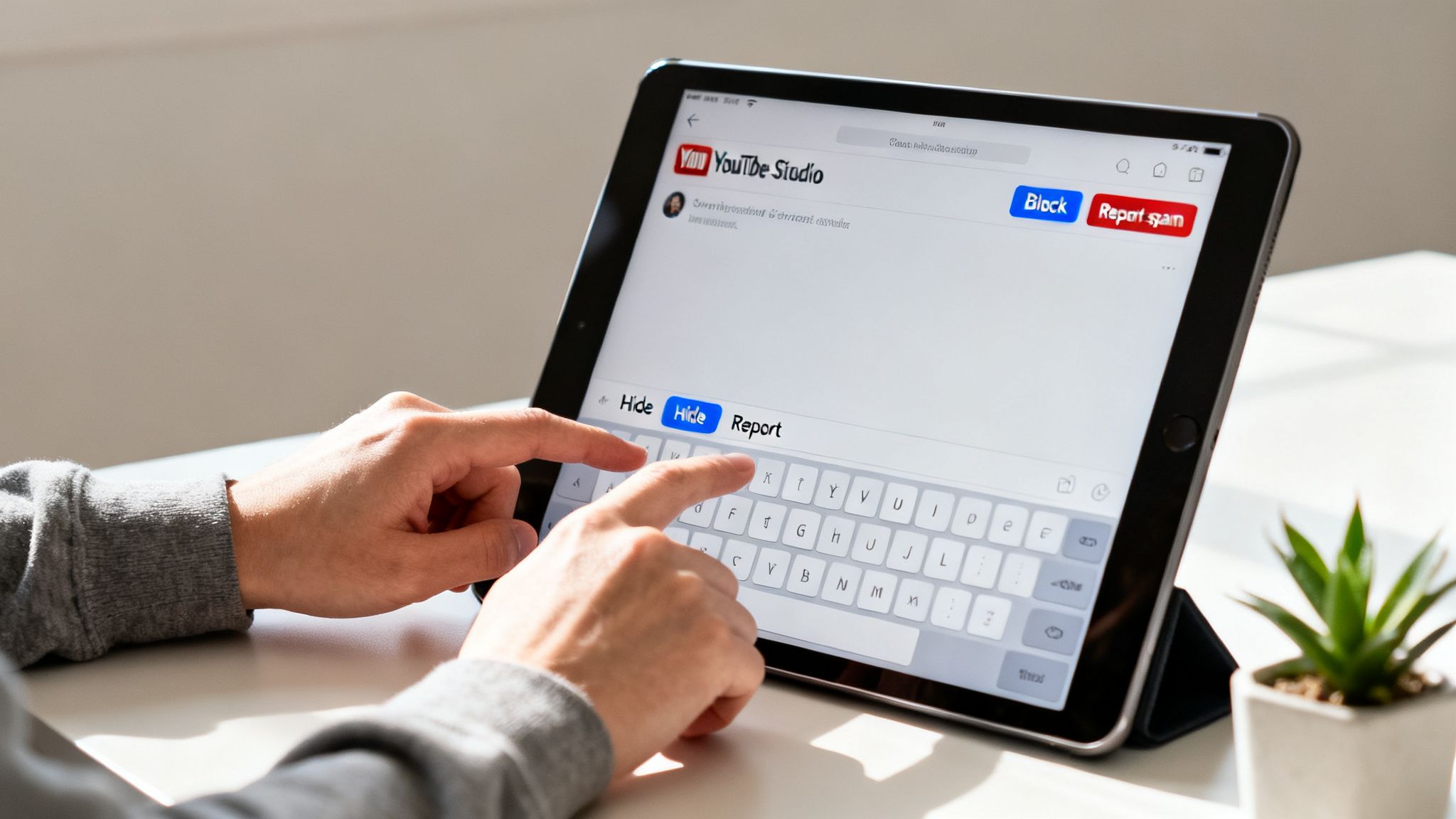
Ready to roll up your sleeves and take back your comment section? The best place to start is with a manual cleanup. This isn't just about deleting spam; it’s a crucial first step that gives you a firsthand look at the scale and type of bot activity you're dealing with.
Think of it as reconnaissance. By getting into the trenches, you'll understand the enemy you’re fighting, which is exactly the insight you need to build a smarter, more permanent defense down the road.
Using YouTube Studio for Immediate Control
Your command center for this operation is the YouTube Studio dashboard. It has some powerful, if basic, moderation tools built right in. The first thing you should do is enable the setting to "Hold potentially inappropriate comments for review." This one simple click acts as your first line of defense, automatically flagging a ton of obvious spam and sending it to a separate queue instead of letting it go public.
Next, you'll want to get strategic with your blocklist. This isn’t just about adding a few curse words. It’s about anticipating the language bots use to prey on your audience.
- Financial Spam: Think like a scammer. Add terms like "crypto," "free money," and "investment."
- Engagement Spam: Block all those classic, desperate phrases like "free followers," "check my channel," and the infamous "sub for sub."
- Scam Language: Bots often try to pull users off-platform. Block words like "Telegram" or any other app names they're using to redirect your traffic.
This creates a surprisingly effective filter that immediately cuts down on the junk that appears on your videos. While the same idea applies elsewhere, different platforms have their own quirks, as we cover in our guide on how to delete Instagram comments.
Reviewing, Reporting, and Removing
With your filters active, your next stop is the "Held for review" tab. This is where the real work begins. As you go through the queue, resist the temptation to just hit delete. Take the extra second to report the comment and the user.
When you report a comment or a user, you're not just cleaning your channel; you're feeding valuable data back into YouTube's system. This helps improve their platform-wide detection algorithms, making it harder for these bot networks to operate in the future.
Going through this process is incredibly insightful. But you'll quickly run into its biggest weakness: it doesn't scale. What takes a few minutes today can become a full-time job as your channel grows. This hands-on experience is exactly what will convince you that automation isn't a luxury—it's the only sustainable way to foster a healthy, thriving community.
Automating Your Defenses with AI Moderation

Manually deleting bot comments is a good start, but it's like trying to bail water out of a boat with a hole in it. You can keep up for a little while, but you’ll never get ahead. The real solution isn't just reacting faster; it's about building a proactive, automated defense that stops the problem before it starts. This is where AI moderation changes the game.
The tools available today are so much more than the basic keyword filters YouTube gives you out of the box. Instead of just blocking a static list of words, modern systems analyze the context and intent behind every single comment. It's the difference between using a sledgehammer and a scalpel.
Moving Beyond Simple Keyword Blocking
Think about these two comments. The first says, "Where can I buy this product?" The second says, "You can buy this crypto coin on this scam site." A simple keyword filter might miss the second comment entirely if "scam" isn't on your blocked list. A truly intelligent system, however, understands the difference between a genuine sales question and a malicious link.
AI-powered moderation digs into the subtleties of language to spot what humans (and basic filters) often miss.
- Spam and Scams: It recognizes tell-tale patterns, sketchy links, and the deceptive language that bots use to trick people.
- Harmful Content: It can flag hate speech, harassment, and other toxic comments that poison your community.
- Customer Service Opportunities: This is the big one. It can pinpoint real questions, comments showing purchase intent, and requests for help.
This ability to tell good from bad is non-negotiable. As a channel grows, comment volume explodes. Some projections show that by 2026, a staggering 50-70% of comments on mid-sized channels could be from bots, completely burying legitimate conversations. Worse, one analysis found that 20-30% of genuine customer questions are already getting lost in the noise, which is a direct hit to sales for any brand.
How AI Prioritizes Real Engagement
By automatically hiding the junk 24/7, AI moderation does more than just tidy up your comment section. It surfaces the comments that actually help you grow your business.
The goal of automation isn't just to remove the bad; it's to amplify the good. By filtering out the noise, you create a space where real conversations, customer questions, and positive feedback can flourish.
This shift turns your comment section from a chore into a powerful business tool. Your team can stop wasting time on whack-a-mole and start focusing on what matters: answering sales questions, helping customers, and building a loyal community.
For any serious brand, this isn't just a nice-to-have. It’s the only way to maintain a clean, positive, and profitable community at scale. To see what's out there, take a look at our guide on the top AI comment moderation tools for 2025.
So, how do you know if all this hard work cleaning up YouTube bot comments is actually making a difference? It's easy to get lost in the raw number of comments, but that's a classic vanity metric. The real win isn't about quantity—it's about the quality of the conversations happening on your channel.
You need a solid way to measure the health of your community and show that your moderation strategy is more than just a cleanup chore. It's about shifting your focus to Key Performance Indicators (KPIs) that tell the true story of engagement. When you track the right numbers, you can clearly demonstrate the value of what you're doing.
Key Metrics for Tracking Community Health
To get a clear picture, you have to look past the surface. To truly understand how bot comments were impacting your channel and how effective your cleanup has been, mastering your YouTube analytics is non-negotiable.
Let's break down the core indicators that will show the direct impact of your efforts. These KPIs give you a data-backed view of your progress:
Spam Reduction Rate: This is your most straightforward measure of success. Calculate the percentage drop in spammy or bot-like comments from one month to the next. For instance, if you went from 100 spam comments in January to just 20 in February, you’ve achieved an 80% reduction. That's a tangible win.
Sentiment Score Ratio: What's the overall vibe in your comments? This metric tracks the mood by comparing the number of positive comments to negative ones. Your goal is to see that positive ratio climb. If you're looking for tools to help with this, you can learn more about social media sentiment analysis in our detailed guide.
Customer Inquiry Rate: Are real people asking real questions? When you see an increase in genuine customer inquiries, it’s a great sign. It means actual users feel your comment section is a safe, helpful place to engage, and their questions are no longer getting lost in a sea of spam.
Response Time to Inquiries: Once the noise is gone, your team can get to legitimate comments much faster. Tracking the average time it takes to reply to a genuine customer question demonstrates a direct improvement in your efficiency and service.
When you focus on these tangible outcomes, you're doing so much more than just "cleaning up comments." You're actively shaping your brand's perception, building a healthier community, and turning your YouTube channel into a place where real conversations—and conversions—can happen. This is how you prove the business value of moderation.
Common Questions Answered
When you're dealing with bot comments on YouTube, a lot of questions come up. Let's tackle some of the most common ones that brands and creators have as they work to keep their communities safe and clean.
Are YouTube's Built-In Filters Enough to Stop Bots?
Frankly, no. While YouTube's native filters are a decent first line of defense, they just can't keep up with the more clever bots. These bots are designed to slip past basic detection by using slightly different phrasing, odd emojis, or subtle variations in their spam messages.
For any serious brand, just relying on these built-in tools is a risky move. It leaves your channel exposed, and more importantly, it means real customer questions or genuine feedback can get lost in a sea of spam. This is where more advanced, third-party tools become essential for adding a much-needed layer of security.
On a related note, to get the most out of your content, it’s a smart move to master your YouTube video transcripts. This involves everything from viewing and editing to translating them, which can open up your videos to a much larger global audience.
Will Deleting Bot Comments Hurt My Video's Engagement?
Not at all—in fact, it does the opposite. The old idea of "any engagement is good engagement" is long gone. The YouTube algorithm is much smarter now and heavily favors viewer satisfaction and quality interactions over sheer comment numbers.
When you actively remove spam, you're sending a strong signal to the algorithm that you care about maintaining a healthy, positive community. This can actually boost your video's visibility in recommendations. Think quality over quantity, always.
A clean comment section tells YouTube that your content fosters a positive environment, making it more likely to be promoted. The goal isn't just more comments; it's better conversations.
What Is the First Thing I Should Do to Stop Bot Comments?
Your immediate first step should be a quick, manual audit. Go through the comments on your last few videos to get a feel for the specific kind of spam you're up against. Are they crypto scams? Phishing links? Generic compliments?
Once you know what you're looking for, head straight to your YouTube Studio settings. Turn on the feature to "Hold potentially inappropriate comments for review" and start building out your "blocked words" list with the phrases and terms you just found. This gives you an immediate layer of control while you figure out a more robust, long-term strategy.
Stop wasting time fighting spam and start building a thriving community. FeedGuardians uses brand-safe AI to automatically hide harmful bot comments, detect customer questions, and protect your brand 24/7. Reclaim your comment section with FeedGuardians today.
Tired of manually moderating comments?
FeedGuardians automates spam filtering, responds to customers, and protects your brand — setup in 3 minutes.