
Quick Summary
| Key Insight | What You Need to Know |
|---|---|
| Customer Service | When you answer questions and solve problems out in the open, it shows everyone watching that you're responsive and trustworthy. |
| Sales Opportunities | Comments like "How much?" or "Does this come in blue?" are clear buying signals. A quick, helpful reply can turn a curious commenter into a happy customer right then and there. |
| Brand Reputation | Actively managing feedback and encouraging positive conversations builds a strong, resilient brand image that naturally attracts new followers. |
It's easy to dismiss Facebook comments as just simple replies, but they're so much more than that. They are public conversations that shape how people see your brand, the health of your online community, and even your sales figures.
For any brand, every single comment thread is a digital storefront. It’s where potential customers pop in to ask questions, current users share their thoughts, and that all-important trust is built, one interaction at a time.
Why Facebook Comments Are Your Untapped Growth Channel
So many brands treat their Facebook comments like a chore—a messy inbox to clear out or a place where negativity might pop up. But that’s a purely reactive mindset, and it completely misses the massive opportunity sitting right under your nose.
Think about it this way: ignoring your comments is like leaving your physical shop unattended. Customers are wandering in, asking questions, and ready to buy, but no one's there to help. At the same time, the space is wide open to disruption and chaos.
When you start treating these interactions strategically, they transform from a vanity metric into a real business asset. With Facebook's staggering 3.07 billion monthly active users, these conversations are happening on a scale that no business can afford to ignore.
From Simple Metric to Powerful Asset
The true power of Facebook comments is their ability to directly impact your bottom line. When managed well, your comment section becomes a multi-functional hub that works hard for your business.
It’s a dynamic space for:
- Customer Service: When you answer questions and solve problems out in the open, it shows everyone watching that you're responsive and trustworthy.
- Sales Opportunities: Comments like "How much?" or "Does this come in blue?" are clear buying signals. A quick, helpful reply can turn a curious commenter into a happy customer right then and there.
- Brand Reputation: Actively managing feedback and encouraging positive conversations builds a strong, resilient brand image that naturally attracts new followers.
Modern AI-powered tools are a game-changer here. They offer a scalable way to manage this channel, turning what feels like a chaotic firehose of comments into an organized system for growth. They cut through the noise to pinpoint the real opportunities for connection and conversion.
At the end of the day, a clean, responsive, and helpful comment section drives more interaction. It’s no surprise that forecasts show 38.5% of US Facebook users will make purchases directly on the platform, and those purchases often start in a comment thread. You can dig deeper into Facebook's role in social commerce in this 2025 global insights report.
This guide will walk you through moving beyond basic comment management to implementing strategies that actually drive revenue. For more foundational tips, you can also read our guide on how to improve social media engagement.
2. Decoding the Different Types of Facebook Comments
To really get a handle on comments in Facebook, you have to know what you’re working with. Not all comments are the same; they show up differently and serve different purposes depending on where they are. Think of it like a toolkit—each comment type is a tool for a specific job.
The most basic tool is the simple text reply. It’s perfect for answering direct questions or getting straightforward feedback. But conversations get a lot more interesting when people start using GIFs, stickers, and images. These visuals let users show emotion and personality in a way that plain text just can't, often making a comment thread more engaging and memorable.
Then you have threaded replies. This is where you can have organized mini-conversations within a larger comment section. This structure is absolutely essential for answering one person’s question without cluttering up the main discussion, keeping everything neat and easy to follow.
Where Comments Appear and How They Work
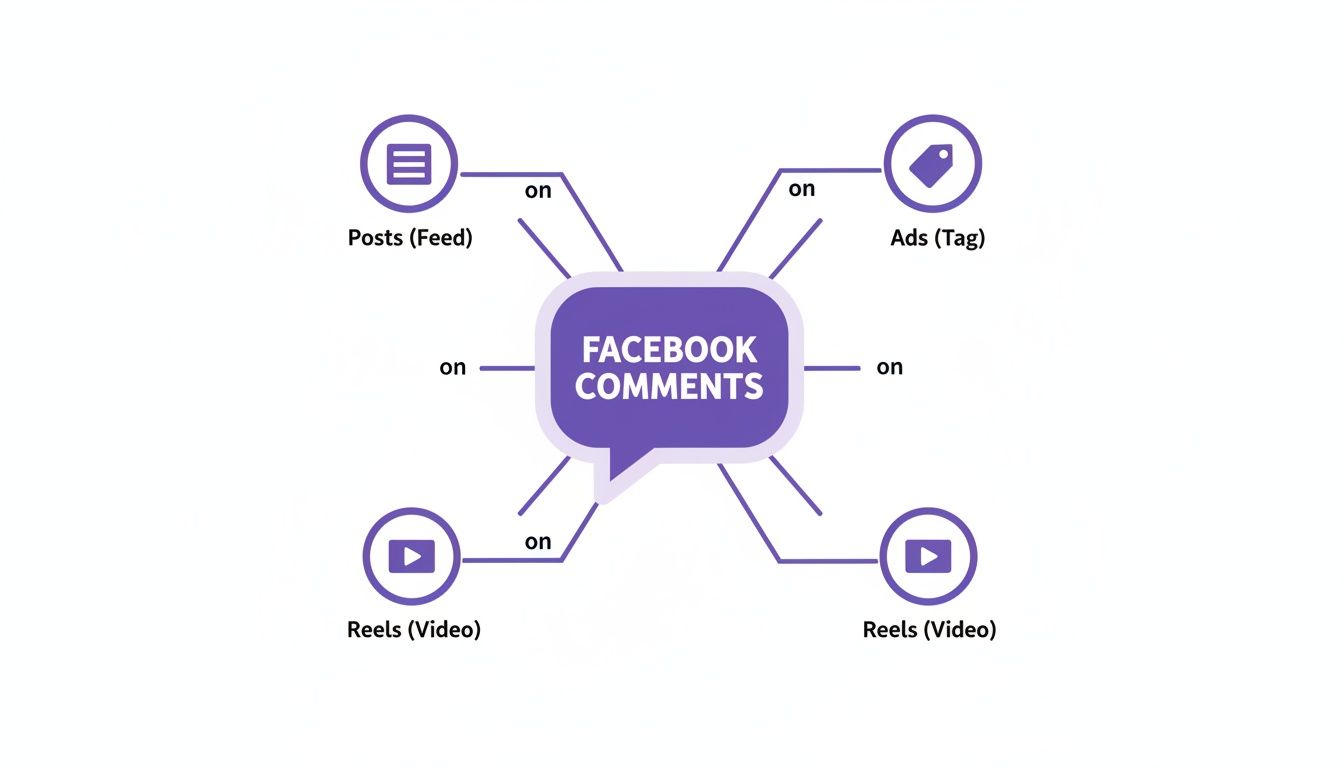
Comments aren't just for your regular Page posts. They’re a core feature across your entire Facebook presence, and each location comes with its own audience and strategic quirks.
- Page Posts: This is your home base. Comments here from your followers build a sense of community and act as public-facing social proof.
- Facebook Ads: Comments on ads are a goldmine of feedback that too many brands ignore. This is where potential customers ask last-minute buying questions, and your quick replies are visible to everyone else seeing the ad, directly impacting conversions.
- Reels and Videos: Expect fast-paced, reaction-driven comments here. They give you an instant pulse check on how your creative content is landing.
- Live Streams: Live comments create a real-time conversation between you and your viewers, turning a broadcast into a dynamic, participatory event.
Keep in mind that a comment's visibility depends on both the user's privacy settings and your Page's moderation settings. Getting a feel for this dynamic is the key to creating a space where great conversations can happen.
The Nuances of Comment Ranking and Formats
Facebook doesn't just show comments in the order they were posted. Its algorithm actively ranks them based on things like reactions, replies, and whether the comment comes from the original poster or one of their friends. The goal is to push what it considers the most relevant or high-quality interactions to the top.
You’ve probably seen some comments automatically get a "highlighted" badge. If you want to dive deeper into how that works, check out our guide: https://feedguardians.com/blog/what-does-highlighted-comment-mean-facebook.
This ranking system means that encouraging thoughtful, engaging comments can actually give those interactions more visibility. To really get the most out of these conversations, it helps to understand what Facebook commenting bots are and how they can fit into your customer engagement strategy.
Before we move on, let's break down the different comment formats and how you can put them to work for your brand.
A Strategic Guide to Facebook Comment Types
This table breaks down the various comment formats you'll encounter on Facebook. Understanding each one helps you develop a smarter, more intentional strategy for encouraging the kinds of conversations that actually help your business.
| Comment Type | Description | Best For Brands To |
|---|---|---|
| Text Comments | The classic, straightforward written reply. | Answer questions, provide support, and engage in direct conversation. |
| Image/Photo Comments | Users can reply with a picture from their device. | Run user-generated content (UGC) campaigns or get visual feedback on products. |
| GIF Comments | Animated, looping images used to express reactions. | Add humor and personality to replies, and connect with a more casual audience. |
| Sticker Comments | Large, illustrative emojis and branded graphics. | Express quick, positive reactions and reinforce brand identity if you have a custom sticker pack. |
| Threaded Replies | Direct replies to a specific comment, creating a nested conversation. | Address individual queries without derailing the main thread and keep discussions organized. |
| Live Video Comments | Real-time comments appearing during a Facebook Live broadcast. | Engage with your audience instantly, answer questions on the spot, and build excitement. |
By mastering these different comment types and understanding where they appear, you can move from just reacting to comments to proactively shaping conversations. This approach is what turns a simple comment section into a powerful tool for building your community, gathering feedback, and even driving sales.
Using Facebook's Native Moderation Tools
Facebook gives you a basic toolkit for comment moderation right out of the box, all housed within the Meta Business Suite. Think of these as the standard locks on the doors of your digital storefront. They provide a necessary first line of defense, but you'll quickly discover their limits as traffic picks up.
The simplest tool to switch on is the profanity filter. This is a quick, set-it-and-forget-it feature that automatically hides comments with words from Facebook’s built-in naughty list. It’s a decent starting point for catching the most obvious stuff, but it's easily tricked by creative misspellings or more subtle negative language.
For more granular control, you can build your own keyword blocklist. This is where you get to decide exactly which words, phrases, and even emojis you want to automatically hide from your posts and ads.
Setting Up Your Moderation Rules
This is your chance to get strategic. A good blocklist is an evolving document, but it should always include:
- Competitor names to stop rivals from piggybacking on your ad spend.
- Common spam phrases like "DM for a promo" or "check my profile."
- Terms linked to known scams or phishing attempts.
- Creative variations of offensive terms that the standard profanity filter is likely to miss.
Setting up these rules creates a nice layer of automation, saving you from having to manually zap every single spam comment. But remember, they are only as smart as the list you build.
The control panel for all these settings is the Meta Business Suite. From this dashboard, you can also manually hide or delete individual comments that slip past your automated rules. It’s functional for a handful of comments, but it becomes a major time-sink once your page starts getting real engagement.
This centralized approach works when you're small, but manual moderation simply doesn't scale.
Key Takeaway: Facebook’s native tools are great for filtering predictable, keyword-based junk. Where they fall short is in understanding context. They can't spot sarcasm, subtle negativity, or urgent customer questions that don't contain your specific blocklist words.
The Limitations of Native Tools
The biggest blind spot for these built-in tools is their complete lack of understanding when it comes to intent.
A keyword-based system can't tell a sarcastic complaint from a genuine rave review. More importantly, it can't flag a hot lead who comments, "I want to buy this!" unless you’ve somehow predicted that exact phrase. This is where countless sales opportunities get buried under a pile of notifications.
Facebook’s tools are a fantastic starting point. They're reactive, designed to clean up the mess after it's made, rather than helping you proactively find and engage potential customers. For any brand managing a serious volume of comments, recognizing these limitations is the first step toward finding a more robust solution.
If a specific post is attracting too much negativity and you need a stronger option, our guide on how to disable comments on Facebook walks through more drastic measures.
Building Your Brand's Comment Management Strategy

Having the right tools is a great start, but it's your strategy that truly separates a chaotic comment section from a thriving community. A smart comment management strategy is the playbook that guides your team, empowering them to act quickly, consistently, and in a way that strengthens your brand with every single interaction.
The cornerstone of this playbook is a solid moderation policy. This isn't just a list of rules; it's a clear declaration of what your brand stands for. It should explicitly define your stance on spam, hate speech, and even how you handle competitor mentions or negative feedback. The goal is to create a safe, productive space for genuine conversation.
Without these guidelines, moderation becomes a free-for-all, where every decision is subjective and inconsistent. A clear policy takes the guesswork out of the equation, ensuring all comments in Facebook are handled fairly and reflect your brand's values. This isn't about censorship—it's about curation.
Establishing Your Brand Voice and Response Times
Once you've set the ground rules, the next step is to define how you show up in the comments. Your brand voice needs to be unmistakable and consistent, whether you're thanking someone for a rave review or navigating a tricky customer complaint. Are you witty and informal, or more buttoned-up and reassuring?
Document this voice with real examples. This helps your entire team sound like one cohesive brand, not just a handful of different people typing replies. Just as important is your response time. On social media, speed is everything. A potential customer asking a question about a product isn't going to wait around for days.
A winning strategy perfectly balances speed with quality. It's smart to set internal SLAs (Service Level Agreements) for your team. For example, aim to answer all sales-related questions within one hour and all general inquiries within 24 hours. This creates accountability and meets the expectations of today's fast-paced customers.
Your playbook needs to cover the full spectrum of comments you'll encounter:
- Positive Comments: Don't just "like" them—reply! A genuine thank you can turn a happy customer into a vocal brand advocate.
- Customer Questions: Answer them clearly and publicly. You're not just helping one person; you're creating a mini-FAQ for everyone else who has the same question.
- Negative Feedback: Lead with empathy and professionalism. Acknowledge their issue publicly, then offer to move the conversation to a private channel like Messenger to get the details. This shows everyone you're listening and taking action.
- Spam & Trolls: The golden rule? Do not engage. Just hide or delete the comment based on your moderation policy and keep the conversation clean for everyone else.
Manual vs AI-Powered Comment Management
The real challenge comes when you try to execute this strategy consistently, especially as your page grows. A purely manual approach means your team is tethered to the comments section, making it prone to burnout, missed comments, and human error. This is where an AI-powered system can be a game-changer, executing your strategy 24/7 with precision.
The table below breaks down the core differences.
| Aspect | Manual Moderation | AI-Powered Automation |
|---|---|---|
| Speed | Dependent on team availability; often delayed during off-hours. | Instantaneous, real-time responses and moderation, 24/7. |
| Accuracy | Subject to human error, inconsistent tone, and missed comments. | Highly consistent based on pre-defined rules and brand voice. |
| Scalability | Becomes overwhelming and expensive as comment volume grows. | Effortlessly handles thousands of comments without a drop in performance. |
| Opportunity Cost | Team spends time on repetitive tasks instead of high-value strategy. | Frees up human agents to focus on complex issues and sales conversations. |
Ultimately, a robust strategy is all about creating an efficient, repeatable workflow. While a manual approach might work when you're just starting out, automation becomes essential for any brand that wants to effectively manage comments in Facebook and turn them into a reliable channel for growth.
Turning Comments into Conversions and Customer Insights
Smart comment management is so much more than just cleaning up your feed. It’s an active strategy for real business growth. Every single day, your comment section is brimming with raw, unfiltered customer intelligence and clear buying signals.
The trick is to stop thinking about comments in Facebook as a customer service chore. Instead, see them for what they are: a rich source of sales leads and genuine market research.
Think about it. When a customer comments, "How much is this?" or "Do you have this in black?", they aren't just asking a question. They're telling you they want to buy. Responding to them instantly and helpfully can drastically shorten the sales cycle, turning a curious browser into a paying customer before they lose interest and scroll away.
This is a massive opportunity, especially with social commerce becoming so common. In the US, 38.5% of users are already on track to make purchases right on the platform, and those comment discussions are a huge influence. Brands that get good at spotting and acting on these buying signals see a 25-35% lift in their comment-to-sale conversions. It's powerful stuff. If you want to dig into the numbers, Sprout Social has more insights on Facebook's e-commerce role.
Uncovering Valuable Customer Feedback
Beyond the immediate sales, your comments are a goldmine of qualitative data. They offer a direct line into the minds of your audience, showing you what they love, what confuses them, and what they wish you offered. This is what social listening is all about.
By spotting recurring themes and sentiment, you can pull out priceless insights that can shape your entire business strategy. For example:
- Product Development: Are lots of people asking for a specific feature or color? That's a clear signal to your product team.
- Content Strategy: Do comments show people are confused about how something works? Time to create a tutorial or a better explainer video.
- Marketing Messaging: Is everyone raving about a particular benefit of your service? You should probably feature that more heavily in your next ad campaign.
Think of your comment section as a live, ongoing focus group that you don't have to pay for. It’s where your customers voluntarily tell you exactly what they want and need.
From Insights to Action
Of course, extracting this value requires a system. Manually sifting through hundreds of comments isn't just a headache; it's nearly impossible to do at scale. This is where a strategic approach—often backed by smart tools—becomes a necessity. Getting this right can even help you transform your Facebook Group into a profitable membership business.
When you systematically track comment trends, you can start making data-driven decisions that not only improve customer satisfaction but also directly boost your bottom line.
Protecting Your Brand from Spam and Toxic Comments

A healthy comment section can be one of your brand’s biggest assets, but it can quickly turn into a major liability if left unmanaged. An unmoderated space is a magnet for spam, trolls, and toxic content that can poison your reputation, kill customer trust, and drive away the very people you want to connect with.
This isn’t just about a few rude remarks. Brands face a constant stream of different threats, and you need a solid defense to keep them at bay. Without one, you're leaving your digital doorstep wide open to chaos that can directly impact your bottom line.
Common Types of Harmful Content
Your brand’s defense plan has to account for all sorts of disruptive comments in Facebook. The most common offenders you'll encounter are:
- Spam and Phishing: These are sneaky comments designed to trick your audience, usually with suspicious links leading to scams or malware.
- Hate Speech and Harassment: Toxic comments targeting individuals or groups create a hostile environment and can violate platform policies, putting your entire Page at risk.
- Competitor Trolling: Some rivals resort to posting negative comments or even promoting their own products on your ads, hoping to poach your customers.
The damage from this kind of content is real. Unchecked negativity can cause a 15-25% drop in conversion rates by disrupting the customer journey and planting seeds of doubt. In fact, it’s not uncommon for high-traffic brand posts to see up to 20-30% of their interactions turn into spam or controversy—a problem that only gets worse without active moderation. You can get a sense of the scale of this issue in Meta's own reports on widely-viewed content.
Proactive Protection with AI
Trying to fight this battle manually is a losing game. It’s like trying to bail out a sinking boat with a teaspoon. Modern AI-powered tools offer a far more effective solution by acting as a 24/7 security guard for your comment section.
Instead of just cleaning up the mess after the fact, these systems identify and hide harmful comments the instant they're posted—often before anyone in your audience even sees them. This is the key difference between reacting to problems and preventing them altogether.
This proactive approach helps you build a safe, positive community space that encourages good conversation and reflects well on your brand. It’s a critical step in managing online conversations and turning risk into opportunity. For a deeper dive, check out our guide on how brands can handle trolling on social media.
Common Questions About Facebook Comments
Even seasoned social media pros run into tricky situations with Facebook comments. Let's tackle some of the most common questions that pop up when you're in the trenches managing your brand's page.
Should I Hide or Delete a Negative Comment?
This is a classic dilemma, but the answer is usually straightforward: hide it.
When you hide a comment, only the person who wrote it and their friends can see it. To everyone else, it’s gone. This is a brilliant way to de-escalate a heated situation without making the commenter feel censored, which could provoke them into posting again, even more angrily. You've effectively taken the venom out of the public eye.
So, when should you delete? Deletion is your tool for the truly nasty stuff. Think spam with shady links, hate speech, or direct threats. Hiding is for managing criticism; deletion is for removing genuine harm from your community.
How Fast Should My Brand Respond to Comments?
In the world of social media, speed matters. A lot.
If a comment signals clear buying intent ("where can I get this?") or is a frustrated customer service query, you need to be on it immediately. Aim to respond within one hour. That quick reply can be the difference between making a sale and watching a potential customer drift over to a competitor.
For general questions or positive feedback, a response within a few hours is a great benchmark. It shows your audience you're listening and that you care, which is exactly how strong communities are built.
This is where automation can be a game-changer. A well-programmed tool can provide an instant reply to common questions or just acknowledge a customer's issue, buying your team valuable time to craft a more detailed, human response.
Will Automating Replies Make My Brand Seem Robotic?
Only if you do it wrong. The secret is to not think of it as "human vs. robot," but as a hybrid team working together.
Let automation handle the first-line tasks: filtering out spam, instantly answering simple FAQs, and providing quick, helpful links. This frees up your human team to do what they do best—handle complex conversations that require real empathy and critical thinking.
By carefully crafting your automated responses to match your brand's tone of voice, they won't feel robotic at all. They'll just feel helpful.
Ready to turn your comment section into a growth engine? FeedGuardians uses AI to automatically hide spam, identify sales leads, and provide instant customer support. Protect your brand and boost conversions with FeedGuardians today.
Tired of manually moderating comments?
FeedGuardians automates spam filtering, responds to customers, and protects your brand — setup in 3 minutes.