
Quick Summary
| Key Insight | What You Need to Know |
|---|---|
| Clear Definitions | What actually counts as a "crisis" for your brand? Knowing the difference between a few unhappy customers and a genuine emergency is crucial. |
| Defined Roles | Who does what? From the community manager all the way up to the CEO, everyone needs to know their exact role when things go south. |
| Actionable Protocols | What are the very first steps to take? This should cover things like pausing all scheduled content, firing up a dedicated monitoring dashboard, and drafting initial statements. |
In the world of social media, crisis management isn't just some abstract concept anymore—it's a core business function you absolutely need to survive. A single negative post can snowball into a full-blown brand catastrophe overnight, which is why having a proactive plan is your most critical asset.
Why a Social Media Crisis Plan Is Non-Negotiable
Let's be real: "hoping for the best" is not a strategy. The court of public opinion moves at the speed of a tweet, and without a plan, your brand is completely exposed to serious reputational and financial harm. The stakes are incredibly high. The fallout from a bungled incident can stick around for years, chipping away at customer trust and hitting your bottom line where it hurts.
This isn't just talk; it's the harsh reality for countless businesses. Believe it or not, stats show that 69% of businesses will face at least one social media crisis every five years.
Remember the United Airlines fiasco back in 2017? It exploded on Twitter, causing their stock to plunge 10% overnight and wiping out an estimated $1.4 billion in market value within just a few days. That incident is a brutal reminder of why you can't afford to be caught off guard.
A solid social media crisis playbook is your first—and best—line of defense. It’s what turns your team from a group of panicked firefighters into a coordinated unit ready to execute a well-rehearsed plan.
Moving From Reaction to Readiness
The whole point of a crisis plan is to take panic out of the equation. When your team is under immense pressure, a clear set of guidelines ensures every action is deliberate and true to your brand's values. A well-crafted playbook really is the foundation of a strong defense. As a starting point, you might find our guide on how to https://feedguardians.com/blog/online-reputation-management-guide-2025 helpful.
A crisis doesn't create character; it reveals it. Your social media playbook is what ensures the character your brand reveals is one of competence, empathy, and control.
An effective plan needs to nail down a few key areas:
- Clear Definitions: What actually counts as a "crisis" for your brand? Knowing the difference between a few unhappy customers and a genuine emergency is crucial.
- Defined Roles: Who does what? From the community manager all the way up to the CEO, everyone needs to know their exact role when things go south.
- Actionable Protocols: What are the very first steps to take? This should cover things like pausing all scheduled content, firing up a dedicated monitoring dashboard, and drafting initial statements.
The Role of Modern Tools
Trying to manage a crisis manually these days is a fool's errand. The sheer volume and velocity of social media conversations mean you need sophisticated tools in your corner. For a deep dive into bringing AI into your strategy, this AI for Crisis Management: A 5-Step Guide is an excellent resource.
In this guide, we'll walk through the actionable steps to build your own crisis management playbook. We're covering everything from early detection and escalation rules to messaging templates and post-mortem analysis, giving you the complete framework to protect your brand when it matters most.
Building Your Pre-Crisis Defense System
A great crisis response is never a surprise. It’s the result of a plan built, tested, and drilled long before the alarm bells ever start ringing. When it comes to social media, effective crisis management isn't about thinking on your feet—it's about having a solid defense system in place so your team can act with confidence, not panic. Preparation is everything.
It’s remarkable, really. Research shows that 89% of brands with a documented crisis plan successfully keep reputational damage to a minimum. And yet, only 49% of companies in the U.S. have a formal plan, which helps explain why the average response time is a sluggish 19 hours from the first alert. You can explore the full findings on amraandelma.com to see just how wide that gap is.
Defining Your Crisis Thresholds
Let's be clear: not every negative comment is a five-alarm fire. The very first thing you need to do is define what a "crisis" actually looks like for your brand. Without clear lines drawn in the sand, your team will either overreact to minor grumbles or, far worse, let a real threat snowball until it’s out of control.
Think of it in tiers, moving from everyday issues to major brand emergencies.
- Level 1 (Minor Issue): This is your daily bread and butter. Think isolated negative comments, one-off customer service complaints, or basic product questions. Your community managers handle these using standard replies.
- Level 2 (Growing Problem): Now things are heating up. You see a sudden spike in complaints about a specific issue, like a widespread shipping delay or a buggy feature in your latest app update. This is when the customer support and social media teams need to join forces.
- Level 3 (Full Crisis): The dam has broken. This involves widespread public backlash, media getting involved, high-profile influencers calling you out, or a negative hashtag going viral. When serious allegations about safety or ethics surface, this is where you are. This level activates the full crisis response team, no questions asked.
A crisis isn't just defined by the problem itself, but by its speed and size. Your playbook’s main job is to tell you the exact moment when the velocity and volume of negative chatter demand an immediate, all-hands-on-deck response.
Assigning Clear Roles and Responsibilities
When the pressure is on, ambiguity is your worst enemy. A core part of your defense system is a crystal-clear roster of who does what. Everyone, from the front-line moderator to the CEO, needs to know their exact role before a crisis hits.
Your Crisis Response Team Roster
| Role | Primary Responsibility | Key Tasks |
|---|---|---|
| Community Manager | The first line of defense and initial monitor. | Pauses all scheduled content, keeps a close eye on mentions, flags emerging issues, and posts initial holding statements. |
| Social Media Lead | The central coordinator for the social response. | Manages the crisis "war room," drafts and gets approval for all public messaging, and reports on sentiment and volume. |
| PR/Comms Lead | Manages all external communication beyond social. | Fields media inquiries, writes press releases, and ensures all messaging is aligned with the social media team. |
| Legal Counsel | Reviews every single public-facing statement. | Assesses legal risk, ensures statements are compliant, and advises on how to talk about sensitive topics. |
| Head of Department | Provides strategic oversight and gives the final green light. | Makes the big calls on response strategy, approves major statements, and may act as the company spokesperson. |
Setting Up Proactive Social Listening
You can’t fight a fire you don’t see coming. Proactive social listening is your early warning system, designed to catch sparks before they turn into infernos. This is about more than just tracking brand mentions; it’s a strategic approach to monitoring keywords, sentiment, and the sheer volume of conversation.
For a really deep look at this, check out our complete guide to social media monitoring.
To start, you need to set up alerts for keywords that spell trouble. Go beyond just your brand and product names. Your watch list should include:
- Problem words: "broken," "scam," "recall," "outage," "disappointed"
- Action words: "boycott," "cancel," "lawsuit," "avoid"
- Competitor names: This helps you catch conversations where your brand is being unfavorably compared.
- Executive names: A personal reputation issue for a key leader can easily spill over and affect the brand.
The final piece of the puzzle is setting smart alert thresholds. For instance, you could set an alert to go off if negative sentiment for a core keyword jumps by 30% within one hour. Or maybe if mentions of "boycott [Your Brand]" shoot past 50 posts in a single day. These data-driven triggers take the guesswork out of the equation and make sure your team gets a heads-up the second a real threat starts to brew.
When the smoke alarm goes off on your social media, the playbook you’ve prepared is no longer a theoretical document—it's your lifeline. The clock is ticking, and the moves your team makes in the first hour can mean the difference between a contained issue and a full-blown brand disaster. This isn’t a time for guesswork; it’s time for a calm, disciplined execution of your plan.
The very first thing you do? Hit the big red pause button. Freeze all scheduled social media content across every single channel. A cheerful, pre-planned marketing post popping up in a feed full of angry comments is the fastest way to look out of touch and completely lose control of the narrative.
Taking this one simple step buys you critical breathing room. It clears the noise, stops you from pouring gasoline on the fire, and signals to your team that it's all hands on deck.
Triage and Escalate—Fast
With your content calendar on hold, your team’s entire focus shifts to the flood of incoming messages. You need to quickly sort through the comments, mentions, and DMs, separating the signal from the noise based on the severity levels you've already defined. This isn't about responding to every single person at once; it's about spotting the biggest fires and getting them to the right people immediately.
Think of it like an ER. A message from a major news journalist or a post that’s quickly going viral needs to be routed to your PR and legal teams on the double. A customer complaining about a shipping delay, while still important, follows a different escalation path.
Speed is everything here. A global study found that 72% of consumers expect a response to a complaint within 24 hours. If they don't get one, 41% say it permanently damages their view of the brand. A swift, organized response is your best defense.
The process boils down to a few core fundamentals: define what constitutes a crisis for your brand, know who is responsible for what, and have your monitoring systems ready to go.
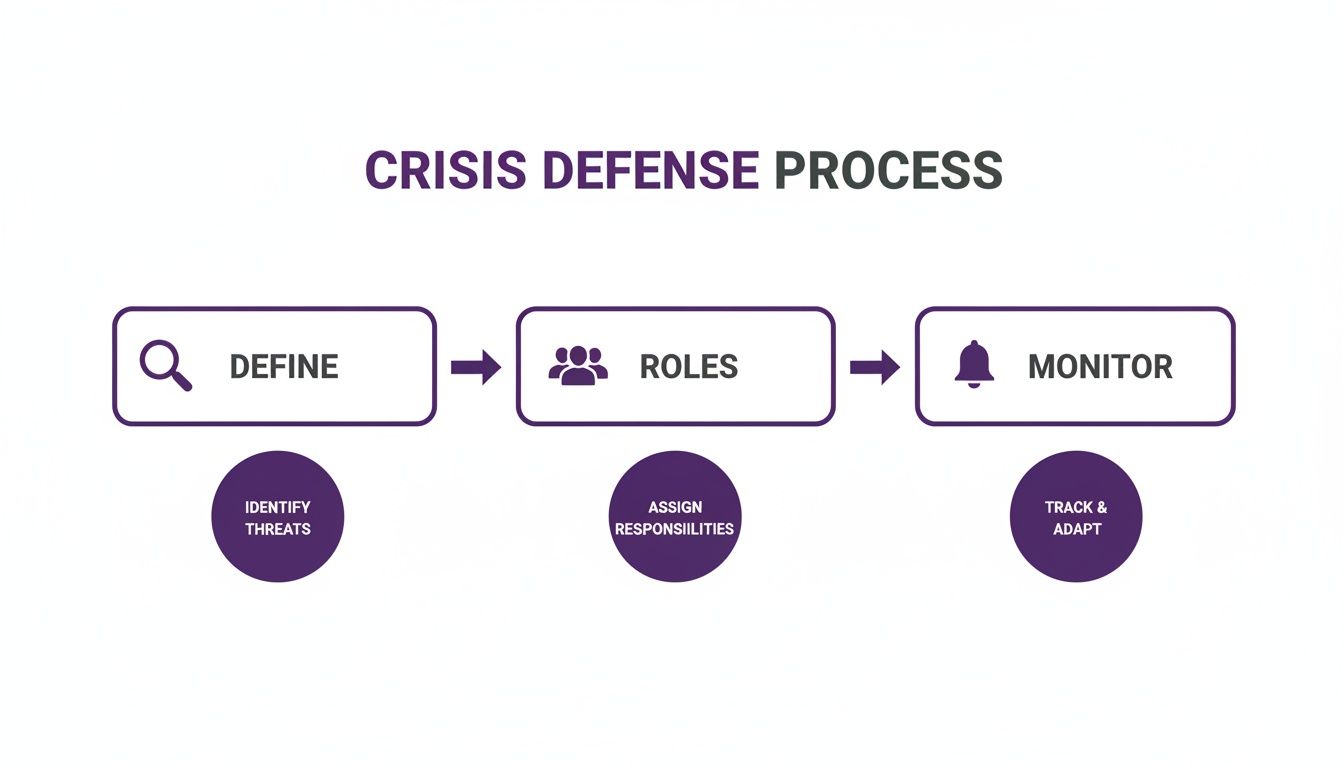
Having a structured approach like this is what keeps panic at bay and ensures everyone moves in the same direction.
To make this practical, a triage framework helps your team categorize issues on the fly and act decisively.
Social Media Crisis Triage Levels
| Level | Description | Example | Immediate Action |
|---|---|---|---|
| Level 1 (Low) | Isolated customer service issues or negative feedback with low reach. | A single user complains about a product defect in a comment. | Respond with a standard customer service template; move to DMs. |
| Level 2 (Medium) | A brewing issue gaining some traction, or a complaint from an influential account. | An influencer with 50K followers posts about a bad experience. | Escalate to the social media manager and PR lead. Craft a custom response. |
| Level 3 (High) | A widespread, rapidly accelerating crisis. Potential legal or safety issues involved. | A product recall is announced, and your channels are flooded with angry customers. | Activate the full crisis team (legal, execs, PR). Issue a holding statement. |
This kind of system removes the guesswork and empowers your frontline team to act with confidence.
Crafting Your First Public Statement
You won’t have all the answers in the first 30 minutes, but complete silence is just as damaging as saying the wrong thing. Your first move should be to release a holding statement. This is a short, empathetic message that acknowledges you're aware of the problem without admitting fault or speculating on the cause.
A strong holding statement does three crucial things:
- It shows you're listening: You confirm you've seen the conversation.
- It communicates empathy: You acknowledge your audience's frustration or concern.
- It manages expectations: You let people know you're investigating and will be back with more information.
Here’s a simple, effective example:
"We're aware of the situation regarding [issue] and are looking into it as our top priority. We take this very seriously and will share an update as soon as we have concrete information. Thank you for your patience."
This message buys you time to get your facts straight while showing you’re responsive and in control.
Managing the Chaos in Your Comments
In a crisis, your comment sections can turn into a battlefield of anger, misinformation, and outright attacks. Staying on top of it requires a smart combination of human engagement and automated tools.
Your first priority is to remove any content that violates your community guidelines—think spam, hate speech, or direct threats. But be very careful: do not delete legitimate negative comments. People will see it as censorship, and the backlash will be ten times worse.
This is also when trolls love to show up, looking to pour fuel on the fire. Your team needs to know how to spot them. For a deeper dive into their methods, check out our guide on handling https://feedguardians.com/blog/trolling-on-social-media.
This is where automated moderation really shines. Tools like FeedGuardians can be set up to automatically hide comments with profanity, spammy links, or specific attack phrases. This frees up your human moderators to focus their energy on engaging with real customers and addressing their concerns. When you need to act fast, it's vital to implement expert social media crisis management tactics to stay ahead of the curve.
How AI Transforms Your Comment Moderation
When a social media crisis hits, your comment section is ground zero. Let's be real—trying to manually sort through hundreds, maybe even thousands, of comments is a losing battle. It's not just hard; it's flat-out impossible. This is the moment when an AI-powered moderation tool goes from a "nice-to-have" gadget to an absolutely essential part of your crisis playbook.
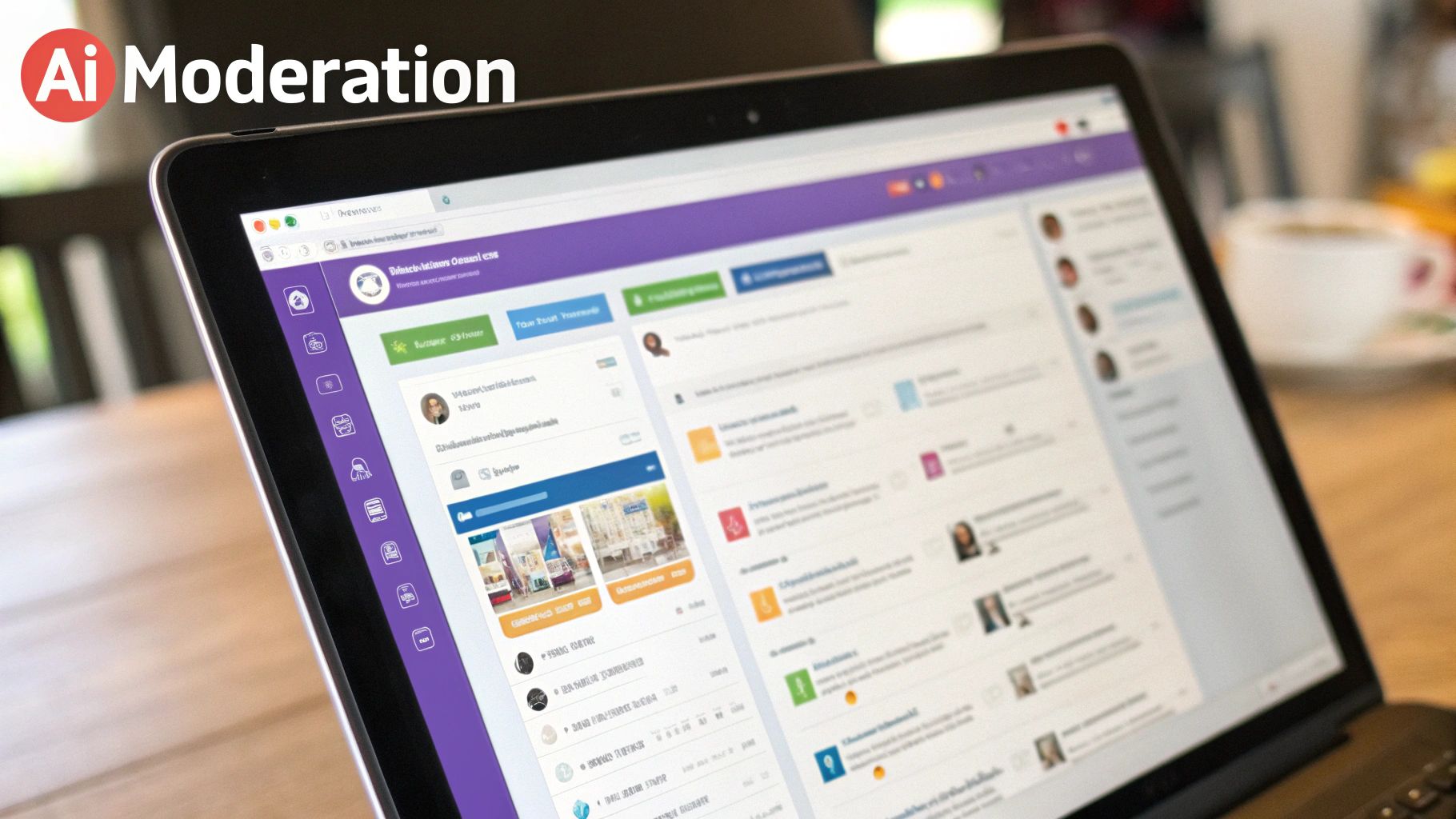
A human team, no matter how dedicated, just can't match the speed and sheer volume of a crisis. You’re up against trolls, bots, and genuinely furious customers, all creating a perfect storm of negativity. Before you know it, your team is completely overwhelmed, and your brand looks like it's asleep at the wheel.
Think of AI tools as your digital bouncer. They act as your first line of defense, instantly catching and hiding harmful comments before they can poison the entire conversation. This simple act stops trolls from hijacking your posts and keeps your page from descending into chaos.
Sifting Through the Noise with Sentiment Analysis
One of the toughest parts of managing a crisis is figuring out what actually needs your attention. This is where AI really shines, using sentiment and intent analysis to understand the emotion and purpose behind every single comment. It’s not just looking for bad words; it’s understanding context.
This means the system can automatically sort the flood of negativity into clear, actionable buckets:
- Urgent Customer Issues: A comment like, "My order arrived broken and I can't get a hold of anyone!" gets flagged for immediate intervention from your support team.
- General Frustration: Vague anger like, "I can't believe your company would do this," can be monitored for trends without needing a direct, one-on-one response right away.
- Spam and Trolling: Profanity, hate speech, or shady links are automatically hidden based on the rules you’ve set up.
This kind of smart sorting is a game-changer. It frees up your team to stop wasting time on noise and focus their energy on the comments and conversations that truly matter. If you're curious about the different platforms out there, we've broken down the top AI comment moderation tools.
By automating the triage process, you’re giving your team back their most valuable resource: mental bandwidth. Instead of fighting fires comment by comment, they can think strategically, craft thoughtful public responses, and manage the bigger picture.
It’s no surprise that this technology is taking off. The social media crisis management market was already valued at USD 1.88 billion in 2023 and is set to grow even more, largely thanks to the rise of AI monitoring tools. You can see more on this trend by checking out the market growth insights on inbeat.agency.
Building Your Automated Moderation Rulebook
The real magic of AI moderation lies in customization. Tools like FeedGuardians let you build a specific rulebook that automates actions based on keywords, user history, or certain phrases. This is your chance to create a proactive defense system perfectly tuned to your brand’s weak spots.
You’re essentially programming a super-efficient security guard for your social channels. You can set rules to:
- Instantly Hide Problematic Keywords: Make a list of words to automatically hide—profanity, competitor names, common spam phrases. This keeps your comment threads clean without anyone lifting a finger.
- Flag and Escalate Urgent Mentions: Create a rule to flag any comment with words like "lawsuit," "unsafe," or "recall" and shoot an immediate notification to your legal or PR team.
- Automate Replies to Common Questions: Imagine a service outage. You can set a rule to auto-reply to comments mentioning "outage" or "not working" with a pre-approved message like, "We're aware of the issue and our team is on it. We'll post an update here as soon as we can."
Setting these rules before a crisis hits ensures you have a consistent, immediate response that cuts down on manual work and keeps your team from getting bogged down. Your automated rulebook becomes a powerful buffer, giving your people the space to manage the crisis instead of playing an endless game of whack-a-mole with angry comments.
After the Storm: Turning a Crisis into a Learning Opportunity
The alerts have stopped, the frantic DMs have slowed, and you can finally take a breath. Your team made it through the worst of the crisis. But the job isn't done. In fact, some of the most important work is just getting started.
This is where you turn a painful experience into a powerful lesson that makes your brand stronger. The post-crisis recovery phase is all about conducting a thorough, no-blame post-mortem. The goal isn't to point fingers, but to honestly dissect what happened and how your team responded. What worked? What fell apart under pressure? This kind of honest assessment is the only way to build a truly resilient crisis plan.
Measuring the Real Damage
Before you can fix things, you need to understand the true impact of the crisis. Gut feelings and anecdotes aren't enough—you need hard data to see how much damage was done to your brand's reputation.
Your post-crisis report should dig into a few key metrics:
- Brand Sentiment Shift: What did your overall sentiment look like the week before versus the week after? Did it bounce back, or is negative feeling still lingering?
- Reach of Negative Content: How many eyeballs saw the most damaging posts? Knowing how far the negative story traveled is critical.
- Support Response Times: What was your team's average first-response time when things were at their peak? How did that stack up against your normal performance?
- Volume of Mentions: Chart the conversation spike. When did it hit its highest point, and how long did it take to get back to a normal level?
Putting numbers to the incident gives you a clear baseline to work from. To get a better handle on this, it's worth exploring some of the best social media sentiment analysis tools that can automate much of this data-pulling for you.
Gathering Feedback and Fixing Your Playbook
The data tells you what happened, but your team can tell you why. Get everyone who was involved in the response into a room for a post-mortem meeting—from the community managers on the front lines to your legal and executive teams. The absolute key here is to make it a safe space. People need to feel they can be brutally honest without fear of getting blamed.
The most valuable feedback will almost always come from the people who were in the digital trenches. They know where the plan didn't hold up to reality because they lived it.
Come prepared with pointed questions to get the conversation started:
- Did anyone feel unsure about their role or what they were supposed to do?
- Were the pre-approved messaging templates actually helpful, or did they feel too robotic and restrictive in the moment?
- Did our monitoring tools catch the issue early enough? If not, why?
- What was the single biggest roadblock in getting approvals for our responses?
The answers you get are pure gold. They give you a direct roadmap for what to fix in your crisis plan. This cycle of responding, reviewing, and refining is what separates the brands that survive crises from those that keep making the same mistakes over and over.
Rebuilding Trust with Your Audience
With your internal review done, it's time to turn your attention back to your community. Winning back trust isn't about a single apology post; it's about a sustained effort that proves you're listening and you care.
Start by being transparent with your follow-up. If you promised to fix a problem, show people you’re doing it. Post updates on the steps you’re taking. This demonstrates real accountability.
Next, get proactive. Have your team actively look for people who had unresolved issues during the crisis and reach out to them personally. It's a small touch that goes a long way. The data shows that brands responding within the first hour see a 60% better recovery outcome.
And this process of review is crucial for the next time—and there's always a next time. A staggering 82% of brands report that having pre-built content and reviewing past incidents helps them respond faster in the future. By committing to this learning process, you transform a negative event into a long-term investment in your brand's resilience.
Common Crisis Management Questions Answered
When you’re staring down a potential social media crisis, theory goes out the window. Suddenly, it’s all about practical, in-the-moment decisions. I’ve seen countless marketing and social media managers grapple with the same handful of critical questions when the pressure is on.
Let's cut through the noise and get you some clear, actionable answers. Think of this as the "what to do when you're panicking" section of your playbook.
What Is the Very First Thing I Should Do?
Stop everything. Your absolute first move is to pause all scheduled social media posts. I can't stress this enough. Nothing makes a bad situation worse than a pre-planned, cheerful post about a new product dropping in the middle of a customer service meltdown. It looks tone-deaf and tells everyone you're not paying attention.
While you're hitting pause, you need to get your crisis response team together—now. Get the key people on a video call or in a room to quickly assess what’s happening. This isn't about crafting the perfect response yet; it's about gaining control of your channels and understanding the situation before you say a single word publicly.
How Can AI Tools Help When There Is Not a Crisis?
Think of AI moderation tools as your 24/7 security guard, not just your emergency SWAT team. Their real value shines through in the day-to-day grind, long before a crisis ever hits. They’re constantly working in the background to keep your community healthy and act as an early warning system.
Here's how they add value even on the quiet days:
- Keeps Things Clean: They automatically hide spam, scams, and genuinely toxic comments. This creates a much more positive and welcoming space for your actual audience.
- Acts as a Smoke Detector: By tracking sentiment over time, these tools can spot a slow burn—a gradual rise in negative comments that might signal a brewing problem before it explodes into a full-blown fire.
- Finds Hidden Gems: It's not all defense. AI can also pinpoint customer questions, compliments, and even comments showing purchase intent. This helps your team jump on opportunities you’d otherwise miss in the noise.
How Do I Know If It Is a Real Crisis?
A few angry comments do not make a crisis. The real challenge is telling the difference between a small flare-up and a brand-damaging inferno. A genuine crisis isn't just about negative sentiment; it’s defined by its volume, velocity, and severity.
You have to look for specific, measurable red flags. Is there a sudden, dramatic spike in negative mentions way above your normal baseline? Are journalists, influencers, or high-profile accounts getting involved? That’s when the alarm bells should be ringing.
Your playbook needs to have crystal-clear, data-driven triggers that take the guesswork out of it. For example, a rule like "100+ negative mentions in one hour" or "any negative mention from a journalist with over 50k followers" should automatically kick your team into full crisis mode.
This data-first approach stops you from overreacting to minor grumbles but ensures you respond with the right level of urgency when a real threat emerges.
Should I Delete Negative Comments During a Crisis?
This is a big one. There’s a massive difference between moderating harmful content and deleting legitimate criticism. You should almost never delete comments from unhappy customers, no matter how harsh they seem. It’s the fastest way to turn a small problem into a huge one. People will take screenshots, accuse you of censorship, and the backlash will be ten times worse.
The right move is to respond publicly with empathy and then offer to take the conversation to a private channel like DMs to sort it out.
However, you should absolutely remove comments that violate your community guidelines. We're talking about hate speech, spam, personal threats, or dangerous misinformation. Using an AI-powered tool like FeedGuardians is the best way to handle this. It ensures moderation is consistent, instant, and unbiased, preventing your comment sections from turning into a toxic mess.
Ready to protect your brand with intelligent automation? With FeedGuardians, you can automatically hide harmful comments, detect customer service needs, and keep your social media channels safe and constructive 24/7. Stop fighting fires and start building a stronger community by visiting https://feedguardians.com to see how it works.
Tired of manually moderating comments?
FeedGuardians automates spam filtering, responds to customers, and protects your brand — setup in 3 minutes.