
Quick Summary
| Key Insight | What You Need to Know |
|---|---|
| Higher employee retention | An engaged team is a team that sticks around, which saves you a ton of money on hiring and training. |
| Deeper expertise | Agents have the time to really learn the ins and outs of your products and become true experts. |
| Better service quality | A happy, motivated agent provides a much higher level of care to every single customer they talk to. |
Think of customer service automation software as a digital sidekick for your support team. It takes on all the repetitive, predictable stuff that bogs people down, freeing up your human agents to handle the tricky, sensitive conversations where they can really make a difference. It's all about using AI and smart rules to offer instant help, 24/7.
What Is Customer Service Automation Software
This kind of software is built to minimize—or even get rid of—the need for a person to handle certain support jobs.
Let's use an analogy. Imagine your support team is a group of world-class chefs. You wouldn't have them spend all day just chopping vegetables, right? Automation is like the souped-up food processor that handles all the basic prep work with perfect consistency. That leaves your chefs free to focus on crafting incredible, five-star meals.
In the same way, this software fields all the high-volume, simple questions like, "Where's my package?" or "When do you close?" It uses tools like AI chatbots, automatic email replies, and smart ticket routing to get the job done. The point isn't to replace your people, but to make them more powerful.
To get a clearer picture of how these systems work, here’s a quick breakdown of their main jobs.
Key Functions of Automation Software at a Glance
| Automated Function | What It Does | Primary Business Benefit |
|---|---|---|
| Ticket Routing | Automatically analyzes incoming queries (email, social media, etc.) and sends them to the right person or department. | Speeds up resolution time by eliminating manual sorting and gets issues to the right expert faster. |
| Chatbot Responses | Provides instant answers to frequently asked questions (FAQs) on your website or social media channels. | Offers immediate, 24/7 support for common issues, boosting customer satisfaction and reducing agent workload. |
| Email Triage | Scans and categorizes incoming emails based on keywords or intent (e.g., "refund," "technical issue"). | Prioritizes urgent requests and keeps the support inbox organized, ensuring nothing falls through the cracks. |
| Social Media Moderation | Hides or deletes spam, offensive comments, and harmful content from your social posts in real-time. | Protects your brand reputation and creates a safer online community for your followers. |
These functions work together to build a support system that’s both efficient for your team and satisfying for your customers.
How This Technology Works
The magic behind all this is workflow automation. These are basically "if-then" rules you set up. For instance, IF a customer email has the phrase "refund request," THEN the system can automatically tag it as urgent and assign it straight to your billing department. To see how this fits into the bigger picture of business operations, you can learn more about what is workflow automation and the impact it has.
Customer service automation bridges the gap between a customer's demand for an instant answer and a support team's ability to provide one. It builds a system that works around the clock, so no one ever feels ignored.
This tech is also constantly learning. It collects data from every single interaction to figure out which questions pop up most often. Over time, it gets really good at analyzing new messages—whether from email, social media, or chat—to understand what the customer actually wants. This is a huge part of social listening, a concept we cover in our guide on what is social listening. By figuring out the intent, the software can either give a perfect answer on the spot or pass the customer to the exact right person to help them.
The Growing Need for Automation
The demand for these tools is just exploding. Why? Because businesses are all trying to keep up with customers who expect faster and better service. The global market for this software was valued at around USD 3.5 billion in 2023 and is on track to hit USD 15.8 billion by 2032.
That massive growth is all thanks to how effective these AI-powered tools are at making support operations faster, smarter, and ready to scale.
The Real Payoff: What Automating Customer Support Actually Does for You
So, what’s the big deal with customer service automation software? It's easy to get lost in the technical jargon, but the real value is in the results you can see and feel. This isn't about just bolting on a new piece of tech; it's about making a fundamental shift in how your business, your customers, and your support team all work together. The positive effects ripple out across the entire company, hitting everything from your bottom line to your team's morale.
One of the first things you'll notice is the power of instant, 24/7 support. Customer questions don't clock out at 5 PM. With automation, you can provide immediate answers to common questions at midnight, on a Sunday, or during a holiday. This alone is a massive upgrade to the customer experience.
Having that around-the-clock coverage also makes your whole operation run smarter. Instead of paying a large team to cover odd hours, automation handles the constant stream of simple, repetitive questions. This frees up your budget and your team's time for more important work.
Drive Real Efficiency and Cut Down on Costs
Think of automation as a power-up for your support team. It takes on all the high-volume, low-effort tasks that eat up so much of an agent's day, allowing you to handle more customer inquiries without having to hire more people.
For example, a single automated workflow can answer thousands of "Where's my order?" questions every day, no human required. This kind of efficiency adds up fast. In fact, many businesses report that using chatbots and automation can slash their customer service costs by up to 30%.
It just creates a much more streamlined system where your team’s talent is used wisely. They can stop resetting passwords and start solving the tricky problems that actually require a human touch.
Make Customers Happier with Lightning-Fast Responses
When it comes to customer service, speed is everything. Getting a fast answer is one of the biggest drivers of customer satisfaction. When someone gets a response in seconds instead of waiting hours for an email, they feel seen and valued.
One study found that 73% of customers believe that valuing their time is the most important part of good service. Automation is the clearest way to show them you get it.
By instantly resolving simple issues, you're removing a major point of friction. That quick, painless support doesn't just fix a problem—it builds loyalty and leaves a positive impression. A great support interaction is also crucial for protecting your brand's public image, which is a key piece of any good online reputation management strategy.
Empower Your Team and Prevent Burnout
Here’s a benefit that often gets overlooked: automation is great for your human agents. Support jobs can be a real grind, leading to high rates of burnout from answering the same questions over and over. Automation steps in to break that cycle.
By handling the monotonous stuff, the software frees up your team to focus on more complex, interesting challenges. They get to evolve from just answering tickets to becoming expert problem-solvers for your most important customers.
This is a game-changer for job satisfaction. Your agents feel more valued because they're using their brains for work that needs empathy and critical thinking. This leads to some incredible results:
- Higher employee retention: An engaged team is a team that sticks around, which saves you a ton of money on hiring and training.
- Deeper expertise: Agents have the time to really learn the ins and outs of your products and become true experts.
- Better service quality: A happy, motivated agent provides a much higher level of care to every single customer they talk to.
At the end of the day, customer service automation creates a true win-win-win. The business saves money, customers get better and faster support, and your employees get to do work that is genuinely more rewarding.
What to Look For in Customer Service Automation Software
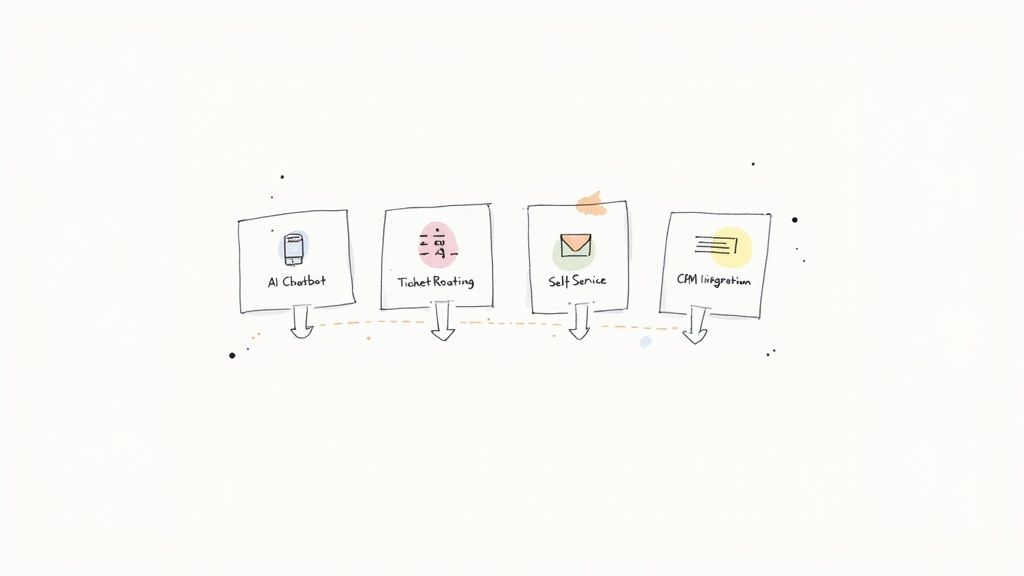
When you start shopping for customer service automation software, it's easy to get lost in a sea of features. But let’s be clear: not all platforms are created equal. The best ones are far more than glorified auto-responders. They're complete systems designed to make your entire support operation smarter and more efficient.
To find a tool that will actually make a difference, you need to know which features are non-negotiable. These core components work together to build a support system that keeps both your customers and your agents happy, turning your service desk from a reactive cost center into a powerful engine for customer loyalty.
AI-Powered Chatbots That Actually Understand People
The star of modern automation is the AI-powered chatbot. Forget the clunky, script-based bots from a few years ago. Today’s chatbots use conversational AI to understand what people really mean, interpreting slang, typos, and even frustration.
Instead of just hunting for keywords, they grasp intent. A customer might type, "my order is busted," and a smart chatbot knows this means the product arrived damaged. It can immediately kick off the return or replacement process without missing a beat. This is the kind of understanding that turns a potentially bad experience into a great one. It's no wonder Gartner predicts 80% of customer service organizations will be using generative AI soon. You can find more on this in a report covering AI customer service statistics.
An Intelligent, Automated Ticketing System
Behind every great support team is a killer ticketing system. This is the organizational backbone that automatically catches, sorts, and sends every customer question—whether from email, social media, or a web form—to exactly the right person.
Think of it as the ultimate traffic controller for your support inbox. Here's what it does:
- Categorization: It reads a new message and instantly tags it with labels like "Billing," "Technical Issue," or "Sales Lead."
- Prioritization: The system can spot urgent words like "cancel" or "outage" and bump that ticket to the front of the line.
- Routing: It uses rules you set to assign the ticket to the agent with the right expertise or the department that handles that type of issue.
This completely eliminates the soul-crushing task of manually sorting inquiries. It slashes response times and ensures no customer ever gets lost in the shuffle.
A Comprehensive Self-Service Portal
One of the smartest ways to reduce your ticket volume is to help customers help themselves. The best automation tools let you build powerful self-service portals, like detailed knowledge bases and smart FAQ sections, that put answers right at your customers' fingertips.
A great self-service portal acts as your best support agent, available 24/7. It deflects common questions, freeing up human agents for high-value interactions that require empathy and complex problem-solving.
These aren't just static web pages. Modern portals use AI to suggest relevant articles as a customer types their question, making the search for information fast and painless. Your customers get instant answers, and your support team gets a much-needed break.
Proactive Communication and Seamless Integrations
Finally, a truly great automation platform doesn't just sit around waiting for problems to happen. It helps you get ahead of them. This means sending proactive messages like automated order status updates, notifying users about a known service issue, or even checking in with a customer who seems stuck on your checkout page.
Just as important are seamless integrations. Your automation software has to play nicely with your other business tools, especially your CRM. When it's connected, your agents get a complete picture of every customer—their purchase history, past conversations, and previous issues. Without that unified view, your team is flying blind, and customers are stuck repeating themselves. This connectivity is also crucial for more advanced capabilities, which you can explore in our guide to social media sentiment analysis tools.
How Automation Works in the Real World
It’s one thing to talk about the features of customer service automation software, but seeing it in action is what really makes it click. This isn't just some abstract technology; it's a practical tool that solves real, everyday problems for businesses. The best way to understand its power is to look at two of the most demanding places brands operate today: e-commerce and social media.
In these fast-moving worlds, customer expectations are sky-high and patience is paper-thin. Automation acts as your digital frontline, handling the routine stuff flawlessly so your human agents can jump in on the conversations that truly need a personal touch.
Let’s dive into a few specific scenarios.
Powering the E-commerce Experience
For any online store, the customer journey doesn't just stop when someone clicks "buy." The post-purchase phase is where you either build a loyal fan or lose a customer for good, and automation is your secret weapon for managing this stage effectively.
Here’s how it usually plays out:
- Instant Order Tracking: A customer messages your bot, "Where is my stuff?" Instead of making them wait, the software connects to your shipping provider, pulls up the tracking details, and gives them a real-time update with a link. All of this happens instantly, with zero human effort.
- Effortless Return Requests: Someone needs to return an item. Rather than getting stuck in a support queue, they use a self-service portal that walks them through the process, creates a shipping label, and confirms their request. The whole thing takes less than two minutes.
- Smart Product Recommendations: When a customer asks a question about a product, the software can look at their past purchases and browsing history to suggest other items they might like. Just like that, a simple support query turns into another potential sale.
By automating these predictable e-commerce tasks, businesses can handle a huge number of inquiries without burning out their support team. It creates a smooth, consistent experience that keeps people coming back for more.
Taming the Social Media Arena
Social media is a completely different beast. It’s public, it’s chaotic, and it’s often your most visible customer service channel. Here, automation is about more than just being efficient—it’s about protecting your brand and engaging with your audience. One wrong move can be seen by thousands, so you need a response system that is both quick and smart.
Take a look at how automation tackles common social media headaches:
- Real-Time Comment Moderation: Your new ad is blowing up, but the comment section is filling up with spam links and nasty remarks. The software can automatically find and hide this junk based on rules you set, keeping your page safe for your actual followers. Good social media content moderation is your first line of defense.
- Intelligent Intent Detection: Someone comments, "Do you have this in blue?" A basic tool might ignore that, but smart automation sees it for what it is: a buying signal. It can ping a sales agent or even reply with a direct link to the blue version, capturing a lead that would have otherwise disappeared into the noise.
- Automated DM Replies: Your DMs are slammed with the same questions over and over—shipping costs, store hours, etc. The software can fire back instant, accurate answers to these FAQs, so no one feels ignored. This frees up your social media manager to do what they do best: build a community.
Automation Use Cases for E-commerce vs. Social Media
To really see the difference, it helps to compare how automation software tackles the unique challenges of each channel.
| Challenge | E-commerce Solution | Social Media Solution |
|---|---|---|
| Repetitive FAQs | Provides instant answers to "Where is my order?" or return policy questions. | Responds automatically to DMs about store hours, shipping costs, or product availability. |
| Brand Reputation | Ensures a smooth post-purchase experience to build customer loyalty. | Hides spam, hate speech, and harmful comments in real-time to protect brand image. |
| Sales Opportunities | Recommends related products based on customer history and inquiries. | Detects purchase intent in public comments and DMs, then routes leads to the sales team. |
| Response Time | Offers 24/7 self-service for tracking, returns, and exchanges. | Provides instant replies to common questions, preventing user frustration on a public platform. |
As you can see, customer service automation is so much more than a simple chatbot. It’s a dynamic system that adapts to different environments, delivering the speed and efficiency needed to create a better experience for everyone.
Choosing and Implementing the Right Software
Picking the right customer service automation software can feel like a huge task, but breaking it down makes it manageable. Think of it like buying a new vehicle for your business. You wouldn't get a sports car to haul equipment; you need the right tool for the job—one that fits your team, your budget, and your specific needs.
The trick is to look past the flashy sales pitches and zero in on what will actually make a difference for your team and your customers. A solid evaluation process helps you find a solution that not only solves today's headaches but can also scale with you down the road.
Your Vendor Evaluation Checklist
When you start comparing different platforms, you need a consistent way to measure them against each other. This simple checklist helps you cut through the marketing jargon and see which tools are a genuine fit.
- Scalability: Can this software handle your current volume of questions and grow with you? A tool that’s great for 1,000 monthly inquiries might completely buckle under the pressure of 10,000. Ask vendors straight up about their capacity limits and what pricing looks like as you expand.
- Integration Capabilities: Your automation tool can't live on an island. It has to play nicely with the other software you already use, especially your CRM, e-commerce site, and social media accounts. Look for ready-made integrations with essentials like Shopify, Salesforce, or Zendesk.
- Ease of Use: A tool is only powerful if your team can actually use it without pulling their hair out. Look for a clean, intuitive interface and visual workflow builders. The whole point is to empower your agents, not give them another technical problem to solve.
As you map out your plan, remember that the goal is to be more efficient without sounding like a robot. For more on that, check out this great piece on automating customer service without losing the human touch.
A Simple Roadmap for Implementation
Once you've made your choice, don't try to boil the ocean. A phased rollout is your best bet for a smooth transition. Going all-in at once often leads to confusion and pushback from your team.
- Define Clear and Measurable Goals: What are you really trying to accomplish? "Improve efficiency" is too vague. Get specific. A better goal is to "cut our first response time by 40%" or "deflect 25% of common questions through self-service."
- Launch a Small Pilot Project: Don't automate everything on day one. Pick one channel or one type of common question to start with. For instance, you could begin by automating all the "Where is my order?" inquiries on Facebook. This lets you test, learn, and work out the kinks on a small scale.
- Train Your Team for Success: Automation changes the game for your support agents, freeing them up to be expert problem-solvers. Give them solid training on the new software, but just as importantly, talk about how their roles will evolve. Show them how this tool helps them focus on more interesting, high-value work.
This visual gives you a good idea of how an automated flow works for a typical e-commerce customer.
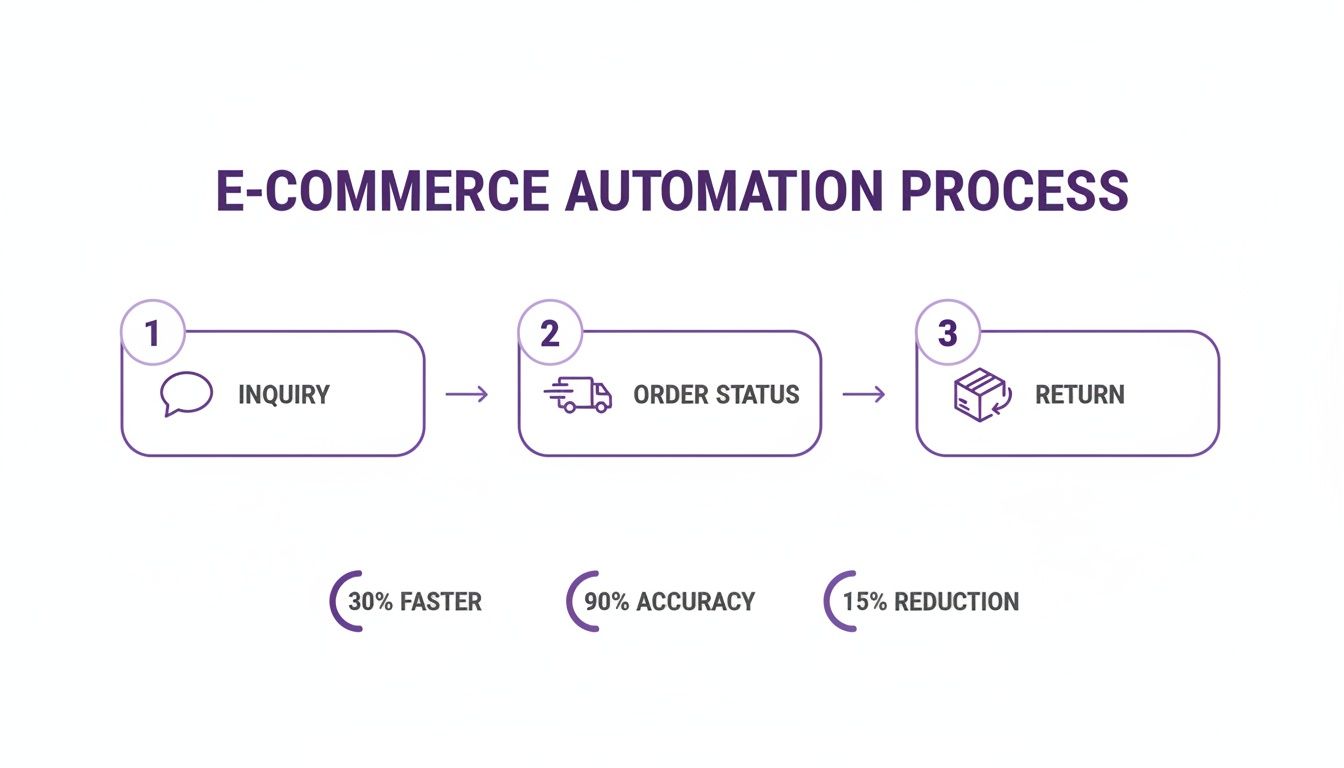
As you can see, the system can handle routine checkpoints like inquiries, order status updates, and returns all on its own.
Measuring Success and Proving ROI
So, how do you know if all this is actually working? You have to track the right numbers. This data proves you're hitting your goals and gives you the hard evidence you need to show leadership that the investment was worth it.
The ultimate goal of measurement is to connect your automation efforts to clear business outcomes. You need to show that faster responses and fewer tickets directly translate to happier customers and a healthier bottom line.
Focus on just a few key metrics that tell the whole story.
- Ticket Deflection Rate: This is the percentage of customer issues that are solved by a chatbot or self-service without ever needing a human agent. If this number is going up, you're on the right track.
- First Response Time (FRT): Automation should slash the time a customer has to wait for an answer. Tracking this shows an immediate win for the customer experience.
- Customer Satisfaction (CSAT) Score: Always keep an eye on your CSAT scores. Speed is great, but not if it makes customers unhappy. A stable or rising CSAT score means you're getting faster and better.
Mastering Social Media with Specialized Automation
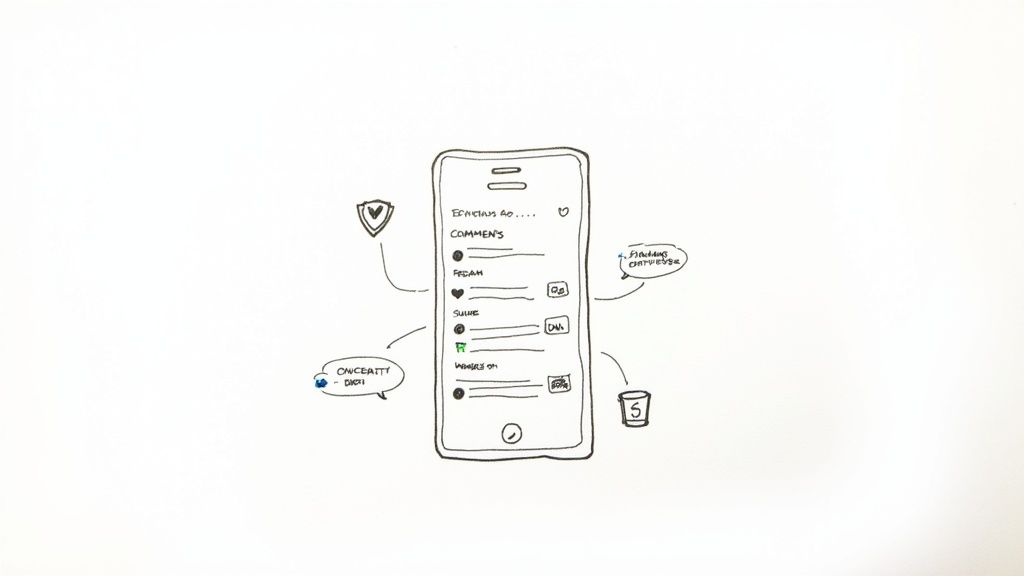
While lots of platforms offer basic automation, social media is a different beast entirely. It's fast-paced, public, and messy. A single negative comment left to fester or a question that goes unanswered can seriously damage your brand's reputation. This is exactly why a specialized tool like FeedGuardians is no longer a nice-to-have; it's a must-have.
Think about it: a general automation tool might be great for sorting through an email inbox, but it just doesn't have the finesse for social media. FeedGuardians was designed specifically to handle the chaos of social engagement, acting as both an intelligent filter and a first responder right where your customers are talking.
Advanced AI for Proactive Comment Moderation
Your social media pages are your digital storefront. You wouldn't let someone spray graffiti on your physical shop, so why let spam and negativity clutter your online space? Manually deleting harmful links, spammy comments, or just plain nasty remarks is a 24/7 job that will burn out any team.
This is where FeedGuardians steps in. Its AI works around the clock to automatically find and hide content that breaks your rules—from obvious spam bots to more subtle, toxic comments. This keeps your community safe and ensures your brand’s voice isn't lost in the noise, creating a welcoming place for real customers.
This kind of specialized tool is becoming more important as the customer service software market explodes. It's projected to grow from USD 51.3 billion in 2025 to a massive USD 96.6 billion by 2035. Large companies, which already make up 57.6% of the market, are looking for powerful platforms to handle huge volumes of support. You can dive deeper into the growth of the customer service software sector on futuremarketinsights.com.
Sophisticated Intent Detection in Comments and DMs
Let's be real: not all comments are the same. "How much is this?" is a flashing buy signal. "Where is my order?" is a fire that needs to be put out immediately. A generic tool might see both as just "engagement," but specialized customer service automation software knows the difference.
FeedGuardians is built to understand intent by analyzing the words and context behind every comment and DM. It can instantly tell a hot sales lead from a frustrated customer, which means your automated responses become much smarter.
This allows you to take the right action, every time. A sales opportunity can be flagged for a real person to jump on, while a common support question gets a helpful, instant answer. It’s not just about replying faster; it’s about understanding what someone actually needs and giving them the right response.
- Sales Lead: A comment about product stock gets sent straight to the sales team.
- Support Query: A DM about a missing package receives an automated reply with a tracking link.
- General Feedback: A glowing comment is automatically liked or queued up for a personal thank you from your team.
This intelligent sorting turns your social media from a chaotic chore into an efficient engine for sales and support. By using a tool built for this specific job, you can finally stop just reacting to comments and start leading the conversation.
Got Questions? We've Got Answers
Thinking about adding automation to your customer service toolkit usually sparks a few questions. It’s a big step! Let’s tackle some of the most common ones we hear from businesses just like yours.
Will Automation Make My Human Agents Obsolete?
This is easily the biggest misconception out there. Think of automation not as a replacement, but as your team's most valuable assistant. Its job is to take on the repetitive, draining tasks that lead to burnout—all those "Where is my order?" questions or password reset requests.
By handling the simple stuff, automation frees up your human agents to do what they do best: solve complex problems, build relationships, and handle sensitive situations that demand a real human touch. It doesn't replace them; it makes their jobs more meaningful and your team more powerful.
What Does This Kind of Software Usually Cost?
Pricing models can vary from vendor to vendor, but you’ll typically run into one of these three structures:
- Per-Agent Pricing: Simple and predictable. You pay a set monthly fee for each team member using the software.
- Usage-Based Pricing: This model ties your cost directly to volume, like how many customer conversations or tickets are automated each month.
- Tiered Plans: Most common for SaaS, these are pre-packaged plans where you get more features and higher limits as you move up the tiers.
The key is to find a provider with clear, transparent pricing that can grow with you, not hold you back.
The right automation software isn't just another expense—it's an investment. The cost is quickly balanced out by lower operational costs, a more productive team, and happier customers who stick around.
How Fast Can I Expect to See a Difference?
Faster than you might think. While every company’s situation is unique, you can start seeing initial wins almost immediately. Things like faster first-response times can show up within the first 30 days once you get a simple chatbot handling your top five most-asked questions.
The bigger, more significant returns—like a major drop in your overall ticket volume and a real jump in customer satisfaction scores—usually start to become clear within the first three to six months. That's when you've had time to really dial in your automated workflows and roll them out across more of your channels.
Ready to see how specialized automation can protect your brand and boost sales on social media? Learn how FeedGuardians keeps your comment sections clean and your customers happy. Discover what FeedGuardians can do for you.
Tired of manually moderating comments?
FeedGuardians automates spam filtering, responds to customers, and protects your brand — setup in 3 minutes.