
Quick Summary
| Key Insight | What You Need to Know |
|---|---|
| Spam & Scams | You know the type—comments with weird links, fake promotions, or obvious phishing attempts. Don't engage. Just hide or delete them right away to keep your community safe. |
| Why You Absolutely Cannot Ignore Negative Comments | Let's be real: ignoring a negative comment isn't just poor form, it's a huge missed opportunity. In a world where everyone’s a skeptic, the negative... |
| Building Your Triage System for Negative Comments | Let's be real: not all negative comments are the same. A spam bot dropping a shady link is worlds away from a loyal customer whose order just went mis... |
| Crafting the Perfect Public Response | Think of every public reply as a performance on a stage. You're not just talking to one unhappy customer; you're demonstrating your brand's character ... |
| Knowing When to Take the Conversation Private | A public acknowledgment is always the first step, but trying to solve a complex problem in a comment thread is a recipe for disaster. Think of it like... |
| Using Automation for Smarter Moderation | When you’re just starting out, keeping an eye on every single comment is doable. But as your brand grows, trying to manually track everything become... |
When a negative comment pops up, the core of your response should always be the same: Acknowledge their feelings, Apologize for the bad experience, and offer a clear Action to make things right. Think of it as the "Triple-A" approach. It's a simple framework that can turn a public complaint into a powerful display of your commitment to customer happiness.
Why You Absolutely Cannot Ignore Negative Comments
Let's be real: ignoring a negative comment isn't just poor form, it's a huge missed opportunity. In a world where everyone’s a skeptic, the negative comments section is often the first place potential customers go. They're looking for an unfiltered view of what could go wrong.
Every public response you write isn't just for the person who complained. It's a performance for every single person reading it—the silent majority who are judging how you handle pressure. Getting this right is a cornerstone of effective online reputation management.
The Simple Psychology of Being Heard
Deep down, most negative comments are just a plea for validation. Customers want to know that their frustration actually matters to you. Often, a simple, heartfelt "I hear you, and I'm sorry this happened" is enough to defuse the tension before it blows up.
When people feel seen and respected, their anger tends to fade. That opens the door for you to actually solve the problem. This isn't just about putting out fires; it's about seeing every bit of feedback as a chance to build a stronger brand.
Answering a complaint shows you care. Answering it well turns a critic into a fan. Every negative comment is a chance to publicly prove your commitment to your customers.
Turning a Risk into a Huge Opportunity
Believe it or not, people actively look for negative feedback. Research from sources like Center.ai shows that 85% of consumers intentionally seek out negative reviews to get the full picture before they buy.
The same research highlights a massive upside: brands that respond to feedback within 24 hours can see a 21% boost in customer retention and a 12% increase in trust.
Ultimately, a negative comment is a gift. It’s a direct, unfiltered look into your customer’s experience. That's pure gold you can use to improve your products and services. Treat it that way, and you might just turn an unhappy customer into one of your most vocal supporters.
Building Your Triage System for Negative Comments
Let's be real: not all negative comments are the same. A spam bot dropping a shady link is worlds away from a loyal customer whose order just went missing. If you react to both with the same energy, you're going to burn out fast and probably tick off your actual customers.
So, before you even think about replying, you need a system. A quick, effective way to sort through the noise and prioritize what actually matters. Think of it as social media triage—it stops you from making knee-jerk reactions you'll regret later.
The whole point is to figure out the intent behind the comment. Is this a genuine customer who needs help right now? Is it someone offering a surprisingly useful bit of feedback? Or is it just a troll looking to start a fire? Each one needs a completely different game plan.
Sorting Comments Into Buckets
To keep things consistent, especially if you have a team, you need to agree on what's what. Everyone should be on the same page about how to label incoming feedback. It makes the whole process smoother.
Here are the four main buckets most comments fall into:
- Real Customer Problems: These are your top priority. Someone has a legitimate issue with your product or service. You need to jump on these with a quick, empathetic public reply and then immediately pull them into a private channel (like DMs or email) to solve it.
- Constructive Feedback: This is gold, even if it stings a little. It's not usually an angry rant, but a thoughtful comment pointing out a flaw or suggesting an improvement. Thank them publicly for the idea and make sure that feedback actually gets to your product or development team.
- Spam & Scams: You know the type—comments with weird links, fake promotions, or obvious phishing attempts. Don't engage. Just hide or delete them right away to keep your community safe.
- Trolls & Haters: These are comments designed to provoke. They're often abusive, hateful, or just plain nasty, with zero interest in a real conversation. Hide, delete, and block the user without a second thought. Don't feed the trolls.
Getting this part right is everything. How you decide to act—whether you engage or ignore—is what determines if you build trust with your audience or break it.
This flowchart nails the core choice you're making with every comment. A smart, strategic response builds you up in your followers' eyes. Ignoring a real problem just tears that trust down. It all starts with putting the comment in the right bucket.
Setting Up Rules for Escalation
Okay, so you’ve categorized the comment. Now what? Who actually deals with it? This is where simple escalation rules save the day. They prevent chaos and stop important issues from getting lost in the shuffle.
For example, a comment about a bug in your app should probably be routed straight to your support or tech team. But if someone mentions a legal threat? That needs to be flagged for your legal department immediately.
This isn't about creating red tape. A good triage system empowers your team to act fast and with confidence, because they know exactly who needs to handle what.
A well-defined process is the backbone of effective social media content moderation. It takes the guesswork out of the equation and keeps the quality of your responses high. By sorting comments into these buckets and having clear rules, your team can handle the heat and turn potential crises into moments where your brand truly shines.
Crafting the Perfect Public Response
Think of every public reply as a performance on a stage. You're not just talking to one unhappy customer; you're demonstrating your brand's character to every single person who sees that comment. The goal is to turn a negative moment into a public display of fantastic customer care.
To do this consistently, you need a simple framework. I’ve found that a three-step approach—Acknowledge, Apologize, Act—works wonders.
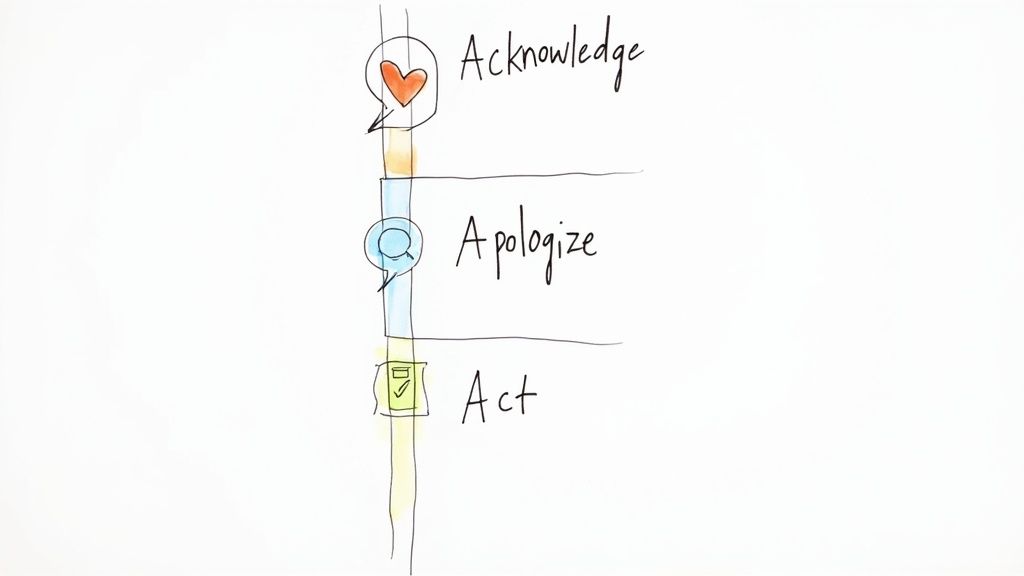
It’s a straightforward process that shows you’re accountable and genuinely want to make things right. Let’s look at how to put it into practice.
Acknowledge Their Frustration
Before you do anything else, you have to validate their feelings. The customer needs to know they’ve been heard. This isn't about immediately admitting fault; it's about connecting with them on a human level and acknowledging their emotional state.
A few carefully chosen words can completely change the tone. Small shifts in language make a huge difference, so it’s worth brushing up on the top customer service phrases to have in your back pocket.
Here are a few great starting points:
- "I can see how frustrating that must have been."
- "Thank you for bringing this to our attention."
- "That definitely doesn't sound like the experience we want for our customers."
Using the person's name is a small detail with a big impact. It makes the interaction feel personal and shows you see them as an individual, not just another ticket number.
Offer a Sincere Apology
Next, say you're sorry. And mean it. You're apologizing for the fact that they had a bad experience with your brand and that their expectations weren't met. It’s not necessarily about taking the blame, but about owning the situation.
A genuine apology is a powerful de-escalation tool. Whatever you do, avoid getting defensive or making excuses—that’s like pouring fuel on a fire.
"We're so sorry to hear your order arrived damaged. That’s definitely not the standard we aim for, and we apologize for the disappointment this caused."
This example is effective because it's direct and empathetic. It focuses on the customer's feeling (disappointment) instead of getting bogged down in logistical details, which sets you up for a collaborative resolution.
State the Action You Will Take
Finally, and most importantly, provide a clear path forward. An apology without a solution is just empty words. You have to tell the customer exactly what you’re going to do to fix the problem. This is where you transition the conversation to a private channel to handle the specifics.
This is the key to turning the situation around. It shows you’re proactive and truly committed to getting it right.
- For a product issue: "We want to make this right. Please send us a DM with your order number, and our team will get a replacement shipped out to you immediately."
- For a service complaint: "We take this feedback very seriously. Could you please email us at [email protected]? We'd like to learn more and see how we can help."
This "Acknowledge, Apologize, Act" formula gives your team a consistent, effective structure for every public interaction. It helps ensure your responses are always professional, helpful, and build trust for the long haul.
To make this even clearer, here’s a quick guide on what to do—and what to avoid—when you’re typing out that public reply.
Public Response Dos and Don'ts
| Do | Don't |
|---|---|
| Use their name. Make it personal. | Use a generic, copy-paste reply. People can spot it a mile away. |
| Acknowledge their specific issue. Show you actually read the comment. | Get into a public argument or debate. Never fight in the comments. |
| Keep it concise and professional. Get straight to the point. | Make promises you can't keep. This only makes things worse. |
| Guide them to a private channel. DMs or email are best for details. | Blame the customer. Even if they're wrong, it's a bad look. |
| Show empathy and understanding. A little compassion goes a long way. | Ignore the comment. Silence is often interpreted as guilt. |
Sticking to these simple guidelines will help you navigate tricky comments with confidence and protect your brand's reputation.
Knowing When to Take the Conversation Private
A public acknowledgment is always the first step, but trying to solve a complex problem in a comment thread is a recipe for disaster. Think of it like this: you wouldn't perform open-heart surgery in a crowded mall. It’s messy, risky, and everyone’s watching. The real, detailed work happens behind the scenes.
This two-step approach—public acknowledgment followed by private resolution—is the gold standard for a reason. Your initial public reply shows everyone you’re transparent and accountable. But moving the conversation to DMs, email, or the phone is where you actually fix the problem. This protects the customer's privacy and stops a public back-and-forth from spiraling out of control.
Spotting the Cues to Move Offline
Learning to recognize when to make the switch is a critical skill. Some situations are just obvious red flags that scream, "Take this offline. Now." In fact, an Expedia study found that 91% of travelers feel managers should reply to negative reviews, and a professional, two-step process actually improves their impression of the business.
Here are the clearest signals that it's time to slide into the DMs:
- You need sensitive information. If you need an order number, email address, or phone number to look up their issue, the conversation has to go private. Never, ever ask for personal data in a public forum.
- The problem is highly technical. A complex bug report or a detailed product malfunction requires a lot of back-and-forth. A public comment section just isn't built for a multi-step diagnostic process.
- Emotions are running high. When a commenter is clearly furious, upset, or using aggressive language, a public debate will only add fuel to the fire. A private channel gives you a calmer space to de-escalate and give them your full attention.
- The comment involves a serious accusation. Allegations of theft, safety issues, or anything with potential legal implications are in a category of their own. Acknowledge them publicly, then immediately move to a secure channel to handle the investigation properly.
Pro Tip: Your public response should always pave the way for the private conversation. Never leave the commenter wondering what to do next. Clearly state your intention to help and give them the exact next step to take.
How to Gracefully Transition the Conversation
Making this transition feel smooth is an art. You want the customer to feel like you’re prioritizing them, not just trying to shut them up. The trick is to be direct, helpful, and crystal clear in your public reply.
Here’s a great example for a product issue:
"We're so sorry to hear your product arrived damaged. That’s definitely not the experience we want for our customers. Please send us a quick DM with your order number, and we'll get a replacement sent out right away."
And one for a service complaint:
"Thank you for bringing this to our attention. We take feedback like this very seriously and want to look into it immediately. Could you please email us at [email protected] with a few more details so our team can personally assist you?"
This approach does two things at once. It shows the unhappy customer you're on their side and ready to act. It also shows every silent lurker reading the comments that you own your mistakes and have a clear process for making things right. That’s how you build trust.
Using Automation for Smarter Moderation
When you’re just starting out, keeping an eye on every single comment is doable. But as your brand grows, trying to manually track everything becomes a fast track to burnout. This is exactly where technology can lend a hand—not to replace your team's personal touch, but to make it sharper and more effective.
The idea isn’t to set up a robot to chat with your customers. Instead, you're building an intelligent system that sifts through the noise, automatically flags the critical feedback you need to see, and hides the genuinely harmful stuff. This frees up your team to focus their energy on the conversations that actually matter.
Setting Up Your First Line of Defense
The easiest way to get started with automation is by setting up basic alerts. Most social platforms let you create saved searches, and you can use dedicated tools to get instant notifications for your brand name, common misspellings, and keywords that scream "customer issue" (think "broken," "late delivery," or "doesn't work"). This is your safety net, ensuring you never miss feedback that needs a human response.
But the real magic happens when you bring in dedicated moderation tools that can act on your behalf based on rules you set.
The goal of automation is efficiency, not absence. It should empower your team to be more present and effective where it counts most, not remove them from the conversation entirely.
This kind of strategic approach helps protect your online community and lets you respond to negative comments faster and more consistently.
Implementing an Automated Moderation Workflow
Let's be honest, modern moderation tools can handle a massive amount of the low-level grunt work, which gives your team some much-needed breathing room.
This diagram shows how you can think about your system, with automation as the central engine that connects all the different parts of your response strategy.
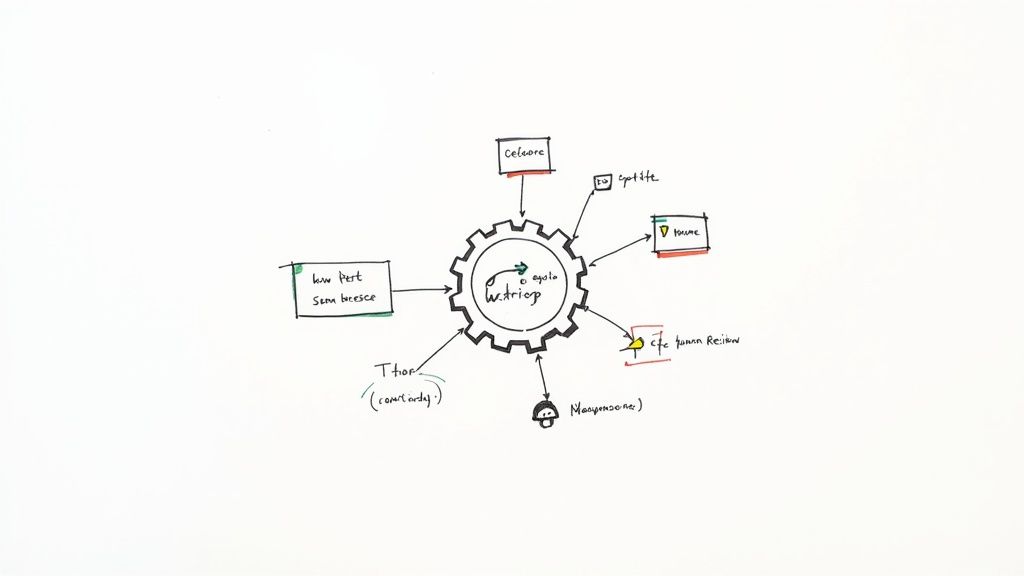
When you have an integrated system like this, you can manage everything from a single dashboard, which is key to keeping your responses consistent and efficient across all your channels.
The need for this is more urgent than ever. A recent report revealed that nearly half (44%) of comments on TikTok ads and about a third (30%) on Meta ads were hidden because they were spam or toxic. Those numbers really highlight the sheer volume of junk that brands are forced to deal with.
Platforms like FeedGuardians are built for this. They can automatically:
- Hide toxic comments: Instantly get rid of comments with hate speech, profanity, or spam before your community ever sees them.
- Flag for review: Automatically identify comments that seem urgent or emotionally charged and queue them up for a human to review.
- Filter out spam: Eliminate those annoying comments with shady links or repetitive, irrelevant garbage that just clutters up your feed.
This blend of AI and human oversight is the sweet spot. You can dig into the different types of AI comment moderation tools out there to see what fits your needs. By letting automation handle the obvious spam and abuse, your team can pour their time and energy into crafting thoughtful replies for real customers.
That's how you turn a potentially negative experience into a positive one and scale your customer care without losing that crucial human touch.
Turning Negative Feedback into Business Intelligence
Don't think of negative comments as just fires to put out. They're actually a goldmine of free, unfiltered feedback. Every single complaint is a data point that tells you something about your products, your service, or the overall customer experience. When you start treating these comments as valuable insights, you can finally close the feedback loop for good.
The first thing you need to do is figure out if your efforts are even working. Start tracking a few key numbers to get a clear picture of your performance.
- Average Response Time: How fast are you getting back to people? Speed is a huge part of making customers feel heard and valued.
- Sentiment Shift: After you reply, does the commenter’s tone change? A shift from angry to neutral or positive is a clear win and shows your engagement is making a real difference.
- Customer Retention: This is the big one. Are customers who leave a negative comment and get a great response coming back to buy again? That’s the ultimate sign you’ve turned a bad situation around.
Finding Patterns in the Noise
Once you have some performance data, it’s time to dig into the comments themselves. I always recommend setting up a simple tagging system to categorize the feedback. You might start noticing patterns you never expected, like a dozen people getting stuck at the same point in your checkout process or a consistent complaint about one specific product feature.
This kind of analysis is at the heart of what social listening is. It shifts your team from just reacting to problems to proactively making improvements. To get the most out of this, you really need to understand the power of data analytics in driving user insights.
A single complaint is an anecdote. A dozen complaints about the same issue is a trend. Your job is to connect the dots and turn those trends into action.
Timing is everything, too. Research from Hootsuite found that comments posted within the first hour get an average of 257 engagements. But comments made after 24 hours? That number plummets to between 133–145. This shows that jumping on negative comments quickly doesn't just solve a customer's problem—it also boosts your visibility when people are paying the most attention.
Got Questions About Negative Comments? We've Got Answers.
Even the best social media managers get stumped sometimes. When you're in the trenches, certain comments can really throw you for a loop. Here are some of the most common questions I hear from brands and my go-to advice for handling them.
To Delete or Not to Delete?
My short answer? Almost never. Hitting that delete button on legitimate criticism is a fast track to losing customer trust. It screams, "We can't handle feedback!" and often, the original commenter will just come back angrier, this time accusing you of censorship.
The only time you should delete a comment is if it violates your community guidelines. Think hate speech, spam, doxxing (sharing private info), or outright abusive language. In those cases, deleting and blocking isn't just okay—it's your responsibility to protect your page and your audience.
What if the Comment Is Just Plain Wrong?
It happens. Sometimes people get their facts mixed up or are just flat-out lying. The trick is to correct the record publicly without starting a fight. Stay calm, professional, and stick to the facts.
The goal is to gently correct them while moving the conversation offline.
For example, you could say: "Thanks for reaching out. I've looked through our system but can't seem to find an order under your name. We definitely want to look into this for you. Could you send us an email at [email protected] with more details?"
This shows everyone else reading that you're responsive and professional, but it also puts the ball back in the commenter's court.
How Can I Respond if I Don't Have an Answer Yet?
Honesty is always the best policy. It’s perfectly fine not to have an immediate solution, and people appreciate it when you're upfront about it. The worst thing you can do is ignore them while you scramble for an answer.
A quick acknowledgment buys you time and goodwill. Try something like this: "Thanks for flagging this for us. This is definitely not the experience we want for our customers. I'm looking into this with our technical team right now and will circle back with an update for you within 24 hours." It shows you're on the case and sets a clear expectation for when they'll hear from you next.
Ready to stop harmful comments before they hurt your brand? FeedGuardians uses AI to automatically hide spam and toxicity, freeing you to focus on real customer conversations. See how it works.
Tired of manually moderating comments?
FeedGuardians automates spam filtering, responds to customers, and protects your brand — setup in 3 minutes.