
Quick Summary
| Key Insight | What You Need to Know |
|---|---|
| Instant replies encourage more | Instant replies encourage more people to leave a comment. |
| More comments get your | More comments get your post seen by a wider audience. |
| Wider reach leads to | Wider reach leads to even more engagement and, ultimately, more sales. |
| IF a comment on | IF a comment on your Reel contains "guide" or "send it"... |
| THEN the tool posts | THEN the tool posts a public reply like, "You got it! Check your DMs for the link to the free guide. 😊" |
| AND it immediately sends a DM with the message | "Here's the guide you asked for! Let me know what you think." |
Let’s get one thing straight: when most people hear “Instagram automatic comments,” they picture those annoying, generic “Great post!” replies from spam bots. We’ve all seen them. But that’s not what we’re talking about here.
Modern automation is a whole different ballgame. It’s about using smart, AI-powered tools to manage a flood of interactions on your posts, Reels, and ads. This isn’t about faking engagement; it’s about managing it at scale so you can capture real leads and build a real community.
Why Instagram Automatic Comments Are a Game Changer
Forget the old spam bots. Today’s Instagram automatic comments are powered by sophisticated AI that actually understands what people are saying. It can figure out the context, detect what a user wants, and give them a genuinely helpful, personalized response right away.
Think about it. You’re an e-commerce brand running a flash sale, and your post is blowing up. You’ve got hundreds of comments flooding in: "Price?", "Link?", "Got this in blue?". Trying to reply to every single one by hand is a losing battle. While your team is scrambling to type replies, your customers are getting impatient and scrolling away.
This is exactly where smart automation steps in. It’s not just a nice-to-have; it’s a must-have for any brand serious about growth.
The Power of Instant Engagement
The Instagram algorithm absolutely loves a busy comments section. Posts that get a lot of comments quickly are flagged as valuable and shown to more people. This is where automation gives you a massive advantage.
When you reply to a comment instantly, you’re doing two things at once: you’re giving the user the immediate gratification they want, and you’re doubling the comment count on your post. It’s a clear signal to the algorithm that your content is starting a real conversation.
This kicks off a powerful cycle:
- Instant replies encourage more people to leave a comment.
- More comments get your post seen by a wider audience.
- Wider reach leads to even more engagement and, ultimately, more sales.
By responding immediately, you’re not just being efficient. You’re meeting the modern customer’s expectation for speed while giving the algorithm exactly what it wants: an active, buzzing community.
This isn’t just theory; it has a real impact on the bottom line. The clothing brand Libas, for example, used comment automation during a live sale and converted 64 orders from just over 100 commenters. That’s a direct line from automated engagement to actual revenue.
Before we dive deeper, let's look at a quick comparison to see just how much of a difference automation can make.
Manual vs Automated Comment Management
| Feature | Manual Management | Automated Management |
|---|---|---|
| Response Time | Slow, depends on team availability | Instant, 24/7 |
| Scalability | Limited by manpower; impossible for viral posts | Handles thousands of comments simultaneously |
| Lead Capture | Easy to miss leads in a flood of comments | Automatically identifies and funnels leads into a DM |
| Data & Insights | Anecdotal; hard to track patterns | Tracks comment volume, sentiment, and conversion data |
| Spam Filtering | Tedious and time-consuming | Automatically hides or deletes spam and troll comments |
| Consistency | Tone and accuracy can vary between team members | Ensures a consistent brand voice and messaging |
As you can see, automation isn't just about saving time—it's about creating a more effective and scalable system for community management and lead generation.
From Simple Replies to Smart Conversations
Modern tools have moved way beyond basic keyword triggers. They can analyze the sentiment of a comment to tell if someone is thrilled or frustrated, making sure you always send the right kind of message.
This allows you to automatically:
- Answer common questions in a heartbeat.
- Send product links via DM to anyone who asks for one.
- Keep your comments section clean by filtering out junk.
- Flag tricky or sensitive issues for a human to handle personally.
Ultimately, using Instagram automatic comments is about scaling meaningful interactions. It frees your team from the boring, repetitive stuff so they can focus their energy on what really matters: building strong, lasting relationships with your customers.
If you want to take your strategy to the next level, our guide on how to improve social media engagement is a great place to start.
Choosing the Right Instagram Automation Tool
Picking the right platform for your Instagram automatic comments is a big deal. This isn't just about tech; it's a strategic move that affects your brand's reputation and how well your efforts actually work.
First thing's first, and this is the golden rule: only use official Meta Business Partners. I can't stress this enough. Going with some unauthorized tool that scrapes Instagram or breaks its rules is the fastest way to get your account flagged, restricted, or worse, completely shut down.
Official partners have been vetted by Meta and use the approved API. This is your insurance policy, ensuring everything you automate stays within Instagram’s guidelines and keeps your account safe.
Core Features to Look For
When you start comparing tools, you'll quickly see it's a balancing act between cost and capability. For example, a small online shop might be tempted by a cheap, basic auto-responder. It can handle simple keyword triggers, sure. But a more advanced, AI-driven platform offers the kind of nuance that leads to real conversations.
Here’s what I always tell people to look for:
- AI-Powered Replies: Does the tool actually understand what people are saying? Or does it just see a keyword and fire off a canned response? Real AI can tell the difference between someone asking for a "link to buy" and someone complaining about a "broken link" on your site. That's a huge distinction.
- Advanced Keyword Triggers: You need flexibility. Look for tools that let you build complex rules. Think beyond simple keywords and look for options to trigger replies based on one word while excluding another, or even combining multiple conditions for one specific response.
- Sentiment Analysis: This is your brand safety net. A solid tool can spot angry or frustrated comments and automatically flag them for a real person on your team to handle. This prevents the nightmare scenario of sending a cheerful, automated "Thanks for your comment!" to a furious customer.
- Smart Moderation: Does the tool just delete comments, or can it hide them? Hiding spam or troll comments is almost always the better move. It cleans up your feed without tipping off the spammer, who might just come back with a different account.
- CRM and Support Integrations: Your Instagram comments don't exist in a vacuum. The best tools connect with your other systems, like Zendesk or HubSpot. This creates a seamless path for turning a public comment into a private support ticket without any manual copy-pasting.
It really comes down to this: a basic tool might save you a few bucks now, but an AI-powered platform that protects your brand and creates better interactions will almost always deliver a much higher ROI in the long run.
Making the Right Choice for Your Business
Let's imagine a small clothing brand runs a giveaway. A basic tool could reply to every single comment with "giveaway" in it with the exact same message. It works, but it feels robotic fast.
Now, an advanced tool can do so much more. It can vary the replies to keep things fresh, spot actual questions buried in the comments ("Do you ship to Canada?"), and even use sentiment analysis to find your most excited followers to engage with later.
That's the difference between just automating and automating smart. You want a platform that doesn't just do the work for you, but actually improves the quality of your community interactions.
For a deeper dive into specific platforms, we've put together a complete guide comparing the top social media automation tools for 2025. It breaks down features, pricing, and who each tool is best for, helping you find the perfect match for your goals and budget.
Getting Your First Automatic Comment Campaign Off the Ground
Alright, let's get into the nuts and bolts of setting up your first campaign. Before you even think about picking a tool or writing a single reply, you have to nail down one thing: your goal.
What, exactly, are you trying to accomplish with this post? The answer to that question will shape every single decision you make from here on out.
Are you running a giveaway? Then your goal is probably to maximize entries and maybe funnel those people to an email list. Announcing a new product? You'll want to answer questions quickly and push people toward your shop. Just having that one clear objective is the foundation for building effective automation rules.
This little diagram sums up the right way to think about it. You start with your needs, find a tool with the features to match, and then make sure it's all compliant.
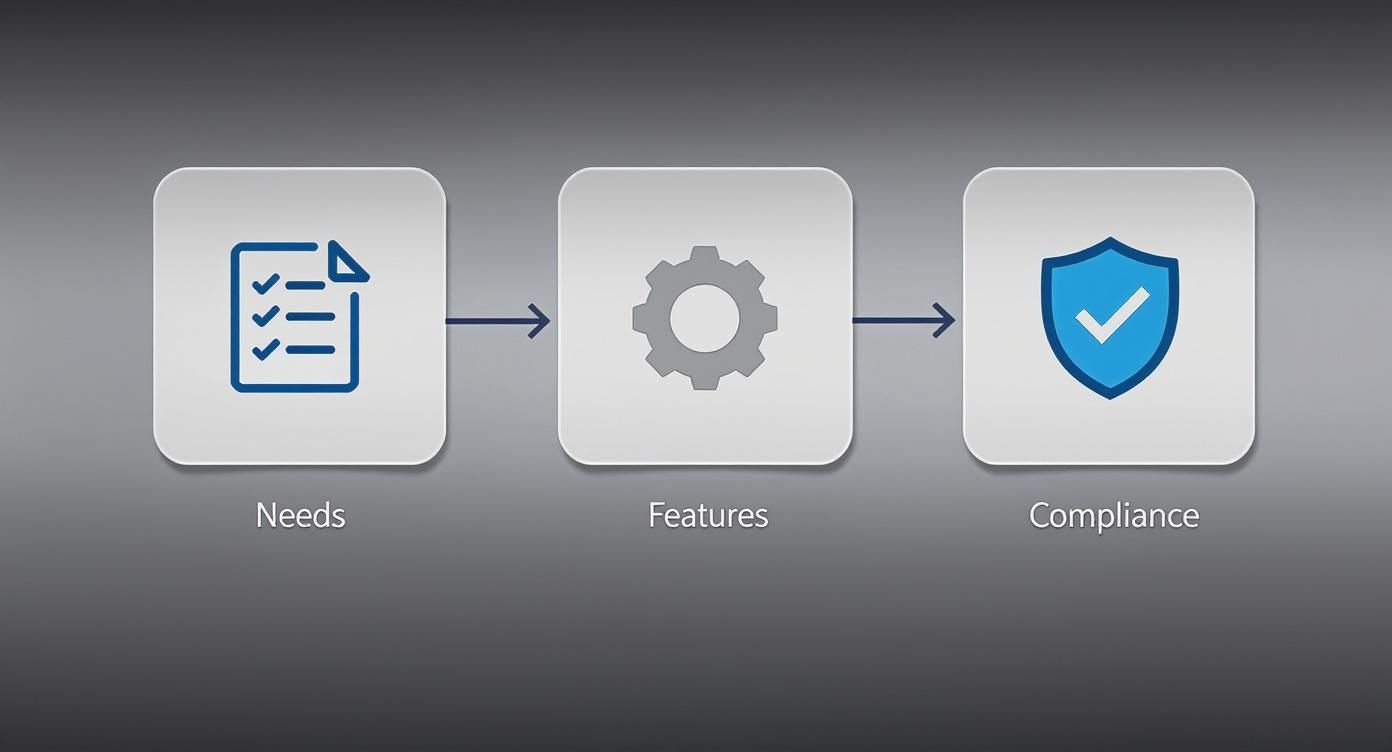
See? It's all about understanding what you need first. Too many people pick a flashy tool and then try to make their strategy fit its features. That's backward.
Building Your Trigger and Reply System
Once you've got your goal locked in, it's time to map out your triggers. Think of these as the magic words. What specific words or phrases will users type in their comments that should kick off your automation?
Let's say you're an e-commerce brand selling custom phone cases. You can probably predict the kinds of questions you'll get:
- Price questions: "price," "how much," "cost"
- Shopping questions: "link," "where to buy," "shop"
- General interest: "interested," "want one," "need this"
Now for the most important part: variation. If you only use one generic reply for every trigger, your comments will look painfully robotic. It’s a dead giveaway. To avoid this, write at least five different reply variations for each group of triggers. It's a small effort that makes a huge difference in appearing human and staying off Instagram's spam radar.
My Favorite Pro Tip: Always use personalization tokens. A simple "Hey [username], so glad you're interested!" is worlds better than a cold, generic response. It instantly makes the interaction feel warmer and more personal.
Crafting Smart Automation Rules
This is where the real strategy comes into play. You’re not just setting up a simple auto-reply; you're building a system that intelligently guides users from a public comment to a private, more valuable conversation.
Let’s walk through a few real-world examples of how this looks in practice.
Scenario: Promoting a Lead Magnet (like a free guide)
- IF a comment on your Reel contains "guide" or "send it"...
- THEN the tool posts a public reply like, "You got it! Check your DMs for the link to the free guide. 😊"
- AND it immediately sends a DM with the message: "Here's the guide you asked for! Let me know what you think."
Scenario: Acknowledging Positive Feedback
- IF a comment contains "love this," "amazing," or "perfect"...
- THEN the tool posts a public reply like, "Thank you so much! We're thrilled you like it. ❤️"
- Note: In this case, a DM is probably overkill. The goal here is just to show appreciation and bump up the comment count.
Scenario: Handling a Sales Question
- IF a comment on a product post contains "price"...
- THEN the tool posts a public reply: "Just sent the details to your DMs!"
- AND it sends a DM saying: "Hey! The price for this is $XX, and you can shop it directly here: [link]."
These multi-step flows are what make a sophisticated Instagram automatic comments strategy work so well. By shifting the transactional stuff to DMs, you create a direct path for someone to make a purchase while keeping your public comment section clean, positive, and focused on engagement.
Mastering AI Moderation and Sentiment Analysis
Great automation isn't just about firing off replies. It’s about protecting your brand and nurturing the community you've worked so hard to build. This is where AI-driven moderation and sentiment analysis become your secret weapon, working 24/7 to keep your comment sections healthy.
Let's be real: without moderation, a viral post can turn into a dumpster fire of spam, trolls, and competitors trying to steal your customers. Trying to delete all those comments manually is like playing a game of whack-a-mole you can never win. Smart automation, on the other hand, handles it instantly.
Today's tools are so much more than basic spam filters. They're sophisticated AI systems that can automatically hide or delete comments packed with offensive language, scammy keywords, or competitor promos. This keeps things clean on both your organic posts and your ads. If you're looking for the right fit, we put together a guide on the best AI comment moderation tools for 2025.
Reading the Room: Understanding User Sentiment
The real magic of AI is its ability to understand the feeling behind a comment. This is called sentiment analysis, and it’s what lets your tool tell the difference between a happy customer, an angry one, and someone just asking a question. That context changes everything.
Think about these common situations:
- The Happy Customer: "Just got my order, and I'm obsessed! 😍" This is gold. It’s the perfect time for an automated public reply that shares their excitement.
- The Unhappy Customer: "My package arrived damaged, and customer service isn't responding." A generic "Thanks for your comment!" would be a brand-killing mistake. Instead, the AI should immediately flag this for a human to jump in.
- The Simple Question: "Do you ship to Australia?" A straightforward query that automation can easily handle by sending a DM with the shipping details.
By understanding sentiment, your automation tool stops being a blunt instrument and starts making smart decisions. It knows when to engage publicly, when to slide into the DMs, and—crucially—when to get out of the way and let a person take over.
This screenshot shows just how granular you can get, setting up specific rules to automatically hide comments that contain spammy links or certain keywords you want to avoid.
Setting these rules up from the get-go means you’re filtering out the noise without lifting a finger, leaving a clean, welcoming space for your actual followers.
Building Your Moderation Rules
Getting your moderation rules in place is pretty simple. You’ll create lists of keywords and phrases that trigger an action, like "hide comment" or "delete comment." This is absolutely essential for managing instagram automatic comments effectively.
I recommend starting with lists for the most common headaches:
- Spam: "Follow me," "DM for promo," weird-looking links.
- Offensive Language: Build a list of any profanity or hateful terms.
- Competitor Mentions: Add the names of your direct competitors or phrases like "cheaper at."
These AI-powered rules work across everything—your organic posts and your Instagram ads. Many tools even plug right into your help desk software for a totally seamless workflow. This frees up your team from filtering out junk so they can focus on the meaningful conversations that actually build loyalty. If you want a deeper dive, NapoleonCat explains how these systems work with Instagram ads. By automating your first line of defense, you empower your team to handle the interactions that truly matter.
Turning Comments into Conversations and Conversions
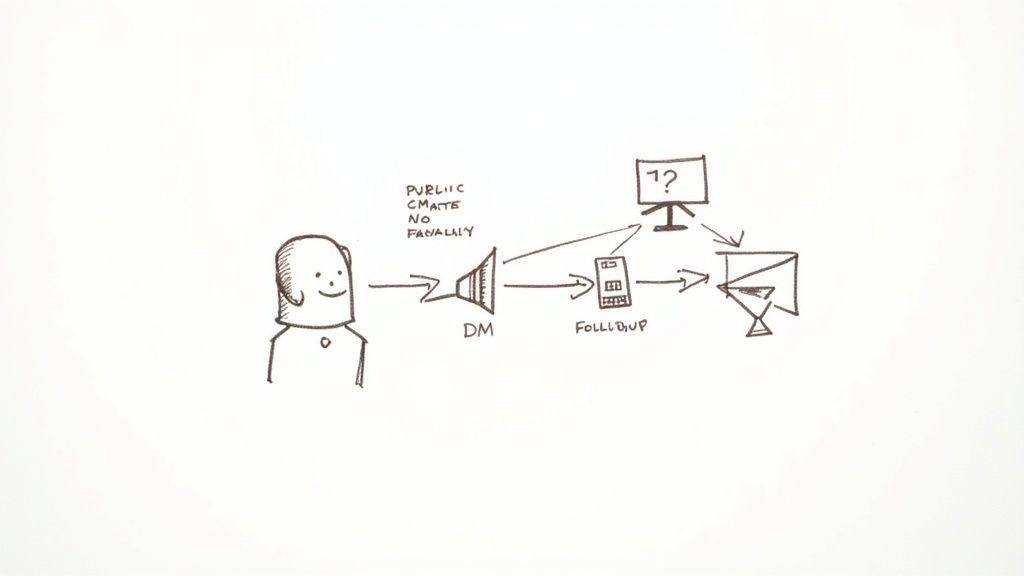
The real magic of Instagram automatic comments isn't just about posting a quick reply. It's about turning that public comment into a private, one-on-one conversation that can lead to a sale. Think of it as "conversation-led marketing"—a smart way to guide someone from casual interest to genuine customer loyalty.
The whole idea is to shift the interaction from your public feed into the more personal space of Direct Messages (DMs). This is where you can build real rapport, answer specific questions, and gently guide someone toward a purchase without your comment section getting messy. It’s how you scale lead nurturing without losing that personal touch.
Designing Your Comment-to-DM Funnel
This whole process is essentially a mini-sales funnel, and it all starts with a single comment. When you map out the steps, you create a consistent experience that builds trust along the way. Honestly, this is a non-negotiable part of any modern customer service automation strategy.
So, how do you build this out? A solid funnel usually has a few core stages.
- Acknowledge Them Publicly, Instantly: First, your tool should fire off a quick, public reply to their comment. This does two things: it shows everyone else you're on top of things, and it gives your post a little bump from the algorithm. A simple, "Awesome! Just sent the details over to your DMs!" is all you need.
- Deliver the Goods via DM: At the exact same time, your automation sends a DM with whatever they asked for. This might be a link to a product, a discount code, or the answer to a question. That immediate delivery is key because you're catching them right when their interest is piqued.
This isn't just a nice-to-have; it directly impacts your bottom line. Research shows that businesses responding to inquiries within five minutes are nine times more likely to convert leads. It’s a powerful reminder of why fast, automated responses are so valuable. For more on this, the folks at Inro Social have some great insights into conversation-led marketing.
Nurturing Leads Beyond the First Message
But the conversation shouldn't stop there. A truly effective automation flow will include follow-ups that keep the relationship warm and nudge the user toward making a decision.
- The Value-Add Follow-Up: About a day later, set up your tool to send another message. This isn't the time for a hard sell. Instead, offer something genuinely helpful related to their original comment. Maybe it's a link to a "how-to" blog post, a setup guide for the product, or an invite to an upcoming webinar.
- The Final Check-In: The last step can be a gentle check-in or a soft offer. Something like, "Hey [username], just wanted to follow up. Did you have any other questions I can help with? If you're ready to jump in, here’s a 10% off code to get you started."
By setting up this kind of automated sequence, you turn a simple comment into a powerful lead-nurturing engine. It’s how you build real relationships at a scale that would be impossible to manage by hand, proving a single comment can be the start of a very profitable customer journey.
Common Questions About Instagram Automatic Comments
Even with a solid plan, jumping into automation can feel a little daunting. It's smart to have questions before you let a tool take the wheel. Let's tackle some of the most common worries so you can move forward feeling confident.
The biggest fear I hear? The risk of getting your account suspended. It’s a valid concern, but thankfully, it’s one you can easily sidestep by following one crucial rule.
Can Using Instagram Automatic Comments Get My Account Banned?
The short answer is no—as long as you use an official Meta Business Partner. These are the only tools you should ever consider. They're built to play by the rules, working directly with Instagram's official API, and they've been vetted and approved by Meta themselves.
The real danger lies with those shady, unauthorized bots you might see advertised. These tools often "scrape" Instagram or use back-door methods that are a clear violation of the platform's terms of service. That's what gets an account flagged or, even worse, banned.
Here's a simple test I always tell people: If a tool asks you for your Instagram password, run. Official partners use a secure login that never asks for your personal credentials.
How Do I Make Automated Comments Sound Natural?
This is where the magic happens, and it's all in the setup. Your goal is to make your automation feel like a helpful, personal assistant, not a clunky robot. The two most important ingredients are variation and context.
First off, never, ever rely on a single, canned response. For every trigger word you set up, create a handful of different reply versions. This simple step allows the tool to rotate through them, so your comments don't look like repetitive spam.
From there, you can really dial in the human touch:
- Use personalization tokens. Something as simple as including the commenter's username (
@username) makes a reply feel like it was written just for them. - Create specific triggers for different needs. The way you'd reply to someone asking "price?" should be completely different from how you'd respond to "amazing!"
- Let automation handle the first touch. Use it for the quick, initial response, but have it flag more complex or sensitive comments for a real person to handle personally.
What Metrics Should I Track to Measure Success?
Figuring out if this is all working comes right back to the goal you set in the first place. The numbers you watch—your key performance indicators (KPIs)—should be a direct reflection of what you're trying to achieve.
Here are the key metrics I always keep an eye on:
- Response Time: Speed is a huge benefit of automation. Are comments being answered instantly? You need to know this is working as intended.
- Engagement Rate: Look at the bigger picture. Is this new strategy leading to more comments, likes, and shares on your posts overall?
- Click-Through Rate (CTR): If your automated DMs include links, you need to know if people are actually clicking them. This tells you if your call-to-action is effective.
- Conversion Rate: This is the bottom line. How many of these automated chats are turning into actual sales or leads?
The good news is that most reputable automation tools, like ManyChat or NapoleonCat, have built-in analytics that make tracking this stuff straightforward, giving you a clear picture of your ROI.
Ready to keep your comment sections clean and turn engagement into revenue? FeedGuardians uses AI to manage your Instagram comments, hide spam, and reply to customers in real-time. Start your free trial today!
Tired of manually moderating comments?
FeedGuardians automates spam filtering, responds to customers, and protects your brand — setup in 3 minutes.