
Quick Summary
| Key Insight | What You Need to Know |
|---|---|
| Irrelevant Emojis | A long string of random emojis (like 🔥🔥🔥💯💯) is a classic bot move. It’s designed to look like engagement without requiring any actual thought. |
| Redundant Questions | I often see comments asking questions that are clearly answered in the caption. This is a huge red flag that the bot never actually read it. |
| Tagging Random Users | Some spam bots will tag a bunch of completely random users in the comments, trying to lure them to their own scammy profile. |
Spam accounts on Instagram are far more than a minor annoyance. They're often automated bots or straight-up fake profiles built to bombard your comments, DMs, and feed with junk. We're talking about a constant stream of scams, phishing links, and shady promotions that can seriously damage your brand's reputation and your community's safety. Dealing with them isn't just a "nice-to-have"; it's essential for keeping your online space healthy and trustworthy.
The True Cost of Instagram Spam Accounts
Ignoring spam on Instagram is like letting weeds take over a garden. It’s not just about a few annoying comments; it's a direct assault on the digital presence you've worked so hard to build. The damage goes deeper than you might think. Every time a real customer sees their genuine question get buried under a flood of "DM me for a collab!" bots, you lose a tiny piece of your credibility.
This constant static doesn't just make your comment section look messy—it actively hurts your business in a few critical ways.
To help you spot these threats quickly, here’s a look at the most common types of spam you’ll encounter and the damage they can do.
Common Types of Instagram Spam and Their Impact
| Spam Type | Example Comment | Primary Business Risk |
|---|---|---|
| Phishing Scams | "You've won a gift card! Click the link in my bio to claim!" | Stealing customer data; security breaches |
| Fake Promotions | "Get 90% off Ray-Bans! Limited time only, link in bio!" | Damaging brand reputation through association |
| Engagement Bait | "Follow me, I follow back!" or "DM for a shoutout" | Devaluing genuine engagement; cluttering feed |
| Inappropriate Content | Comments with adult links, hate speech, or graphic content | Creating an unsafe environment for your community |
| Impersonation | Fake "support" accounts asking for login details in DMs | Direct financial loss and identity theft for users |
Recognizing these patterns is the first step. When left unchecked, they create a ripple effect that can harm everything from customer perception to your sales figures.
Erosion of Customer Trust
When your comments section is a free-for-all for spammers, it signals to your audience that nobody's home. Real followers start to think twice before engaging, worried their comments will just get lost in the noise or that your page isn't secure.
That hesitation can quickly sour into distrust, putting a real dent in your brand's reputation. A strong community is built on trust, and spam is designed to tear that down. Protecting that space is a huge part of any solid online reputation management strategy.
Dilution of Brand Message
You’ve put a ton of effort into crafting the perfect post, only to have the entire conversation hijacked by bots slinging crypto scams or knockoff sunglasses. These totally irrelevant and often malicious comments drown out your message and distract from the value you're trying to share. Suddenly, your brand’s voice is lost, making it that much harder to connect with the people you actually want to reach.
The scale of this problem is pretty staggering. Instagram reported 22 million hacking incidents, making it the second most targeted social platform out there. This explosion in compromised accounts is what fuels the spam fire, as hackers take over real profiles to push their schemes. With an account getting hacked every 10 minutes, it's no wonder so many of them get turned into spam-blasting machines overnight.
Lost Sales and Engagement Opportunities
Here’s where it hits your bottom line. A potential customer might ask a simple question like, "Is this available in blue?" but their comment is immediately buried under a pile of spam. If your social media manager doesn't see it, you just lost a sale. It’s that simple.
The real danger of spam is not just what is present, but what is lost. Lost questions, lost trust, and lost customers represent the hidden, and most significant, cost to your brand.
Spam makes it harder for real interaction to happen. Your audience becomes less likely to ask questions, offer feedback, or tag their friends when they know their comment will be swallowed by a sea of bots. This tanks your engagement rates, which can tell the Instagram algorithm your content isn't that valuable, and your organic reach can suffer as a result. Managing Instagram spam accounts isn't just about cleaning up—it's about protecting your revenue and your ability to grow.
How to Spot Instagram Spam Accounts in Seconds
Getting good at spotting spam is your first and best line of defense. To really protect your community, you have to look past the obvious stuff, like a totally blank profile picture. The craftiest spammers are sneaky, but their automated behavior always leaves a trail of digital clues. Once you learn to recognize these patterns, your team can flag and remove threats in a heartbeat.
The first place I always look is the profile itself. A spam account often has a username that just feels… random. Think of a generic name followed by a long string of numbers, something like "jessica847593-02."
Their bio is another dead giveaway. Keep an eye out for bios that are either completely empty or, even more suspiciously, just contain a single, often shortened, link. These usually come with a vague, clickbaity call to action like "Click for a surprise!" or "Free followers here."
These accounts also have some seriously strange follower-to-following ratios. You might see an account that follows thousands of people but only has a handful of followers. On the flip side, some of the more sophisticated spam operations buy fake followers, so you could stumble upon an account with 10,000+ followers but almost no posts and zero real engagement on what little content they do have.
Analyzing Their Comments and Content
After a quick profile scan, their activity tells the rest of the story. Instagram spam accounts almost never post original content. Their grid is typically either empty or populated with stolen, low-quality images.
As spammers get more advanced, knowing the basics of detecting AI generated images has become a surprisingly useful skill. An unnaturally perfect profile picture or a grid full of generic, soulless-looking photos can be a tell-tale sign of a manufactured account.
The real hallmark of a spam account isn't just what it posts, but how it interacts. Automated accounts leave behind a pattern of generic, repetitive, and context-free comments across hundreds of profiles.
Their comment history is often the most damning evidence. You'll start to notice some classic bot behaviors:
- Generic Compliments: They leave the exact same vague comments like "Awesome pic!" or "Great post!" on everything. It doesn't matter if you posted a product launch or a personal story; the comment has zero connection to the content.
- Irrelevant Emojis: A long string of random emojis (like 🔥🔥🔥💯💯) is a classic bot move. It’s designed to look like engagement without requiring any actual thought.
- Redundant Questions: I often see comments asking questions that are clearly answered in the caption. This is a huge red flag that the bot never actually read it.
- Tagging Random Users: Some spam bots will tag a bunch of completely random users in the comments, trying to lure them to their own scammy profile.
If you want to go deeper on this, our guide on bots commenting on Instagram has even more examples of what to watch out for. This kind of automated activity is all about faking engagement, and it falls apart the second you look closely.
The Behavioral Checklist for Spam Detection
To speed things up, it helps to train your team to run through a quick mental checklist whenever they see a suspicious account. It's the fastest way to tell a genuine new follower from a spammer.
- Username and Bio Review: Does the username have a ton of random numbers? Is the bio empty or just pushing one shady-looking link?
- Follower Ratio Check: Is the follower-to-following ratio completely lopsided?
- Content Authenticity Scan: Is the profile grid empty, full of stolen pictures, or featuring those weirdly perfect AI-generated images?
- Engagement Quality Analysis: Are their comments generic, repetitive, and totally irrelevant to the posts they're on?
If an account checks off several boxes on this list, you can be pretty confident you're dealing with one of the many Instagram spam accounts cluttering the platform. A real person, even one with a new or private account, usually has a more natural-looking profile and interacts in a way that shows they're actually paying attention.
Trust your gut—if an account just feels "off," it probably is. Acting fast to remove and block these accounts is key to keeping your community healthy and safe for your real followers.
Your Manual Playbook for Removing Spam
So, you’ve spotted a spam attack on your Instagram profile. What now? It’s tempting to just start deleting comments wildly, but a little strategy goes a long way. Moving quickly is important, but a methodical approach does more than just clean up your comment section—it helps teach Instagram's algorithm what to look for, protecting you better in the long run.
Let's be real, the sheer amount of spam out there is staggering. It's a huge problem across all social platforms. Recent surveys even show that on Meta's platforms, spam is a top complaint, worse than on TikTok or X. A whopping 57% of users just ignore it, while 36% take the time to block and report the accounts. For anyone managing a brand account, this isn't just an annoyance; it's a real problem that buries genuine customer conversations under a mountain of bot-speak and shady links. You can see just how bad it is in this research on spam statistics from orbitmedia.com.
This quick flowchart breaks down a simple way to spot spam by checking a user's profile, their comments, and what’s in their bio.
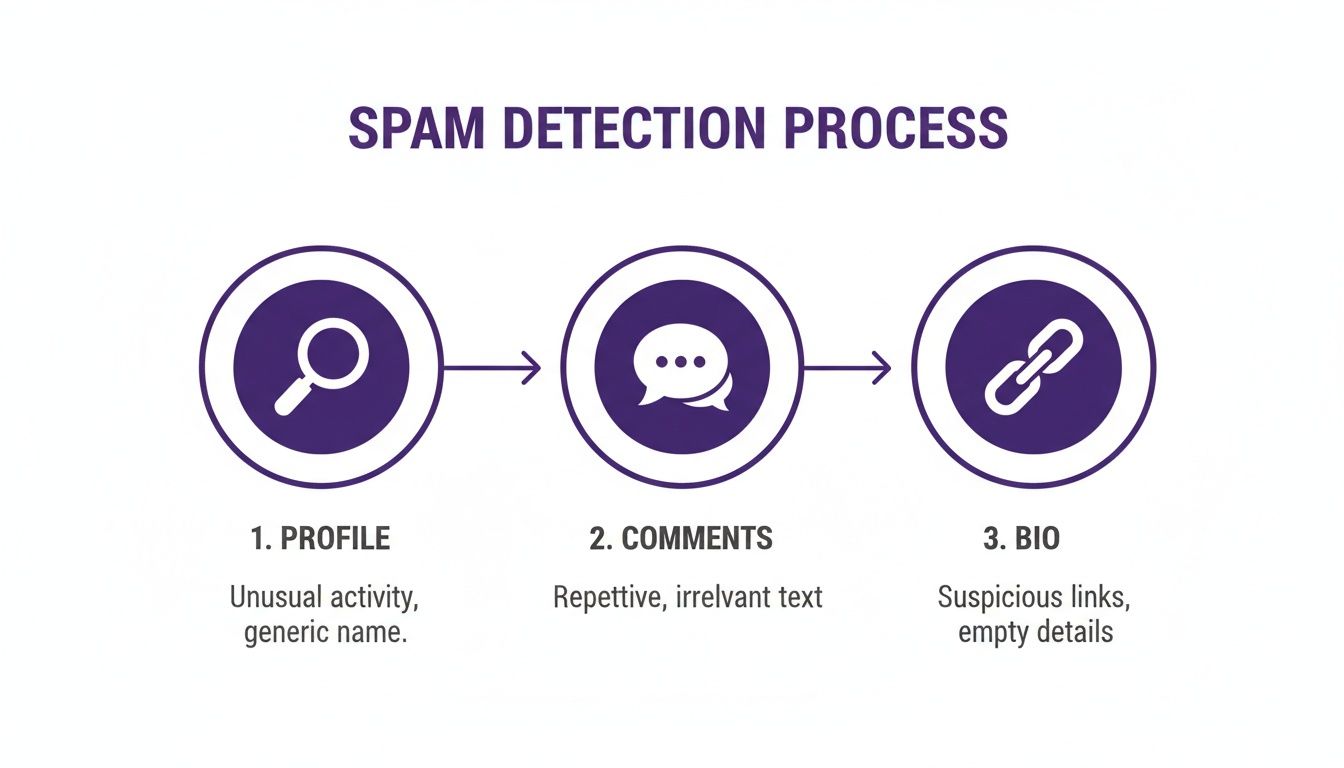
The big takeaway here is that checking multiple signals is far more reliable than just looking at one red flag. It helps you make faster, more accurate calls.
Choosing Your Action: Delete, Restrict, or Block
When a spam comment pops up, you have a few ways to handle it, and picking the right one matters. It all depends on how bad the spam is.
Deleting: This is your basic cleanup tool. For a generic, low-effort bot comment like "Nice shot!", a simple delete is usually all you need. It gets rid of the clutter without making a big deal out of it. We cover the nuances in our guide on how to delete Instagram comments.
Restricting: Think of this as the quiet approach. When you restrict an account, their comments are hidden from everyone but you and them. It’s perfect for those accounts that aren't technically spam but are just consistently annoying or off-topic. The best part? They’ll have no idea they’ve been muted.
Blocking: This is your nuclear option, saved for the truly malicious accounts. If someone is posting phishing links, promoting scams, or spewing hateful content, don't hesitate. Block them immediately. They won't be able to find you, comment, or message you from that account ever again.
A good rule of thumb: Delete the clutter, Restrict the annoying, and Block the malicious. This tiered approach keeps your moderation efficient and proportional to the threat.
The Power of Reporting Spam Correctly
Just deleting a comment gets it off your page, but reporting it is what helps Instagram take broader action. The trick is to report it correctly. The category you choose really does make a difference.
When you hit "report," you'll see a list of options. Picking the most accurate one gives Instagram the data it needs to go after similar spam accounts across the entire platform.
- Scam or Fraud: Use this for fake giveaways, phishing links, or any of those "get rich quick" schemes. Instagram takes these reports very seriously.
- Unwanted Commercial Content or Spam: This is your go-to for all the endless "DM for a collab" messages and shady product promos from accounts you've never heard of.
- Hate Speech or Symbols: Reserve this for any comment that attacks a person or group based on race, religion, gender, or other protected characteristics. No-brainer.
- Nudity or Sexual Activity: Use this for any comments with explicit content or links to adult websites.
Taking an extra two seconds to pick the right category makes your report count for so much more. You’re not just cleaning up your own feed; you’re helping make the entire platform a little bit safer.
Proactively Filter with Hidden Words
Instead of playing defense all the time, you can get ahead of spam by using Instagram’s "Hidden Words" feature. This is a fantastic tool that lets you create a custom blocklist of words, phrases, and even emojis.
You can find it by going to Settings > Privacy > Hidden Words. From there, you can start building your list. Just think about the most common spammy phrases you see and add them.
I'd recommend starting with terms like:
- "DM me"
- "Link in bio"
- "Crypto"
- "Free followers"
- Common scam emojis like 💰, 📈, or 💸.
This feature is incredibly good at filtering out the low-level, repetitive spam before you even see it. It's like having an automated first line of defense that saves you a ton of time and keeps your comments clean right from the start.
Automating Your Defenses with FeedGuardians
Let's be honest: manually fighting Instagram spam accounts feels like a losing battle. It's an endless, frustrating game of whack-a-mole. As your brand’s following grows and you put more money into ads, the flood of spam comments can become a tidal wave, making it impossible for any person or team to keep up. This is where smart automation comes in, shifting you from constantly playing defense to taking a proactive, strategic approach.
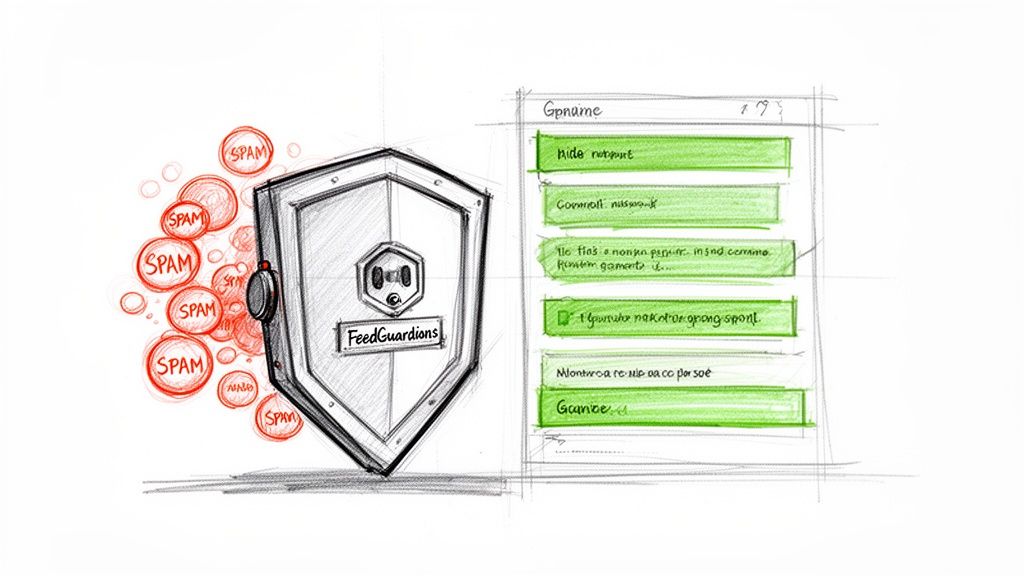
A good automation tool gives you a clean, organized dashboard. Instead of wading through a chaotic feed, you get a clear overview that helps you focus on what really matters—your actual customers.
Moving Beyond Simple Keyword Filtering
Most traditional moderation tools just use basic keyword blocklists. It’s a start, but that's like using a fishing net with giant holes. Sure, it catches the most obvious junk, but the more sophisticated spam swims right on through. Spammers get smarter every day, using clever misspellings, random emojis, and weird phrasing to sneak past those simple filters.
FeedGuardians works on a completely different level. Instead of just flagging specific words, our AI-powered platform analyzes the intent and sentiment behind every single comment as it comes in.
It's the difference between a security guard with a checklist and a detective who understands context and behavior. One just follows rules; the other uncovers the real threat.
This deeper level of understanding allows the system to make much smarter, more accurate calls. It can tell the difference between a malicious "crypto giveaway" scam and a genuine question from a potential buyer, even when both comments use similar keywords.
How AI-Powered Moderation Works in a Real-World Scenario
Picture this: your e-commerce brand launches a new ad campaign, and it goes viral overnight. Comments start pouring in by the hundreds every hour. Trying to sift through that manually would be a nightmare. Your team would inevitably miss important questions and opportunities.
Here’s how a tool like FeedGuardians handles that flood:
- Instantly Hides Spam: The system immediately identifies and hides comments from obvious Instagram spam accounts pushing shady links or get-rich-quick schemes. This keeps your ad’s comment section clean and makes it a trustworthy space for real users.
- Flags Sales Opportunities: A user comments, "Do you ship to Australia?" The AI recognizes this as a high-intent sales question and flags it for your team to answer right away. You could even set up a rule to automatically reply with your shipping policy.
- Manages Negative Feedback: Another user complains, "My order arrived damaged." The system detects the negative sentiment. It can be set to automatically hide the comment to prevent a public blow-up while instantly flagging it for your customer support team to handle privately.
This kind of intelligent sorting ensures you never miss a sales opportunity in the noise and that your brand’s reputation is protected 24/7. If you're looking at different options, there are a variety of Instagram moderation tools that can help you get this process under control.
The True Value of Smart Automation
The benefits here go way beyond just saving time. It's about fundamentally changing how you manage your community and protect your bottom line. With third-party apps making it easier than ever to create Instagram spam accounts, there's been a huge rise in this kind of activity.
This spam buries genuine customer questions—like "Is this in stock?"—under a pile of "DM for collab!" nonsense, which directly hurts your sales. By automatically hiding spam and pinpointing user intent, a tool like FeedGuardians transforms a chaotic comment section into a powerful engine for conversions.
When you put an AI-driven solution in place, you’re really hitting several key business goals:
- Protect Brand Reputation: A clean, professional comment section builds trust with your audience.
- Increase Team Efficiency: You free up your social media managers to focus on what they do best—creating great content and engaging with your community, not deleting spam.
- Boost Conversion Rates: By making sure every sales-related question gets seen and answered quickly, you capture revenue that would otherwise have been lost.
While FeedGuardians provides a powerful suite of features, it’s always a good idea to know what else is out there. You might want to explore alternative automated defense features to see how other platforms tackle spam. Ultimately, investing in smart automation isn't just a defensive move; it's one of the most effective strategies for combating Instagram spam accounts and building a healthy, profitable online community.
Building a Long-Term Anti-Spam Strategy
You can't just play whack-a-mole with spam comments and expect to win. A real, lasting solution means shifting your mindset from just reacting to spam to proactively building a community where it simply can’t thrive. Think of it as playing the long game—creating a healthier, more authentic space for your actual followers.
This approach is all about sustainability. Instead of being stuck in a constant cycle of cleanup, you’ll be strategically building a community that becomes an unattractive target for spammers in the first place.
Establish Clear Community Guidelines
Your first line of defense is setting clear expectations. You can do this right in your bio with a simple, friendly line about your comment policy.
Something as straightforward as, "We love hearing from you! Please keep comments respectful and spam-free," immediately sets a professional tone. This small step does two things: it shows your genuine followers you care about the quality of the conversation, and it gives you an official standard to fall back on if you need to remove comments that cross the line. It’s a foundational piece of any good social media content moderation plan because it signals that your account is actively managed.
Foster Authentic Engagement
Spam loves a vacuum. When your comment section is buzzing with real conversation, bot comments stick out like a sore thumb and lose all their power. The best tool you have is to actively engage with the positive, thoughtful comments from your real audience.
- Reply Thoughtfully: When someone leaves a great comment or asks a good question, take a moment to reply. It encourages more of the same.
- Pin Top Comments: Use Instagram's "pin" feature to showcase the best comments on your posts. This not only rewards good engagement but also pushes spammy comments further down the feed.
- Show Appreciation: Even a simple "thanks!" or an emoji can make a follower feel seen, which goes a long way in building loyalty.
This kind of proactive engagement signals to the Instagram algorithm that genuine conversations are happening on your posts. In turn, this can boost your content's visibility and create a positive feedback loop where good engagement naturally crowds out the bad.
The best defense against inauthentic activity is to cultivate a culture of authentic activity. When your community is vibrant and real, spam looks cheap and out of place, making it easier for everyone to spot and ignore.
Identify High-Risk Content Types
Let's be honest, not all posts are created equal when it comes to attracting spam. Some types of content are basically magnets for bots and scammers. Knowing what they are helps you prepare your moderation plan ahead of time.
Big giveaways, for instance, are notorious spam attractors. Anytime you post about a significant prize, you can almost guarantee a flood of fake accounts and those "DM me to claim your prize" scams. The same is true for highly viral or controversial topics, which can trigger bot swarms designed to amplify certain narratives or just stir up trouble.
When you know you’re about to publish this kind of content, plan to watch the comments more closely for the first few hours. This is also a perfect time to use an automation tool like FeedGuardians to handle the expected spike, keeping your post’s engagement clean.
Monitor Comment Velocity
A sudden, unnatural jump in comments is one of the clearest red flags of a bot attack. This is what we call comment velocity. If a post that normally gets 10 comments in an hour is suddenly hit with 100 identical or generic comments in five minutes, you’re almost certainly dealing with bots.
Keeping an eye on this metric is key to catching spam campaigns before they spiral out of control. Manually, this just means paying closer attention to your notifications after you post. If you see that sudden flood, you can jump in, block the accounts, and use Instagram’s comment-limiting features if you need to.
An automated system can track this for you, flagging unusual activity immediately. Recognizing these patterns helps you stop a small problem from becoming a major headache, protecting both your engagement metrics and your real followers' experience.
Got Questions About Instagram Spam? We’ve Got Answers.
Even with a great game plan, you're going to run into weird situations that make you second-guess how to handle spam. I get it. Below are some of the most common questions I hear from social media managers and brand owners, with quick answers to help you handle those gray areas with confidence.
Think of this as your cheat sheet for those tricky, "what-if" moments. Nailing these details makes sure your anti-spam efforts actually work.
Will Blocking Spam Accounts Hurt My Algorithm Performance?
This is a big one, but let me put your mind at ease: no, blocking spam accounts will not hurt your performance. It’s actually the opposite.
When you actively clear out spam, you’re signaling to Instagram that you care about your community's quality and safety. You're cleaning house. The algorithm is designed to reward content that sparks real conversation, and a clean comment section is a huge part of that. A better experience for your followers leads to more genuine interaction, which is exactly what boosts your engagement and reach.
Can I Stop Spam Comments on My Instagram Ads?
You absolutely can, and you absolutely should. Spam doesn't just hit your organic posts—it often swarms your paid ads because they reach so many people. The good news is that all the manual methods we’ve covered work just as well on ad comments.
Instagram's built-in "Hidden Words" feature is a good starting point for your ads. But honestly, this is where automation becomes a lifesaver.
For ad campaigns with any real budget, trying to moderate manually is a losing battle. Automation is crucial for protecting your ad spend and making sure real customer questions don't get lost in a sea of spam.
This is where a tool like FeedGuardians really proves its worth. It can watch over your ads 24/7, hiding spam the second it appears so your team can focus on the comments from actual potential customers.
Is It Ever Worth Responding to a Comment That Looks Like Spam?
My advice? Almost never. Engaging with a spam account, even to tell them off, just tells the bot that your profile is active. This can paint a giant target on your back, attracting even more unwanted attention from other Instagram spam accounts.
Responding gives the spammer exactly what it wants: engagement. The best approach is a simple, three-part reflex:
- Delete the comment.
- Report the account (use the "Scam or Fraud" category if it fits).
- Block the account so they can't come back.
This "delete, report, block" combo is the most efficient way to shut down spam without accidentally inviting more of it.
How Can I Tell a Bot from a New User?
This can be tricky. A sophisticated bot can look a lot like a real person who just created an account. The key is to look for a cluster of red flags, not just one. A genuine new user might have an empty profile, but their behavior will usually feel more human.
Here’s a quick breakdown of what to look for:
| Trait | A New, Real Person | A Spam Bot Account |
|---|---|---|
| Username | Usually has some personal touch. | Often looks like a keyboard smash with numbers (e.g., "lisa_847294"). |
| Bio | Might be empty or have a simple, personal line. | Usually empty or just has a single, shady-looking link. |
| Activity | Might like a few posts or follow a handful of accounts. | Posts the exact same generic comment over and over again on different profiles. |
| Content | Maybe has no posts yet, or a few normal photos. | Typically has zero posts or a grid of stolen, blurry images. |
Over time, a real person's account will show signs of life and personality. A bot’s profile and actions will stay generic and repetitive. At the end of the day, trust your gut—if an account feels off, it probably is.
Ready to stop wasting hours dealing with this junk and start protecting your brand 24/7? FeedGuardians uses AI to automatically hide spam, reply to customers, and turn your comment section into a place for real connection. See how it works and start your free trial today at feedguardians.com.
Tired of manually moderating comments?
FeedGuardians automates spam filtering, responds to customers, and protects your brand — setup in 3 minutes.