
Quick Summary
| Key Insight | What You Need to Know |
|---|---|
| Rule-Based Actions | Can you set up custom rules to automatically hide, flag, or reply to comments based on your own triggers? |
| Team Collaboration | Does it have features for assigning comments to team members, leaving internal notes, and tracking who handled what? |
| Response Templates | Is it easy to create and use pre-approved replies for common questions, ensuring your team is fast and on-brand? |
Trying to pick the right tool from a social media monitoring tools comparison can make your head spin. But honestly, it usually comes down to one big choice: do you want an all-in-one management suite or a specialized monitoring tool? Many platforms bundle scheduling with some light monitoring, but the dedicated tools give you much deeper, more useful insights for specific jobs like protecting your brand and handling customer service.
Why Social Media Monitoring Is Key for Growth
These days, social media monitoring isn't just about counting mentions anymore. It's a critical part of your strategy that directly affects your brand's reputation, how efficiently you can help customers, and even your bottom line. When you listen to real-time conversations, you uncover honest feedback, stop potential crises before they blow up, and get a real feel for how customers think.
This guide will walk you through a detailed social media monitoring tools comparison to help you find the best fit. We’re not just scratching the surface; we'll show you how these tools really work in the wild, especially for e-commerce brands and marketing agencies.
From Just Monitoring to Real Strategy
Good monitoring is the first step toward a much smarter strategy. Monitoring is about gathering mentions and conversations as they happen, but it sets you up to be more proactive. You can dig deeper into this idea by learning about what social listening is and how it drives business intelligence. The difference is huge because modern tools help you do more than just react—they help you predict what the market and your customers will want next.
You can see how important this is just by looking at the market trends. The global media monitoring tools market is expected to hit USD 13.8 billion by 2034. That growth is being fueled by businesses that rely on real-time social insights to manage their reputation and keep customers happy. You can explore more about the media monitoring market growth on imarcgroup.com.
At the end of the day, social media monitoring is about turning messy online chatter into clean, useful business intelligence. It’s your best defense against reputation damage and your most authentic source of customer feedback.
Key Things We Looked for in Our Comparison
To make this comparison genuinely helpful, we judged each tool on the things that actually matter to teams trying to get results.
| Criteria | Description | Why It's Important |
|---|---|---|
| Comment Management | The ability to filter spam, hide nasty content, and sort through tons of comments. | This protects your brand's image and makes sure real customer comments don't get lost in the noise. |
| AI-Powered Analytics | Features like sentiment analysis, intent detection, and spotting trends. | It gives you a much clearer picture of what your customers are really saying and feeling. |
| Automation & Workflows | Tools for setting up auto-replies, rule-based actions, and team collaboration. | This saves a massive amount of time, cuts down on manual work, and keeps your responses consistent. |
How We Judged These Social Media Monitoring Tools

To make this comparison genuinely useful, we needed to go beyond a simple feature checklist. Context is everything. So, we built our evaluation around four core pillars that we know directly affect the day-to-day grind and long-term success of e-commerce and marketing teams.
We wanted to be completely transparent about our process so you can use this same framework to guide your own decisions. By stacking each tool up against the same criteria, we can cut through the marketing fluff and get to what really matters: how it performs in the real world. Each of these pillars is a non-negotiable for a tool to be truly valuable.
Comment Management and Spam Filtering
First up: Comment Management and Spam Filtering. If you’re running paid ads or have a lively community, you know the comment section can be a battlefield. The endless stream of spam, scams, and hateful comments can bury real customer questions and tank your brand’s reputation in a heartbeat.
We looked at how well each tool acts as a shield, automatically catching and hiding junk content. This is more than just basic keyword blocking. We dug into the sophistication of their filtering engines to see if they could spot clever spam tactics, bot activity, and toxic language without needing a human to constantly babysit them. The goal here is simple: let the real conversations shine.
The best tools don't just delete spam; they create a safe and positive environment for your community, which is essential for building trust and encouraging authentic engagement. A clean comment section directly supports higher conversion rates on ad spend.
AI-Powered Analytics
Next, we dove into AI-Powered Analytics. Any tool can tell you that people are talking about you. The great ones tell you how they feel and what they plan to do next. This is where a tool shifts from being a simple data bucket to a source of real business intelligence.
Our focus was on the accuracy and depth of sentiment and intent detection. We looked for platforms that could pick up on sarcasm, tell the difference between mild annoyance and a full-blown customer service emergency, and spot genuine purchase intent. To get a deeper understanding of this tech, check out our guide to the best social media sentiment analysis tools. This is what helps you prioritize responses and get ahead of a PR nightmare before it explodes.
Automation and Workflow Efficiency
Our third pillar is Automation and Workflow Efficiency. A good tool should free up your team, not chain them to another dashboard. We measured how well each platform streamlines teamwork and helps you respond faster, which is critical for keeping customers happy.
Here’s what we looked for:
- Rule-Based Actions: Can you set up custom rules to automatically hide, flag, or reply to comments based on your own triggers?
- Team Collaboration: Does it have features for assigning comments to team members, leaving internal notes, and tracking who handled what?
- Response Templates: Is it easy to create and use pre-approved replies for common questions, ensuring your team is fast and on-brand?
Integration and Reporting
Finally, we looked at Integration and Reporting. Your social media tool can't be an island. We checked how easily each platform plugs into the other tools you already use, like your CRM, helpdesk software, or analytics dashboards. When everything is connected, social insights can flow freely across your entire organization.
We also put their reporting features under the microscope. We favored tools with clean, intuitive dashboards and reports that are actually easy to understand. The best platforms help you visualize your data, track key metrics, and prove the value of your social media efforts to anyone who asks.
A Detailed Comparison of Leading Monitoring Tools

Choosing the right platform in a crowded market means cutting through the noise and making a direct, practical comparison. We’re going beyond generic feature lists to put three leading tools—FeedGuardians, Agorapulse, and Sprout Social—head-to-head.
Each tool is built for a different job. The best one for you depends entirely on what your team needs to accomplish, whether that’s protecting ad spend, juggling multiple client accounts, or digging into enterprise-level analytics. This isn’t about finding a one-size-fits-all solution; it's about finding the right fit for your specific problems.
FeedGuardians: The Specialist
FeedGuardians is built for one high-stakes job: protecting your social media comment sections, especially on paid ad campaigns. It isn't trying to be an all-in-one social media suite. Instead, it focuses on being the absolute best at automated comment moderation, spam filtering, and intent detection.
This laser focus makes it the perfect tool for e-commerce brands and performance marketers who pour serious money into social ads. For them, a comment section riddled with spam, scams, or negativity isn't just an annoyance—it directly hurts conversion rates and wastes budget. FeedGuardians acts as an intelligent shield, keeping conversations clean and productive.
Key Differentiator: FeedGuardians is all about proactive defense. Its AI is fine-tuned to catch and hide not just obvious spam, but also sophisticated scams, toxic language, and sneaky competitor promotions in real-time. It’s built to preserve the integrity of your ad spend.
Core Strengths:
- Advanced AI Moderation: The platform uses a smart mix of sentiment and intent analysis to understand what a comment actually means. It can tell the difference between a real customer complaint that needs a human touch and a generic negative comment that can just be hidden.
- Customizable Automation Rules: You can create incredibly specific rules to manage comments automatically. For instance, you can auto-hide any comment with a link, reply to common questions about shipping, or flag messages with urgent buying signals for your sales team to jump on.
- Focus on Conversion Protection: By keeping ad comments clean, FeedGuardians helps maintain a positive space that encourages genuine customer engagement and protects your path to conversion.
Agorapulse: The All-In-One Contender
Agorapulse positions itself as a complete social media management tool designed for agencies and mid-sized businesses. It pulls scheduling, monitoring, reporting, and team collaboration into one straightforward platform. Its biggest strength is its unified social inbox, which brings comments, mentions, and messages from all your channels into one place.
This makes it a fantastic choice for teams trying to efficiently manage a bunch of social profiles at once. While it has solid monitoring features, they're part of a much broader toolkit rather than the main event. Agorapulse handles keyword monitoring and basic sentiment analysis well, but it’s a generalist compared to a specialist like FeedGuardians.
Practical Use Case:
Think of an agency managing five different client accounts. Agorapulse's unified inbox and collaboration tools would be a lifesaver. A social media manager could easily assign a customer question from one client's Facebook page to a support agent and track it to resolution, all from the same dashboard. Nothing falls through the cracks.
Sprout Social: The Enterprise Powerhouse
Sprout Social is a premium, enterprise-level platform offering deep analytics, advanced social listening, and extensive reporting. It’s built for large organizations that need a sophisticated grasp of market trends, brand health, and what the competition is up to.
Its monitoring tools go far beyond just tracking mentions; they provide rich insights into audience demographics, sentiment trends, and your brand's share of voice. A real comparison of top-tier tools often comes down to data capacity. This is where Sprout Social shines, alongside giants like Meltwater, which claims access to 200 billion social conversations. Some platforms in this bracket even offer up to five years of historical data, which is crucial for long-term strategic planning.
Of course, all that power comes with a much higher price tag. While its features are impressive, they can be overly complex and expensive for smaller businesses or teams whose main headache is comment moderation, not broad-market listening.
Feature Matrix of Top Social Media Monitoring Tools
To really see the differences, let's put these tools side-by-side based on the core features that matter most to marketing and e-commerce teams. This matrix quickly shows you where each platform focuses its efforts.
| Feature | FeedGuardians | Agorapulse | Sprout Social | Hootsuite |
|---|---|---|---|---|
| Primary Focus | AI Comment Moderation | All-in-One Management | Enterprise Listening & Analytics | All-in-One Management |
| Spam & Scam Filtering | Advanced, AI-driven | Standard, keyword-based | Standard, keyword-based | Standard, keyword-based |
| Sentiment Analysis | High Accuracy | Standard Accuracy | High Accuracy, with trend analysis | Standard Accuracy |
| Intent Detection | Yes (Purchase, Complaint) | No | Limited | No |
| Automation Rules | Highly Customizable | Basic (Inbox Rules) | Advanced (Listening Queries) | Basic (Inbox Rules) |
| Unified Inbox | No (Comment-focused) | Yes | Yes | Yes |
| Content Scheduling | No | Yes | Yes | Yes |
| Best For | E-commerce & Ad-heavy Brands | Agencies & Mid-Sized Businesses | Large Enterprises | Small Businesses & Solopreneurs |
This comparison makes the strategic choice much clearer. If your biggest pain point is drowning in ad comments and protecting your brand’s reputation in real-time, FeedGuardians is the purpose-built tool for the job. Its specialized AI provides a level of automated protection that the bigger, broader platforms just can't match.
On the other hand, if your team needs a central hub to manage content, clients, and general engagement across multiple channels, Agorapulse offers a balanced and well-priced feature set. For organizations that need to do deep data dives and get comprehensive market intelligence to guide high-level strategy, Sprout Social delivers the analytical horsepower required. For those looking to dive deeper into analysis, check out our guide on the best tools for social media analytics.
Ultimately, there is no single "best" tool—only the best tool for a specific job. Knowing your primary goal is the first step to making the right investment.
Putting These Tools to the Test: Real-World Scenarios
A feature list is one thing, but how a tool performs under pressure is what really matters. When you’ve got serious ad spend on the line or a client’s reputation to protect, you need to know how these platforms will actually handle the heat.
Let's walk through two common, high-stakes situations that marketing and e-commerce teams face every day. We’ll see how different tools stack up and where a specialized solution like FeedGuardians really changes the game.
Scenario One: The E-commerce Brand Under Attack
Picture this: an e-commerce brand is in the middle of a massive holiday campaign on Facebook and Instagram. They’re pouring thousands of dollars a day into ads, which are getting hundreds of comments. But the conversation is a total mess—it’s being overrun by spam bots, links to shady websites, and a few very loud, angry customers.
With a general, all-in-one tool like Agorapulse or Sprout Social, the team gets a unified inbox to see all these comments. From there, they have to manually sift through everything, hiding spam and flagging angry messages one by one. It's a purely reactive process, and a slow one at that. By the time a moderator gets to a harmful comment, dozens of potential buyers may have already seen it and bounced.
This is exactly the kind of chaos FeedGuardians was built for.
The FeedGuardians Workflow:
- Proactive Defense: Before a human on your team even logs in, FeedGuardians’ AI has already analyzed the incoming comments. It instantly hides 99% of the spam based on its models and the custom rules you set. Any comment with a fishy link or scammy-sounding phrase is gone from public view.
- Smart Triage: Next, the system looks at what's left. It spots a common question about shipping times and automatically replies with a pre-approved answer, clearing the easy stuff off the team's plate.
- Urgent Alerts: Several comments show intense frustration and clear complaints ("My order never arrived!"). These are automatically flagged as "Urgent" and assigned directly to the customer service lead for a personal, high-priority follow-up.
By handling the defense and initial sorting automatically, FeedGuardians does more than just clean up your comments. It actively protects the ROI on your ad spend. Instead of a dumpster fire of spam and complaints, potential customers see a helpful, positive discussion, which has a direct impact on conversion rates.
This focused approach is becoming a must-have. The social media monitoring market in North America was valued at USD 1.94 billion in 2024, and a huge driver of that growth is e-commerce brands needing to manage feedback at scale. If you want to dig into the numbers, you can find more insights on this market trend at cognitivemarketresearch.com.
Scenario Two: The Marketing Agency Juggling Multiple Clients
Now, let's think about a marketing agency managing social media for ten different clients. Their biggest challenge is keeping everything organized and efficient. They need to track brand mentions, answer basic questions, and pull reports for each client without drowning in notifications.
For this kind of work, an all-in-one platform is usually the right call. A tool like Sprout Social or Agorapulse really shines here. Their unified inbox pulls everything from all client accounts into one manageable stream. A team member can easily hop between clients, assign tasks, and schedule content, all from a single dashboard.
But what happens when one of those clients is a high-spend e-commerce brand, just like in our first scenario? Suddenly, the agency has a problem. The basic moderation features in their all-in-one tool just can't keep up with the volume and viciousness of spam on that client's ad campaigns.
The Hybrid Workflow Solution:
This is where using a strategic mix of tools makes all the difference. The agency can stick with Agorapulse for the day-to-day management of all ten clients—the scheduling, reporting, and routine engagement. But for their big e-commerce client, they plug in FeedGuardians to handle the specialized, heavy-lifting of moderating comments on paid ads.
This creates a powerful, layered system:
- Agorapulse acts as the command center for broad social media management across their entire client list.
- FeedGuardians works like a silent, automated bodyguard for the client who needs it most, protecting their ads in the background.
This hybrid model lets the agency offer top-tier service. They get the efficiency of an all-in-one platform for most of their work, plus the specialized, AI-powered protection that keeps their key client’s ad performance and brand reputation safe. It’s a perfect example of picking the right tool for the right job.
How to Choose the Right Tool for Your Business
Picking the right platform after comparing a dozen social media monitoring tools can be a real headache. Once you’ve looked at all the features and workflows, the best choice really boils down to one thing: your specific business model and what you’re trying to achieve. There’s no silver bullet—just the right tool for the job at hand.
The best way to decide is to get brutally honest about your biggest pain points. Are you drowning in notifications from multiple client accounts? Or is your main problem a high-budget ad campaign getting trashed by spam and negative comments that kill your conversions? The answer will guide you toward either a generalist tool or a specialist one.
This flowchart breaks down the core decision based on your business type.
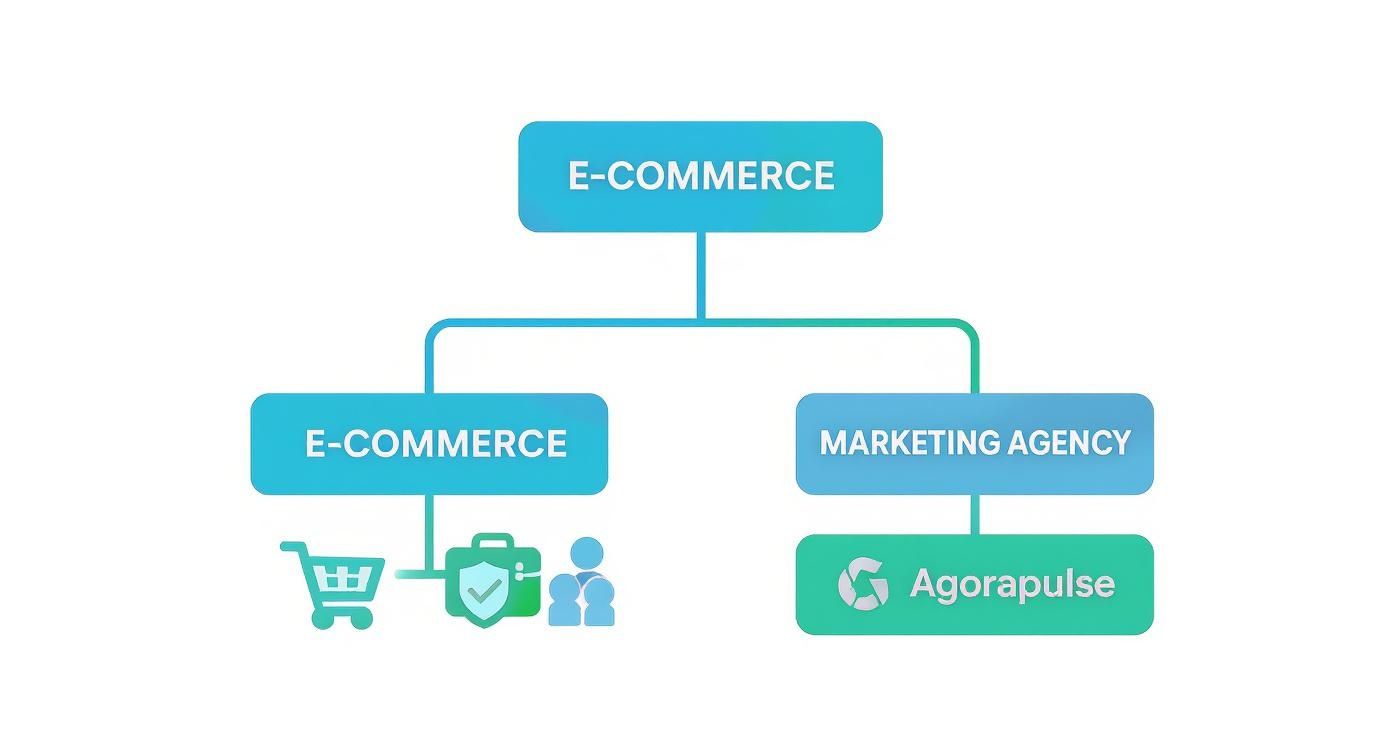
As you can see, there’s a fundamental split. Businesses laser-focused on selling products through ads have very different needs than agencies juggling a wide array of client management tasks.
If You Are an E-commerce Brand
For any e-commerce brand pouring serious money into ad campaigns, the top priority is conversion protection. Every ad dollar is an investment, and a comment section overrun with spam, scams, or negativity is a direct threat to your return on that spend. It scares off potential customers and buries legitimate questions.
In this scenario, a specialized tool with advanced, automated comment moderation isn’t just a nice-to-have; it’s essential.
A platform like FeedGuardians was built from the ground up for this exact problem. Its AI-powered spam filtering and intent detection work 24/7 to keep your ad comments clean. This creates a positive space that builds trust and actually helps drive sales. The whole point is to protect your ad spend ROI.
A general-purpose, all-in-one platform just can't provide that same level of sophisticated, real-time defense. Their moderation features are usually pretty basic, relying on simple keyword filters that need a ton of manual work to be effective—something you just don't have time for at scale.
If You Are a Marketing Agency or Small Business
On the flip side, marketing agencies and small businesses managing a bunch of different social profiles need workflow efficiency. Their biggest challenge is keeping up with content scheduling, client reporting, and responding to every comment and message without dropping the ball.
For this job, an all-in-one solution is almost always the most practical way to go.
- Unified Inbox: Getting all messages, comments, and mentions from every single client into one feed is a game-changer.
- Collaboration Tools: Features that let you assign tasks and track conversations keep the whole team on the same page and ensure quick responses.
- Integrated Reporting: Being able to quickly pull and schedule client reports is crucial for showing your value.
A platform like Agorapulse or Sprout Social gives you that central command center. Their comment moderation might not be as powerful as a specialist's, but their real strength is in streamlining all the daily tasks of social media management. For smaller teams, looking into different social media management software for small business can help you find a good balance of features that won't break the bank.
Ultimately, your choice has to line up with your main business goal. Match the tool's greatest strength to your biggest operational challenge, and you'll end up with a solution that delivers real results where you need them most.
Got Questions? We've Got Answers.
Jumping into a comparison of social media tools can feel overwhelming. Feature lists blur together, and pricing tiers make your head spin. Let's cut through the noise and answer the big questions that always come up.
Think of this as your practical guide to making a smart, confident decision—one you can easily explain to your team and leadership.
What's the Real Difference Between Social Monitoring and Social Listening?
People throw these terms around as if they're the same thing, but they’re not. It really boils down to your focus: are you looking at the individual trees or the whole forest?
Social media monitoring is the on-the-ground, real-time stuff. It’s about catching specific mentions, comments, and DMs as they pop up. This is your community management frontline—answering questions, saying thanks for a nice comment, or quickly putting out a small fire before it spreads.
Social listening, on the other hand, is the big-picture strategy. You take all that data you collected from monitoring and zoom out. You're looking for patterns, tracking overall brand sentiment, and spotting trends that could point to a new market opportunity or a looming PR headache.
Monitoring is about reacting to the trees; listening is about understanding the forest. A great tool lets you do both, so your daily interactions actually make your long-term strategy smarter.
How Much Do These Tools Actually Cost?
The price for social media monitoring tools is all over the map, but most fall into one of three buckets. Knowing which one you fit into will help you narrow down your options fast.
- Entry-Level (Under $150/month): Perfect for small businesses or solo operators. These plans give you the basics for a few profiles and keywords, and often throw in some post-scheduling features.
- Mid-Tier ($150 - $500/month): This is the sweet spot for growing businesses and marketing agencies. You get stronger analytics, tools for team collaboration, and the capacity to track more profiles and conversations.
- Enterprise (Over $500/month): Big companies have big needs. These plans come with heavy-duty analytics, deep data history, AI-driven insights, and dedicated support, usually with custom pricing.
How Can I Prove a Monitoring Tool is Worth the Money?
Getting approval for a new tool means showing it’s not just another expense. To measure the return on investment (ROI), you need to connect the dots between what the tool does and what the business cares about.
Here are the key performance indicators (KPIs) to track that will clearly show its value:
- Reduced Response Times: How much faster is your team getting back to people? Quick replies directly impact customer satisfaction and keep people coming back.
- Improved Sentiment Score: Use the tool’s own sentiment analysis to watch the ratio of positive to negative mentions. If the positive number is climbing, you know your brand reputation is getting stronger.
- Increased Team Efficiency: This one is simple: how many hours are you saving? Every hour your team isn't manually deleting spam or typing out the same answer for the tenth time is an hour they can spend on work that actually grows the business.
When you present these metrics, it becomes obvious that the tool isn't a cost—it's an investment in your brand's health and your team's productivity.
Ready to stop wasting ad spend on spam-filled comment sections? FeedGuardians offers specialized, AI-powered moderation to protect your brand and boost conversions. Discover how FeedGuardians can safeguard your social media today.
Tired of manually moderating comments?
FeedGuardians automates spam filtering, responds to customers, and protects your brand — setup in 3 minutes.