
Quick Summary
| Key Insight | What You Need to Know |
|---|---|
| How YouTube Automatic Comment Bots Work Scripting vs. API Integration | Understanding the Difference Bot Detection: How YouTube Identifies Automated Activity |
| Scripting vs. API Integration | Understanding the Difference |
| Bot Detection | How YouTube Identifies Automated Activity |
| YouTube API vs. Scraping | Safety and Compliance Risks Why API Integration Is Safer Than Data Scraping Account Suspension: What Triggers YouTube's Enforcement |
| Why API Integration Is | Why API Integration Is Safer Than Data Scraping |
| Account Suspension | What Triggers YouTube's Enforcement |
Table of Contents
- How YouTube Automatic Comment Bots Work
- YouTube API vs. Scraping: Safety and Compliance Risks
- Setting Up Your First YouTube Comment Bot
- YouTube Comment Automation Tools and Features
- Ethical Automation Frameworks for Sustainable Growth
- YouTube Spam Policy and Terms of Service Compliance
- How to Grow YouTube Channel Organically Without Bots
- Common Mistakes and How to Avoid Them
YouTube Automatic Comment Bot: Setup & Safety Guide
Last Updated: July 15, 2026
A youtube automatic comment bot sounds like a shortcut to engagement. But the difference between sustainable growth and account suspension often comes down to a few configuration decisions. Teams that prioritize safety over speed win. Those chasing quick metrics lose their accounts.
This guide covers YouTube comment automation from technical methods to compliance frameworks and ethical boundaries that separate legitimate automation from account-killing practices.
How YouTube Automatic Comment Bots Work
YouTube comment bots operate through two fundamentally different approaches.
Scripting and browser automation tools like Selenium or Puppeteer simulate human behavior by controlling a browser, clicking buttons, and submitting forms. This approach is technically straightforward but operationally fragile. YouTube's detection systems identify automated patterns: repeated timing, identical mouse movements, and predictable sequences all trigger flags.
YouTube's official API with OAuth authentication is the safer path. You authenticate your application, request permission to access your channel, and submit comments programmatically through verified endpoints. You're working within YouTube's intended infrastructure rather than circumventing it.
Scripting vs. API Integration: Understanding the Difference
Scripting automates the user interface directly. Your bot logs in, navigates to videos, and posts replies by mimicking keyboard and mouse input. The advantage is flexibility. The disadvantage is detection risk. YouTube monitors for unnatural patterns: comments posted at identical intervals, from the same IP, with identical formatting, or on inhuman schedules.
API integration uses YouTube's official data endpoints. You register an application, request OAuth access, and submit comments programmatically. The advantage is legitimacy, you're using the system as Google designed it. The disadvantage is limitations; certain features aren't available through official APIs.
The practical difference: a script posting 50 comments per day across different channels triggers immediate suspension. An API integration posting 5 thoughtful comments per day on your own channel looks like normal channel management.
YouTube API vs. Scraping: Safety and Compliance Risks
Data scraping and API integration carry completely different legal and operational consequences.
Why API Integration Is Safer Than Data Scraping
Data scraping means extracting information from YouTube's website without using official APIs. YouTube's Terms of Service explicitly prohibit this. The platform detects scrapers through rate-limiting, IP blocking, and account flags. More importantly, scraping violates the Computer Fraud and Abuse Act in the United States and similar laws internationally.
API integration means using YouTube's official endpoints to read and write data. You authenticate with OAuth, request specific data within rate limits, and submit comments through verified channels. This is legal, transparent, and sustainable.
The risk difference is enormous. A scraper might work for weeks before YouTube detects it, then your account gets suspended permanently. An API integration might hit rate limits, which just means you slow down, no account damage.
Account Suspension: What Triggers YouTube's Enforcement
YouTube's enforcement operates on multiple levels.
Level 1: Comment hiding. Your comments are posted but hidden from public view. This happens when your pattern looks automated: identical templates, rapid posting, or comments on unrelated videos.
Level 2: Comment disabling. YouTube disables comments on videos where your bot has posted excessively. Your comments won't appear at all.
Level 3: Channel restrictions. Your channel loses monetization or features. This happens when YouTube determines you've violated community guidelines at scale.
Level 4: Permanent suspension. YouTube terminates your channel entirely. All videos, subscribers, and history are deleted.
What triggers these levels? YouTube detects:
- Comments posted at unnatural intervals
- Identical comment text repeated across multiple videos
- Comments on videos unrelated to your channel
- Sudden spikes in commenting activity
- Comments from the same IP posting to multiple accounts
- Engagement that doesn't match your channel's audience or topic
The safest approach is simple: comment like a human would. Variable timing, unique text per comment, engagement with genuinely related content, and realistic volume.
Setting Up Your First YouTube Comment Bot
The only safe method is API integration.
Step 1: Choose Your Automation Method
Custom API integration requires developer experience. You'll use Python, Node.js, or another language to authenticate with Google's API and post comments programmatically. This gives full control but requires ongoing maintenance.
Third-party automation platforms handle API integration for you. You configure rules and templates through a dashboard. This is easier but less flexible.
YouTube's official features (community posts, pinned comments, channel memberships) don't require automation at all. Many teams achieve engagement goals without bots by using these features strategically.
For most teams, use YouTube's native features first. If you need automation, use a platform that handles API integration officially.
Step 2: Configure API Keys and OAuth Authentication
Create a Google Cloud project and enable the YouTube Data API v3. This gives your application permission to interact with YouTube.
Create OAuth 2.0 credentials. For comment posting, you need the appropriate scopes. Request the minimum scope necessary.
Generate your API key. Store this securely, never commit it to public repositories.
Implement refresh token logic. OAuth tokens expire. Your application needs to automatically refresh tokens before expiration.
Test with small scale first. Post a single comment, verify it appears, and confirm no suspension flags appear.
Step 3: Build Comment Templates and Scheduling Logic
Create variable templates. Instead of posting identical comments, build templates with placeholders: "Great video on [TOPIC]. I especially liked your point about [SPECIFIC_DETAIL]." Your bot fills in brackets with actual content from the video, creating unique comments.
Implement variable timing. Don't post comments every 30 seconds. Use randomized delays, sometimes 5 minutes, sometimes 2 hours, sometimes the next day.
Target relevant content. Post comments only on videos related to your channel's topic.
Set realistic volume limits. A human community manager might post 5-10 thoughtful comments per day. Match that scale.
Include genuine engagement. Ask questions, respond to other comments, and participate in actual conversations.
YouTube Comment Automation Tools and Features
Several platforms offer YouTube automation with varying levels of safety. The key difference is how they handle API integration and detection avoidance.
AI-Powered Comment Management and Real-Time Moderation
Modern automation platforms analyze incoming comments, filter spam, and generate contextual replies in your brand voice.
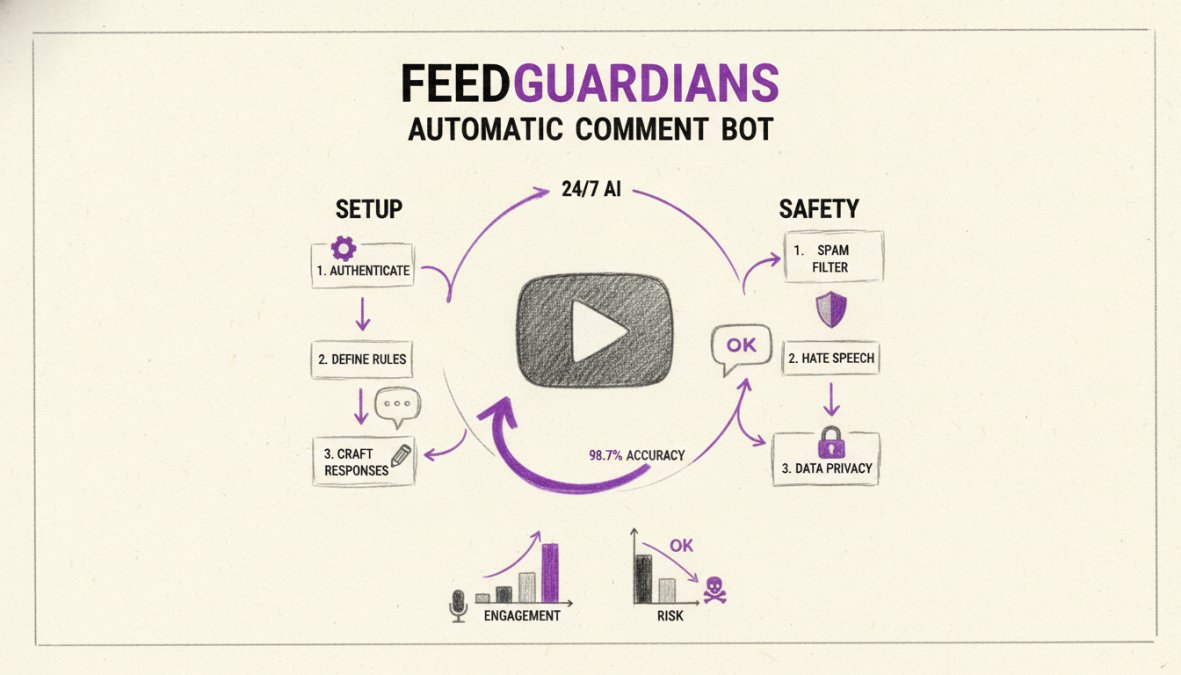
FeedGuardians provides AI-powered comment moderation and response automation across YouTube, Instagram, Facebook, and TikTok. The platform detects and hides spam, hate speech, and competitor links with 98.7% accuracy, while automatically generating 24/7 replies in your unique brand voice. This eliminates hours of manual moderation daily and protects your brand reputation in real-time.
Real-time moderation means comments are processed instantly as they arrive. Spam gets hidden before viewers see it.
Batch-Posting, Scheduling, and Keyword Targeting
Batch-posting allows you to write multiple comments in advance and schedule them to post at optimal times. Keyword targeting means your bot identifies videos discussing specific topics and posts relevant comments automatically.
Randomization is critical: vary timing, vary templates, vary frequency. Comments posted at exactly 9 AM every day trigger detection.
Spam Filtering and Comment Moderation at Scale
Spam filtering identifies promotional comments, links to competing products, and low-quality engagement. Sentiment analysis categorizes comments as positive, negative, or neutral. Hate speech detection identifies comments containing slurs, threats, or targeted harassment.
A channel with 10,000 comments per week can go from spending 40 hours on moderation to spending 2 hours reviewing flagged comments.
Ethical Automation Frameworks for Sustainable Growth
You can automate YouTube comments and never get caught, or automate them and lose your channel permanently. The difference is whether you prioritize sustainable growth or short-term metrics.
Human-Like Behavior and Avoiding Detection
YouTube's detection systems look for patterns that humans don't exhibit. Humans don't comment at exactly the same time every day. They don't use identical wording repeatedly. They don't comment on 50 videos in 2 hours.
Your automation should violate none of these patterns. Variable timing, unique templates, realistic volume (5-10 comments per day), and single-account focus.
Building Authentic Engagement, Not Fake Metrics
Authentic engagement means your comments add value to conversations. They ask genuine questions, share relevant insights, or acknowledge great content.
Fake metrics mean you're posting comments just to increase your comment count, regardless of relevance or value.
Ask yourself: would I post this comment if I had to do it manually? If the answer is no, it's fake metrics. If yes, it's authentic engagement.
YouTube Spam Policy and Terms of Service Compliance
YouTube prohibits spam, which includes:
- Posting identical comments across multiple videos
- Posting comments unrelated to video content
- Posting comments primarily to promote external websites
- Posting comments containing malicious links
- Coordinated inauthentic behavior
- Harassment, threats, or hate speech
- Impersonation or misleading identity claims
The Terms of Service also prohibit accessing YouTube through unauthorized means, manipulating engagement metrics, using automation to bypass rate limits, and storing YouTube data without permission.
Penalties: From Comment Hiding to Channel Termination
First offense: Comments get hidden. This is YouTube's warning.
Second offense: Comments get disabled on affected videos.
Third offense: Channel-level restrictions. Your channel loses monetization or features.
Severe offense: Immediate termination. Your channel gets deleted without warning.
How to Grow YouTube Channel Organically Without Bots
The most successful YouTube channels build communities through genuine interaction, not bots.
Respond to every comment in the first 24 hours. YouTube's algorithm prioritizes videos where creators engage. Early responses boost visibility.
Ask questions in your videos. "What do you think about this?" prompts viewers to comment.
Pin the best comments. Highlight thoughtful viewer comments to encourage quality engagement.
Create community posts. Use YouTube's native community feature to drive engagement between video uploads.
Host live streams. Real-time interaction builds stronger connections than asynchronous comments.
These strategies take more time than running a bot, but they build sustainable growth.
Common Mistakes and How to Avoid Them
Mistake 1: Identical templates. Posting the same comment on 50 videos triggers detection. Use template variables to create unique comments.
Mistake 2: Unrealistic volume. Posting 100 comments per day when you have 1,000 subscribers looks suspicious. Match volume to channel size.
Mistake 3: Wrong timing. Comments posted at exactly 9 AM every day look automated. Randomize timing.
Mistake 4: Off-topic engagement. Commenting on unrelated videos wastes effort and triggers detection. Target relevant content only.
Mistake 5: Ignoring responses. If your automated comment gets a reply and you don't respond, it looks like a bot. Set up reply automation.
Mistake 6: Using scrapers instead of APIs. Scrapers get detected and suspended. Always use official APIs.
| Mistake | Impact | Fix |
|---|---|---|
| Identical templates | Comment hiding, account flags | Vary text per comment using template variables |
| Excessive volume | Rapid escalation to suspension | Match volume to channel size (5-10 comments/day) |
| Unnatural timing | Detection by pattern analysis | Randomize post times across different hours |
| Off-topic engagement | Wasted effort, detection risk | Filter by keywords related to your channel |
| No reply automation | Looks robotic, breaks conversations | Set up auto-replies to keep conversations flowing |
| Using scrapers | Permanent account termination | Use official YouTube API only |
YouTube comment automation can work sustainably, but only if you prioritize safety and authenticity over vanity metrics. Teams that succeed use official APIs, vary engagement patterns to mimic human behavior, and focus on building real community.
If you're managing YouTube comments at scale, the real bottleneck isn't posting, it's filtering spam, responding thoughtfully, and moderating toxic content. FeedGuardians solves this by automatically detecting and hiding spam with 98.7% accuracy while delivering 24/7 AI-powered replies in your unique brand voice. This keeps your community clean and engaged without detection risk.
Frequently Asked Questions
Can YouTube detect automatic comment bots?
Yes. YouTube uses bot detection systems that identify patterns of automated activity, including identical comments, unnatural posting frequency, and comments posted at inhuman speeds. The platform analyzes comment timing, language variation, and engagement patterns to flag suspicious accounts. Using human-like behavior tactics, varied comment text, realistic delays, and authentic interactions, reduces detection risk. However, sophisticated detection continues to improve, making compliance with YouTube's Terms of Service essential for long-term channel safety.
Will using a YouTube automatic comment bot get my channel banned?
Yes, it can. YouTube's spam policy explicitly prohibits artificial engagement manipulation, including automated commenting. Violations can result in comment removal, comment section disabling, or full channel termination. The severity depends on the extent of abuse and your account history. Using approved tools with proper API integration and maintaining authentic engagement patterns significantly reduces suspension risk compared to scraping-based bots. Always review YouTube's Terms of Service and Community Guidelines before implementing any automation.
What's the difference between YouTube API and scraping for comment automation?
API integration is the official, safe method. It uses YouTube's authorized interface with rate limits, OAuth authentication, and compliance safeguards built in. Scraping bypasses these protections by extracting data directly from web pages, violating YouTube's Terms of Service and risking immediate detection and account suspension. API methods are slower but sustainable; scraping is faster but extremely risky. For legitimate business use, API-based automation tools with proper authentication are the only defensible approach.
How can I automate YouTube comments ethically and safely?
Use official API-based tools that integrate with YouTube's authentication system, implement human-like behavior (varied comment text, realistic posting intervals, genuine interactions), focus on authentic audience engagement rather than inflating metrics, monitor your spam moderation practices to hide irrelevant or low-quality comments, and maintain compliance with YouTube's spam policy. Consider AI-powered comment management platforms that provide real-time moderation, auto-reply in your brand voice, and conversion-focused workflows instead of pure volume-based automation.
This article was written using GrandRanker
Tired of manually moderating comments?
FeedGuardians automates spam filtering, responds to customers, and protects your brand — setup in 3 minutes.
Frequently Asked Questions
Can YouTube detect automatic comment bots?
Yes. YouTube uses bot detection systems that identify patterns of automated activity, including identical comments, unnatural posting frequency, and comments posted at inhuman speeds. The platform analyzes comment timing, language variation, and engagement patterns to flag suspicious accounts. Using human-like behavior tactics—varied comment text, realistic delays, and authentic interactions—reduces detection risk. However, sophisticated detection continues to improve, making compliance with YouTube's Terms of Service essential for long-term channel safety.
Will using a YouTube automatic comment bot get my channel banned?
Yes, it can. YouTube's spam policy explicitly prohibits artificial engagement manipulation, including automated commenting. Violations can result in comment removal, comment section disabling, or full channel termination. The severity depends on the extent of abuse and your account history. Using approved tools with proper API integration and maintaining authentic engagement patterns significantly reduces suspension risk compared to scraping-based bots. Always review YouTube's Terms of Service and Community Guidelines before implementing any automation.
What's the difference between YouTube API and scraping for comment automation?
API integration is the official, safe method. It uses YouTube's authorized interface with rate limits, OAuth authentication, and compliance safeguards built in. Scraping bypasses these protections by extracting data directly from web pages, violating YouTube's Terms of Service and risking immediate detection and account suspension. API methods are slower but sustainable; scraping is faster but extremely risky. For legitimate business use, API-based automation tools with proper authentication are the only defensible approach.
How can I automate YouTube comments ethically and safely?
Use official API-based tools that integrate with YouTube's authentication system, implement human-like behavior (varied comment text, realistic posting intervals, genuine interactions), focus on authentic audience engagement rather than inflating metrics, monitor your spam moderation practices to hide irrelevant or low-quality comments, and maintain compliance with YouTube's spam policy. Consider AI-powered comment management platforms that provide real-time moderation, auto-reply in your brand voice, and conversion-focused workflows instead of pure volume-based automation.