
Quick Summary
| Key Insight | What You Need to Know |
|---|---|
| URL Shorteners | Services like Bitly are often used to mask the link's real, and often malicious, destination. |
| Misspelled Brand Names | Scammers use URLs that look legitimate at a glance, like "Amaz0n-Deals" or "NlKE-Official." |
| Urgent or Emotional Language | Phrases like "Act fast!" or "You won't believe this!" are engineered to make people click before they have time to think. |
| You're facing a coordinated | You're facing a coordinated spam attack (dozens of comments appearing in just a few minutes). |
| The spam contains direct | The spam contains direct threats of violence. |
| A major phishing scam | A major phishing scam is spreading and tricking multiple users. |
Facebook spam isn't just a minor headache. It's a genuine threat to your brand's reputation, your ad performance, and the trust you've built with your customers. All those junk comments and DMs can seriously derail your marketing efforts, which is why you need a solid plan to shut them down.
Why Facebook Spam Is a Bigger Problem Than You Think
It's tempting to write off a few spam comments as just part of the deal on social media. But that mindset misses the bigger picture. We're not talking about a few isolated trolls; we're talking about an industrial-scale problem that can have a real impact on your bottom line.
This relentless stream of junk creates a negative space. Your real followers start to hesitate before they comment, worried they'll get caught up in a scam or just plain negativity. That hesitation kills your engagement and social proof, making your brand look less credible.
The Scale of the Spam Machine
The sheer volume of spam out there is hard to wrap your head around. Facebook has been fighting this battle for years, taking down billions of fake accounts and millions of spam posts every single quarter. Just to put a number on it, Facebook zapped 135 million pieces of spam content in Q3 2025 alone.
Think about that for a second. If a tech giant with an army of engineers can't fully stop the flood, what chance does an in-house team managing comments manually really have? You can dig into the huge scale of Facebook's spam problem to see just how big the challenge is.
For anyone running ads, this means a chunk of your comments and clicks could be coming from bots or organized spam networks. This fake engagement messes up your analytics, wastes your ad budget, and gives you a skewed picture of how your campaigns are actually doing. Getting a handle on what a spam account truly is is the first step toward fighting back.
The real danger of Facebook spam is how it hijacks your marketing. Spammers piggyback on your ad's visibility to push their own scams, turning your budget against you and putting your audience at risk.
Protecting Your Brand and Budget
At the end of the day, letting spam run wild trashes the customer experience and chips away at trust. When a potential customer checks out your posts and sees a cesspool of phishing links, fake giveaways, and brand impersonators, their confidence in you drops. That directly hurts conversions and customer loyalty.
Simply ignoring it isn't a strategy. You need a clear process for finding, removing, and preventing Facebook spam messages. This isn't a nice-to-have; it's essential for keeping your brand safe and making sure your marketing dollars are actually working for you. Without a plan, you're leaving your community—and your ad spend—completely exposed.
Learning to Spot the Different Types of Spam
To get a handle on Facebook spam messages, you have to get really good at spotting them in the wild. Spam isn't a single, monolithic problem; it shows up in a bunch of different forms, each with its own agenda and telltale signs. Think of your moderation team as digital detectives, hunting for clues that distinguish genuine fans from bad actors.
This goes way beyond just catching obvious swear words. Today's spam is sneaky, using subtle language and visual tricks to blend in with real comments. To keep up, it helps to understand the principles of pattern recognition, which will seriously sharpen your team's ability to spot these different spam flavors.
To make this easier, here’s a quick-reference table that breaks down the most common types of spam you'll encounter on Facebook.
Common Facebook Spam Types and Their Telltale Signs
| Spam Type | Primary Goal | Common Characteristics |
|---|---|---|
| Phishing & Malicious Links | Steal personal data (logins, financial info) or install malware. | Urgent language ("Act Now!"), shortened URLs (like Bitly), suspicious domains, and too-good-to-be-true offers. |
| Impersonation | Exploit brand trust to scam your customers directly. | Uses your logo, a similar Page name (e.g., "Brand Support"), and replies to customer comments asking for private info. |
| Fake Giveaways | Trick users into giving up personal info or paying for fake shipping. | "You've won!" messages from unofficial pages, tagging random users, and asking for sensitive data to claim a "prize." |
| Comment Hijacking | Divert attention to their own product, service, or scam. | Unrelated, generic comments with a link, often posted on high-engagement posts. Think "Great post! Check out my crypto course." |
| Engagement Bait | Artificially inflate a post's reach using manipulative tactics. | "Like if you're a Libra, comment if you're a Leo!" or "Tag 3 friends for a chance to win!" (violates Facebook's policies). |
| Hate Speech & Harassment | Disrupt the community and intimidate users. | Personal attacks, slurs, threats, and targeted bullying against other commenters or your brand. |
Now, let's dig a little deeper into the most dangerous and common ones you'll face.
Phishing and Malicious Links
This is the classic spam play: tricking people into clicking a dangerous link. These comments and messages are designed to create a sense of urgency or curiosity, trying to lure someone into giving up their personal information. They might promise a massive discount, claim there's a problem with an account, or share a link to a "shocking" video.
You’ve probably seen this under an ad: a comment that says, "OMG I can't believe it's this cheap! I got mine for 90% off at [suspicious-link].store." The goal is painfully obvious: get clicks and send traffic to a fraudulent website.
Keep an eye out for these warning signs:
- URL Shorteners: Services like Bitly are often used to mask the link's real, and often malicious, destination.
- Misspelled Brand Names: Scammers use URLs that look legitimate at a glance, like "Amaz0n-Deals" or "NlKE-Official."
- Urgent or Emotional Language: Phrases like "Act fast!" or "You won't believe this!" are engineered to make people click before they have time to think.
Brand and Celebrity Impersonation
This one is especially nasty because it weaponizes the trust you've built with your audience. A scammer creates a profile that looks almost identical to your brand's page or a public figure associated with you. They'll snatch your logo for their profile picture and use a slightly different name, like "YourBrand Support" instead of the official "YourBrand."
These impersonators then jump into your comment threads and reply to genuine customer questions. For example, if a customer asks about their order, the fake account might reply, "We're sorry for the trouble! Please message us your order number and credit card details to verify."
Your real customers are the primary targets here. Impersonators exploit their trust in your brand to execute scams, turning your comment section into a hunting ground. Shutting these down immediately is critical for protecting your audience.
Deceptive Promotions and Fake Giveaways
"Congratulations! You've been selected to win a free iPhone!" We've all seen them. These scams prey on people's excitement and the hope of scoring a great deal. They often work by tagging dozens of users in a single comment or by posting a flashy graphic announcing a fake contest.
To claim their "prize," users are told to visit a website where they have to enter personal information, sign up for a shady subscription service, or pay a "small" shipping fee. Of course, the prize never materializes.
A huge red flag is when a giveaway comes from an unofficial-looking page or asks for sensitive information right out of the gate. Real brands run promotions through their official channels and always have clear terms and conditions. If it sounds too good to be true, it absolutely is. By training your team on these common patterns, you'll be far better equipped to keep your community safe.
Building Your Manual Moderation Playbook
Spotting spam is one thing, but dealing with it consistently is a whole different ballgame. To protect your community, you need a solid, documented process that your whole team can rally behind. Think of a manual moderation playbook as your team's unified defense plan—it transforms chaotic, knee-jerk reactions into a coordinated, efficient strategy.
This isn't just about deleting nasty comments. A good playbook is a strategic guide that defines your brand's community standards. It clearly lays out what's acceptable and what's not, creates a workflow for handling spam, and gives your team the confidence to act decisively.
The aim here is to build a system that protects your audience without completely burning out your moderators. Let's be real, the digital world is flooded with junk. In fact, over 90% of social media users say they've seen spam. This makes a clean, well-moderated page a huge advantage.
Setting Up Facebook’s Native Moderation Tools
First things first, let’s use the tools Facebook gives you. These are your frontline defenders and can slash the amount of spam you have to deal with manually. When set up right, they act as a great first filter, catching the most obvious garbage before it ever hits your page.
Your best friend here is the Moderation Assist feature, which you can find in your Page's settings. It’s basically a set of automated rules you get to create.
Here's how to get it working for you:
- Build a Keyword Blocklist: This is your most powerful weapon. Start a running list of common spam words and phrases. Think crypto-speak, fake giveaways ("you're a winner!"), adult content, and scammy hooks like "DM for info." Don't forget to include common misspellings or versions with symbols (like "w!nner" or "cryp-to").
- Block Links in Comments: You can create a rule that automatically hides any comment containing a URL. It's a bit of a blunt instrument, but it’s incredibly effective at shutting down phishing attempts and malicious links. You can always go back and manually approve a legitimate comment if needed.
- Turn on the Profanity Filter: Facebook gives you three options here: Off, Medium, and Strong. For most brands, cranking it up to Strong is the way to go. It automatically hides comments with offensive language based on Facebook's own list.
Pro Tip: Your keyword list should never be static. Treat it like a living document. Every time a new type of spam pops up, add its unique phrases to your blocklist. This keeps your filters sharp and ready for the latest tactics.
The flowchart below gives you a quick visual of the kinds of threats these tools help you manage on the fly.
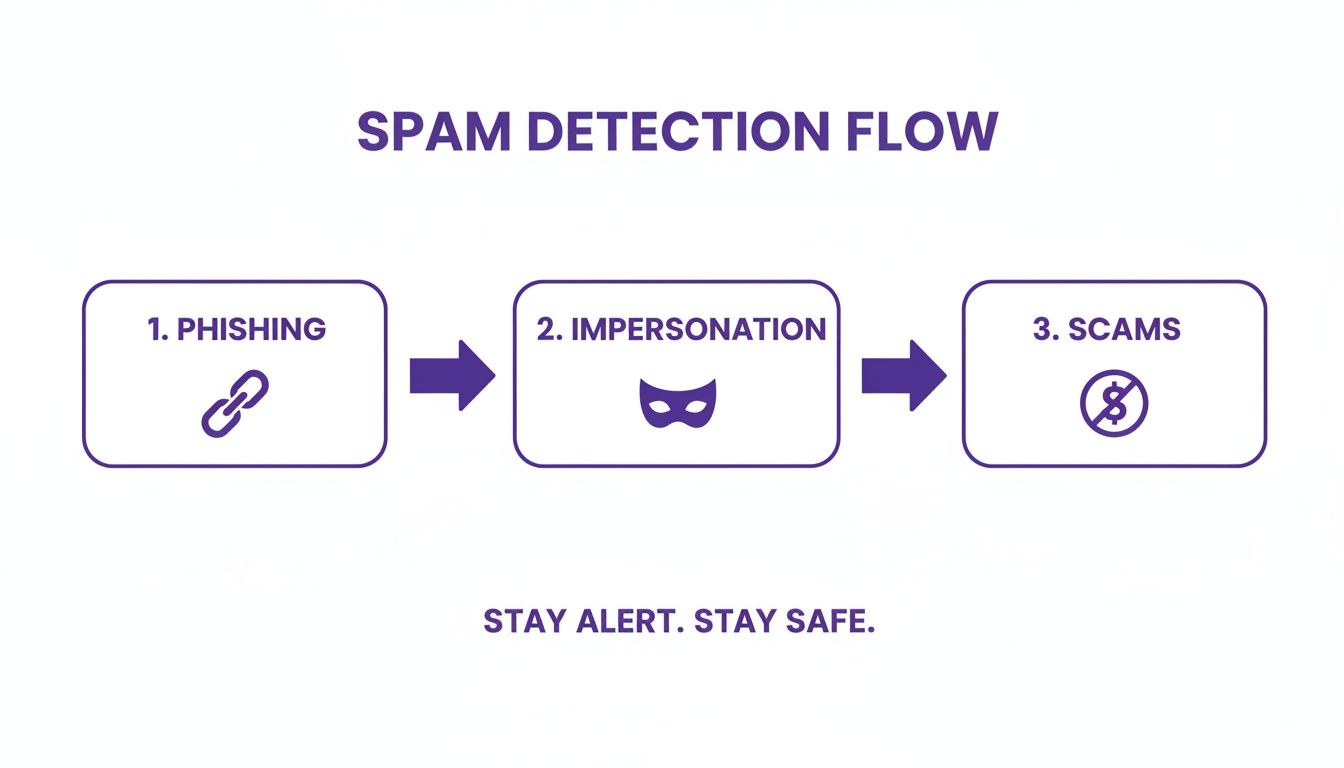
This process shows just how quickly moderators have to evaluate different threats, from fake links to accounts impersonating your brand. It really drives home the need for a clear, repeatable plan.
Defining Your Moderation Workflow
With your automated filters in place, you now need a clear process for what to do with the stuff they catch—and the spam that inevitably slips through. A well-defined workflow means less confusion and more consistency, no matter who on the team is on duty. The day-to-day responsibilities of a social media content moderator are front and center here, as they're the ones putting this plan into action.
Let's break down your action plan based on how bad the spam is.
- Hide Comment: This should be your go-to move for most spam. Hiding removes the comment from public view but leaves it visible to the spammer and their friends. The beauty of this is that the spammer often doesn't realize they've been muted, which can stop them from just making a new account to keep bugging you.
- Delete Comment: Use this one more sparingly. Deleting removes the comment for good. It's best reserved for things that are truly harmful or when you’ve already warned a user and they haven't stopped.
- Report and Ban User: This is the nuclear option, reserved for the worst offenders. If someone is posting illegal content, hate speech, or repeatedly harassing people, report their comment and their profile to Facebook. Then, ban them from your page. This blocks them permanently from ever interacting with your content again.
Creating Response and Escalation Protocols
Your playbook also needs to spell out how your team communicates—both with your audience and with each other. Having pre-approved templates and a clear chain of command can save you critical time when things get heated.
Response Templates for Scammed Users
Every so often, a real customer might fall for a phishing scam on your page. It happens. Be ready with a response that is both compassionate and helpful.
- Example Template: "Hi [User Name], we're so sorry you were targeted by this scam. We want to be clear that this comment came from a fraudulent account and has no connection to our brand. We advise you not to click any links or share any personal info. We've removed the comment and banned the user responsible. Your security is our top priority."
Internal Escalation Rules
You also need to know when to pull the big red lever. Define clear rules for when a social media moderator needs to escalate an issue to a manager or even to your legal or PR teams.
- Escalate Immediately If:
- You're facing a coordinated spam attack (dozens of comments appearing in just a few minutes).
- The spam contains direct threats of violence.
- A major phishing scam is spreading and tricking multiple users.
- There's a sophisticated brand impersonator that could do real financial or reputational damage.
When to Use Automation for Brand Safety
As your brand grows and your ads start to take off, you’ll eventually hit a wall. That manual moderation process that worked just fine when you got a few comments a day? It quickly becomes an impossible, time-sucking chore. This is the exact moment when automation goes from being a "nice-to-have" to a must-have for protecting your brand and your ad budget.

Think about it: your team works on a schedule, but spammers and bots are on the clock 24/7. An ad that suddenly goes viral overnight can become a swamp of scams and phishing links while your team is sound asleep. By the time you log on in the morning, the damage is already done.
Beyond Simple Keyword Blocking
Modern automation is so much smarter than the basic keyword filters you find in Facebook’s native tools. Sure, blocklists are a decent first step, but they can't catch the tricky stuff. Today's AI-powered tools do more than just scan for words; they actually understand context, sentiment, and what a user is trying to do.
This means a good AI moderator can tell the difference between a genuinely upset customer and a malicious troll, even if they use similar negative language. It can spot a scam link disguised in an otherwise innocent-looking comment and recognize the subtle patterns of brand impersonators in real-time. This level of analysis is exactly what you need to catch the Facebook spam messages designed to sneak past simple filters.
If you're looking to get ahead of the curve, it's worth checking out the different platforms available. This guide on AI comment moderation tools for 2025 offers an excellent comparison of the options out there.
Protecting Ad Spend and Team Sanity
The payoff from using automation hits your bottom line and your team's morale directly. A shocking amount of ad spend gets wasted on clicks and engagement from bots and fake accounts. Automation helps by zapping spam comments instantly, making sure your budget goes toward reaching actual, potential customers.
Here’s where you’ll really feel the difference:
- 24/7 Protection: Harmful comments, phishing links, and hate speech are gone the second they’re posted, no matter the time of day.
- Reduced Manual Workload: A solid automation tool can handle up to 90% of the routine spam, freeing your team from the soul-crushing task of manually deleting junk.
- Faster Response Times: By clearing out all the noise, the AI can flag urgent customer issues, so your team can jump in and help people faster.
Automation isn’t about replacing your team; it's about empowering them. By taking over the repetitive, mind-numbing task of spam removal, it lets your talented social media managers focus on what they do best: building relationships and engaging with your community.
Addressing the Fear of Robotic Responses
I get it—a common worry is that automation will make your brand sound like a robot or, even worse, hide legitimate customer complaints. It’s a valid concern, but modern, "brand-safe" AI is built to be highly customizable. You're the one who sets the rules and defines the tone.
For instance, you can set up the system to:
- Hide, not delete: Automatically hide comments with certain phrases or links, so a human can review them later.
- Flag for review: Isolate comments with negative sentiment or specific customer service keywords (like "broken," "refund," or "not working") and pop them into a special queue for your team.
- Never touch certain topics: Create "allow lists" for sensitive conversations where you always want a person to craft the response.
This level of control means the AI works more like a smart assistant than an impersonal bot. Good automation is a key part of maintaining brand safety and can seriously improve how efficient your moderation is. You can dig deeper into how automation can streamline business processes to see the wider business impact.
Ultimately, bringing in automation is a strategic move to protect your brand as it scales. It shields your community from harm, your ad spend from being wasted, and your team from burnout. It’s the proactive defense your growing brand needs to thrive online.
How to Measure Your Spam Management Success
Putting a solid moderation plan in place is one thing, but how do you actually know if it’s working? To justify the time and resources you're pouring into fighting Facebook spam messages, you have to move past gut feelings and start tracking real numbers.
Simply feeling like there's less spam won't convince leadership. You need to build a clear, data-backed picture of your community's health, showing how a cleaner comment section leads to better engagement, sentiment, and even ad performance. This turns spam management from a reactive chore into a strategic investment with a measurable return.
Key Metrics for Your Performance Dashboard
To prove your strategy is paying off, you need to track metrics that show both your defensive wins and your offensive gains. Defensive metrics prove you’re blocking spam effectively. Offensive metrics show the positive ripple effect on your community and marketing goals.
Here are the essential numbers to keep an eye on:
- Spam Comments Per Post: This is your most direct measure of success. Just calculate the average number of spam comments on your posts before and after you started your new playbook. A steady drop is a clear win.
- Time-to-Hide/Delete: How fast is your team or tool zapping spam? A shorter time means fewer of your followers ever see the harmful content. For paid ads, you want to get this down to minutes, if not seconds.
- Moderator Workload Reduction: If you've brought in automation, track how much it's handling versus your human team. Highlighting a 70-80% drop in manual work is a powerful way to show efficiency gains.
- Sentiment Score: Use an analytics tool to get a read on the overall vibe of your comments (positive, negative, or neutral). As you weed out the spam and negativity, your positive sentiment score should climb.
Tracking these numbers gives you an objective view of your progress. If you're looking for the right tools, you might find our guide on the best tools for social media analytics helpful for getting set up.
The ultimate goal is to connect a clean, safe comment section to real business results. When you can show that reducing spam by 50% led to a 10% increase in ad conversions, you've made an undeniable case for your moderation strategy.
Connecting Moderation to Business Impact
This is where your reporting really starts to shine. A healthy comment section isn't just a vanity metric; it directly impacts how potential customers see your brand and how well your ads perform. The goal is to draw a straight line from a safer environment to genuine engagement, and from there, to conversions.
It’s worth remembering that Facebook is just one stop in a much bigger spam ecosystem. Fraudulent schemes often jump across channels—from an email, to an SMS, and right to a brand's Facebook Page. In the U.S. alone, there were about 19.2 billion spam texts in February 2025. When your own comments are a free-for-all, they become another weak link in a chain that costs consumers billions.
Your moderation efforts are a critical trust signal. By tracking the right business-focused KPIs, you can prove it.
- Engagement Rate on Genuine Comments: When spam vanishes, real conversations can finally happen. Start tracking the likes and replies on legitimate customer comments. An uptick shows your community feels safer and more willing to participate.
- Ad Conversion Rate: This is a powerful one. Run an A/B test comparing an ad with active moderation to one without. A higher conversion rate on the moderated ad is undeniable proof that a clean comment section builds trust and drives action.
- Return on Ad Spend (ROAS): This is the bottom line. By improving conversion rates and making sure your ad budget is reaching actual people, great spam management can deliver a measurable lift in your overall ROAS.
Even with a solid game plan, you're bound to run into some tricky situations when fighting Facebook spam. As a social media manager, you'll constantly face a few common dilemmas that need smart, quick thinking. Nailing your response in these moments is key to keeping your community safe and your moderation workflow humming.
Let's walk through some of the most frequent questions we see.
Hide or Delete? The Big Question
One of the first decisions you'll make is whether to hide or delete a spam comment. They sound similar, but the outcome is totally different.
When you hide a comment, it vanishes for everyone except the person who posted it and their friends. This is my go-to first move. Why? Because the spammer has no idea they've been neutralized. They think their comment is still live, so they're less likely to just create a new account and try again. It’s a quiet, effective solution.
Deleting, on the other hand, zaps the comment out of existence entirely. While it’s a more permanent fix, it also tips off the spammer that you're actively watching. This can sometimes provoke them, leading to a more aggressive, targeted attack from multiple accounts.
Our Takeaway: Always default to hiding spam comments first. Save the delete button for stuff that's truly awful—think illegal content, severe harassment, or a repeat offender who just won't quit. This strategy contains the threat without poking the bear.
Should I Ever Reply to a Spammer?
Another classic dilemma: do you engage with a spammer, maybe to call them out publicly? The short answer is almost always a hard no.
Replying to spam, even just to say "stop," is like handing them a megaphone. It gives them the attention they crave and, thanks to Facebook's algorithm, often bumps their nasty comment right to the top of the thread for all your real followers to see.
Stick to the script: hide, report, and ban. Don't engage. This starves them of the attention they're after and keeps your comment section clean for real conversations. Your time is so much better spent talking to actual customers.
The one exception? When you see a genuine user has been duped by a scam on your Page. In that case, a gentle, public reply is a great idea. Something like, "Hi [User], just a heads up that this is a fake account and not affiliated with us. We've removed their comment and blocked them," can help that person and serve as a warning to others.
When Is It Time to Just Turn Comments Off?
Every so often, a post gets so swamped with spam that moderating it feels like trying to bail out a sinking boat with a teaspoon. In these extreme moments, shutting off comments can feel like the only option.
This is a drastic step and should absolutely be a last resort, since it silences everyone, including your loyal followers.
Consider hitting the off switch if:
- A post is attracting a coordinated spam attack, maybe after going viral for the wrong reasons.
- Your team can't actively moderate a high-traffic ad, like overnight or during a holiday break.
- You're seeing an overwhelming flood of dangerous, hateful, or illegal content on one specific post.
It's a temporary emergency brake, not a long-term strategy. For a complete walkthrough, our guide on how to disable comments on Facebook breaks down the exact steps.
What About Those Fake Copyright Infringement Claims?
There's a particularly nasty scam making the rounds where comments or messages claim your Page has violated copyright and is about to be deleted. These are designed to make you panic and click a malicious link to "fix" the problem. The accounts often look official, posing as "Meta Support" or something similar.
Let's be crystal clear: Facebook will never notify you of an official violation in a random comment or DM. Real notifications show up in your Page Quality dashboard or your Support Inbox inside Business Suite. That's it.
If you see one of these fake claims, don't click anything. Just hide the comment, report the profile for impersonation, and smash that ban button. It keeps your account safe and stops the scam from spreading to anyone else in your community.
Tired of wasting hours manually deleting spam? Protect your brand 24/7 with FeedGuardians. Our brand-safe AI automatically hides harmful comments, phishing links, and spam in real-time, freeing up your team to focus on what matters. Learn more about FeedGuardians and start your free trial today.
Tired of manually moderating comments?
FeedGuardians automates spam filtering, responds to customers, and protects your brand — setup in 3 minutes.