
Quick Summary
| Key Insight | What You Need to Know |
|---|---|
| Damaged Credibility | A page overrun with spam looks unprofessional and sketchy. It makes potential customers hesitate. |
| Buried Customer Questions | Real questions from interested buyers get lost in the noise, which means you're missing out on sales. |
| Bad Follower Experience | Your legitimate fans get annoyed and might unfollow you just to clean up their own news feeds. |
| Major Security Risks | Spam often hides phishing links or malware, putting your followers' data at risk and linking your brand to scams. |
Facebook spam messages are all those unwanted, annoying, and sometimes dangerous communications that show up in your comments, posts, and DMs. They're everything from irrelevant sales pitches to straight-up phishing scams, and they pose a huge threat to your brand's reputation and your customers' trust.
Why FB Spam Messages Threaten Your Brand
Think of your brand’s Facebook page as your digital storefront—a clean, welcoming shop where you connect with customers. Now imagine someone barging in, screaming about shady deals, plastering a "Buy Now!" flyer over your welcome sign, and interrupting every conversation.
That’s exactly what spam does to your online space. It's not just a small mess; it's a direct attack on the community you've worked so hard to build.
When a potential customer lands on your page and the first thing they see is a comment section filled with spam, it sends a clear and negative message. It screams neglect. It makes it look like no one is in charge, or worse, that you don't care about the safety of your own followers.
That first impression can instantly erode trust, right when you're trying to win someone over.
The Real-World Impact on Your Business
This problem is bigger than most people think. According to recent data, a staggering 31% of users on platforms like Facebook see spam comments every single day. Another 66% see them regularly. This turns what should be a vibrant discussion into a digital junkyard.
This constant flood of junk has real consequences for your business:
- Damaged Credibility: A page overrun with spam looks unprofessional and sketchy. It makes potential customers hesitate.
- Buried Customer Questions: Real questions from interested buyers get lost in the noise, which means you're missing out on sales.
- Bad Follower Experience: Your legitimate fans get annoyed and might unfollow you just to clean up their own news feeds.
- Major Security Risks: Spam often hides phishing links or malware, putting your followers' data at risk and linking your brand to scams.
Spam is negative social proof. It quietly tells every visitor that your digital storefront is unsafe, messy, and not a place where they should do business.
Controlling spam is a core part of protecting your brand's image. To fight back, you need to have solid reputation management best practices in place. In the end, letting spam run wild isn't just about a messy comments section—it's about defending your brand's integrity, engagement, and your bottom line.
The Hidden Costs of Ignoring Facebook Spam
Think of ignoring spam on your Facebook Page like letting weeds take over a garden. At first, you might see just one or two, which seems harmless enough. But before you know it, those weeds can choke out your healthy plants, ruin the soil, and turn your beautiful garden into a mess. The costs of spam go way beyond just a messy comments section—they create real business problems that can quietly undermine your growth.
When a potential customer lands on your page and is greeted by a wall of spam, it’s a huge red flag. It instantly tells them your digital storefront is unkempt, unsafe, or maybe even abandoned. That first impression creates friction, making them far less likely to trust you, engage with your content, or even think about clicking "buy."
Quantifying the Damage to Your Bottom Line
The financial fallout from spam is genuinely staggering. This isn’t just random noise; it’s a massive global industry built on tricking people. The losses are huge, with 21% of Americans losing money to text message scams alone. And globally, SMS fraud is projected to reach an eye-watering $101 billion. As detailed on ElectroIQ.com, this trend is a close cousin to the fraud we see in social media comments and DMs, highlighting the real danger your audience is in.
For your brand, this threat shows up as several hidden costs:
- Wasted Ad Spend: You’re paying for every single click and impression. When that expensive traffic you fought for lands on a page littered with spam, their trust disappears in a second. Your conversion rates tank, and that ad budget is essentially thrown away.
- Lost Sales Opportunities: Legitimate customer questions—the kind that lead to sales, like "Do you have this in stock?" or "How can I order?"—get completely buried under a mountain of junk. Every question you miss is a sale you probably lost.
- Increased Labor Costs: Someone on your team has to spend their precious time manually deleting spam comments and blocking bogus accounts. That’s time they could be using for things that actually grow the business, like creating great content or talking to real customers.
The Erosion of Brand Equity
Beyond the direct hit to your wallet, letting spam run wild slowly eats away at the value of your brand. A professional online presence is a cornerstone of your reputation. When you let spam fester, you’re sending a clear message that you don’t care about the details, which is a hard reputation to shake.
A clean, moderated comments section is no longer a "nice-to-have"—it's a fundamental part of the customer experience. Failing to manage spam is like having a store with dirty floors and phones that no one answers; it just drives customers away.
This decay hurts your brand in other, less obvious ways, too. It kills any chance of building a real community, because your actual followers won't stick around to chat in a toxic or chaotic environment. At the end of the day, tackling spam head-on is a critical piece of any serious online reputation management guide, because it protects both your revenue today and the health of your brand for years to come.
How to Identify and Report Spam Like a Pro
To win the fight against fb spam messages, you have to get good at spotting them first. It’s a lot like a bartender learning to spot trouble before it starts—you don’t need to scrutinize every customer, but you learn to recognize the tell-tale signs of someone about to cause a scene.
Spammers tend to reuse the same old tricks, and they're usually not very subtle. Once you know what to look for, telling a real customer apart from a bot or scammer becomes second nature. This is a must-have skill for keeping your brand’s corner of the internet safe and professional.
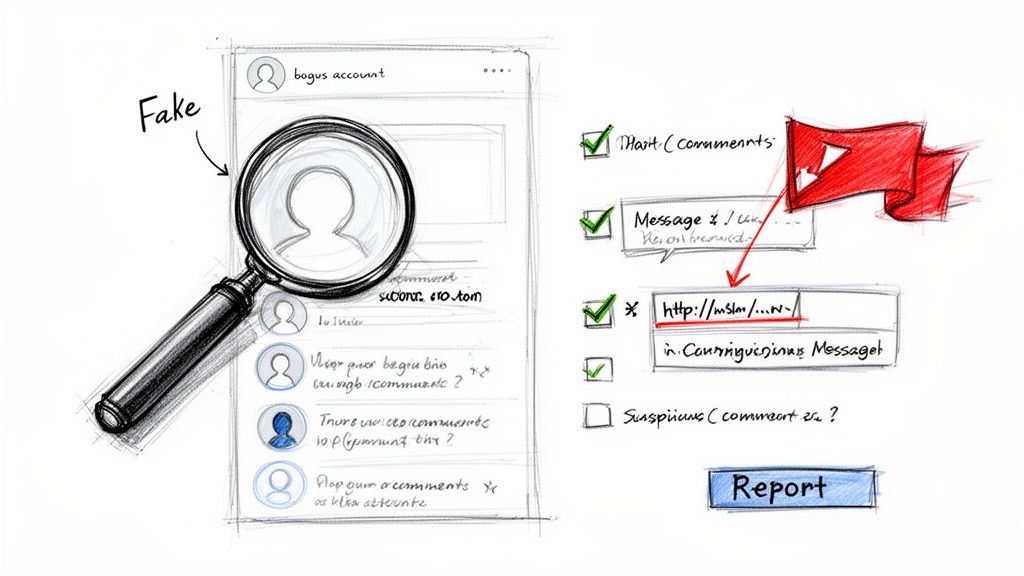
Common Red Flags of a Spam Message
Let’s be honest: most spam is pretty clumsy. Spammers are playing a numbers game, hoping to catch someone off their guard. Just keep an eye out for these classic warning signs in your comments and DMs:
- Vague, Generic Comments: You know the ones. "Wow!" or "Great post!" on a detailed product update. These comments could be slapped onto any post, which is a classic bot move.
- Suspicious Links: This is the big one. Any comment or message pushing a weird link—especially if it’s from a URL shortener or leads to a site you’ve never heard of—is waving a giant red flag.
- Urgent or Threatening Language: Scammers love to create panic. If you see messages like, "Your account will be suspended!" or "Claim your prize NOW!", it’s a manipulation tactic.
- Awful Grammar and Spelling: Sure, we all make typos. But a message riddled with glaring grammatical errors and spelling mistakes is often a dead giveaway.
- Fake or Empty Profiles: This takes two seconds to check. Click on their profile. Was it created yesterday? Does it have zero friends, no profile picture, or obvious stock photos? It's almost definitely a fake. For a deeper dive, check out our guide on https://feedguardians.com/blog/whats-a-spam-account.
Your Step-by-Step Reporting Guide
When you find spam, don’t just hit delete. Report it. Reporting helps train Facebook’s algorithm to get smarter about what it blocks automatically. You’re not just cleaning up your own Page; you’re helping make the whole platform safer.
Think of it as a digital neighborhood watch. By taking a few seconds to report spam, you’re alerting the platform to bad actors and making the space better for everyone.
Here’s the simple process for comments and messages:
- Find the Spam: Pinpoint the exact comment or message you need to report.
- Click the Three Dots: Look for the "..." icon next to the content. Clicking it will open up a menu.
- Select "Report": Choose the report option. Sometimes it's labeled "Find support or report comment."
- Choose the Reason: Facebook will ask you to categorize the problem. Pick the most fitting reason, like "Spam," "Scam," or "Harassment."
- Submit and Block: Just follow the last few on-screen steps to submit your report. You’ll almost always get an option to block the user, too—do it. It’s the easiest way to ensure they can’t bother you again.
This goes beyond just messages. Knowing how to handle all kinds of unwanted user content is key to managing your brand's reputation. Learning how to remove unwanted reviews from Facebook is another critical skill for maintaining control over your Page.
Setting Up Your First Line of Defense
Knowing how to spot fb spam messages is one skill, but stopping them before they completely overrun your page is the real challenge. The best way to build a solid defense is with a two-layer approach. We'll start with the basic tools Facebook gives you and then move up to smarter, automated systems that work for you 24/7.
Think of it like this: first, you build a sturdy fence. Then, you install a full security system.
Your first move should always be to use Facebook's built-in moderation features. These tools are your frontline defense, designed to catch the most obvious, repetitive junk. They act as a foundational filter, clearing out the low-effort spam so you can focus your energy on the trickier stuff.
This first layer is surprisingly powerful for cutting down the noise. It won’t catch everything, of course, but you'll immediately see a huge drop in the amount of spam you have to delete by hand every single day.
Layer One: Manual Controls and Filters
Facebook gives you direct control over what can and can't appear in your comment sections. If you configure these settings the right way, you can instantly make your page a safer place for your community. It’s like putting a bouncer at the door who knows exactly who not to let in.
Here’s where to start:
- Profanity Filter: This one is a no-brainer. Facebook can automatically hide comments that contain offensive language. Crank this setting up to its strongest level to immediately clean up the tone of your conversations.
- Keyword Blocklist: Get a list going of words, phrases, and even emojis you see spammers use all the time. Think "free followers," "crypto," "DM me for info," or specific terms related to common scams. Facebook will automatically hide any comment containing these keywords.
- Link Blocking: A huge chunk of spam comments contain sketchy links. You can set up a moderation rule to automatically hide all comments that have a URL. This is a simple but incredibly effective way to shut down phishing attempts.
By setting up these basic rules, you’re doing more than just cleaning up your comments section. You’re actively shaping the kind of conversation that can happen on your page. This proactive step shows your audience that you genuinely care about their experience.
Layer Two: The Power of Automation
While manual settings are a great start, they have their limits. A simple keyword filter can’t understand context, sentiment, or a scammer's real intent. And a human moderator can't be online 24/7. This is where automated moderation tools become absolutely essential for any brand that’s serious about its growth and security.
These AI-powered systems act as your second, much smarter, layer of defense. They go way beyond just matching keywords to actually analyze the meaning behind a comment. For example, an automated tool can tell the difference between a real customer asking a question about a "giveaway" you’re running and a spammer trying to promote a fake "giveaway" scam.
This kind of intelligent filtering is quickly becoming the new standard. A recent analysis found that 62% of businesses now use some form of automation for their social media management, with comment moderation being a top priority. As the sheer volume of online interactions grows, trying to do it all by hand just isn't sustainable. You can read more about these social media trends on Tech.co to see how automation is changing the game.
Ultimately, automation frees up your team from the tedious, soul-crushing task of deleting spam all day. Instead of playing whack-a-mole with bots, your social media managers can focus on what really matters: engaging with actual customers, answering sales questions, and building a genuine community. This shift from reactive cleanup to proactive engagement is what it's all about, and effective social media monitoring is the key to making it happen.
Building Your Proactive Spam Prevention Playbook
The best way to handle fb spam messages is to stop them before they start. It’s time to move from being a reactive cleanup crew to a proactive defense force. A solid playbook is your blueprint for this, turning the chaos of moderation into a calm, repeatable process that guards your brand around the clock.
This isn't just about frantically deleting spam as it pops up. It's about building a smart system that sees threats coming and neutralizes them before they can ever poison your community's trust. A good playbook brings consistency, saves time, and gives you some much-needed peace of mind.
Start with Clear Moderation Policies
First things first: you need to set the rules of the game. Your moderation policy is a straightforward document that spells out exactly what is and isn't allowed on your page. This eliminates guesswork for your team and makes sure everyone is on the same page.
Make sure your policy clearly covers:
- What you consider spam: Get specific. Is it posting outside links? Mentioning competitors? Using the same phrase over and over? Promoting crypto scams? Write it down.
- Your brand's tone of voice: How should moderators talk to real fans versus someone posting a borderline comment?
- An escalation plan: What should a moderator do when they hit a grey area, like a real customer complaint wrapped in aggressive language? Tell them who to contact for the final call.
This document is the foundation for everything, guiding both your human team and any automated tools you use. For a deeper dive, our complete guide on social media content moderation can walk you through creating these guidelines step-by-step.
Get Smart with Automation Rules
Once your policy is crystal clear, you can set up automation that works with real precision. Modern tools are much smarter than simple keyword blockers; they let you create nuanced rules that fit your brand’s unique needs. This is where you really get a leg up on the spammers.
Think about setting up smart rules like these:
- Automatically hide comments with links from new followers (say, anyone who has followed your page for less than a week).
- Flag messages that mention a competitor for a manual review instead of just deleting them outright.
- Instantly zap comments that contain slurs or other words from your custom blocklist.
This kind of strategic automation pays off big time. According to the Social Media Management Survey, managers who use automation for spam are 70% more efficient. That frees up about 8 hours a week—time you can pour back into growing your business. You can read more about these efficiency boosts from Social Media Today.
Manual vs. Automated: Which Is Right for You?
Choosing between Facebook's built-in tools and a dedicated automated solution can be tough. One offers basic control at no extra cost, while the other provides powerful, scalable protection. This table breaks down the key differences to help you decide what fits your brand's scale and needs.
Manual Moderation vs Automated Protection
| Feature | Manual Moderation (Facebook Tools) | Automated Solution (e.g., AI Tools) |
|---|---|---|
| Speed | Slow; relies on human reaction time. | Instant; operates 24/7 in real-time. |
| Accuracy | Prone to human error and inconsistency. | Highly consistent based on preset rules. |
| Scalability | Poor; becomes overwhelming as volume grows. | Excellent; handles thousands of comments easily. |
| Cost | "Free," but requires significant staff hours. | Subscription-based, but frees up team time. |
| Customization | Basic keyword and profanity filters. | Advanced rules (sentiment, user history, etc.). |
| Coverage | Only what a human can see and review. | Comprehensive; covers all posts, ads, and DMs. |
Ultimately, while manual moderation is a good starting point, automated solutions are essential for brands looking to grow without getting bogged down by spam. They handle the grunt work, so your team can focus on what matters most: your customers.
Track Your Success with the Right Metrics
So, how do you know if your playbook is actually working? You have to track the right numbers. Key performance indicators (KPIs) give you concrete proof of what’s working and show you where you need to tweak your strategy.
A proactive spam prevention playbook transforms your Facebook page from a passive target into a controlled environment. It’s the difference between letting anyone graffiti your storefront and having a dedicated security system that maintains order and safety.
The flowchart below shows how a modern defense system should work, with automation doing the heavy lifting and your team providing essential oversight.
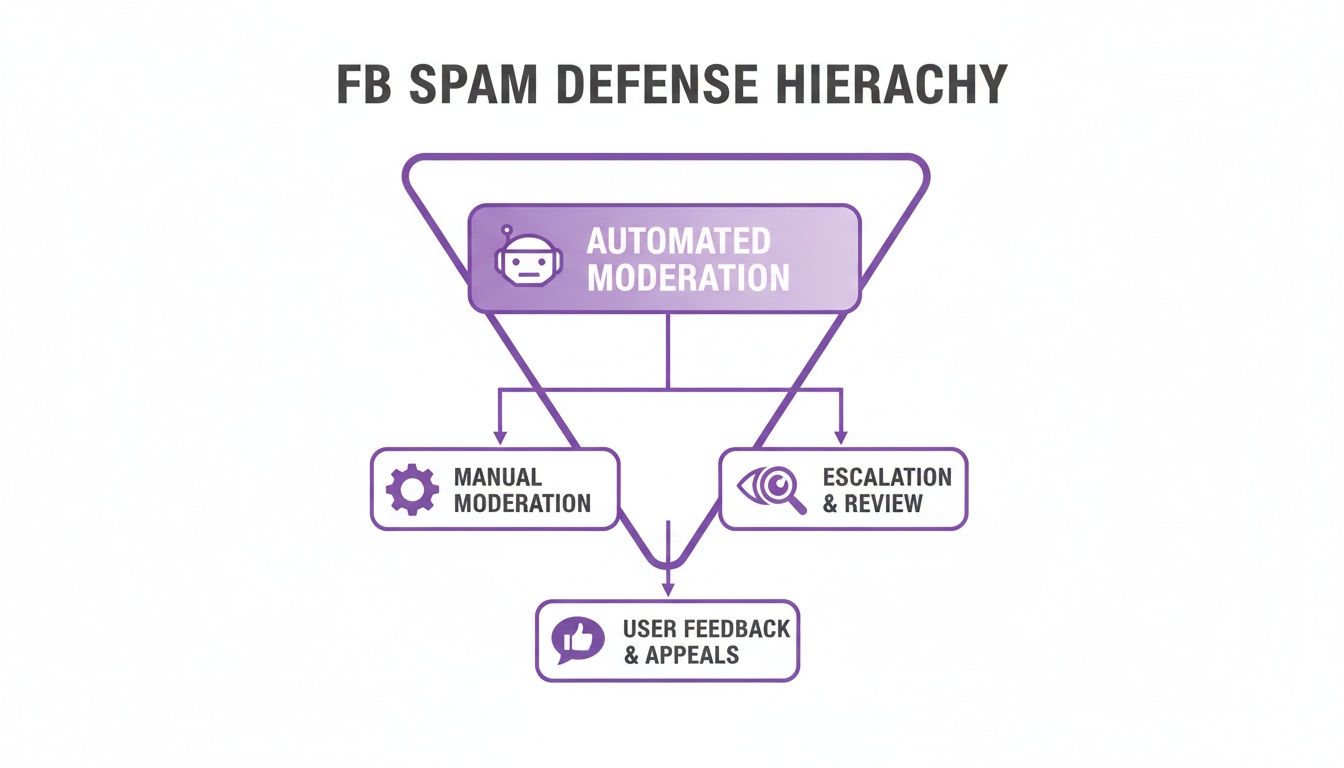
This layered approach is key. Let the bots handle the bulk of the spam, freeing up your team to focus on nuanced decisions and real conversations. By tracking KPIs like the percentage of spam you automatically hide and how quickly you respond to real inquiries, you can measure the real-world impact of your playbook on both your community's health and your team's efficiency.
Turning Your Comment Section Into a Growth Engine
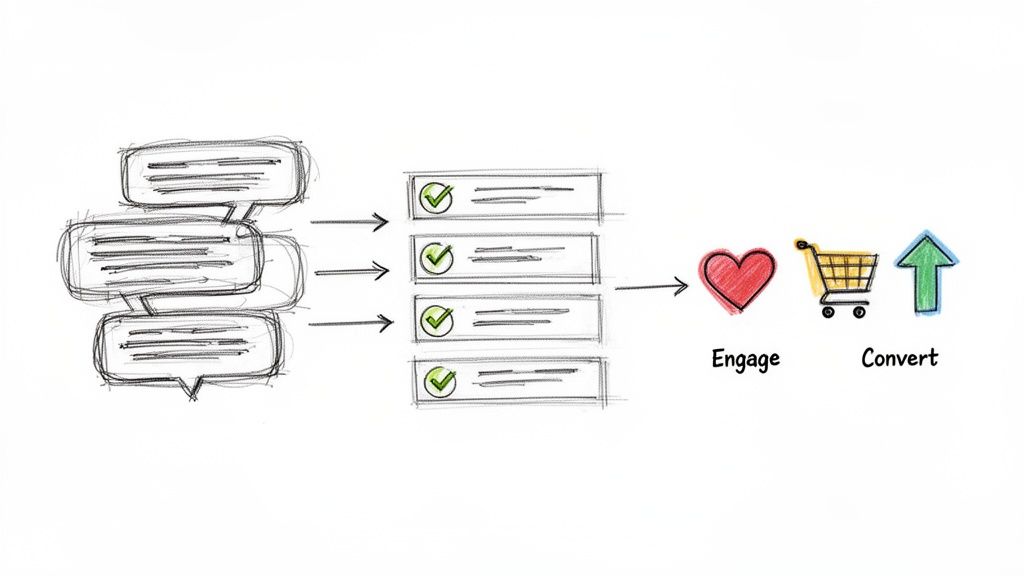
Winning the war on fb spam messages is just the first step. The real prize? Turning that newly cleaned-up space into a genuine community that actually helps your brand grow.
Once all the noise is gone, your comments section becomes a goldmine. It's where real conversations happen, where you get honest feedback, and where your audience starts creating content for you. This is the perfect environment for growth.
The same tools that help you filter out spam can also be set up to spot high-value comments. I'm talking about the ones that show clear buying intent—like, "Do you have this in blue?"—or the glowing testimonials that serve as powerful social proof for other potential customers.
By automatically flagging these positive interactions, you stop playing defense and start playing offense. Your comment section transforms from a moderation headache into a proactive sales and customer service channel.
This shift has a real impact on your bottom line. According to research from HubSpot’s Social Media Trends Report, a whopping 88% of consumers are more likely to buy from brands that foster healthy online communities. That kind of trust is built on proactive moderation. You can explore the full report on social media trends at HubSpot.com.
Instead of just deleting spam all day, you can finally focus on building relationships and turning conversations into conversions. Of course, there are some unique situations where a different approach is needed. Our guide on when to disable comments on Facebook can give you more context on that front.
Got Questions About Facebook Spam? We’ve Got Answers.
Running a business page on Facebook means you've probably got questions about spam. We see the same ones pop up all the time. Here are some quick, straight-to-the-point answers to help you protect your brand and keep your community clean.
Can I Stop FB Spam Messages Completely?
Unfortunately, no one can stop spam entirely—it’s a bit like trying to stop all junk mail from ever reaching your physical mailbox. It's just not possible.
What you can do is get really, really good at blocking most of it. By combining Facebook's own tools, like keyword blocklists and profanity filters, with a smart automated moderation system, you can build a powerful defense. The goal isn't total elimination, but effective management and lightning-fast removal.
Does Reporting Spam Actually Do Anything?
Yes, it absolutely does. In fact, it's one of the most helpful things you can do. Every time you report a spam comment or a shady account, you're feeding crucial data back to Facebook.
Think of yourself as a trainer for Facebook's security AI. Your reports teach the system what to look for, helping it get smarter at automatically catching and blocking similar spam in the future. You're not just protecting your own page—you're helping the whole platform.
What's the Biggest Risk if I Just Ignore Spam?
The single biggest risk is the loss of customer trust. When a potential customer lands on your page and finds it littered with spammy links and scam comments, it immediately signals that your brand is either careless or unprofessional.
That bad first impression can be a conversion killer. It buries real customer questions, drives away your loyal followers, and makes your online space feel unsafe.
Can Spam Comments Hurt My Ad Performance?
They sure can, and it's a huge waste of your ad budget. When the ads you're paying for get flooded with spam comments, it instantly makes your brand look less credible to the exact audience you're trying to win over.
This can tank your engagement, slash your click-through rates, and ultimately torpedo the ROI on your ad spend. Why would someone buy from you if your own comment section is a mess?
Ready to stop wasting hours deleting spam and start turning your comments into sales? FeedGuardians uses AI to automatically hide junk, answer customer questions, and spot sales leads 24/7. Protect your brand and boost your conversions with FeedGuardians today.
Tired of manually moderating comments?
FeedGuardians automates spam filtering, responds to customers, and protects your brand — setup in 3 minutes.