
Quick Summary
| Key Insight | What You Need to Know |
|---|---|
| Head over to your | Head over to your Settings and privacy. |
| Scroll down to the | Scroll down to the "How others can interact with you" section and find Hidden Words. |
| Tap Manage custom words | Tap Manage custom words and phrases to start building your blocklist. |
Sometimes a comment just has to go. Maybe you spotted a cringey typo in your own witty reply, or a spam bot just dropped a shady link on your latest post. Whatever the reason, you need to act fast.
The good news? Deleting a comment on Instagram takes just a few seconds. It’s a simple swipe on your phone or a quick click on your computer.
Your Quick Guide to Deleting Instagram Comments
Think of your comments section as the front porch of your brand. A stray spammy or inappropriate comment can really throw off the vibe and sour a potential customer's first impression. Knowing how to quickly delete a comment is your first line of defense, and luckily, the process is straightforward for both your own comments and comments left on your posts.
Deleting Instagram Comments on Mobile vs Desktop
While the goal is the same, the exact steps for deleting a comment vary slightly depending on whether you're using the mobile app or browsing on your desktop. Both get the job done quickly.
Here’s a quick-glance table to show you the difference:
| Action | Steps on the Mobile App (iOS/Android) | Steps on the Desktop Website |
|---|---|---|
| Find the Comment | Open the post and scroll to the comment you want to delete. | Go to the post and find the specific comment. |
| Reveal Options | On iOS, swipe left on the comment. On Android, press and hold the comment. | Hover your mouse cursor directly over the comment. |
| Delete | Tap the red trash can icon that appears. | Click the three-dot menu icon (...) and select Delete. |
Both methods are incredibly fast and give you immediate control over your comment section, ensuring it stays a safe and professional space for your community.
Of course, deleting isn't your only option. If you want a less permanent solution, you can find out more about how to hide comments on Instagram, which keeps the comment visible only to the person who wrote it.
One important thing to remember: Deleting a comment is permanent. There’s no undo button. Once it’s gone, it’s gone for good, so just be sure before you tap that delete button. That finality is exactly what makes it such a powerful moderation tool.
Why You Can't Afford to Ignore Your Instagram Comments
Let's be real: managing your Instagram comments can feel like a full-time job. But it's far more than just digital housekeeping—it’s about protecting your brand's reputation, one comment at a time.
Think of it like this: your Instagram profile is your digital storefront. A potential customer might love your latest post, but if they scroll down to find a cesspool of spam, trolls, and nasty arguments, their excitement vanishes. That crucial first impression is shot.
This is why knowing how to delete an Instagram comment isn't just a nice-to-have skill; it's fundamental. A clean, positive, and engaged comment section is powerful social proof. It tells new visitors that you're a professional, trustworthy brand that actually cares about its community.
The True Cost of a Toxic Comment Section
When your comments are a mess, it hurts more than just your feelings. It can directly hit your bottom line by eroding trust, killing engagement, and scaring away potential customers. If you let spam and negativity fester, people will naturally assume you're just as careless with the rest of your business.
A brand's comment section is often the first place a potential customer looks for unbiased reviews and social proof. If it’s a chaotic mess, they won’t stick around long enough to make a purchase.
Picture a busy online store owner who just launched a new product. They're excited, but then they spot a nasty, off-topic comment. Deleting that one comment is easy enough, but what happens when there are dozens? Or hundreds?
The scale of the problem is huge. Just look at Instagram's own battle—in Q3 2025 alone, the platform took action on 2 million pieces of hate speech content, many of which were comments. You can discover more insights about Instagram's content enforcement to see just how big this is. For any brand trying to grow, trying to manually delete every bad comment is like trying to empty the ocean with a teaspoon.
This is why you need a proactive game plan. It’s not just about reacting to problems; it’s about preventing them. For a deeper dive, exploring resources with strategies for effective comment moderation can give you a serious edge.
Ultimately, keeping your comments clean is a core part of building a healthy brand online. Shifting from a reactive "whack-a-mole" approach to a proactive strategy protects your reputation and helps you build a community people actually want to be a part of. If you want to build a truly solid plan, check out our complete guide on social media content moderation.
Smart Alternatives to Deleting Every Comment
Knowing how to delete an Instagram comment is a must-have skill, but reaching for that delete button isn't always the smartest move. It's a blunt instrument in a game that often requires a bit more finesse.
Imagine a customer leaves a frustrated but totally legitimate comment about a late shipment. Zapping it might feel like a quick fix, but it can easily backfire. The customer feels ignored, their frustration grows, and suddenly you’ve turned a simple service issue into a public relations headache. Deleting should really be your last resort, saved for the obvious junk: spam, scams, and hate speech. For everything else, you've got better tools at your disposal.
When to Restrict an Account
Think of the Restrict feature as putting someone in a "time-out" without them even realizing it. When you restrict an account, their new comments on your posts are only visible to you and them. They won't get a notification, which is brilliant because it stops them from getting angry and escalating the situation.
This is my go-to solution for those users who are constantly negative or walk the line of being inappropriate but haven't quite crossed into full-blown harassment. It effectively contains their negativity without sparking a public showdown.
The Subtle Power of Hiding Comments
Hiding a single comment is another discreet but incredibly useful tool. Much like restricting, it makes the comment invisible to everyone except the person who wrote it. This is perfect for those one-off situations—maybe a comment is slightly off-topic, spreads a bit of misinformation, or is just a low-quality complaint that you don't want derailing a positive conversation.
The user is never notified, the comment technically still exists, but your public-facing comment section stays clean and constructive. It’s a win-win.
This decision-making flow can help you figure out the best course of action.
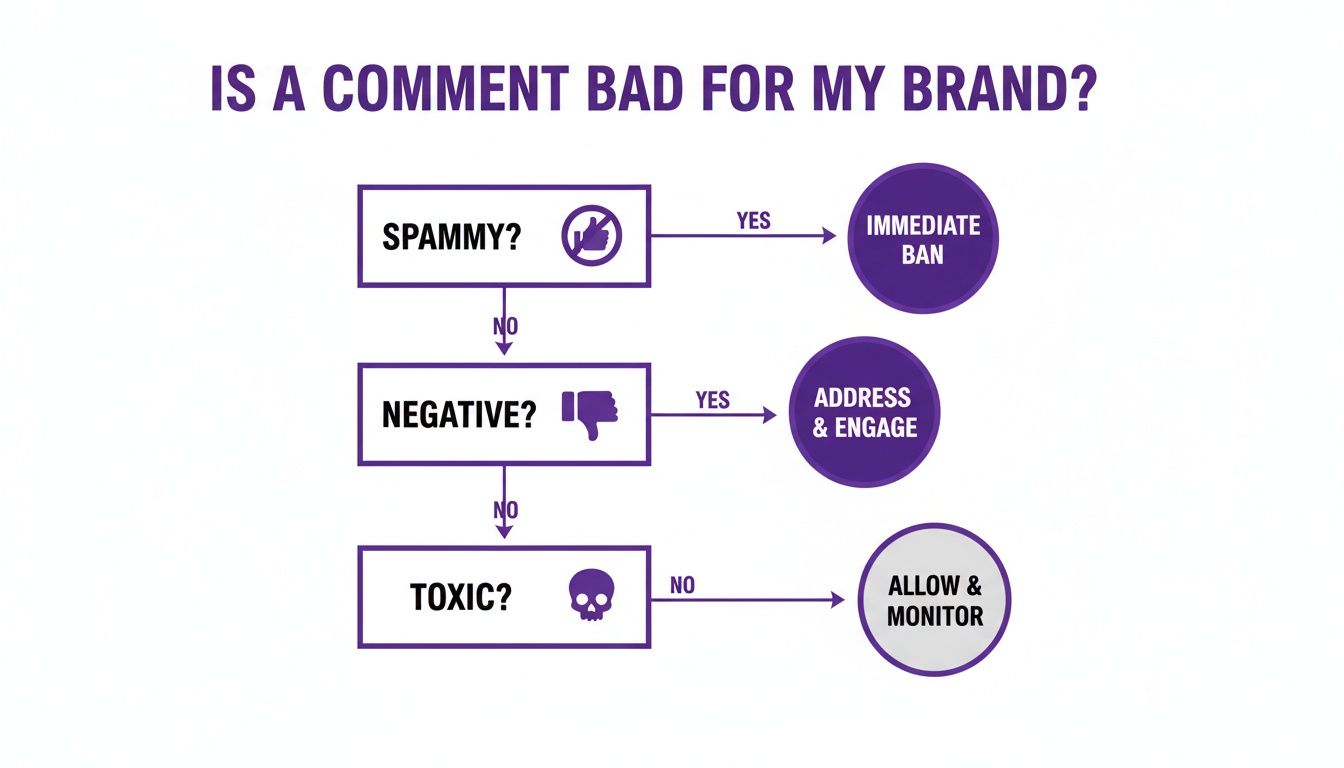
The main takeaway here is to match your response to the severity of the comment. Don't use a sledgehammer to crack a nut; save permanent deletion for the truly harmful stuff.
Reporting Comments That Cross the Line
When a comment blatantly violates Instagram's Community Guidelines—we're talking hate speech, bullying, or dangerous scams—your first move should always be to Report it. This flags the content for Instagram's own moderation team and does your part to keep the whole platform safer.
Once you've reported it, you can then go ahead and delete the comment from your post. With Instagram taking action on 9.6 million pieces of content in Q2 2025 alone, it's obvious that brands can't possibly keep up on their own. Learning how to spot and remove spam on Instagram has become a non-negotiable skill for anyone managing a professional account.
Scaling Up: How to Bulk-Manage and Filter Instagram Comments
Once your brand starts to gain traction, deleting comments one by one just isn't going to cut it. It’s a draining and totally unsustainable way to manage your community. The good news is that Instagram has some built-in tools that let you shift from being reactive to proactive. You can finally stop playing whack-a-mole with spammers and start building a genuinely healthier space for your followers.
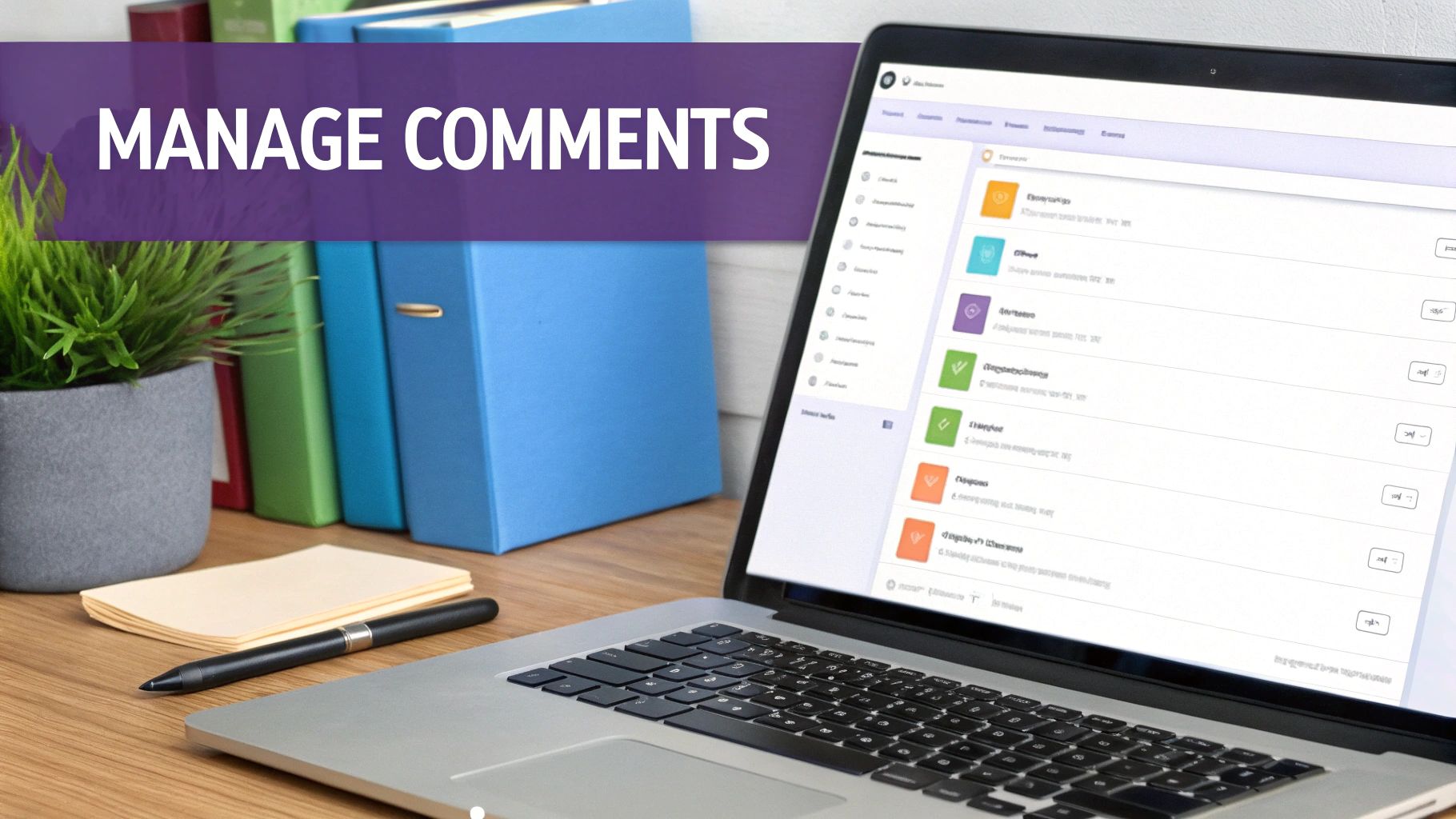
This whole process is about setting up smart filters that catch junk comments before they ever hit your audience’s feeds. For any account that’s serious about growth, this is a non-negotiable step.
Your First Line of Defense: The Hidden Words Filter
Think of Instagram’s Hidden Words feature as your personal security guard. It automatically hides any comments that contain words, phrases, or even emojis that you've flagged as inappropriate for your page.
Getting it set up is simple:
- Head over to your Settings and privacy.
- Scroll down to the "How others can interact with you" section and find Hidden Words.
- Tap Manage custom words and phrases to start building your blocklist.
Get creative here. Go beyond the obvious swear words. Add common spam phrases ("DM for collab," "check my page"), competitor names you see getting spammed, or any other terms that keep popping up in comments you don't want.
You’re essentially training Instagram to be your own personal moderator. A solid, well-thought-out list can automatically screen out up to 90% of the most common spam and trolling, freeing up a massive amount of your time.
Taking Bulk Action with the Manage Comments Tool
For those times you need to do a quick cleanup of several comments at once, the Manage Comments tool is a lifesaver. No more tedious one-by-one deletions.
Just tap Manage Comments on your post. From there, you can select as many comments as you need and then choose to delete, restrict, or block all the users in one go. It turns a frustrating task into a quick, two-minute job. This is a powerful feature among the different Instagram moderation tools at your disposal.
Having this bulk capability is critical when you consider the scale of the problem. Instagram itself is in a constant battle against toxic content. When you see stats like Instagram taking action on 2 million pieces of hate speech in just one quarter, you realize just how massive this issue is. It’s a clear signal that trying to manage comments manually is a losing game for any growing brand.
Take Your Comment Moderation to the Next Level with AI
When your brand really starts to grow, even Instagram's own filters and bulk management tools can feel like you're trying to bail out a boat with a thimble. Manually sifting through and deleting comments becomes a full-time job, pulling your team away from creating content and engaging with your community in meaningful ways. This is where AI-powered moderation tools step in and genuinely make a difference.
Think of these platforms as a dedicated moderator for your account that never sleeps. They can instantly hide spam, bot comments, and offensive language the moment it appears. This ensures your comment section remains a welcoming space for your actual followers, something no human team can realistically manage 24/7.

This kind of dashboard gives you a bird's-eye view of all the automated actions happening behind the scenes, so you always know what's being filtered out.
It’s More Than Just Hitting ‘Delete’
The real magic of AI moderation isn't just about playing defense. The smartest systems don't just zap bad comments; they're built to understand the intent behind the words.
A good AI tool can:
- Spot a sales lead: A comment like, "Do you have this in blue?" can be flagged as a potential sale for your team to follow up on.
- Catch customer service problems: When someone posts, "My order hasn't arrived yet," the AI can automatically route it to your support desk.
- Handle common questions: It can even send automated, pre-approved replies to FAQs like "How much is shipping?" or "When are you restocking?"
This is a total shift in strategy. You move from being reactive—just putting out fires—to being proactive. Your comment section transforms from a chore into an engine for sales and customer support.
For brands that need to manage their entire social presence more efficiently, looking into a tool like OneUpApp's social media management platform can offer a more all-in-one solution.
If you're curious about what's out there, you can find a solid breakdown of the top tools right here: https://feedguardians.com/blog/ai-comment-moderation-tools-2025. By letting automation handle the tedious work, your team gets back the time to focus on what actually grows the business: building relationships with your customers.
Got Questions? Here’s What You Need to Know
Managing comments on Instagram often brings up a few common questions. Getting these answers straight will help you handle your community with confidence, so you know exactly what to expect when you take action.
If I Delete Someone's Comment, Will They Know?
Nope. When you delete a comment on one of your posts, Instagram does not send any kind of notification to the person who wrote it. The comment just disappears.
This is perfect for quietly getting rid of spam, trolls, or comments that are completely off-topic without making a big deal out of it. The person would have to actively come back to your post and look for their comment to even realize it's gone. That's what makes the delete function such a great tool for community managers—it’s a quick, silent fix.
A quick tip: Hiding a comment is another stealthy option. The commenter isn't notified, but their comment stays visible to them and their friends. It’s a softer touch than outright deleting it.
Can I Get a Deleted Comment Back?
Once a comment is gone, it's gone for good. There's no "undo" button or trash can for deleted comments on Instagram.
This is super important to remember. If you get a negative comment that's actually legitimate customer feedback, you might be better off hiding it or replying to it first before hitting delete. You don't want to lose that insight permanently.
Why Can't I Delete a Comment on Someone Else's Post?
You're the boss of your own comment section, but that's where your power ends. You can't delete comments—yours or anyone else's—on a post that another account has published.
Here’s what you can do:
- Had a change of heart about something you said? You can always find and delete your own comment on someone else's post.
- See an offensive comment from another user on their post? Your only move is to report it to Instagram if you believe it breaks their rules.
Tired of playing Whac-A-Mole with spam comments? FeedGuardians can take over, using AI to automatically hide junk, flag potential sales leads, and even answer common customer questions around the clock. See how FeedGuardians can protect your brand and free up your time.
Tired of manually moderating comments?
FeedGuardians automates spam filtering, responds to customers, and protects your brand — setup in 3 minutes.