

Quick Summary
| Key Insight | What You Need to Know |
|---|---|
| Build Real Relationships | Forge a personal connection that a simple "like" can't match. |
| Get Honest Feedback | Gather unfiltered insights from the people who matter most. |
| Drive Sales | Gently guide interested followers from a casual chat toward a purchase. |
If you've ever felt like your Instagram DMs are a chaotic flood after posting a Story, you're not alone. But what if I told you that inbox is one of your most powerful, yet overlooked, tools for growth? It's true. Every single reply is a direct line to someone who is already paying close attention.
Why Your Instagram Story Replies Are a Goldmine
Let’s be real—managing a constant stream of DMs can feel like a full-time job. But tucked away in that chaos is a treasure trove of customer insights, potential sales, and a chance to build real brand loyalty.
Unlike a public comment, a Story reply is a private, one-on-one chat. This is where you get to create a genuine connection, something that’s getting harder and harder to find on social media.
This simple act of replying turns your brand from a megaphone into a friend. When someone takes a moment out of their day to send you a message, they’re no longer just watching; they’re participating in your brand’s story.
What That DM Really Means
Each reply is so much more than just a message—it’s a piece of invaluable data. These quick interactions tell you exactly what your audience is thinking, what they’re curious about, and what content truly hits home. This is the kind of raw feedback you need to sharpen your content strategy and even your product development.
Engaging in these conversations is a fundamental part of what is social listening, allowing you to understand your community on a much deeper level.
These DMs also send a massive signal to the Instagram algorithm. Believe it or not, Story replies have become one of the most potent engagement metrics out there. The algorithm loves seeing direct interaction, and these private messages are a huge factor in getting your future Stories seen by more people.
The real win with managing Story replies isn't just about good customer service. It’s about building a community where people feel seen and heard, turning casual followers into your biggest fans.
When you start seeing that flood of DMs as an opportunity instead of a chore, everything changes. Every single reply is a chance to:
- Build Real Relationships: Forge a personal connection that a simple "like" can't match.
- Get Honest Feedback: Gather unfiltered insights from the people who matter most.
- Drive Sales: Gently guide interested followers from a casual chat toward a purchase.
How to Create Stories That Get People Talking

If you want more replies to your Instagram Stories, you have to do more than just slap a sticker onto a random photo. It's all about being intentional. You need to give your audience a compelling reason to slide into your DMs and start a real conversation.
Think of every Story you post as an invitation. Your job is to make that invitation so interesting that your followers can't help but RSVP. This means you have to move beyond generic questions and start creating genuinely interactive experiences.
For example, a clothing brand could do much better than a simple "Ask Me Anything." Instead, they could post a photo of two new t-shirt designs and use a quiz sticker asking, "Which one should we launch next?" This small change makes a huge difference—it directly involves your audience in your brand's journey, making them feel heard and valued.
Sparking Genuine Interaction
To get replies consistently, your content needs a hook. It could be a killer visual, a thought-provoking question, or something that pulls on the heartstrings. Whatever it is, your goal is to stop people mid-tap and make them think.
Instagram's built-in interactive stickers are perfect for this. They're simple tools that can kick off deeper engagement and give you valuable feedback.
- The Poll Sticker: Don't just ask random questions. Use it to gauge interest in a new product. After someone votes "Yes" on a new feature, you can slide into their DMs with a personal follow-up: "Hey, thanks for voting! What do you love most about this idea?"
- The Quiz Sticker: This is a fun way to test your audience's knowledge about your brand or industry. It’s a low-stakes challenge that often gets people talking and asking follow-up questions.
- The Question Sticker: Get specific! Instead of a generic "AMA," ask for user-generated content, like "Show us how you style our new jacket!" or get feedback by asking, "What's your biggest challenge with [a problem your product solves]?"
These little interactions are how you build a real community. By actively https://feedguardians.com/blog/commenting-on-instagram-stories yourself and encouraging your followers to do the same, you create a much more vibrant and engaging presence on the platform.
The Anatomy of a High-Reply Story
So, what does a Story that gets tons of replies actually look like? It usually has a few key ingredients. It starts with a visual that grabs attention, followed by clear, simple text that sets the scene. The final piece is a strategically placed interactive element that tells people exactly what to do next.
The numbers don't lie. Brand Stories have an 88.2% completion rate, which is incredible. It shows that people are sticking around and are very likely to see your call-to-action. We also know that 62% of users say their interest in a brand increases after seeing it in a Story. That final prompt for a reply is your chance to turn that interest into a real connection.
The best stories don't just broadcast a message; they ask for one in return. Make your audience the hero of the story by asking for their input, opinions, and experiences.
To keep the conversation going, it helps to plan your content in advance. If you're looking for ways to streamline your workflow and make sure you're always posting engaging content, learning how to schedule Instagram Stories is a game-changer. It helps ensure your conversation-starters go live even on your busiest days.
How Story Replies Supercharge Your Ranking with the Algorithm
When someone slides into your DMs to reply to your Story, it’s more than just a message—it’s a direct signal to the Instagram algorithm that people are actively engaging with what you post. Think of it as a supercharged "like." It tells Instagram that your content isn't just being seen; it's sparking actual conversations.
Instagram is all about relationships. When a user takes the time to reply, the algorithm sees that as a sign of a real connection. That single action communicates that this person is genuinely invested in your brand, far more than a passive view ever could.
It's All About Quality Engagement
The algorithm’s job is to keep people scrolling by showing them content they’ll find interesting. A reply is a much stronger signal of interest than a simple tap-through or even watching a Story all the way to the end. It takes effort, and that effort tells Instagram your content is hitting the mark.
This is a really important distinction to grasp. Instagram has been leaning more heavily into reply-based engagement, which changes how we should all be thinking about our Story strategy. The system is now smart enough to value engagement quality over sheer numbers, meaning one thoughtful DM is worth more than a thousand silent views. For a deeper dive, check out these detailed breakdowns of the Instagram algorithm.
From a Single Reply to Long-Term Reach
The payoff for encouraging Instagram Story replies goes way beyond just one 24-hour Story. Every single time you have a conversation, you're strengthening the bond between your account and that follower in the algorithm's eyes.
This creates a powerful ripple effect:
- Your content gets priority: The algorithm learns who your most engaged followers are. The next time you post, it’s more likely to push your Stories and feed posts to the top of their feeds because it already knows they're interested.
- You reach new, similar people: When Instagram sees your content is sparking high-quality engagement like DMs, it starts showing it to new audiences—people who look and act like your current engaged followers.
By making conversation the goal, you're not just clearing an inbox. You're actively teaching the Instagram algorithm to prioritize your account. Every reply helps build a foundation for better organic reach down the road.
Ultimately, building a strategy around getting replies helps you create a more stable, visible presence on Instagram. You shift from just broadcasting content to actually building a community, and the algorithm rewards that effort every time.
Building an Efficient Reply Management System
When your Instagram Story replies go from a slow trickle to a constant flood, handling them one by one just isn’t going to cut it. Responding to every single DM is a golden opportunity to build real connections and give your content a nice bump from the algorithm, but it's also a recipe for burnout if you don't have a smart system in place. The goal is to build an efficient workflow that blends Instagram’s own features with a clear process for sorting through the noise.
You can start by making the most of the tools Instagram already gives you. A surprising number of brands sleep on Quick Replies, which let you save templated answers for all those common questions. Think about it: instead of typing out your shipping policy or return instructions ten times a day, you can send a perfectly polished response with a single tap.
At the same time, get familiar with Instagram's inbox filters. They’re a simple but effective way to bring some order to the chaos. You can filter your DMs to show only unread messages or flag important conversations that need a follow-up. This is your first line of defense, helping you see what needs your attention right now.
Creating a Triage System for DMs
With the basics handled, it's time to create a triage system. Let's be honest, not all Instagram Story replies are created equal. A customer complaining about a damaged delivery needs a much different response than a simple fire emoji. A good triage process helps your team focus on what's most important.
Start by sorting incoming messages into a few priority buckets:
- High Priority: These are the fires you need to put out immediately. Think urgent customer service problems, really negative feedback, or direct questions about making a purchase. These need a quick, personal response from a real human.
- Medium Priority: This bucket is for questions about product specifics, potential collaborations, or inquiries about something you posted. You can often handle these with a Quick Reply or pass them along to the right person on your team.
- Low Priority: General comments, emoji reactions, and positive shout-outs fall in here. They’re fantastic for engagement, but they don't need a long, drawn-out reply. A quick "like" on the message or a simple "Thanks so much!" is usually perfect.
This kind of sorting ensures your team's time and energy go where they'll have the biggest impact—protecting your brand’s reputation and locking in sales before they disappear.
A well-structured triage system does more than just organize your inbox. It transforms your reply management from a reactive chore into a proactive strategy for customer retention and sales conversion.
Every time you reply to a Story, you're sending a strong signal to the Instagram algorithm. It’s a direct interaction that tells the platform your content is sparking conversation and is valuable to your audience. This simple feedback loop can significantly boost your content's visibility.
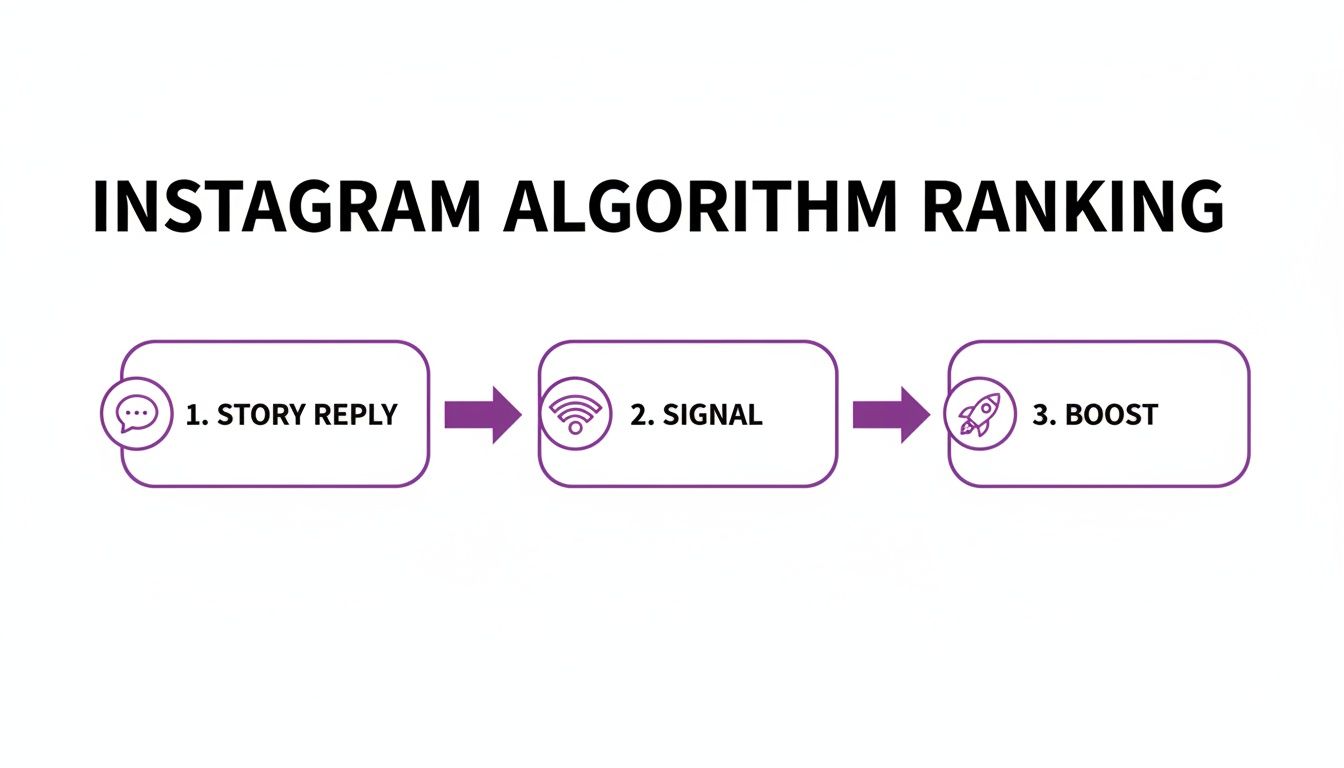
As you can see, each reply reinforces your content's relevance, helping you reach more people.
Knowing When to Upgrade Your Tools
Instagram's built-in tools are a fantastic starting point, but every growing brand eventually hits a wall. If your team is spending more time digging through DMs than actually talking to customers, that’s your cue to look for a more powerful solution.
The native tools can only take you so far. To really scale your community management, you need a platform that can handle the heavy lifting. This is where dedicated AI-powered platforms come in.
Instagram Native Tools vs AI-Powered Platforms
The table below breaks down the key differences between what you can do with Instagram's built-in features and what's possible with a more advanced tool like FeedGuardians.
| Feature | Instagram Native Tools | AI-Powered Platforms (like FeedGuardians) |
|---|---|---|
| Basic Filtering | Yes (Unread, Flagged) | Yes (Advanced, custom filters) |
| Templated Replies | Yes (Quick Replies) | Yes (Advanced, dynamic templates) |
| Sentiment Analysis | No | Yes (Automatically detects positive, negative, neutral) |
| Intent Detection | No | Yes (Identifies sales leads, spam, support issues) |
| Automated Routing | No | Yes (Assigns DMs to specific team members) |
| Spam Prevention | Limited (Hidden Words) | Yes (Proactive spam and bot detection) |
| Auto-Responses | Limited (Welcome Message) | Yes (Customizable, rule-based auto-replies) |
| Analytics | No | Yes (Tracks response times, sentiment trends) |
As your brand grows, the limitations of native tools become more apparent. Advanced platforms aren't just about saving time; they're about creating better customer experiences at scale.
For any brand serious about community management, looking into dedicated Instagram moderation tools is a smart move. It can save hundreds of hours and make sure you never miss an important conversation again.
Consider upgrading when you notice these signs:
- The volume is just too high: Your team is constantly behind, and DMs are piling up faster than you can answer them.
- You're leaving money on the table: Questions about pricing or product availability are getting buried in the flood of notifications.
- Your brand's safety is at risk: You need a reliable way to catch and manage negative, harmful, or spammy messages before they cause real damage.
Moving to a more capable platform isn't about replacing your team. It's about giving them the tools they need to stop sorting and start connecting with the people who matter most to your business.
Putting AI to Work for Automation and Conversions
While having a solid manual system for managing replies is a great starting point, you’ll eventually hit a wall. There are only so many hours in the day. This is where AI comes in, transforming your Instagram Story replies from a simple customer service queue into a powerful conversion tool that works for you around the clock.
Picture this: a potential customer replies to your Story asking about shipping costs. Instead of making them wait for someone on your team to see the message, an AI-powered system can instantly understand what they’re asking and shoot back an accurate answer, maybe even with a direct link to your shipping policy page.
That kind of instant gratification does more than just answer a question—it captures their interest right when it's highest. Today's AI tools are smart enough to go way beyond basic keyword triggers. They use natural language processing to really understand the context, tone, and specific needs behind each message.
Going Beyond Keywords to Understand Real Intent
The real game-changer is when AI can tell the difference between all the different kinds of messages you get. It knows a simple "love this!" comment is different from a more urgent "my order hasn't arrived" complaint.
This intelligent sorting opens the door to some seriously effective automated workflows:
- Spotting Sales Opportunities: Someone asks, "Do you have this in blue?" The AI can instantly send them a direct link to that exact product page.
- Handling Customer Support: If a message sounds negative or uses words like "broken" or "issue," it can be automatically flagged and sent straight to a human agent to handle ASAP.
- Gathering Feedback: Positive comments can be tagged for potential user-generated content, while suggestions for improvement can be sorted and sent to your product team.
Getting this level of detail right is crucial for building a system that can grow with your brand. For a deeper dive into what's possible, check out our guide on the future of Instagram DM automation for 2025.
By letting automation handle the predictable, repetitive questions, you free up your team to focus on the high-value conversations that truly need a human touch—like building relationships or solving tricky customer problems.
Turning Quick Chats into Actual Sales
This smarter, automated approach has a direct impact on your sales. It creates a smooth, easy path from a person showing interest to them making a purchase. A customer who gets a helpful reply in seconds is far more likely to buy than someone left waiting for hours.
To make this even smoother and keep your brand voice consistent, tools like an AI Customer Support Reply Generator can be a huge help, crafting on-brand responses in a snap.
Ultimately, using AI for your Instagram Story replies isn't about replacing your team. It's about giving them superpowers. It ensures no lead is missed and every single follower feels heard, creating a fantastic customer experience that builds loyalty and drives real business results, 24/7.
Got Questions About Instagram Story Replies? We’ve Got Answers.
Even with a solid strategy, managing Instagram Story replies can throw a few curveballs your way. Social media managers often run into the same practical hurdles when they're trying to streamline their process and keep the conversation going.
Let's break down some of the most common questions we hear.
Should I really reply to every single message? Even the emoji reactions?
This is probably the number one question people ask. And yes, you should. While it might feel like a lot, responding to everything is a game-changer for engagement.
Even just "liking" an emoji reaction tells that follower you saw them and you appreciate them taking the time. It’s a small effort that signals to the Instagram algorithm that your content is sparking connections, which can give you a nice little boost.
What's the best way to handle negative or critical replies?
It’s tempting to just hit ignore and hope it goes away, but that almost never works. In fact, silence can often make a bad situation worse.
The best move is to jump on it quickly and politely. Acknowledge their concern publicly, but immediately steer the conversation into a private channel. Something simple like, "We're so sorry to hear you had this experience. Could you send us a DM with your order number so we can sort this out for you?" does two things: it shows everyone you're responsive and it takes a potentially messy conversation out of the public eye.
Can I Just Turn Off Instagram Story Replies Altogether?
Absolutely. Instagram gives you a few levers to pull to control who can slide into your DMs from a Story. This is a lifesaver if you're getting slammed with spam or running a campaign where you only want to hear from a specific audience.
You’ll find three options in your Story settings:
- Allow replies from everyone: This is the default setting. It casts the widest net and is perfect for maximizing engagement.
- Allow replies from people you follow: A great middle ground. This filters out a lot of noise from random accounts and pesky bots.
- Don’t allow replies: This completely shuts down the reply feature on your Stories.
A word of caution: use that "Don't allow replies" option sparingly. Think of it as a temporary fix for a specific problem—like a bot attack—not a long-term strategy. Turning off replies means you’re closing a direct line to your community for feedback and connection.
Speaking of bots, they're a constant headache. For a deeper dive into spotting and stopping these automated accounts, check out our guide on how to handle bots commenting on Instagram. The same principles can help you clean up your DMs.
When you’re juggling a high volume of messages, you need the right tools in your corner. FeedGuardians uses smart AI to automatically weed out spam, flag potential sales leads, and handle routine questions. This frees up your team to do what they do best: build genuine relationships with your followers. Discover how FeedGuardians can transform your social media engagement.
Tired of manually moderating comments?
FeedGuardians automates spam filtering, responds to customers, and protects your brand — setup in 3 minutes.