
Quick Summary
| Key Insight | What You Need to Know |
|---|---|
| Build Real Trust | A clean, professional comment section tells customers you’re attentive and trustworthy. It's a subtle but powerful signal. |
| Find Hidden Leads | Spot comments that show clear buying intent—like "Where can I get this?" or "Does it come in blue?"—and jump on the opportunity to engage. |
| Gather Customer Insights | Pay attention to the feedback and questions. They offer a direct line into what your customers want, helping you improve your products and services. |
Too many brands treat social media moderation as an afterthought, and it's a costly mistake. This isn't just about deleting spam comments; it’s a critical part of managing your brand, winning new customers, and making sure your ad dollars aren't going down the drain. When you get it right, your comments section transforms from a potential liability into a genuine asset.
Why Proactive Social Media Moderation Matters
Picture this: you launch a killer ad campaign. The creative is on point, the targeting is dialed in, and the clicks are pouring in. But when a potential customer checks out the post, the comments are a wasteland of scams, spam, and negativity. That hard-earned interest vanishes in an instant, and your campaign’s performance tanks.
This isn’t just a what-if scenario. It’s the daily reality for countless e-commerce brands. Simply waiting for problems to pop up before you act just doesn't cut it anymore. Adopting a proactive mindset means you get ahead of these issues, protecting your paid media investment before the damage is done.
From Liability to Asset
A proactive strategy does more than just clean up the mess. It turns your comments section into a goldmine of business intelligence.
Instead of just stamping out fires, you can:
- Build Real Trust: A clean, professional comment section tells customers you’re attentive and trustworthy. It's a subtle but powerful signal.
- Find Hidden Leads: Spot comments that show clear buying intent—like "Where can I get this?" or "Does it come in blue?"—and jump on the opportunity to engage.
- Gather Customer Insights: Pay attention to the feedback and questions. They offer a direct line into what your customers want, helping you improve your products and services.
The sheer volume of junk that needs to be moderated is mind-boggling. One analysis found that TikTok ads had a staggering 44% hidden comment rate, while Meta ads weren't far behind at 30%. The same data shows a clear link: when moderation is active, return on ad spend (ROAS) goes up. It has a direct, measurable impact on your bottom line.
By actively managing your online community, you create a space where positive interactions can actually happen. This doesn't just boost brand sentiment; it encourages user-generated content and authentic engagement—some of the most powerful social proof you can get.
To build that kind of healthy online space, implementing effective comment moderation is a must. It all starts with understanding the different kinds of harmful comments out there, especially those coming from a spam account. Get that right, and you're on your way to building a much stronger and more profitable social media presence.
Crafting Your Moderation Policy and Guidelines
A solid moderation policy is the bedrock of any healthy online community. Think of it as your brand's constitution—it sets the rules of engagement and gives your team a clear playbook to follow when things get messy. Without one, you're just winging it, leading to inconsistent enforcement, subjective calls, and a process that’s impossible to scale.
This isn't about drafting a long, legalistic document that no one ever reads. It’s about setting practical, easy-to-understand expectations for your audience and, just as importantly, for your own team.
The real goal here is to move past vague statements like "no spam" or "be respectful." Rules like that are way too open to interpretation and practically invite accusations of unfairness. Your guidelines need to get specific, targeting observable behaviors and leaving zero room for guesswork.
Defining Your Community Standards
Your policy should feel like it comes from your brand. It needs to reflect your unique voice and values. Are you playful and a bit edgy? Or is your vibe more professional and buttoned-up? Whatever it is, the tone of your guidelines has to match.
Start by getting crystal clear about what is explicitly not allowed. Don't be shy—use specific examples to paint a clear picture:
- Spam and Self-Promotion: We'll remove comments with sketchy links, pitches for competing products, endless emoji strings, or any other unsolicited sales attempts.
- Hate Speech and Harassment: We have a zero-tolerance policy for comments attacking people based on race, gender, religion, sexual orientation, disability, or anything else that makes them who they are. This includes slurs, threats, and targeted bullying.
- Misinformation: Comments sharing verifiably false information, especially about our products, might be hidden to keep everyone on the same page.
- Off-Topic Content: We love a good conversation, but comments that are completely unrelated to the post might be removed to keep the discussion on track.
These kinds of precise definitions make your moderation actions easy to defend and transparent to your community. For a deeper look into handling users who are just there to cause trouble, check out our guide on addressing trolling on social media.
Building Your Internal Workflow
Once you’ve sorted out your public-facing rules, you need an internal workflow for your team. This is what guarantees every comment is handled the same way, no matter who’s on shift. The first step is to categorize the types of comments you see most often and assign a clear, non-negotiable action to each one.
Here’s a peek at how this can look inside a moderation tool for an e-commerce brand:
This image shows how a tool can automatically tag comments, flagging things like support questions or purchase intent. Setting up rules like these is a game-changer for efficiency, letting your team cut through the noise and focus on what matters most.
Your internal policy is your team's single source of truth. It needs to be dead simple for everyone to access—from social media managers to customer service reps—so you're all singing from the same hymn sheet.
Creating an easy-to-follow rulebook is a fantastic way to get started. It translates your high-level policy into on-the-ground actions for your team.
Essential Social Media Moderation Rulebook Template
Here is a template to help you build out a consistent and effective set of rules for the common comments e-commerce brands see every day.
| Comment Type | Example | Recommended Action | Tool/Method |
|---|---|---|---|
| Spam/Scam | "DM me for a great deal!" or a link to a shady site. | Hide & Ban. Immediately hide the comment and ban the user to protect the community. | Automated rule (keyword/link filters), Manual review |
| Hate Speech | Any comment using slurs or personal attacks. | Delete & Ban. Remove the comment completely and permanently ban the user. | Automated keyword filter, Manual review |
| Customer Complaint | "My order arrived damaged! I'm so disappointed." | Reply & Escalate. Reply publicly with empathy and ask the user to DM for support. Tag the CS team. | Manual review, AI-suggested reply |
| Positive Feedback | "I love this product! Best purchase I've made all year." | Reply & Amplify. Thank the user personally. Consider asking for permission to feature their comment. | Manual review, Community management |
| Product Question | "Does this come in other colors?" | Reply & Inform. Answer the question directly and provide a link to the product page. | Manual review, AI-suggested reply |
| Irrelevant/Off-Topic | "Who's watching the game tonight?" on a product post. | Ignore or Hide. If harmless, ignore. If it's derailing conversation, hide the comment. | Manual review |
This kind of clear framework empowers your team to act quickly and confidently, protecting your brand's reputation with every single interaction.
And to make sure your policies and guidelines stay current and accessible, it's worth exploring how AI-powered knowledge management can keep everything organized. A smart, centralized hub stops confusion in its tracks and helps your team find what they need in seconds.
Using AI and Automation to Moderate at Scale
If you’ve ever run a high-volume ad campaign, you know that manually sifting through every single comment is a one-way ticket to burnout. As your brand scales, it's just not feasible to rely on human moderators alone. That’s where automation and AI come in. They handle the grunt work so your team can focus on the high-value conversations that matter.
Modern tools go way beyond basic keyword blocking. They use sophisticated sentiment and intent analysis to get the context behind a comment. This means they can spot and hide content that breaks your rules—from obvious spam and scams to more subtle hate speech—instantly, 24/7.
The process is actually more straightforward than you might think. This visual breaks down the basic logic.
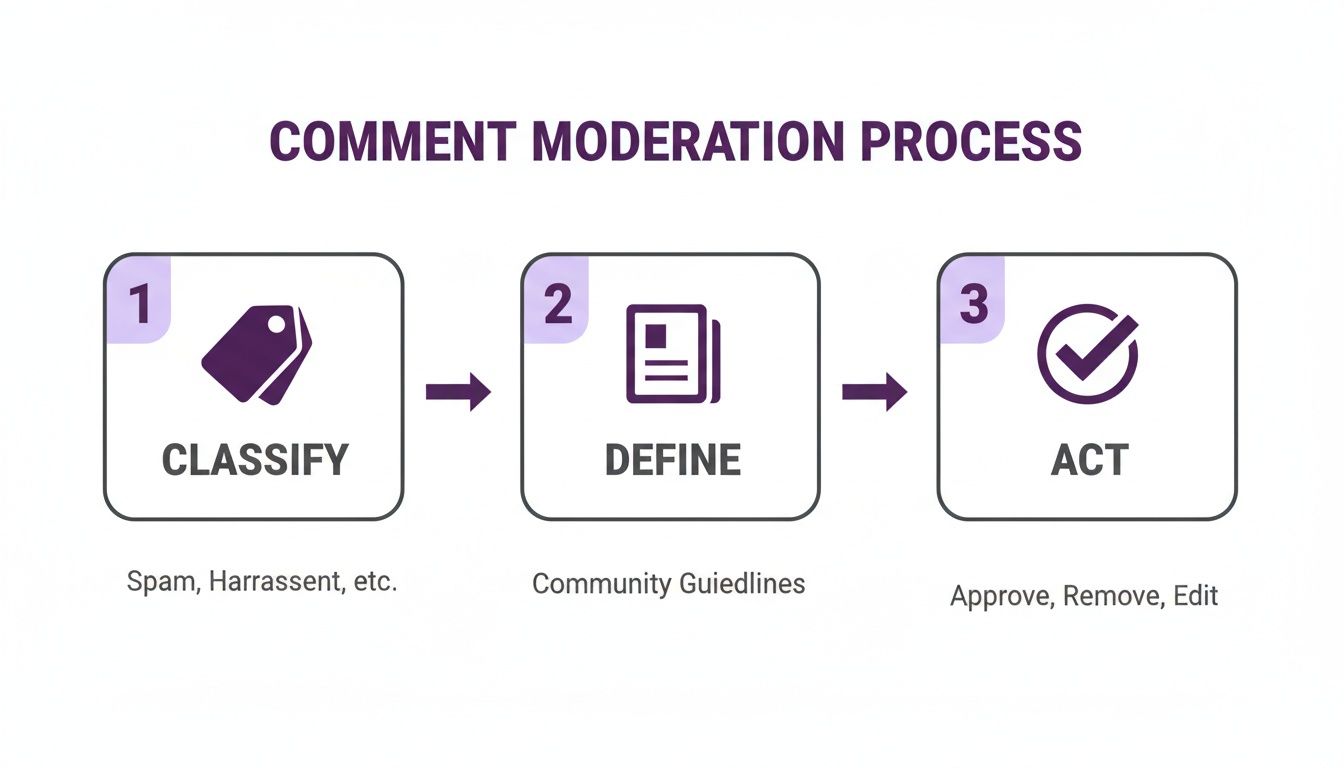
Essentially, the system classifies incoming comments, checks them against your guidelines, and acts on them immediately. This frees up your team from the mind-numbing task of deleting spam comments all day so they can actually talk to real customers.
Setting Up Your Automated Defenses
The secret to a great automated system is a set of smart, practical rules. We’re not just talking about blocking a list of swear words; this is about protecting your brand and community from real threats.
You can create simple filters that are surprisingly powerful. Start by automatically hiding or removing comments that include things like:
- Competitor Mentions: Stop other brands from poaching your customers right in your own comments.
- Unauthorized Discount Codes: Block the fake or expired promo codes that only lead to customer confusion and frustration.
- Common Scam Phrases: Automatically zap comments with phrases like "DM me for a deal" or any suspicious-looking links.
Think of a well-tuned automated system as your brand's first line of defense. It keeps your posts clean and professional, which builds trust with potential customers the moment they find you.
If you want to get into the weeds on the tech, checking out a list of the top AI comment moderation tools for 2025 is a great place to see what’s out there and what different platforms can do.
Turning Moderation into Revenue
Good automation isn't just about playing defense. It can actually help you make more sales. By teaching your system to spot buying signals, you can turn your comment section into a predictable lead-generation machine.
Picture this: a potential customer comments, "I need this!" or "Does this come in black?" Instead of that comment getting buried, your system can be set up to react.
- Detect Purchase Intent: The AI recognizes the comment as a hot lead based on the language.
- Flag for Action: It automatically flags the comment and assigns it to someone on your sales or community team.
- Enable Quick Follow-Up: Your team gets a notification and can jump right in with a helpful answer, guiding that person straight to a purchase.
This proactive approach makes sure you never miss a sales opportunity. It connects an interested buyer with a real person who can help, which shortens the path to purchase and makes for a much better customer experience. This is how smart social media moderation goes from being a cost center to a real engine for growth.
Crafting Your Human Escalation Plan
Automation is a workhorse, tackling the sheer volume of comments and spam. But let's be real—it can't replace human judgment when things get tricky. An AI is great at flagging negativity, but it completely misses the nuance of a customer claiming a product caused a reaction or a top-tier influencer dropping a terrible review. These are the moments that can make or break you, and they demand a rock-solid human escalation plan.
Without a clear protocol, you're inviting chaos. Your team scrambles, not knowing who to loop in. Critical posts get lost in the noise. Before you know it, a small issue has mushroomed into a full-blown brand crisis. A well-designed escalation process makes sure the right people see the right issues at the right time. Every time.
This isn't just about handling complaints; it’s about actively protecting your brand and managing risk. And the public expects it. A poll from Boston University found that 72% of Americans think it's perfectly fine for platforms to take down inaccurate content. When you consider the scale—Meta alone took action on 18 million pieces of hate speech in Q2 2023—it’s clear you need a human in the loop for the tough calls. Discover more insights on social media content moderation expectations.
A Simple Three-Tier Framework
When the pressure is on, guesswork is your enemy. A tiered system creates a clear chain of command, defining who handles what and ensuring every issue gets the right level of attention.
Here’s a practical framework you can steal and adapt:
Tier 1: Frontline Moderation. This is your first line of defense, handled by junior moderators and your automated tools. They manage the daily grind based on your community guidelines—think spam, obvious profanity, and other clear-cut violations.
Tier 2: Senior Review. When a situation is ambiguous or has the potential to blow up, it gets kicked up to a senior manager or team lead. This could be a complex customer service problem, negative feedback from a verified influencer, or any comment that might need a carefully worded public reply.
Tier 3: Crisis Response. Save this tier for the big stuff—issues with legal, safety, or major PR implications. Any comment alleging product harm, making a direct threat, or leveling a serious accusation gets flagged immediately for your legal, PR, or executive leadership teams.
This structure means your frontline team isn't left hanging when a high-stakes issue lands in their lap. They have the backup they need to navigate complex situations with confidence.
Your escalation plan is your brand’s safety net. When a crisis hits, it provides a calm, organized process to follow instead of a panicked, all-hands-on-deck scramble.
Ultimately, a clear protocol empowers everyone, from your newest community manager to the C-suite. It solidifies the role of a social media content moderator, giving them the confidence to do their job while knowing exactly when—and how—to call for backup.
How to Measure the ROI of Your Moderation Efforts
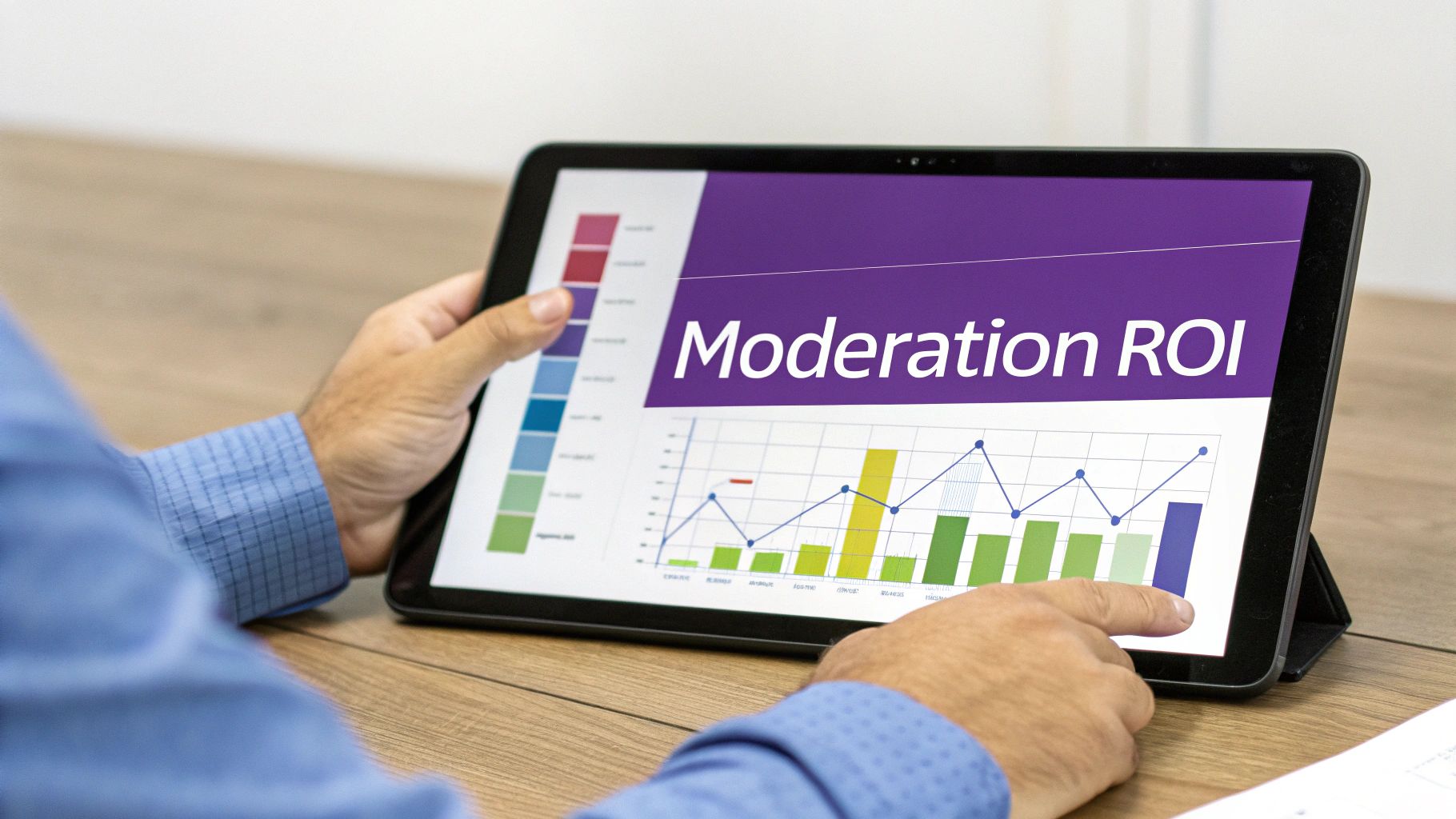
Let's be honest: getting budget for moderation can be tough. It's often seen as a cost center, not a revenue generator. To change that conversation, you need to show exactly how your team's work impacts the bottom line. It’s about connecting the dots between a clean comment section and real business results.
This means looking past simple stats like "number of comments hidden." Instead, you need to focus on the KPIs that tell the story of your brand's health and how it influences a customer's journey from scroller to buyer.
Here are the metrics that actually matter:
- Average Response Time: How fast are you getting back to genuine customer questions? Quick responses build trust and stop small problems from turning into public relations nightmares.
- Comment Sentiment Score: What’s the general vibe in your comments? Tracking whether it's positive, negative, or neutral over time is a powerful indicator of brand health and ad effectiveness.
- Spam Block Rate: What percentage of incoming comments are flagged and removed as spam? This number proves how efficiently your tools are protecting your community and your ad spend.
Connecting Moderation Metrics to Business Goals
The real power comes from tying these moderation KPIs directly to your core business goals, like conversion rates and customer lifetime value (CLV).
For instance, try correlating a month-over-month improvement in your comment sentiment score with your ad's click-through or conversion rate. When you can show that a more positive comment section leads to more sales, you’ve made your case. A healthy community builds the social proof and trust people need to feel confident clicking "buy."
Measuring ROI isn't just about justifying your budget. It's about proving that strategic community management is a powerful revenue driver. A clean, positive environment makes customers feel better about their decision to purchase from you.
The need for this is only growing. The social media moderation market is expected to reach a staggering USD 42.36 billion by 2035, with text moderation alone accounting for 45% of that. This explosion is driven by 5.24 billion social media users and increasing pressure for safer online spaces.
Ultimately, tracking the right data helps you build a rock-solid business case. To dive deeper into measuring community feedback, check out our guide on the best social media sentiment analysis tools. When you can walk into a meeting with clear data linking moderation to revenue, you're no longer talking about an expense—you're talking about an investment.
Your Top Social Media Moderation Questions, Answered
If you're just starting to formalize your social media moderation, you're bound to have questions. In my experience, most brands get hung up on the same few challenges. Let's clear those hurdles right now so you can move forward.
What's a Realistic Budget for Social Media Moderation?
This is the million-dollar question, isn't it? The honest answer is: it depends. There’s no magic number. You could hire an in-house team, which gives you total control but means you're on the hook for salaries and benefits. Or you could go the other way and use AI-powered tools that sift through thousands of comments for a much lower price.
The real way to look at this isn't about cost, but about value and return on your investment. Think about it: automation doesn't just save you money on manual labor. It actively protects your ad spend. When your paid posts aren't being derailed by spam and negativity, your budget actually goes toward driving sales, not just fueling angry comment threads.
Should We Just Delete All the Negative Comments?
This is probably the most debated topic in community management. The temptation to create a perfectly pristine comments section is strong, but scrubbing any hint of criticism can backfire, making your brand look dishonest. At the same time, letting genuinely toxic comments sit there poisons the well for everyone else.
The trick is learning to tell the difference between feedback and filth.
Here’s a simple framework I use:
- Is it Constructive Feedback? Maybe a customer is frustrated with shipping times or had a bad experience. This is pure gold. Never delete these comments. Jump in, respond with empathy, and offer a real solution. It shows everyone else watching that you actually care.
- Is it a Toxic Comment? We're talking about abuse, hate speech, spam, or anything that clearly violates your community rules. Hide or delete these on sight. Your number one job is to protect your community, not to give trolls a microphone.
A good gut check is to ask yourself: "Does this comment help or harm the community?" If it's feedback, engage. If it's just harmful, get rid of it. No apologies.
A Crisis Just Broke Out on Our Page. What's the First Thing We Do?
Panic is the enemy when a social media crisis hits. Those first few minutes are everything, and a fumbled response can turn a small fire into an inferno that damages your brand for a long time. This is where having a plan ready to go is a lifesaver.
If you find yourself in the middle of a storm, do these four things immediately:
- Stop All Scheduled Posts. Seriously, hit the brakes. That fun, upbeat post you had queued up is going to look incredibly tone-deaf and make things a thousand times worse.
- Acknowledge the Problem. Get a short, simple statement out there. Don’t make excuses or get defensive. Just let people know you're aware of the situation.
- Take It Private. Your goal is to move the nitty-gritty details offline. Use phrases like, "We want to look into this for you. Could you please DM us with your order number?"
- Contain the Negativity. This is where your tools come in. Start hiding comments that are purely inflammatory, spreading misinformation, or full of hate. This isn't about censorship; it's about controlling the chaos while you work on a real resolution.
Taking a proactive stance with the right tools changes the game completely. FeedGuardians uses AI to automatically handle spam and harmful comments, freeing up your team to focus on what matters: building a great community and protecting your brand. See how it works at https://feedguardians.com.
Tired of manually moderating comments?
FeedGuardians automates spam filtering, responds to customers, and protects your brand — setup in 3 minutes.